
AHelp
AI-powered tool enhancing writing, homework, and research efficiency.
Key Takeaways
- What it is
- AI-powered tool enhancing writing, homework, and research efficiency.
- Pricing
- Freemium · $9.99 per month
- Best for
- Advanced Grammar Checker
- Plagiarism Checker
- AI Essay Writer
- Rating
- 4.6/5
What is AHelp?
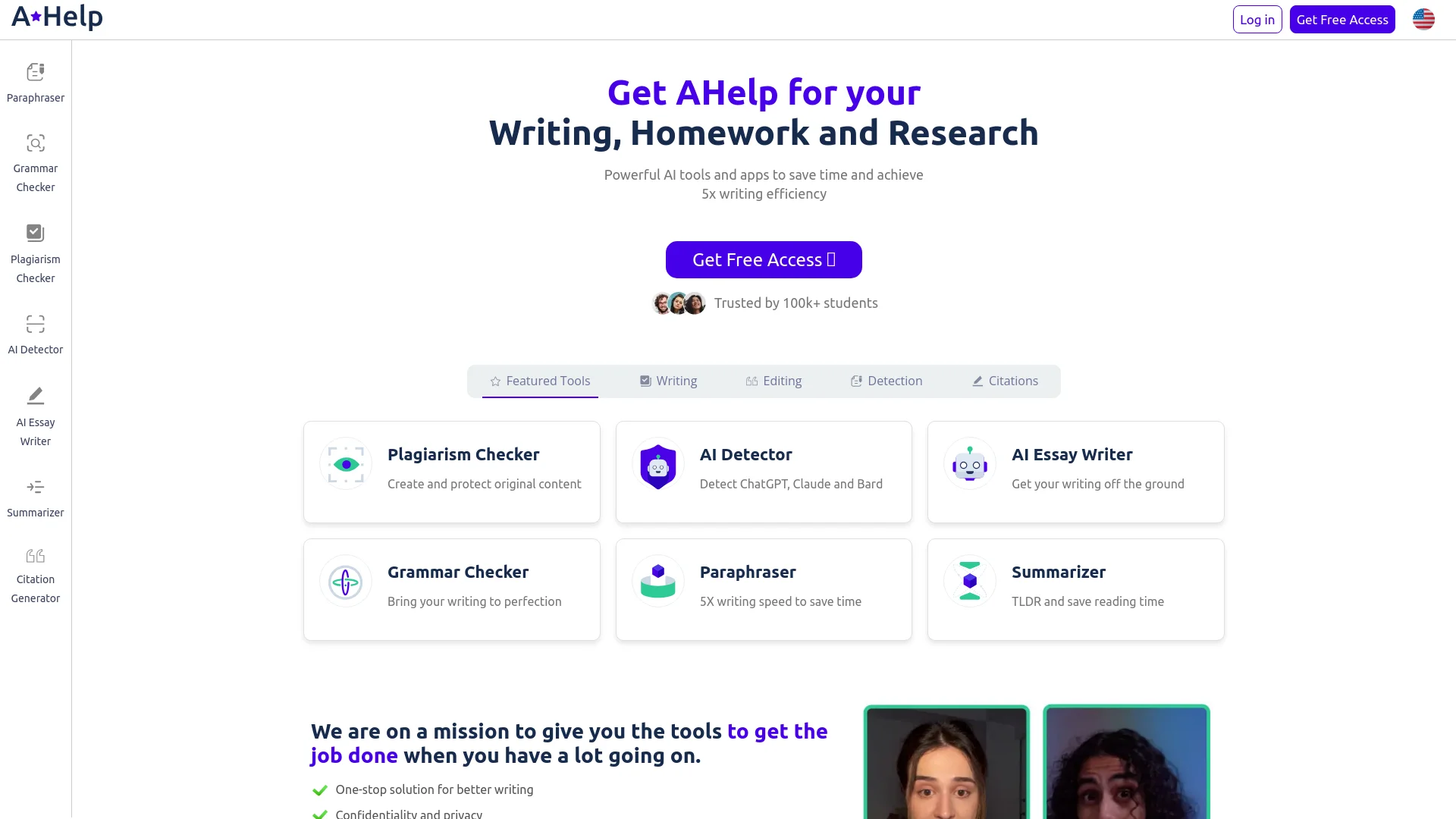
AHelp revolutionizes the way we approach writing, homework, and research tasks by offering a comprehensive suite of AI-powered tools designed to enhance efficiency and accuracy. Whether you're a student, educator, or professional writer, AHelp simplifies your workflow by providing robust tools for paraphrasing, grammar checking, plagiarism detection, and more. This platform is specifically tailored to save time and improve the quality of your writing, making it an invaluable resource for anyone looking to streamline their writing process.
AHelp stands out with its comprehensive suite of AI-powered tools, which cater to every aspect of writing and editing. Its ability to detect AI-generated content from tools like ChatGPT, Claude, and Bard is particularly noteworthy, ensuring the authenticity of your work. The platform's focus on enhancing writing efficiency by up to 5x sets it apart from other writing aids available in the market.
AHelp excels in providing a comprehensive suite of AI-powered tools that significantly enhance writing efficiency and quality, making it an essential tool for students, educators, and professional writers alike. Its unique ability to detect AI-generated content and its focus on privacy and confidentiality offer unmatched advantages in the writing and research process.
Who is Using AHelp?
Students
Leveraging AHelp for writing essays, checking grammar, and ensuring originality in their academic submissions.
Educators
Using the tools to detect plagiarism, assess student work, and provide feedback on writing quality.
Professional Writers
Enhancing their writing efficiency and quality through advanced paraphrasing and grammar checking tools.
Researchers
Utilizing the summarizer and citation generator to streamline their research processes and manage references efficiently.
Uncommon Use Cases
Employed by content creators for generating unique blog posts; used by legal professionals to draft and refine documents.
Key Features
Rating Breakdown
Pricing Plans
Free Tier
Free
- Experience AHelp with a free trial period
Pro Tier
$9.99 per month
Which AHelp plan should you pick?
Start with Free for occasional basic checks and writing; upgrade to Essential or Productive when daily credits, ads, or advanced features become limiting.
Free
Good for users who need basic plagiarism checking, AI detection, and standard text generation with 3 credits per day.
Essential
Good for regular users who need 600 credits per day, standard checking, default AI detection, and no ads.
Productive
Good for heavy users who need 6,000 credits per day, unlimited plagiarism and AI detection, improved text generation, and no ads.
AHelp Use Cases
Create an academic paper
Enter a topic and instructions, select a language and citation style, and generate a draft.
Outcome: A structured first draft based on the requested topic and sources.
Research with personal sources
Upload PDFs or other supported documents to the Personal Library and use them during generation.
Outcome: Writing grounded in the user’s curated research materials.
Revise and improve writing
Highlight text and use commands to expand, shorten, improve readability, or paraphrase it.
Outcome: More polished and readable academic writing.
Check a paper before submission
Run the document through AHelp’s AI detector and plagiarism checker.
Outcome: Potential AI-generated or overlapping passages are identified for review.
Find and format references
Search for relevant academic materials and format citations in styles such as MLA, APA, Chicago, and ASA.
Outcome: Citation-ready sources for academic writing.
Workflow Ideas with AHelp
Research-to-paper workflow
- 1Enter the paper topic and instructions
- 2Upload or select sources in the Personal Library
- 3Generate, revise, check, and export the paper
Pre-submission quality check
- 1Upload the paper in a supported file format
- 2Run plagiarism and AI detection checks
- 3Review highlighted passages and revise the document
Source-finding workflow
- 1Enter a topic or keywords
- 2Review the academic sources returned by Reference Finder
- 3Download or use formatted references in the paper
How AHelp fits into your stack
API Access
Developers can harness AHelp's API for custom integrations.
Third-Party Integration
Supports integration with various third-party tools to enhance functionality.
Plugin Ecosystem
Explore a thriving plugin ecosystem for added functionalities.
Pros
- +Time Efficiency: Significantly reduces the time required for writing and editing tasks, allowing for more productive use of your time.
- +User-Friendly Interface: Intuitive design makes it easy for users of all levels to navigate and utilize the various tools effectively.
- +Comprehensive Toolset: Offers a wide range of tools that cover all aspects of writing, from creation to editing and detection.
- +Privacy and Confidentiality: Ensures user data is kept secure with strict privacy policies and a money-back guarantee if expectations are not met.
Cons
- −Initial Learning Curve: Users may need some time to familiarize themselves with the full range of features and functionalities.
- −Limited Integration: Currently, integration capabilities with third-party platforms are somewhat limited.
Limitations & when to consider alternatives
Known limitations
- Daily and monthly credit limits. The Free plan provides 3 credits per day, while paid plans impose their own stated credit limits.
- Fair-use restrictions. Even plans described as unlimited remain subject to reasonable limits under AHelp’s Fair Usage Policy.
- Document size limit. The plagiarism-checking tool supports documents up to 6,000 words.
- Free-plan advertisements. The Free pricing tier includes advertisements.
- Limited export formats. AHelp documents Word and PDF export rather than a broad range of specialized export formats.
Look elsewhere when
- You need a native mobile application.
- You need a documented developer API.
- You need third-party integrations.
How to Use AHelp
- 1
Explore the comprehensive tutorial series on YouTube, covering everything from basic setup to advanced features of AHelp.
Who is AHelp For?
High-schoolers
AHelp supports research, outlining, editing, and citation work for students managing heavy homework loads.
College students
The tool helps students create drafts from curated sources and handle academic writing tasks efficiently.
Postgraduates
AHelp handles formatting, citations, editing, and other academic-writing distractions so postgraduates can focus on research.
Educators
Educators can use AI detection, plagiarism checking, essay grading, and writing feedback tools.
Researchers
Researchers can find academic sources, summarize material, and check papers for plagiarism and AI-generated content.
Frequently Asked Questions
Are AHelp writing tools free?
All users can access AHelp tools for free. Essential and Productive plans provide more credits, improved features, and advanced options.
What is a credit?
One credit equals one page for AI detection, plagiarism checking, or essay writing; one page contains 250 words.
Can I edit generated text?
Yes. Users can edit generated text inside the dashboard, including shortening, extending, and paraphrasing it.
Can I use AHelp tools in other languages?
Yes. AHelp supports 7 or more languages, including French, Spanish, and others.
Does AHelp save texts after a plagiarism check?
AHelp says texts are checked in real time and are not retained after the plagiarism check.
How can I cancel my subscription?
Open the account icon, go to the Your Plan tab, and confirm cancellation.
Community reviews
2 reviews from people who use AHelp.
Sign in to leave a review for AHelp.
Andrii Karpiuk
Dasha Karpiuk
AHelp Alternatives
Looking for alternatives to AHelp? Here are similar tools in the same category:
Learn to Master AHelp
With Skill Leap courses
Get in-depth training on AHelp and 50+ other AI tools with our expert-led video courses.
Start 7-Day Free Trial