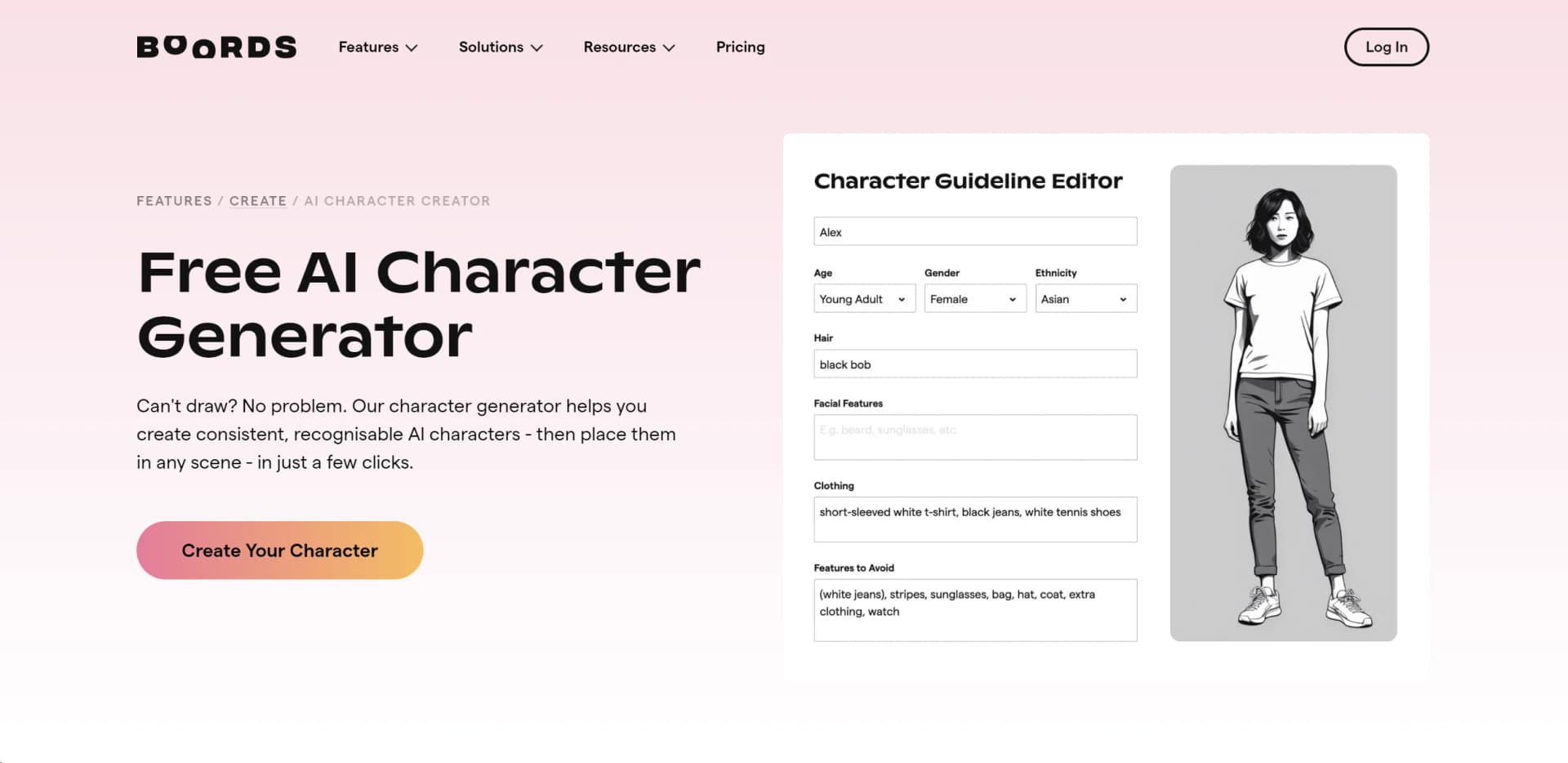
AI Character Generator
Streamline storyboard creation with AI-generated characters, ensuring consistency and professional quality.
Key Takeaways
- What it is
- Streamline storyboard creation with AI-generated characters, ensuring consistency and professional quality.
- Pricing
- Freemium
- Best for
- Consistent Character Creation
- Customizable Descriptions
- Variety of Character Options
- Rating
- 4.6/5
What is AI Character Generator?
AI Character Generator revolutionizes character creation for storyboards, offering innovative features tailored to streamline the pre-production process. Designed by Boords, this tool simplifies the creation of consistent and engaging characters for storytelling purposes.
AI Character Generator stands out with its focus on simplifying character creation for storyboards while maintaining consistency and quality. Boords' tool offers a user-friendly experience, collaborative features, and professional-quality character designs, making it an essential asset for storytelling professionals.
AI Character Generator by Boords is a game-changer in the realm of character creation for storyboards. With its user-friendly interface, collaborative features, and professional-quality character designs, the tool streamlines the pre-production process, making storytelling more efficient and visually engaging. Whether you're a seasoned storyboard artist or a newcomer to the world of storytelling, AI Character Generator offers valuable features to enhance your creative workflow and bring your narratives to life.
Who is Using AI Character Generator?
Video Production Teams
Professionals in the video production industry rely on Boords' AI Character Generator to streamline the pre-production process and enhance storytelling.
Storyboard Artists
Artists and storyboard creators leverage the tool to create consistent and visually appealing characters for their storyboards.
Content Creators
Individuals creating multimedia content, such as animations or short films, utilize the AI Character Generator to add depth and personality to their narratives.
Educational Institutions
Boords' AI Character Generator is also adopted by educational institutions for teaching storyboard creation and character design.
Key Features
Rating Breakdown
Pricing Plans
Free Tier
Free
- Boords offers a free AI Character Generator tool
- Allowing users to experience its capabilities without financial commitment
Pro Tier
- Users requiring additional features and support
- Boords offers premium subscription plans with pricing available on their official website
Which AI Character Generator plan should you pick?
Start with Solo for individual storyboard work, then upgrade to Pro, Team, Agency, or Enterprise when you need more users, controls, credits, or security features.
Solo
Good for one user who needs free storyboard creation and 250 AI images per month.
Pro
Good for teams of up to five users needing increased AI image capacity and collaboration.
Team
Good for teams of up to ten users needing advanced team controls and project permissions.
Agency
Good for agencies with up to thirty users that need higher AI limits and priority support.
Enterprise
Good for larger organizations needing custom seats, SAML single sign-on, dedicated support, and procurement-oriented security infrastructure.
AI Character Generator Use Cases
Create reusable characters
Describe a character, choose a visual style, generate it, and save it to the team Asset Library.
Outcome: A reusable character reference for future storyboard frames.
Build a storyboard from a script
Upload or paste a script, select configuration options, and convert it into a storyboard.
Outcome: A structured storyboard with frames and AI-generated visuals.
Maintain visual continuity
Attach saved characters, locations, props, or previous frames as references during image generation.
Outcome: More consistent characters and settings across a sequence.
Create client-review materials
Share storyboard links, collect frame-level comments, and manage review and approval activity.
Outcome: A centralized client feedback and sign-off process.
Export production storyboards
Download storyboards as PDFs, videos, or images using configurable layouts and styling.
Outcome: Shareable production-ready storyboard files.
Workflow Ideas with AI Character Generator
Script to storyboard
- 1Upload or paste a script
- 2Choose language, visual style, and storyboard settings
- 3Review and refine generated frames
Character continuity workflow
- 1Generate a character in Playground
- 2Save it to the Asset Library
- 3Reference the character in later storyboard generations
Client approval workflow
- 1Create and revise the storyboard
- 2Share a review link with stakeholders
- 3Collect comments and track sign-off
How AI Character Generator fits into your stack
Seamless Integration
Boords' AI Character Generator seamlessly integrates with the Boords platform, allowing for smooth workflow transitions between character creation and storyboard development.
Export Options
Users can export AI-generated characters for use in various storyboard creation tools and software, ensuring compatibility with existing workflows.
Pros
- +Ease of Use: Boords' AI Character Generator boasts an intuitive interface, making character creation accessible to users of all skill levels.
- +Collaborative Features: Enhance teamwork and communication by allowing multiple users to collaborate on storyboards simultaneously.
- +Time-Saving Benefits: Speed up the pre-production process by efficiently generating characters and incorporating them into storyboards.
- +Professional Quality: Trusted by professionals in the video production industry, Boords ensures high-quality character designs for compelling storytelling.
Cons
- −Limited Customization: While the tool offers a variety of character options, some users may find the customization features to be somewhat limited.
- −Learning Curve: Users new to storyboarding or character design may require some time to familiarize themselves with the tool's features and functionalities.
Limitations & when to consider alternatives
Known limitations
- AI does not automatically remember previous frames. Users must explicitly select an @mention or attach a reference image to identify the character or asset to reuse.
- Reference limit per generation. A single generation can use up to four content reference images.
- Uploaded asset formats and size. The Asset Library accepts PNG, JPG, and GIF files up to 20 MB each.
- API availability. API access requires a paid Boords plan and is currently documented as beta functionality.
- Free-plan script limits. Free and trial accounts have a limit of three active scripts, and free PDF exports include a Boords watermark.
Look elsewhere when
- You need a native iOS or Android application.
- You need fine-tuning or model training on your own data.
- You need a coding-focused AI tool.
How to Use AI Character Generator
- 1
Explore Boords' comprehensive tutorial series, covering everything from basic character creation to advanced customization options, available on their official website.
Who is AI Character Generator For?
Video agencies
Boords is positioned as a pre-production platform for creating storyboards, gathering feedback, and obtaining client sign-off.
Brand teams
Brand teams can create consistent visual concepts, reuse saved assets, and collaborate on approvals.
Creative studios
Studios can manage scripts, storyboards, revisions, comments, exports, and shared asset libraries.
Production teams
Production teams can turn scripts into storyboards, export production materials, and maintain version history.
Frequently Asked Questions
What does the AI Character Generator do?
It generates characters and other visual assets, saves them to the Asset Library, and lets users reuse them across storyboards.
Can characters remain consistent across frames?
Yes. Users can save characters as library assets and reference them with @mentions or attached reference images.
Can I upload my own images?
Yes. Boords supports uploaded artwork, project images, library images, and images imported from Dropbox or Google Drive.
Can I import scripts?
Yes. Scripts can be uploaded or pasted, then converted into structured storyboards with AI-generated frame text and images.
Does Boords support collaboration?
Yes. Teams can invite users, assign access roles, collaborate in real time, comment, and share review links.
Is there a free plan?
Yes. The Solo plan is listed at $0 per month and includes 250 AI images monthly.
Community reviews
Be the first to share your experience.
Sign in to leave a review for AI Character Generator.
AI Character Generator Alternatives
Looking for alternatives to AI Character Generator? Here are similar tools in the same category: