
AI Consulting Tools
Turn rough business ideas into slide-ready analyses.
Key Takeaways
- What it is
- Turn rough business ideas into slide-ready analyses.
- Pricing
- $12.99 per month
- Best for
- Template-specific AI generators
- Prompt-to-structure automation
- Customisable outputs
- Rating
- 4.2/5
What is AI Consulting Tools?
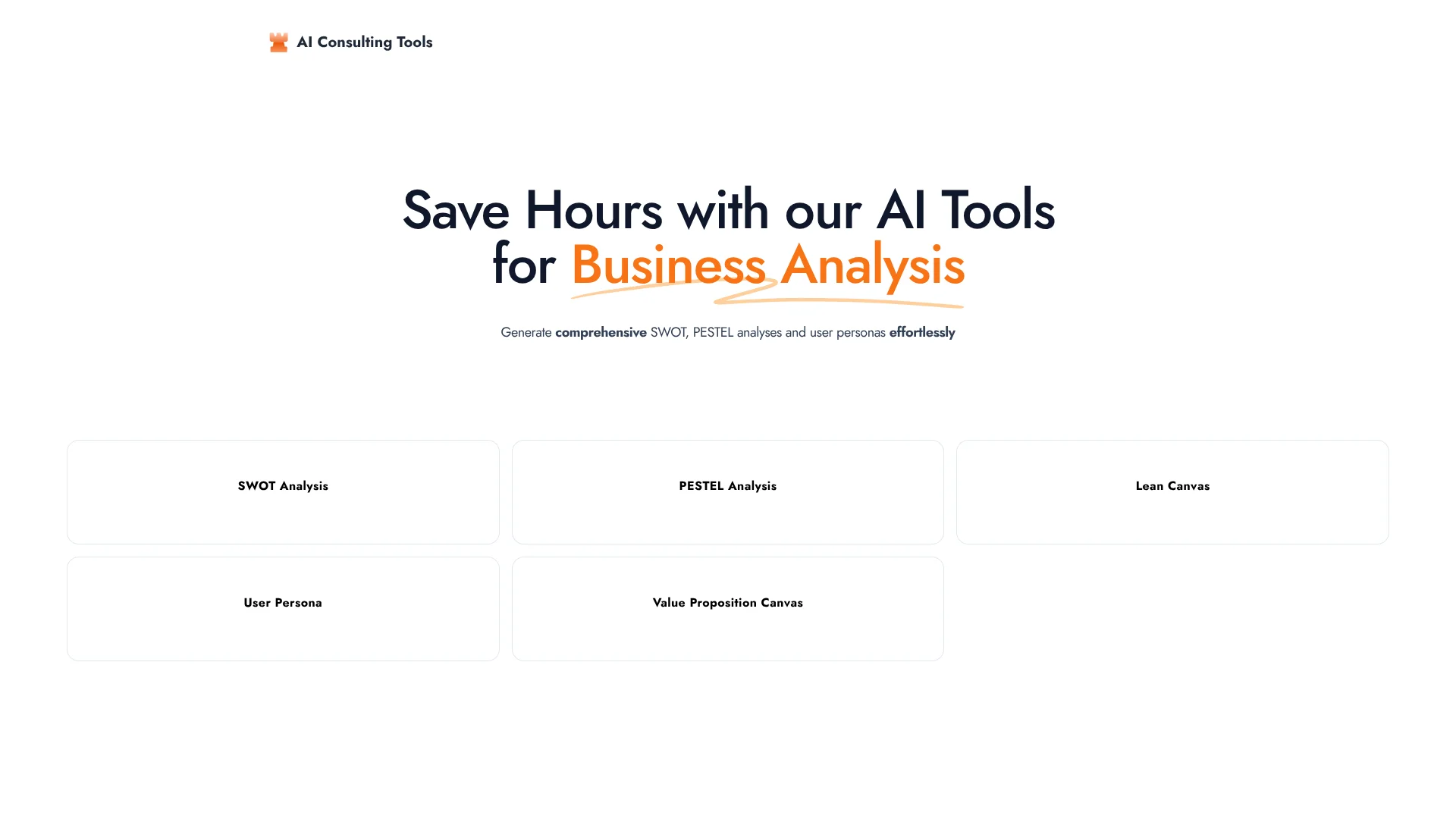
AI Consulting Tools focuses on speeding up classic business analysis work. It uses generative AI to turn short business or product descriptions into structured SWOT, PESTEL, Lean Canvas, value proposition and user persona outputs. The service targets consultants, founders, students and strategy teams who want slide-ready insight in minutes instead of hours. The main site acts as a hub that routes users to dedicated generators for each template.
AI Consulting Tools stands out by going all-in on standard consulting templates rather than acting as a generic text generator. This focus keeps prompts simple and the learning curve short, especially for users already familiar with SWOT or PESTEL layouts. The hub-and-spoke design, pointing to specialised generators for each structure, makes it feel like a compact toolbox built specifically for business analysis. For anyone who has rebuilt the same matrices and canvases from scratch countless times, getting AI to handle the first draft feels very satisfying.
Who is Using AI Consulting Tools?
Consultants
The product is positioned around standard consulting-analysis formats including SWOT, PESTEL, and canvases.
Business strategists
The structured templates support early-stage strategic analysis and business-model planning.
Startup and product teams
Lean Canvas, User Persona, and Value Proposition Canvas tools support early product and business planning.
Key Features
Rating Breakdown
Pricing Plans
AI Consulting Tools
$12.99 per month
- Unlimited user personas, unlimited SWOT & PESTEL analyses, advanced lean canvases, priority support, and a free trial
AI Consulting Tools Use Cases
SWOT analysis
Generate a structured SWOT analysis for a business, product, or idea.
PESTEL analysis
Generate a PESTEL analysis for business-environment assessment.
Lean Canvas
Create a Lean Canvas for business-model planning.
User persona
Generate a user persona for customer and audience analysis.
Value Proposition Canvas
Create a Value Proposition Canvas for customer-value analysis.
Workflow Ideas with AI Consulting Tools
Create a SWOT analysis
- 1Open the SWOT Analysis tool
- 2Enter the business or idea context
- 3Review the generated strengths, weaknesses, opportunities, and threats
Build a Lean Canvas
- 1Open the Lean Canvas tool
- 2Describe the business model or concept
- 3Review and refine the generated canvas sections
Develop a user persona
- 1Open the User Persona tool
- 2Provide the target audience or product context
- 3Review the generated persona profile
How AI Consulting Tools fits into your stack
Browser
AI Consulting Tools is used as a browser-based collection of focused generators for SWOT, PESTEL, Lean Canvas, User Persona, and Value Proposition Canvas analyses.
Pros
- +Major time saver: Produces structured analysis in minutes, ideal for tight client or classroom deadlines.
- +Low barrier for non-consultants: Helps founders and small teams create “consultant-style” documents without specialist training.
- +Good for ideation: Quickly surfaces angles and considerations that can then be refined with human judgment.
- +Lightweight access: Browser-based tools with no complex setup, making it easy to test or use ad hoc.
Cons
- −Narrow scope: Focuses on qualitative templates rather than deeper financial, market or data modelling.
- −Risk of generic content: Without strong prompts, outputs can feel high level and need tailoring.
- −Limited transparency: Little public information on underlying models, data handling and long-term product roadmap.
- −Management Consultants and Boutique Firms: Using the tools to sketch first-pass SWOT or PESTEL views before detailed research.
- −Startup Founders and Product Managers: Drafting Lean Canvases, personas and value propositions for pitches and internal alignment.
- −Corporate Strategy and Innovation Teams: Creating quick alternative scenarios and strategic options during workshops.
- −Business, MBA and Marketing Students: Producing structured assignments and practicing standard analysis templates.
- −Uncommon Use Cases: Used by startup accelerators during mentoring sessions; Adopted by coworking spaces for idea-validation clinics.
How to Use AI Consulting Tools
- 1
Choose an analysis template
Select SWOT Analysis, PESTEL Analysis, Lean Canvas, User Persona, or Value Proposition Canvas from the official tool hub.
- 2
Describe the business or idea
Provide the context needed for the selected analysis so the generator can produce a structured result.
- 3
Review the generated output
Use the resulting analysis as a starting point for strategy, planning, or consulting work.
- 4
Refine the result externally
Edit and adapt the generated analysis for the specific business situation or deliverable.
Who is AI Consulting Tools For?
Business consultants
Use the template generators to create structured business analyses such as SWOT and PESTEL assessments.
Strategy professionals
Use Lean Canvas and Value Proposition Canvas templates to structure strategic thinking.
Market researchers
Use User Persona and related analysis templates to organize audience and market insights.
Frequently Asked Questions
What analysis tools are available?
The site lists SWOT Analysis, PESTEL Analysis, Lean Canvas, User Persona, and Value Proposition Canvas.
What does the product help generate?
The site describes generating comprehensive SWOT, PESTEL, and user-persona analyses for business analysis.
Community reviews
Be the first to share your experience.
Sign in to leave a review for AI Consulting Tools.
AI Consulting Tools Alternatives
Looking for alternatives to AI Consulting Tools? Here are similar tools in the same category:
Learn to Master AI Consulting Tools
With Skill Leap courses
Get in-depth training on AI Consulting Tools and 50+ other AI tools with our expert-led video courses.
Start 7-Day Free Trial