
AI Experiments
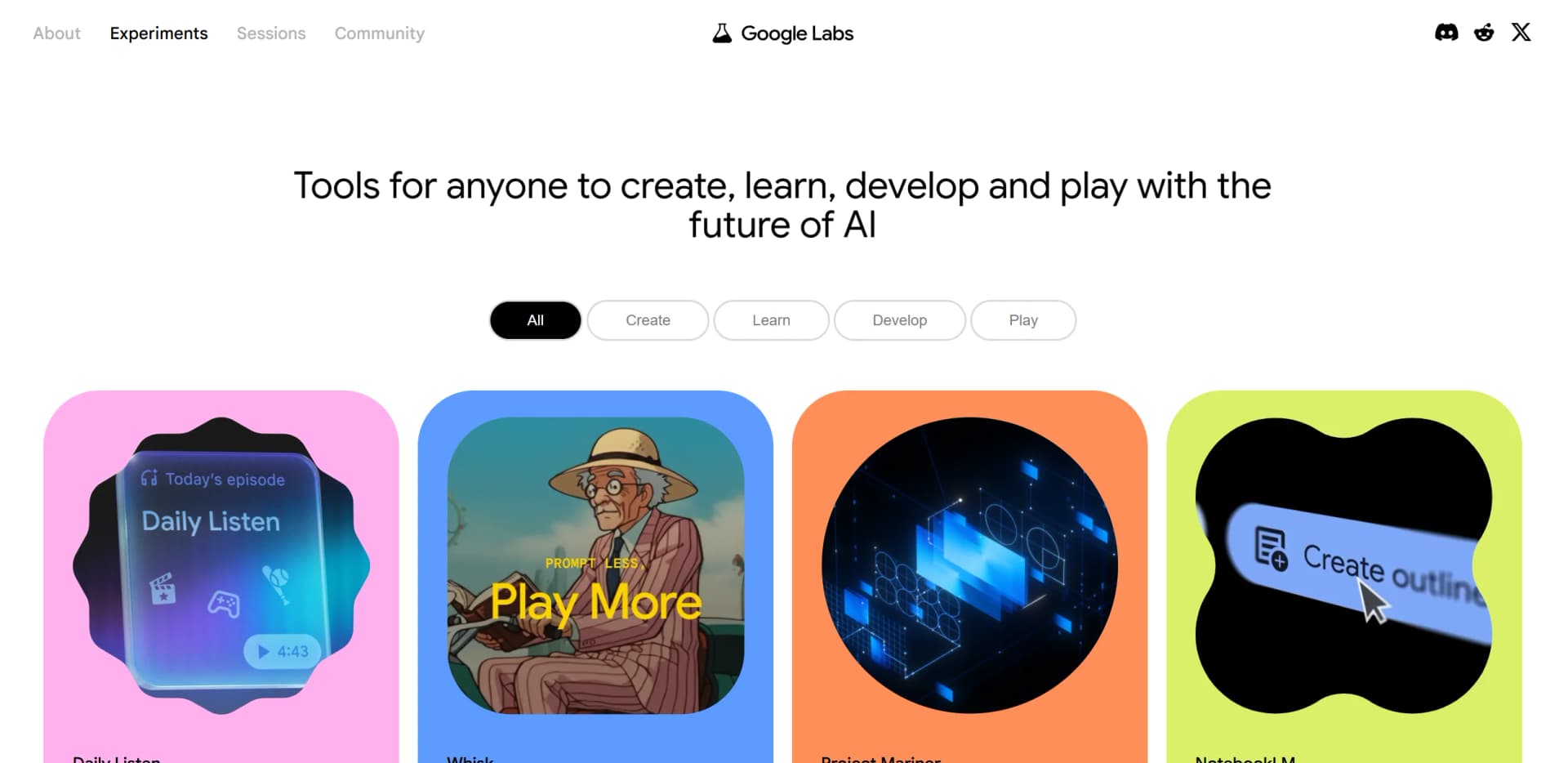
Explore AI's potential with interactive, open-source experiments.
Key Takeaways
- What it is
- Explore AI's potential with interactive, open-source experiments.
- Best for
- Interactive Demos
- Open Source Collaboration
- Educational Resources
- Rating
- 4.5/5
What is AI Experiments?
AI Experiments, hosted on Google Labs, is a fascinating platform designed to make artificial intelligence accessible and engaging for everyone. It showcases a plethora of AI-driven projects that are not only innovative but also interactive, allowing users to experience the capabilities of AI firsthand. Whether you're a developer, an educator, or simply an enthusiast, AI Experiments provides a playground for exploring and understanding the potential of AI technology.
AI Experiments stands out with its emphasis on interactive learning and open-source collaboration. This platform is a game-changer for those seeking to demystify AI through hands-on experience. Its ability to bridge the gap between complex AI concepts and everyday understanding sets it apart in the educational technology landscape.
AI Experiments offers a unique blend of education, creativity, and technology, making it an invaluable resource for anyone interested in artificial intelligence. By providing hands-on experiences and fostering a community of innovation, it empowers users to explore the vast potential of AI in a way that is both accessible and engaging. Whether you're looking to learn, create, or collaborate, AI Experiments is a platform that opens the door to endless possibilities in the world of AI.
Who is Using AI Experiments?
Educators
Utilizing the platform to introduce students to AI concepts in an engaging way.
Developers
Exploring new tools and techniques in AI for personal or professional projects.
Artists
Leveraging AI to create unique pieces of digital art and music.
Tech Enthusiasts
Experimenting with AI to gain a deeper understanding of its capabilities and limitations.
Uncommon Use Cases
Used by psychologists to study human-machine interaction; Employed by game designers to incorporate AI-driven elements into gameplay.
Key Features
Rating Breakdown
Pricing Plans
AI Experiments is a free platform, making it accessible to anyone interested in exploring AI technologies.
AI Experiments Use Cases
Explore machine-learning concepts
Use visualizations and interactive demos to see how neural networks process data.
Outcome: A hands-on introduction to machine learning.
Train a custom classifier
Provide examples through the camera to teach Teachable Machine how to recognize custom classes.
Outcome: A locally trained model that recognizes the examples provided.
Practice image prompting
Describe Google AI-generated images and receive feedback on the quality of the visual description.
Outcome: Improved image-reading and prompting skills.
Experiment with AI-assisted writing
Use writing-focused experiments to explore characters, story options, and generated text between sentences.
Outcome: Creative writing inspiration and exploration.
Create and explore AI-powered music
Interact with machine-learning music and sound experiments such as NSynth and Beat Blender.
Outcome: New sounds, beats, and musical ideas.
Workflow Ideas with AI Experiments
Train and test a visual classifier
- 1Open Teachable Machine in the browser
- 2Capture examples for each custom class
- 3Train the model and test its recognition output
Practice image prompting
- 1Open Say What You See
- 2Describe the displayed AI-generated image
- 3Review the generated result and prompting feedback
Explore neural-network vision
- 1Enable the device camera in What Neural Networks See
- 2Observe the network's response to the live camera feed
- 3Inspect how different network layers respond
How AI Experiments fits into your stack
Browser
AI Experiments is primarily a web-based collection of interactive machine-learning experiments, including Teachable Machine and Mood Board Search.
Pros
- +Engagement: The interactive nature of the experiments makes learning about AI both fun and insightful.
- +Accessibility: Offers an accessible entry point for individuals new to AI, with resources that cater to various skill levels.
- +Innovation: Constantly updated with new experiments, keeping the content fresh and relevant.
- +Community-Driven: Encourages community involvement, fostering a collaborative environment for innovation.
Cons
- −Limited Depth: Some experiments may offer a broad overview rather than in-depth exploration of complex AI topics.
- −Resource Intensity: Certain experiments may require significant computational resources, limiting accessibility for some users.
- −Variable Quality: As a collection of diverse experiments, the quality and polish can vary from one project to another.
Limitations & when to consider alternatives
Known limitations
- Experiments are prototypes. The collection is intended for exploration and inspiration rather than a unified production software product.
- Some experiments may be inactive. Individual experiment pages can state that an experiment is no longer active while retaining informational content.
- Camera and microphone access may be required. Several experiments depend on device cameras, microphones, or other browser permissions.
- Recognition depends on the examples provided. Teachable Machine warns that the model learns from supplied examples and does not understand higher-level concepts automatically.
- Experiments are not a unified platform. AI Experiments is a collection of separate projects with different interfaces, technologies, and availability.
Look elsewhere when
- You need a documented developer API.
- Your team needs shared workspaces and user roles.
- You need a native desktop application.
- You need a general-purpose coding assistant.
How to Use AI Experiments
- 1
Browse the AI Experiments collection
Start with the collection categories for learning, drawing, music, writing, and other machine-learning demonstrations.
- 2
Launch an experiment
Choose an experiment such as Quick, Draw!, Say What You See, or What Neural Networks See and follow its browser-based interaction.
- 3
Build a custom model with Teachable Machine
Capture examples with your camera, train a classifier locally, and export the resulting model for use in sites, apps, and other projects.
- 4
Review the technical implementation
Open an experiment's source-code link to inspect how it was built and which technologies it uses.
- 5
Use the experiments as learning references
Read the individual experiment descriptions and built-with sections to connect interactive behavior with machine-learning concepts.
Who is AI Experiments For?
Curious learners
Interactive experiments make machine-learning concepts approachable through hands-on exploration.
Writers
The AI + Writing collection explores how machine learning can inspire, unblock, and enrich writing.
Teachers, students, and families
Google's experiment collections include learning-oriented projects designed for teachers, students, and families.
Developers and coders
Many experiments include source code and are built with technologies such as TensorFlow, TensorFlow.js, and Web APIs.
Artists and creative technologists
The collection focuses on creative applications of AI across drawing, music, writing, images, and interactive media.
Frequently Asked Questions
What is AI Experiments?
AI Experiments is a showcase of simple experiments designed to help anyone explore machine learning through pictures, drawings, language, music, and more.
Who is AI Experiments for?
It is intended for anyone interested in exploring machine learning through approachable, interactive experiments.
Can I create my own machine learning model?
Yes. Teachable Machine lets you train models to recognize images, sounds, and poses without coding.
Do the experiments require coding?
Several experiments are designed for no-code exploration, while many also provide source code for developers.
Does training in Teachable Machine send images to Google servers?
The Teachable Machine documentation says training happens locally on the user's device.
Can I use the experiments with a camera?
Yes. Several experiments use a device camera for image recognition, neural-network visualization, or gesture interaction.
Community reviews
Be the first to share your experience.
Sign in to leave a review for AI Experiments.
AI Experiments Alternatives
Looking for alternatives to AI Experiments? Here are similar tools in the same category:
Learn to Master AI Experiments
With Skill Leap courses
Get in-depth training on AI Experiments and 50+ other AI tools with our expert-led video courses.
Start 7-Day Free Trial