
AI Flashcard Maker by Coursebox
Turn training content into branded multilingual flashcards.
Key Takeaways
- What it is
- Turn training content into branded multilingual flashcards.
- Pricing
- Freemium · $2.99 per month
- Best for
- Multi‑source AI generation
- AI prompt‑based card creation
- Branding and visual customisation
- Rating
- 4.5/5
What is AI Flashcard Maker by Coursebox?
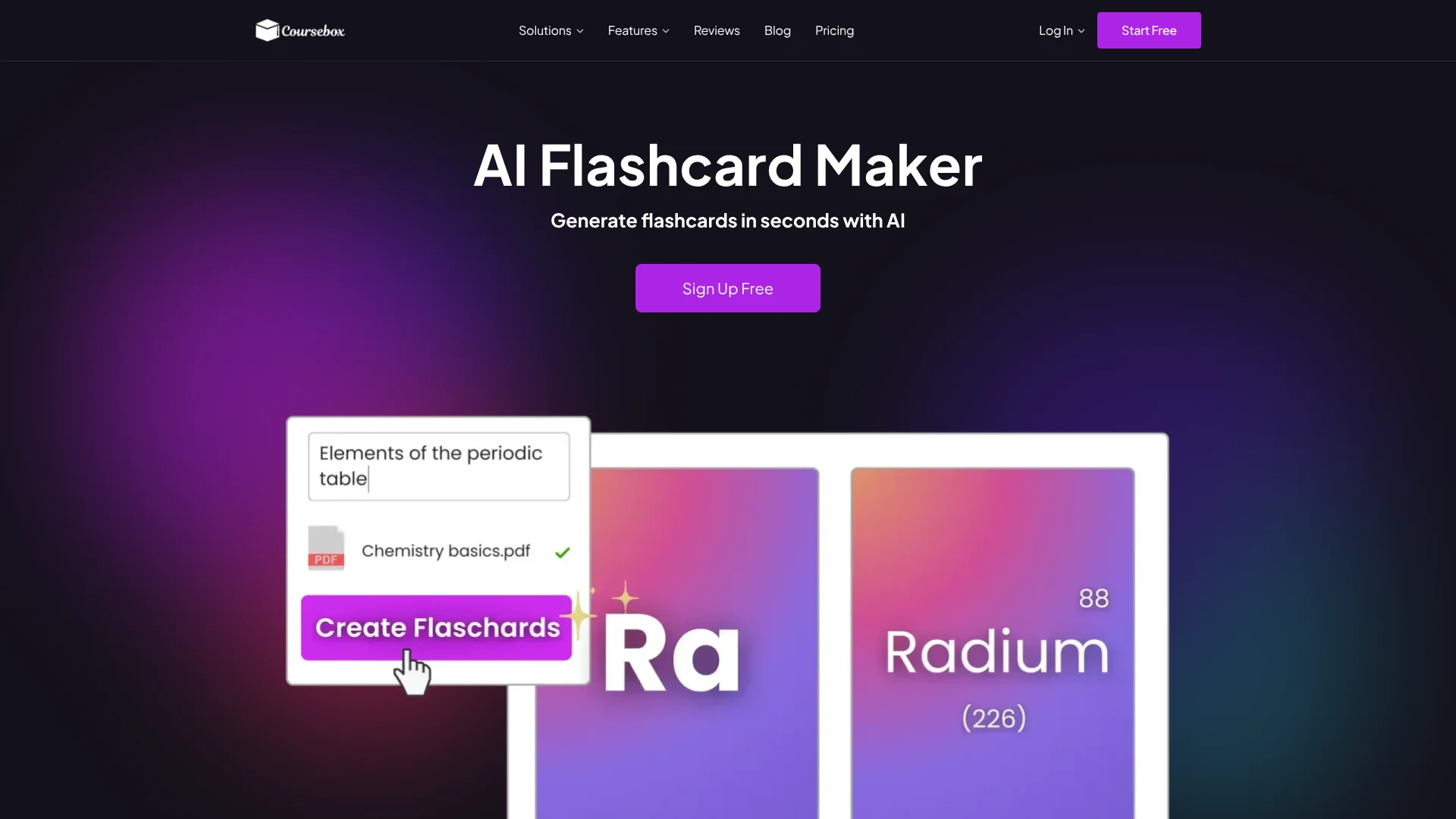
AI Flashcard Maker by Coursebox focuses on turning existing training content into structured digital flashcards in seconds. Sitting inside the wider Coursebox learning platform, it converts files, slide decks, web pages, videos, and text prompts into question–answer cards that slot into courses, SCORM or LTI packages, and the Coursebox LMS. The tool targets training providers, educators, and L&D teams that want rapid flashcard creation without sacrificing control over branding, editing, or multilingual delivery.
AI Flashcard Maker stands out because it is not just a standalone flashcard generator. It is one cog in a broader AI course‑creation system that already handles quizzes, AI training videos, grading, tutors, and full course design. That means flashcards can be generated directly from the same materials used for courses, pushed into a branded LMS, exported as SCORM or LTI, and translated at scale. For teams that live in standards like SCORM rather than consumer apps, having AI flashcards integrated into that workflow is a very welcome twist.
AI Flashcard Maker offers a focused answer for organizations that are drowning in existing training assets but short on time to reformat them into effective review tools. By combining quick AI generation from almost any content source with branding control, LMS‑friendly exports, and multilingual support, it gives instructional designers and L&D teams a practical way to add flashcard‑based active recall into modern training programs without blowing up their schedules.
Who is Using AI Flashcard Maker by Coursebox?
Training Providers and L&D Teams
Turning onboarding programs, compliance modules, and product training into quick‑review flashcards embedded in larger courses.
Accredited Training Organisations and Colleges
Converting units of competency, lectures, and lab materials into flashcards for spaced review and exam preparation.
Instructional Design Consultants
Rapidly prototyping flashcard‑based microlearning for clients, then exporting SCORM or LTI packages for whichever LMS the client already runs.
Non Profits and Public Sector Programs
Creating simple review decks for volunteers and staff who need just‑in‑time refreshers on procedures or policies.
Uncommon Use Cases
Used by coaching businesses to add recap cards after video lessons; adopted by specialist associations to package CPD flashcards for members.
Key Features
Rating Breakdown
Pricing Plans
Free plan
Free
- A “free forever” tier gives access to the platform
- Including AI tools like the flashcard maker
- Support for unlimited learners on each account
Free trial on paid tiers
- A time‑limited trial (for example seven days) is available so teams can test advanced Coursebox features before committing
Paid plans
$2.99 per month
- Higher tiers adding features such as advanced LMS controls and white‑label branding
Which AI Flashcard Maker by Coursebox plan should you pick?
Start with Free to test flashcard creation; upgrade to Creator for regular flashcard and course production, or to Business or Enterprise for API, team, and SSO requirements.
Free
Good for trying Coursebox with limited AI credits and up to three mini courses.
Creator
Good for small businesses and course creators who need flashcards, document conversion, exports, and more AI credits.
Plus
Good for creators who need substantially more AI credits without a fully branded platform.
Pro
Good for a single admin who needs a branded learning platform, custom domain, and advanced course delivery.
Business
Good for organisations needing multiple admin licences, API access, and team-oriented administration.
Enterprise
Good for large organisations needing SSO, custom hosting, migration, advanced analytics, or contractual support.
AI Flashcard Maker by Coursebox Use Cases
Safety training
Turn safety policies and procedures into flashcards for staff.
Outcome: More memorable safety training.
Culinary training
Convert cooking techniques and terminology into review cards.
Outcome: Faster practice and recall of culinary concepts.
Sales onboarding
Create flashcards covering product knowledge and sales information.
Compliance refresher
Use flashcards to reinforce policies, procedures, and required knowledge.
Language learning
Generate multilingual decks with translation and pronunciation guides.
Outcome: One deck can support learners across regions.
Workflow Ideas with AI Flashcard Maker by Coursebox
Document to flashcard deck
- 1Upload a PDF, PowerPoint, document, or text file.
- 2Let Coursebox extract key terms and concepts.
- 3Edit, organise, and share the generated flashcard deck.
Course-integrated revision
- 1Create a course from a prompt or source files.
- 2Use the built-in flashcard generation for course concepts.
- 3Embed the flashcards directly into lessons.
Automated learner enrolment
- 1Trigger a workflow from a form, payment, CRM, or spreadsheet.
- 2Use Zapier or the Open API to invite and enrol the learner.
- 3Deliver the relevant course and flashcard content.
Pros
- +Huge time savings for content-heavy teams: Training providers can turn long slide decks, manuals, or recorded sessions into study-ready flashcards in under a minute instead of hand-writing every card.
- +Tight connection to full courses: Because the tool lives inside Coursebox, flashcards sit alongside quizzes, AI videos, and chatbots, which suits structured training paths rather than isolated study sets.
- +Strong support for professional branding: Custom colours, imagery, and consistent layouts help organisations ship flashcards that actually look like their learning content, not like a generic study app.
- +Global‑ready learning assets: Being able to generate and translate flashcards into 100+ languages is valuable for international universities, franchises, and distributed workforces.
Cons
- −Best suited to Coursebox users: While SCORM and LTI exports help, the smoothest workflows are clearly designed for teams already using Coursebox as their primary training environment.
- −More than students usually need: Solo students who just want a lightweight personal flashcard app may find the full Coursebox ecosystem unnecessary for basic revision.
- −AI quality still needs human review: As with any AI flashcard generator, subject-matter experts should review and tweak cards for nuance, difficulty, and local terminology before publishing.
Limitations & when to consider alternatives
Known limitations
- Free plan limits. The Free plan limits users to three AI-generated mini courses of up to five pages each and provides limited AI credits.
- Source documents are applied during course creation. To incorporate new documents into an existing course, Coursebox recommends exporting the current course and regenerating it with the new sources.
- AI output requires review. Coursebox states that AI cannot guarantee complete accuracy, so generated content should be reviewed before publishing.
- No in-platform video editing. Coursebox does not support trimming, cutting, captioning, or visual updates inside the platform.
- File-size and plan restrictions. Supported upload sizes and direct-upload availability vary by plan; some Free-plan video uploads require external video links.
Look elsewhere when
- You need a dedicated desktop application.
- You need a browser extension.
- You need programming-code generation.
How to Use AI Flashcard Maker by Coursebox
- 1
Open the flashcard maker
Go to Coursebox's AI Flashcard Maker and start a new flashcard-generation session.
- 2
Add source material
Upload a supported document, paste text, or provide a web or YouTube link so Coursebox can identify key concepts.
- 3
Generate the deck
Let the AI create a structured flashcard set from the supplied content.
- 4
Edit the cards
Refine wording, colours, difficulty, images, and card organisation before publishing.
- 5
Share or embed
Share the deck by link, embed it in lessons, or export it through supported SCORM or LTI options.
Who is AI Flashcard Maker by Coursebox For?
Trainers
Create review decks for employee training, compliance, onboarding, and professional development.
Teachers
Turn teaching materials into editable, multilingual flashcard sets for learners.
Course creators
Add automatically generated flashcards directly to courses and lessons.
Training teams
Distribute consistent study materials across global teams in more than 100 languages.
Frequently Asked Questions
How fast can I create flashcards?
Most decks are ready in seconds after uploading a file or pasting text.
Can I edit flashcards generated by Coursebox?
Yes. You can refine wording, change colours, adjust difficulty, add images, and organise cards.
Can I export or share flashcards created in Coursebox?
Flashcards can be exported, shared by link, embedded in lessons, or packaged as SCORM or LTI content.
What types of content can I use?
You can upload PDFs, PowerPoint files, DOC, TXT, CSV, and other documents, or provide web links, YouTube videos, or pasted text.
Can I create flashcards in different languages?
Yes. Coursebox supports flashcard generation in more than 100 languages and can provide pronunciation guides.
Community reviews
Be the first to share your experience.
Sign in to leave a review for AI Flashcard Maker by Coursebox.
AI Flashcard Maker by Coursebox Alternatives
Looking for alternatives to AI Flashcard Maker by Coursebox? Here are similar tools in the same category:
Learn to Master AI Flashcard Maker by Coursebox
With Skill Leap courses
Get in-depth training on AI Flashcard Maker by Coursebox and 50+ other AI tools with our expert-led video courses.
Start 7-Day Free Trial