
AI Home Design
Revolutionize real estate and interior design with AI-driven virtual staging and renovations.
Key Takeaways
- What it is
- Revolutionize real estate and interior design with AI-driven virtual staging and renovations.
- Pricing
- Freemium · $6.67 per month · $16.67 per month · $33.33 per month
- Best for
- Virtual Staging
- Interior Design
- Photo Editing
- Rating
- 4.6/5
What is AI Home Design?
AI Home Design is a groundbreaking platform that leverages artificial intelligence to transform the way we approach real estate and interior design. Its suite of tools is crafted to empower property listings, facilitate effortless renovations, and bring design dreams to life. From virtual staging and interior design to photo editing and home renovation, AI Home Design offers a comprehensive solution for enhancing properties and creating visually appealing spaces. Designed for real estate professionals, designers, and home enthusiasts alike, this platform simplifies the design process, making it accessible, efficient, and enjoyable.
AI Home Design stands out with its comprehensive suite of AI-powered tools tailored for the real estate and design industries. Its unique selling point lies in the seamless integration of technology and design, allowing users to visualize and implement design ideas with unprecedented ease and efficiency. The platform's ability to generate high-quality, listing-ready images in a matter of seconds sets it apart from traditional design and staging methods.
AI Home Design excels in revolutionizing the real estate and interior design landscapes, offering an essential tool for professionals and enthusiasts alike. Its comprehensive suite of AI-powered features provides a cost-effective, efficient, and user-friendly solution for enhancing properties and bringing design ideas to life. With its unique ability to generate high-quality, listing-ready images quickly, AI Home Design is redefining the standards of property presentation and interior design planning in the digital age.
Who is Using AI Home Design?
Real Estate Agents
Enhancing property listings with virtual staging and photo editing.
Interior Designers
Exploring design possibilities and presenting concepts to clients.
Homeowners
Planning renovations and redecorations of their spaces.
Stagers
Creating visually appealing spaces for open houses and listings.
Uncommon Use Cases
Educational institutions incorporate it into the design curriculum, and DIY enthusiasts use it for personal project planning.
Key Features
Rating Breakdown
Pricing Plans
Starter Plan
Free
- Up to 4 free generations by signing up. Downloads come with a watermark
Lite Plan
$6.67 per month
- Offering high-quality downloads without watermark and up to 20 generations for various services
Pro Plan
$16.67 per month
- Designed for professionals
- Providing extensive generation options and high-quality downloads
Pro Plus Plan
$33.33 per month
- Best for high volume orders with the most comprehensive features
Which AI Home Design plan should you pick?
Start with the Pro plan for up to 30 photos monthly; upgrade to Pro Plus or Enterprise for higher volume, rollover, backups, priority support, or API access.
Pro
Good for individual agents or photographers who need up to 30 photos per month and six-month backup.
Pro Plus
Good for users processing up to 80 photos per month who need 12-month backup and unused-credit rollover.
Enterprise
Good for high-volume teams and businesses needing 200 or more photos monthly, unlimited backup, priority support, sub-accounts, and API access.
AI Home Design Use Cases
Virtual staging
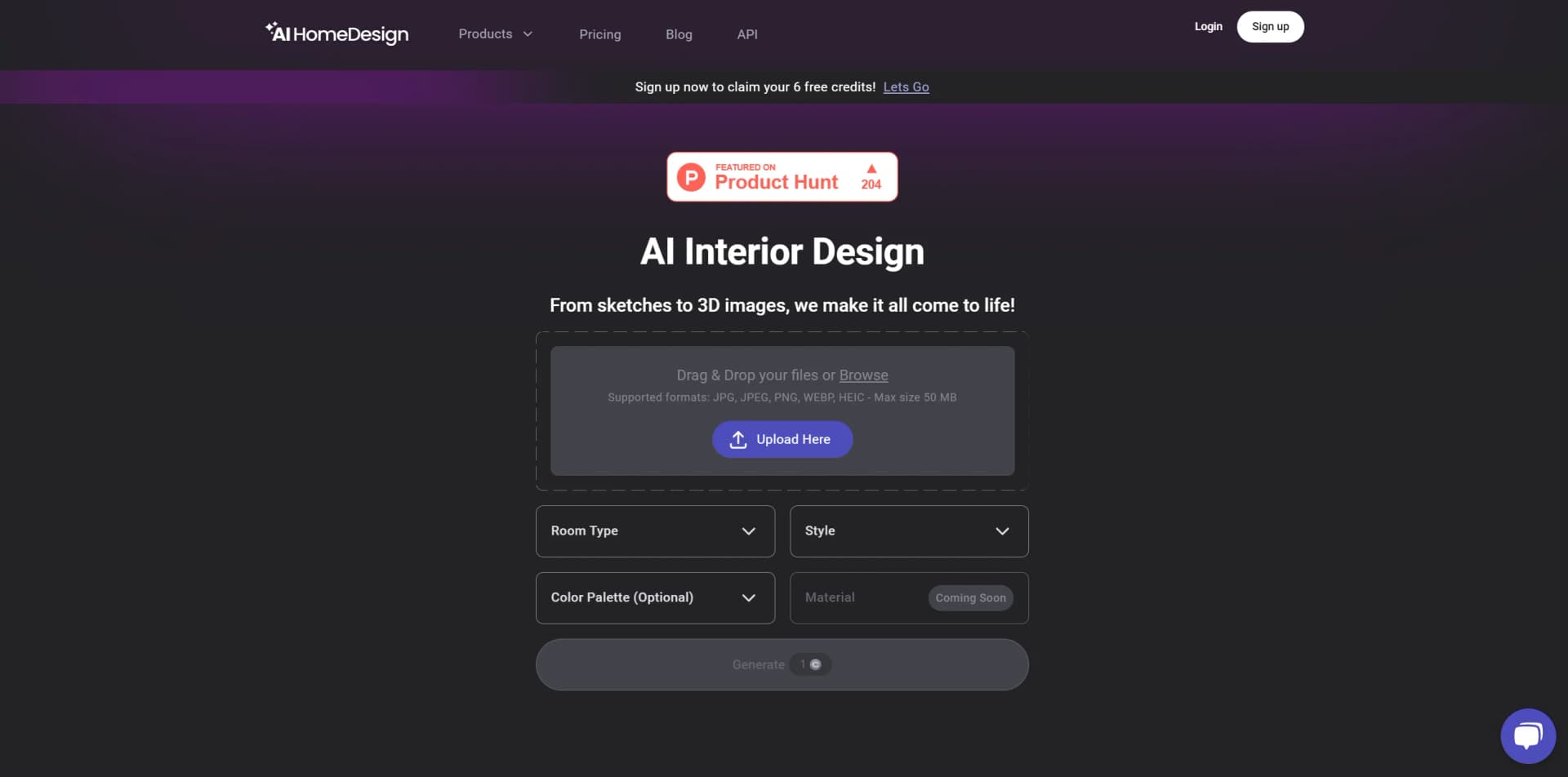
Upload a vacant or furnished room, choose a room type and design style, and generate furnished listing visuals.
Outcome: A photorealistic, listing-ready staged image.
Virtual decluttering
Remove whole-room clutter or select specific objects such as furniture, signs, reflections, and debris.
Outcome: A cleaner property photo with fewer distractions.
Interior renovation visualization
Change walls, floors, ceilings, backsplashes, furniture, or the overall interior design from a room photo.
Outcome: Photorealistic renovation concepts for planning or presentation.
Day-to-dusk conversion
Convert a daytime exterior into a twilight scene with sky replacement, warmer lighting, and illuminated windows.
Outcome: A dusk hero image for a property listing.
Real estate image enhancement
Correct exposure, color balance, sharpness, noise, and other common property-photo issues.
Outcome: Brighter, clearer, more consistent listing photos.
Workflow Ideas with AI Home Design
Prepare a vacant listing photo
- 1Upload the room photo
- 2Choose the room type and staging style
- 3Generate, select, and download the staged result
Create a renovation concept
- 1Upload a room or exterior photo
- 2Select interior design, wall, floor, ceiling, backsplash, or furniture tools
- 3Regenerate or refine the result with chat-based edits
Automate image processing through the API
- 1Upload an image using the API
- 2Submit an order with the selected service and parameters
- 3Receive the result through a webhook or retrieve order details
How AI Home Design fits into your stack
API Access
Offers developers the ability to integrate AI Home Design's capabilities into their own applications or websites.
Wide Range of Styles
Supports thousands of different styles, colors, and materials to fit any design preference or requirement.
Cross-Platform Usability
Accessible on various devices, ensuring users can work on their projects anytime, anywhere.
Pros
- +Cost-Effective Solutions: Competitive pricing models that cater to individual users, design enthusiasts, and professionals.
- +High-Quality, Listing-Ready Results: Generate visually compelling images that are ready for real estate listings.
- +User-Friendly Interface: Intuitive design that makes it easy to use for both novices and professionals.
- +Fast and Reliable: Quick turnaround times for generating design visuals and editing images.
Cons
- −Learning Curve: New users may require some time to fully explore and utilize all the available features.
- −Limited Physical Interaction: While AI Home Design offers a comprehensive digital solution, some users may miss the hands-on advice from human experts.
- −Dependency on Digital Representations: The accuracy of virtual staging and renovations relies on the quality of digital models and images.
Limitations & when to consider alternatives
Known limitations
- Free outputs may be watermarked. The Free Plan provides credits for trying the service, but generated results come with a watermark.
- API access requires an Enterprise plan. The API documentation says users must subscribe to an Enterprise plan to obtain an API key.
- Image uploads have a 50MB limit. The documented upload workflows limit individual image files to 50MB.
- Some renovation API services require activation. The renovation API documentation says activation may require contacting AI HomeDesign.
Look elsewhere when
- You need a native mobile app.
- You need a downloadable desktop application.
- You need programming-code generation.
How to Use AI Home Design
- 1
Explore the platform's extensive tutorial library, covering everything from basic setup to advanced feature utilization, available directly on their website and through dedicated support channels.
Who is AI Home Design For?
Real estate agents and realtors
Create staged, enhanced, decluttered, renovated, and dusk-ready listing images quickly.
Real estate photographers
Process listing photos with virtual staging, enhancement, item removal, and day-to-dusk editing.
Brokerages and real estate teams
Use sub-accounts, central billing, SSO, API access, and high-volume photo processing.
MLSs and service providers
Deliver MLS-compliant visual preparation through API, SSO, and white-label outputs.
Frequently Asked Questions
Is AI HomeDesign free to use?
AI HomeDesign offers free credits without requiring a credit card. Free-plan results may include watermarks, while paid plans provide watermark-free downloads.
What types of images can users upload?
The platform accepts JPG, PNG, HEIC, JPEG, and WEBP images, with uploads up to 50MB per photo depending on the workflow.
What can AI HomeDesign do with a property photo?
Users can stage rooms, redesign interiors, enhance images, remove items, change surfaces, and convert daytime exteriors to dusk scenes.
How long does image generation take?
AI HomeDesign advertises results in seconds; renovation workflows are described as completing in under 30 seconds.
Can users regenerate or refine results?
Users can regenerate variations and refine results with chat-based prompts; paid plans include free regenerations.
Does AI HomeDesign offer an API?
Enterprise subscribers can access documented REST API endpoints, API keys, image upload, order submission, and webhooks.
Community reviews
5 reviews from people who use AI Home Design.
Sign in to leave a review for AI Home Design.
Mahdi Arjangi
Kate Chasten
Shan
Tanin Hashemian
Mehrshid Moslemi
AI Home Design Alternatives
Looking for alternatives to AI Home Design? Here are similar tools in the same category:
Learn to Master AI Home Design
With Skill Leap courses
Get in-depth training on AI Home Design and 50+ other AI tools with our expert-led video courses.
Start 7-Day Free Trial