
AI Image Enlarger
Enhance and upscale images seamlessly with advanced AI tools.
Watch AI Image Enlarger in Action
Key Takeaways
- What it is
- Enhance and upscale images seamlessly with advanced AI tools.
- Pricing
- Freemium · $4.9 per month
- Best for
- AI-Powered Upscaling
- Batch Processing
- AI Image Enhancer
- Rating
- 4.6/5
What is AI Image Enlarger?
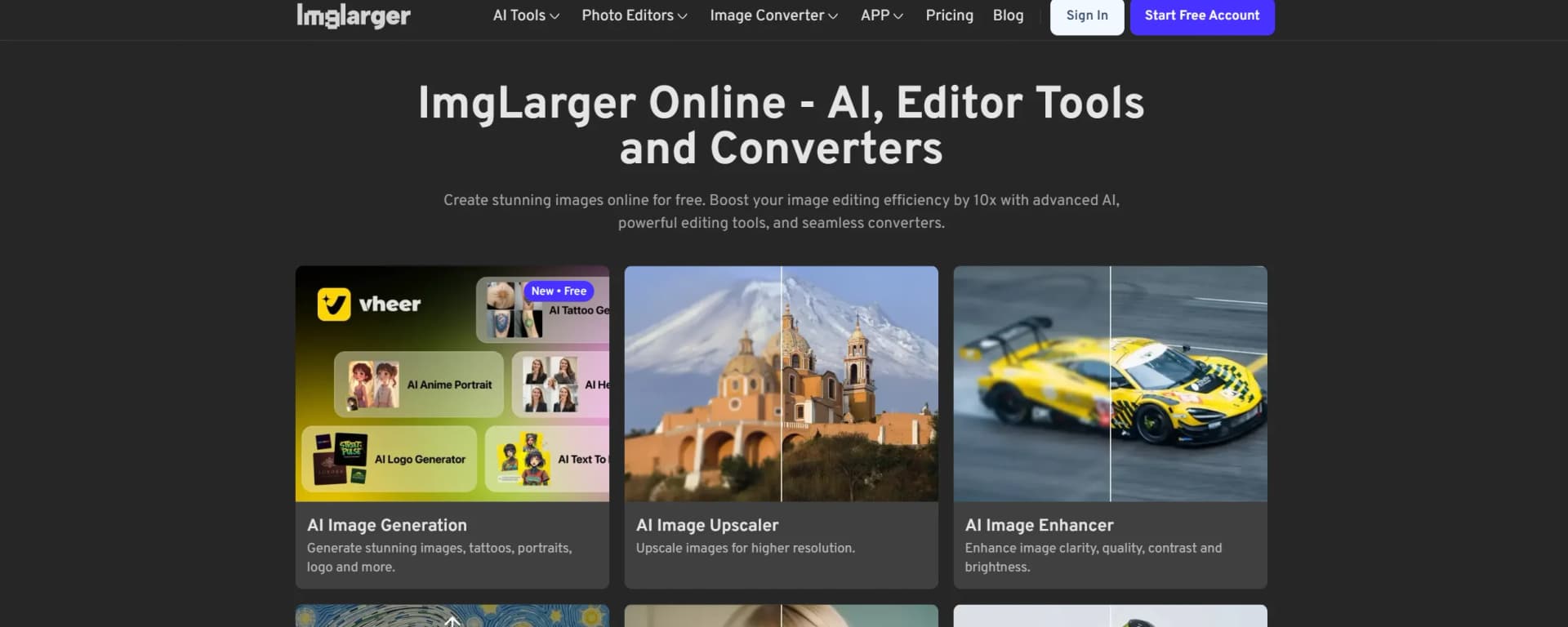
AI Image Enlarger revolutionizes image enhancement by offering a suite of tools designed to upscale, enhance, and edit photos without compromising quality. Ideal for photographers, graphic designers, and anyone needing high-quality image processing, it simplifies tasks such as enlarging images up to 800%, improving clarity, and converting image formats seamlessly.
AI Image Enlarger stands out with its ability to upscale images significantly without losing quality, a game-changer for photographers and designers who need high-resolution outputs. Its advanced AI algorithms ensure that even the smallest details are preserved, setting it apart from competitors.
AI Image Enlarger is a robust tool that excels in delivering high-quality image enhancements with ease. Its AI-driven features make it a reliable choice for professionals and hobbyists alike, offering an impressive suite of tools that cater to various image processing needs. Whether you're looking to upscale, enhance, or convert images, AI Image Enlarger provides an efficient and user-friendly solution.
Who is Using AI Image Enlarger?
E-commerce Businesses
Utilizing the tool to enhance product images for online listings.
Digital Marketing Agencies
Employing the tool for crafting visually appealing campaign content.
Social Media Managers
Leveraging the tool to create engaging social media visuals.
Graphic Designers
Using the tool for efficient design workflows.
Key Features
Rating Breakdown
Pricing Plans
Free Tier
Free
- Experience AI Image Enlarger with a limited free trial
Pro Tier
$4.9 per month
Which AI Image Enlarger plan should you pick?
Start with Free for occasional 2x single-image work, upgrade to Premium for batch and 8x processing, or choose Business for higher-volume use and priority support.
Free
Good for occasional users who need 100 monthly credits, single-image processing, 1,024-pixel inputs, and up to 2x enlargement.
Premium
Good for creators who need 2,000 monthly credits, batch processing, higher input limits, up to 8x enlargement, and priority processing.
Business
Good for high-volume users who need 6,000 monthly credits, the highest quality limits, batch processing, and priority support.
AI Image Enlarger Use Cases
Educational institutions for teaching digital art courses.
Freelance photographers for streamlining their editing processes.
Workflow Ideas with AI Image Enlarger
Prepare a low-resolution product image
- 1Upload the JPG, PNG, or WebP product image
- 2Choose 2x, 4x, or 8x enlargement
- 3Preview and download the enhanced result
Upscale an AI-generated illustration
- 1Upload the generated artwork
- 2Select the desired enlargement ratio
- 3Compare the result with the original before downloading
Process a photo collection
- 1Open batch processing on a supported plan or app
- 2Add multiple images
- 3Download the processed images after enhancement
How AI Image Enlarger fits into your stack
Browser
Imglarger is primarily a browser-based image toolkit for enlarging, upscaling, enhancing, sharpening, uncropping, editing, and converting images.
Desktop / IDE
AI Enlarger also has an offline Mac application for local image processing without uploading images to the cloud.
Pros
- +Time Efficiency: Quickly processes images, saving time on manual editing.
- +High-Quality Output: Maintains image quality even with significant enlargements.
- +Versatile Tools: Offers a wide range of editing and enhancement options.
- +User-Friendly: Intuitive interface suitable for users of all experience levels.
Cons
- −Free Version Limitations: Free tier limits image size and upscaling options.
- −Customization Constraints: Limited ability to adjust the degree of upscaling.
- −Integration Limitations: Does not support direct integration with third-party platforms.
Limitations & when to consider alternatives
Known limitations
- Free-plan resolution limits. The Free plan limits the input's maximum side to 1,024 pixels and enlargement to 2x.
- Upload size limits. Paid uploads must be under 10 MB and 4,000 pixels on one side; oversized images may be resized or compressed.
- Credits are consumed by AI tasks. Each processed or downloaded image uses one credit, while converter and editor tools do not consume credits.
- Batch processing is plan-dependent. Batch processing is included with Premium and Business rather than the Free plan.
- Uploaded images are temporary. Uploaded and processed images are automatically deleted after a limited retention period, so results must be downloaded promptly.
Look elsewhere when
- You need a documented developer API.
- You need shared workspaces, roles, or user invitations.
- You need SSO or SAML.
- You need automated multi-step workflows across tools.
How to Use AI Image Enlarger
- 1
Upload an image
Open AI Image Enlarger and upload a supported JPG, JPEG, PNG, or WebP image.
- 2
Choose the enlargement ratio
Select 2x, 4x, or 8x based on the required output size and available plan.
- 3
Start processing
Run the AI enlargement process; each AI task consumes a credit.
- 4
Preview the result
Compare the enlarged image with the original before deciding whether to keep it.
- 5
Edit if needed
Use the built-in crop, resize, rotate, or adjustment tools before finalizing the image.
- 6
Download promptly
Download the processed image because uploaded and processed files are retained only temporarily.
Who is AI Image Enlarger For?
Photographers
Enhance blurry, noisy, compressed, or low-resolution photos and restore visible detail.
Anime and digital-art creators
Upscale anime artwork, illustrations, and AI-generated images while preserving line detail and texture.
E-commerce users
Prepare clearer, higher-resolution product images for listings and catalogs.
Social-media creators
Create larger, sharper visuals suitable for social posts, wallpapers, and online publishing.
Print and design users
Enlarge images for posters, presentations, prints, design layouts, and high-resolution displays.
Frequently Asked Questions
What image formats does AI Image Enlarger support?
The enlarger supports JPG, JPEG, PNG, and WebP images.
How large can images be?
Paid uploads must be under 10 MB and 4,000 pixels on one side. Free-plan inputs are limited to a maximum side length of 1,024 pixels.
How much can an image be enlarged?
The tool supports 2x, 4x, and 8x enlargement, depending on the plan and feature.
Can I process multiple images?
Batch processing is available on the Premium and Business plans and in the AI Enlarger mobile app.
Are free credits available?
The Free plan provides 100 credits per month. Mobile apps provide five free credits for new accounts.
How long are uploaded images retained?
The site says uploaded and processed images are automatically deleted within six hours; its privacy policy describes shorter cloud-retention periods for some features.
Community reviews
8 reviews from people who use AI Image Enlarger.
Sign in to leave a review for AI Image Enlarger.
Shahid sultan
Shihong Song
Haley Zhou
Sohail Safdar
Tong Li
Abigail De Vera
Mary Liu
tong red
AI Image Enlarger Alternatives
Looking for alternatives to AI Image Enlarger? Here are similar tools in the same category:
Learn to Master AI Image Enlarger
With Skill Leap courses
Get in-depth training on AI Image Enlarger and 50+ other AI tools with our expert-led video courses.
Start 7-Day Free Trial