
AI Image to Caption Generator
Transform photos into engaging captions using AI technology.
Key Takeaways
- What it is
- Transform photos into engaging captions using AI technology.
- Pricing
- Freemium · $0.99 per week · $2.99 per month
- Best for
- AI-Powered Captioning
- Hashtag Generator
- User-Friendly Interface
- Rating
- 4.0/5
What is AI Image to Caption Generator?
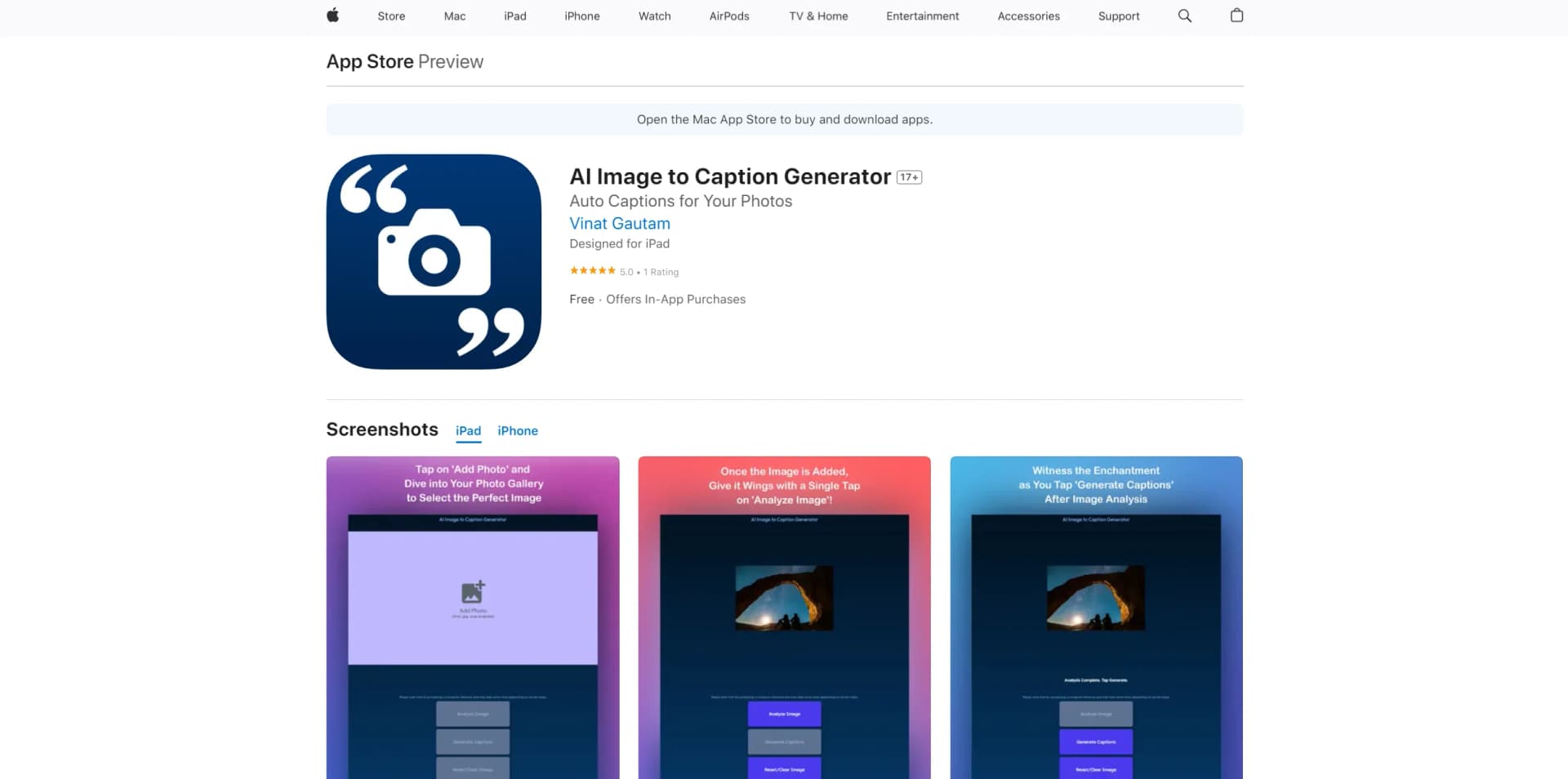
AI Image to Caption Generator is a cutting-edge application designed to transform your photos into captivating captions with ease. Available on the Apple App Store, this tool is perfect for anyone looking to enhance their social media presence or add a creative touch to their photo collections. With its AI-driven technology, the app analyzes images to generate compelling one-liners, making it a valuable companion for both casual users and professional content creators.
AI Image to Caption Generator distinguishes itself with its seamless integration of AI technology to enhance creativity. By combining image analysis with the art of captioning, it offers a unique solution that transforms everyday photos into storytelling masterpieces, setting it apart from traditional captioning tools.
AI Image to Caption Generator offers an innovative approach to photo captioning that taps into the power of AI to inspire creativity and enhance social media engagement. While there are areas for improvement, particularly in the consistency of caption quality, its user-friendly design and additional features like hashtag generation make it a compelling choice for anyone looking to elevate their visual content. Whether you're a social media enthusiast or a professional photographer, this app provides the tools to make your images speak volumes.
Who is Using AI Image to Caption Generator?
Social Media Influencers
Leveraging the tool for eye-catching posts that engage followers.
Photographers
Utilizing it to add creative flair to their portfolios.
Marketing Professionals
Employing it to enhance visual storytelling in campaigns.
Bloggers
Using it to generate content that complements their imagery.
Uncommon Use Cases
Embraced by educators for teaching creative writing; adopted by event planners for crafting promotional content.
Key Features
Rating Breakdown
Pricing Plans
Free Tier
Free
- Access basic features without cost
Weekly Plan
$0.99 per week
Monthly Plan
$2.99 per month
AI Image to Caption Generator Use Cases
Instagram post creation
Upload a photo and generate multiple captions for an Instagram post.
Outcome: More varied and engaging post copy.
Hashtag generation
Use the image to generate related and trending hashtags.
Outcome: Faster hashtag selection for social posts.
Accessibility descriptions
Use image-to-caption technology to produce descriptive text that can help people with visual impairments.
Outcome: Greater access to visual information.
SEO image descriptions
Create image descriptions and captions that provide additional context for search engines.
Outcome: Improved image context and discoverability potential.
Educational visual materials
Apply image captioning to classroom visuals such as diagrams, maps, historical events, and scientific examples.
Outcome: More accessible and interactive learning materials.
Workflow Ideas with AI Image to Caption Generator
Create an Instagram caption
- 1Choose a photo for the social media post.
- 2Upload the image to the app.
- 3Review the generated captions and select one.
Build a hashtag set
- 1Upload the image you plan to publish.
- 2Review the related and trending hashtags.
- 3Add the most relevant hashtags to the post.
Prepare accessible image text
- 1Select the image requiring a description.
- 2Upload it for AI image analysis.
- 3Use the generated descriptive caption as supporting accessibility text.
How AI Image to Caption Generator fits into your stack
Mobile
A native iPhone and iPad utility for uploading photos and generating social-media captions, hashtags, and emojis.
Social media publishing
Use it before posting to Instagram or other social channels: upload a photo, review multiple generated captions, and select related hashtags.
Pros
- +Time-Saving Solution: Eliminates the need for hours spent brainstorming captions, delivering instant results.
- +Enhanced Creativity: Encourages creative expression by generating unique and engaging captions.
- +Social Media Optimization: Boosts engagement on platforms like Instagram with tailored captions and hashtags.
- +Broad Compatibility: Compatible with a wide range of Apple devices, including iPhones, iPads, and Macs.
Cons
- −Inconsistent Caption Quality: Some users report that the generated captions can be generic or unrelated to the image content.
- −Limited Customization: Offers limited options for personalizing captions beyond the AI-generated suggestions.
How to Use AI Image to Caption Generator
- 1
Install the app
Download the iPhone or iPad app from the Apple App Store.
- 2
Choose a photo
Select the image you want to caption for a social media post or other use.
- 3
Upload the image
Provide the image to the app so its AI can analyze the visual content.
- 4
Review generated captions
Compare the multiple caption suggestions produced from the image.
- 5
Choose hashtags
Review related and trending hashtag suggestions when preparing an Instagram post.
- 6
Publish or reuse the result
Use the selected caption and hashtags in your social media content.
Who is AI Image to Caption Generator For?
Social media influencers
Influencers can use the app to create engaging captions and hashtags more quickly.
Instagram beginners
The app helps people starting on Instagram create captions without the stress of writing them from scratch.
Social media content creators
Creators can upload images and receive multiple caption options for posts.
People seeking better social engagement
The tool is positioned to help users make posts more engaging and varied.
Frequently Asked Questions
How does the app generate captions?
Upload an image, and the AI analyzes its colors, subjects, composition, and emotions before generating captions.
How many captions does it generate?
The app generates multiple captions so users can choose the option they prefer.
Does it generate hashtags?
Yes. It generates image-related hashtags and suggests trending hashtags for Instagram.
Who can use the app?
The official product page describes it as suitable for experienced social media influencers and people starting their Instagram journey.
Community reviews
1 review from people who use AI Image to Caption Generator.
Sign in to leave a review for AI Image to Caption Generator.
Satish Gautam
AI Image to Caption Generator Alternatives
Looking for alternatives to AI Image to Caption Generator? Here are similar tools in the same category:
Learn to Master AI Image to Caption Generator
With Skill Leap courses
Get in-depth training on AI Image to Caption Generator and 50+ other AI tools with our expert-led video courses.
Start 7-Day Free Trial