
AI Lawyer
Answers legal questions, summarizes documents, drafts letters.
Key Takeaways
- What it is
- Answers legal questions, summarizes documents, drafts letters.
- Best for
- AI Legal Chat Assistant
- AI Document Handling
- AI-Boosted Legal Research
- Rating
- 4.3/5
What is AI Lawyer?
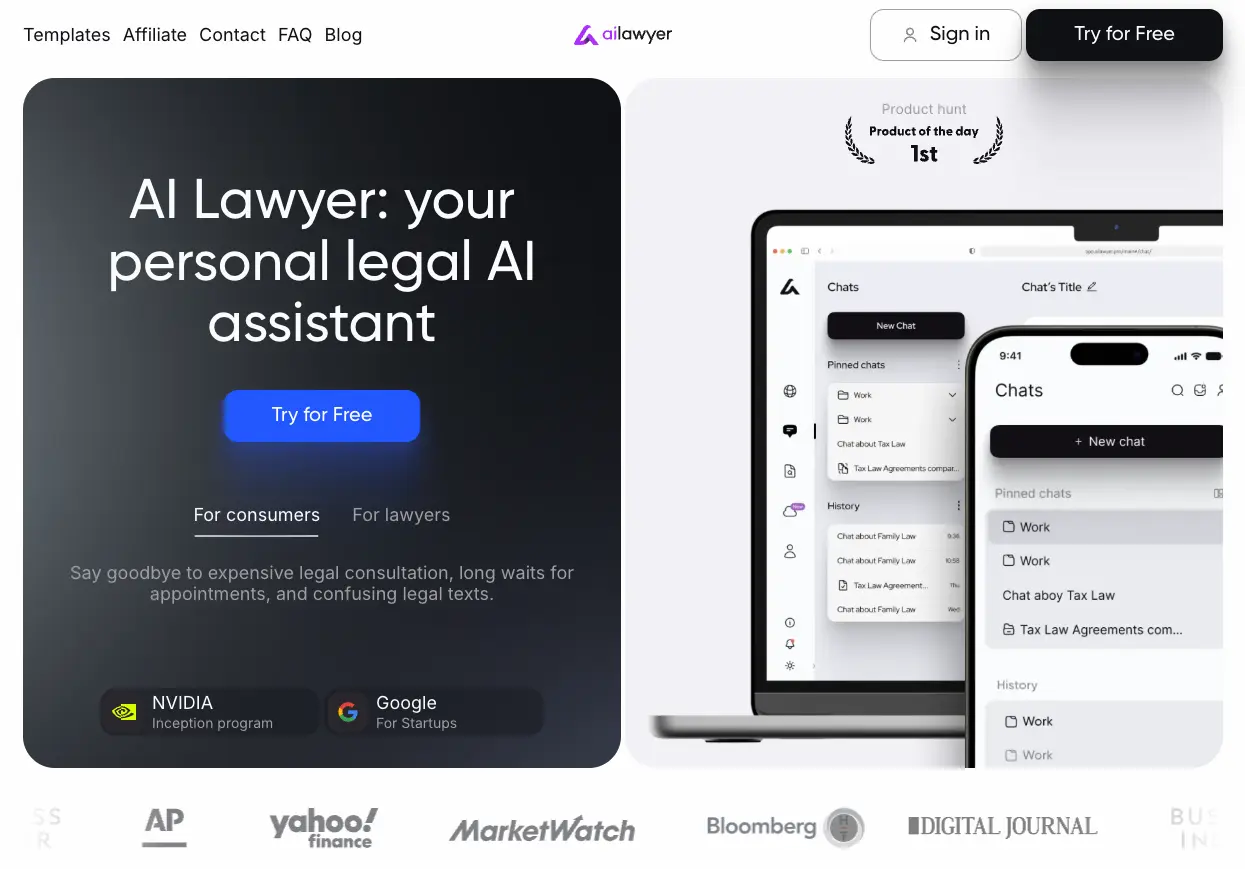
AI Lawyer is a legal AI assistant that helps both everyday users and legal professionals understand rights, draft documents, and speed up research. Accessible on web, iOS, and Android, it focuses on turning long legal texts into clear summaries, generating letters and contracts, and answering legal questions in natural language. Its core idea is simple: give users a virtual “first pass” at legal research and documentation so that expensive lawyer time can be reserved for strategy and representation, not basic drafting and explanation.
AI Lawyer focuses tightly on practical legal work rather than generic chat. The combination of AI legal chat, rapid document summarization, case law search, and an extensive prompt and template ecosystem makes it feel like an always-available junior assistant that speaks legal language but explains things in normal terms. Its positioning for both consumers and professionals, plus mobile-first access and a freemium entry point, helps bridge the gap between “do it yourself” legal forms and full-service law firms.
AI Lawyer offers a compelling middle ground between doing everything manually and outsourcing every legal task to a firm. For consumers, it can turn confusing documents into clear language and produce professional-looking letters without the usual cost and delay. For lawyers and law students, it behaves like a tireless research and drafting assistant that trims hours from routine work, while still leaving the nuanced advocacy to humans. Teams that accept its limits, double-check outputs, and slot it into thoughtful workflows can expect meaningful time and cost savings, plus a quicker path to clarity whenever legal questions arise.
Who is Using AI Lawyer?
Legal Consumers
Individuals drafting complaint letters, termination notices, or simple agreements, or trying to interpret clauses before signing.
Solo Lawyers And Small Firms
Using it as a drafting and research helper for pleadings, demand letters, shareholder agreements, and internal policies.
In-house Counsel And Contract Managers
Relying on clause generators, contract review summaries, and policy templates to reduce low-value manual work.
Law Students And Teachers
Applying AI Research, Chat, Docs, and Smart Archive to write case briefs, outlines, and practice questions, often at discounted pricing.
Uncommon Use Cases
Small NGOs using it to draft policy documents and grant-related agreements; entrepreneurs using it to prepare for negotiations before involving outside counsel.
Key Features
Rating Breakdown
Pricing Plans
Free Access And Trial
- AI Lawyer follows a freemium model with free usage and a try-before-you-buy experience on core features
Which AI Lawyer plan should you pick?
Start with Golden Choice for recurring monthly use, use Just Ask for a short project, and upgrade to Big Case for ongoing annual access.
Just Ask
Good for a single urgent week when you need full premium legal research and document tools.
Golden Choice
Good for regular monthly users who need full premium access with flexible cancellation.
Big Case
Good for recurring legal-document work when annual access offers the best value.
AI Lawyer Use Cases
Create boilerplate clauses
Generate standard, adaptable clauses for agreements.
Outcome: Faster contract drafting.
Draft demand letters
Ask AI Lawyer to prepare a letter requesting payment or dispute resolution.
Outcome: A formal first draft for a claim or dispute.
Review and compare agreements
Upload agreements and compare them to identify important differences and clauses.
Outcome: Clearer understanding of contractual changes.
Translate legal documents
Translate legal documents while preserving their meaning and context.
Outcome: Documents accessible in another language.
Research immigration or family law
Use dedicated prompts and online research for immigration or family-law questions.
Outcome: Faster access to relevant legal information.
Workflow Ideas with AI Lawyer
Review a contract
- 1Upload the contract in Chats or Docs.
- 2Ask AI Lawyer to summarize important terms and obligations.
- 3Compare it with another agreement or request clarification of risky clauses.
Organize a legal case
- 1Create a folder for the case.
- 2Upload related documents to the folder.
- 3Start chats in the folder so conversations can use the folder documents.
Draft a legal document
- 1Open the Docs page.
- 2Choose Create Agreement Light or Create Agreement PRO.
- 3Customize the generated document for the specific legal situation.
How AI Lawyer fits into your stack
Browser
The cloud-based web app provides legal research, chat, document drafting, comparison, translation, summarization, and archive access.
Knowledge and files
Upload documents into chats or Smart Archive so AI Lawyer can retain and use their details for legal work.
Mobile
Native iOS and Android apps provide on-the-go access to legal research, document handling, and guidance.
Team administration
Business onboarding provides a company dashboard for assigning purchased licenses and managing company storage.
Pros
- +Significant Time Savings: Claimed reductions of about 75% of time on routine drafting and research tasks, with near-instant summaries of long documents.
- +Strong For Non-Lawyers: Helps consumers decode legal jargon, draft complaint or demand letters, and prepare before speaking with a lawyer.
- +Practical For Lawyers And Firms: Prompt libraries, case law search, clause generation, and document automation support solo practitioners and firms under heavy workload.
- +Cross-Platform And Always On: Web app plus mobile apps keep research, chats, and documents available 24/7 with persistent history and templates.
Cons
- −Not A Substitute For Counsel: It does not replace a licensed attorney, court representation, or tailored legal strategy, particularly for high-stakes disputes.
- −Jurisdiction Nuance Still On The User: While it can focus on a country or region, users remain responsible for checking whether outputs match local procedure and updated law.
- −Limited Integrations: Public materials emphasize templates and in-app workflows rather than deep integrations with DMS, billing, or full case-management stacks.
Limitations & when to consider alternatives
Known limitations
- AI-generated information can be inaccurate. The site warns that AI-generated text may contain inaccuracies or misleading information and should be checked.
- It is not a substitute for a licensed attorney. AI Lawyer provides legal information and document assistance, but complex or high-stakes matters may require human legal advice.
- Shared research links are publicly accessible. The AI Research sharing feature creates a public page, so sensitive information should not be included.
- The free access is limited. The quick-start documentation describes five free queries or a 24-hour trial before premium access.
Look elsewhere when
- You need a public developer API.
- You need a downloadable desktop application.
- You need custom model training on your data.
How to Use AI Lawyer
- 1
Register an account
Sign up with email, Google, or Apple, then use the included free queries or trial.
- 2
Choose a workspace feature
Use AI Research for legal questions, Chats for conversations and case folders, Docs for document tasks, or Storage for archiving.
- 3
Upload relevant documents
Add files from your device or connected storage so AI Lawyer can use their contents in responses.
- 4
Ask or select a prompt
Enter a legal question or choose a prompt from the prompts library to guide the analysis.
- 5
Draft, compare, translate, or summarize
Use the Docs tools to create agreements, compare versions, translate documents, or extract key points.
- 6
Organize and revisit work
Pin chats, create folders, save history, and manage stored documents for ongoing cases.
Who is AI Lawyer For?
Legal consumers
They can decipher complex legal terms, understand rights, and handle documents.
Lawyers
They can automate routine research and paperwork while focusing on higher-value legal work.
Law firms
They can improve operational efficiency, organize case files, and support client service.
Law students
They can use research, writing, document, and case-brief assistance for legal studies.
Frequently Asked Questions
What is AI Lawyer?
AI Lawyer is a legal research platform that simplifies documents and supports legal work globally.
How do I start using AI Lawyer?
Sign up with a Google, Apple, or email account. New users receive free queries or a short free trial.
What countries and languages does AI Lawyer support?
AI Lawyer covers global laws and lets users ask questions in any language, returning answers in that language.
Does AI Lawyer store my documents?
The FAQ says uploaded files are processed for answers and not saved; users can delete their data.
How do I cancel my subscription?
Go to Profile, choose My Subscription, and select Cancel Subscription.
Does AI Lawyer have an API?
AI Lawyer does not currently offer a public API, though it accepts custom integration requests.
Community reviews
4 reviews from people who use AI Lawyer.
Sign in to leave a review for AI Lawyer.
Edouard Premier (Edouardpremier)
Doula Ai
Misha Gel
Evgenia Evdakimova
AI Lawyer Alternatives
Looking for alternatives to AI Lawyer? Here are similar tools in the same category:
Learn to Master AI Lawyer
With Skill Leap courses
Get in-depth training on AI Lawyer and 50+ other AI tools with our expert-led video courses.
Start 7-Day Free Trial