
AI Magicx
AI Magicx enhances creativity with AI-driven design and coding.
Key Takeaways
- What it is
- AI Magicx enhances creativity with AI-driven design and coding.
- Pricing
- Freemium · $14 per month
- Best for
- AI Logo Designer
- AI MagicxBot
- AI Magicx Coder
- Rating
- 4.6/5
What is AI Magicx?
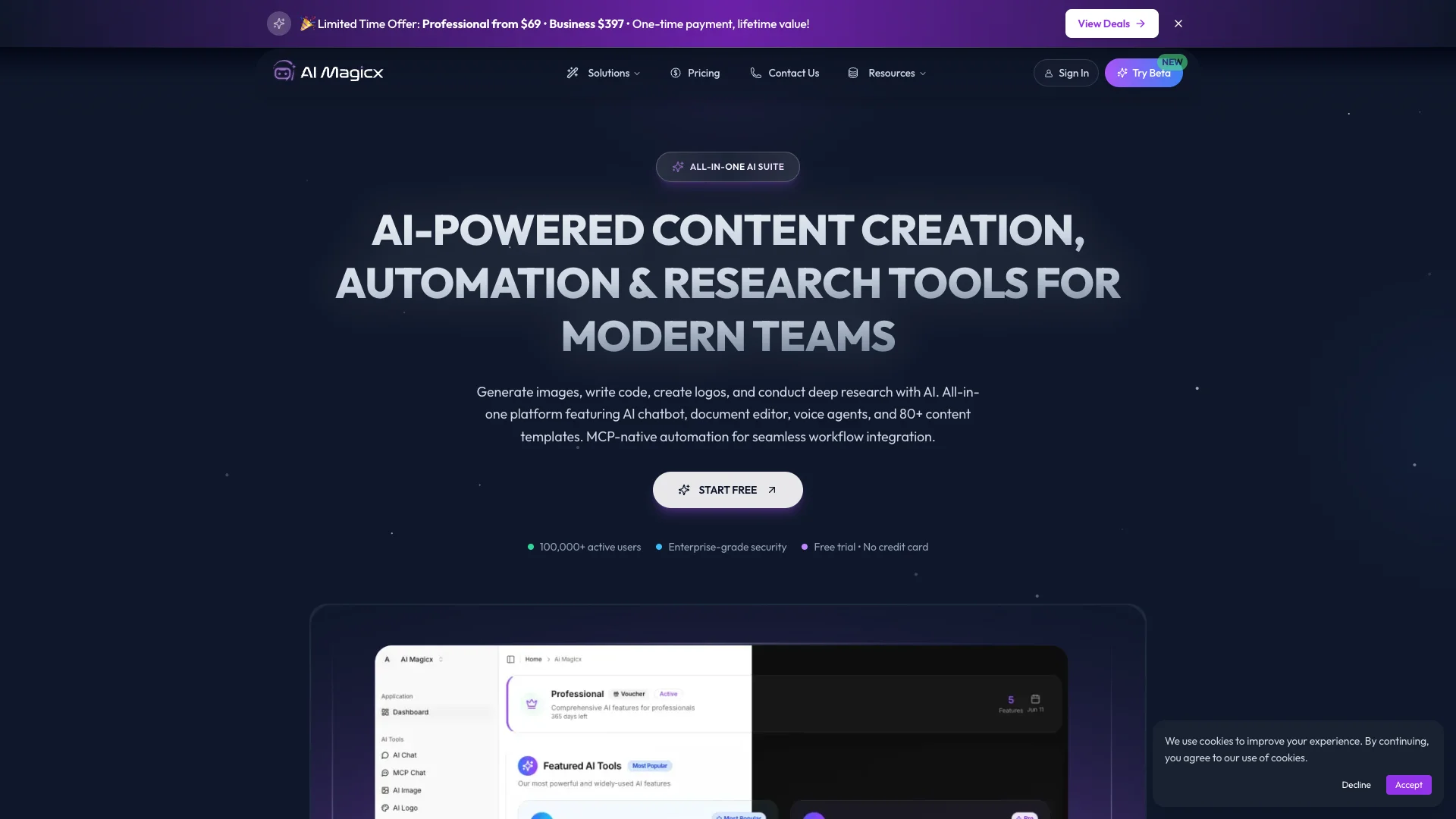
AI Magicx revolutionizes creative workflows by offering a comprehensive suite of AI-powered tools designed to enhance productivity and creativity. Whether you're a freelancer, small business owner, or a creative professional, AI Magicx simplifies tasks such as logo design, content creation, and coding, making innovation more accessible and efficient. Through its array of tools, AI Magicx is dedicated to transforming mundane tasks into opportunities for creativity and productivity.
AI Magicx stands out with its comprehensive suite of AI-powered tools that cater to a wide range of creative needs. Its ability to automate repetitive tasks and offer scalable solutions makes it a game-changer for freelancers and small businesses. The platform's focus on user-friendly design and cost-efficiency sets it apart, making creativity a competitive edge.
AI Magicx offers a robust platform for enhancing creativity and productivity through its AI-driven tools. It empowers users to transform ideas into reality with professional-grade results, making it an invaluable asset for anyone looking to innovate and streamline their creative processes. Whether you're crafting a brand identity or generating engaging content, AI Magicx provides the tools you need to succeed.
Who is Using AI Magicx?
Freelancers
Streamlining design and content creation tasks to enhance productivity.
Small Businesses
Automating routine processes to focus on core business activities.
Marketing Agencies
Leveraging AI tools to create compelling campaigns and content.
Educational Institutions
Using AI tools for teaching modern content creation and design techniques.
Uncommon Use Cases
Employed by non-profit organizations for creating awareness campaigns; adopted by tech startups for rapid prototyping of digital solutions.
Key Features
Rating Breakdown
Pricing Plans
Free Tier
Free
- Experience AI Magicx with a limited free trial
Pro Tier
$14 per month
Which AI Magicx plan should you pick?
Start with Free to test chat and basic models, upgrade to Pro for full individual access, or choose Team and CLI plans for collaboration and heavier developer usage.
Free
Good for testing AI chat with limited credits and basic model access.
Pro
Good for individual creators and developers who need full features, media quotas, agents, documents, and API access.
Team
Good for teams needing five included seats, shared resources, collaboration, and higher quotas.
CLI Pro
Good for individual developers who need a terminal coding agent and higher API/chat credits.
CLI Team
Good for development teams needing three seats and substantially higher CLI/API quotas.
AI Magicx Use Cases
Document research
Upload PDFs, Word files, Markdown, text, or CSV files and ask questions with source citations.
Outcome: Grounded answers linked to source passages.
AI agent automation
Build agents with tools, memory, knowledge bases, and webhook triggers.
Outcome: Agents complete multi-step tasks and respond to external events.
Web app building
Describe an application in natural language, generate code, iterate on designs, and deploy it.
Outcome: Production-ready web applications with export or one-click deployment.
Multimedia content creation
Generate text, images, image edits, video, music, speech, and voice content from one platform.
Outcome: Multiple content formats without managing separate AI subscriptions.
Developer coding assistance
Use the AI Magicx CLI for code search, file editing, shell commands, LSP features, and agent workflows.
Outcome: AI-assisted development directly in the terminal.
Workflow Ideas with AI Magicx
Automated document processing
- 1Receive a file or event through an incoming webhook
- 2Run an AI agent to analyze the content
- 3Send the result to Slack, email, or another connected service
Release-notes automation
- 1Trigger AI Magicx from a GitHub Actions release event
- 2Provide the version and release changes to the agent
- 3Generate release notes or documentation automatically
Image-generation reporting
- 1Trigger a Zapier workflow when an image generation completes
- 2Capture the prompt, model, output URL, and credits used
- 3Write the generation record to Google Sheets
How AI Magicx fits into your stack
Browser
AI Magicx’s web app provides a unified browser workspace for chat, agents, image, video, voice, music, documents, and app building.
Knowledge and files
Document Chat accepts PDFs, DOCX, Markdown, TXT, CSV, URLs, YouTube transcripts, and pasted text, then grounds answers with citations.
Automation and APIs
REST APIs, incoming and outgoing webhooks, and integrations with Zapier, Make, n8n, Slack, and Discord connect AI Magicx to external workflows.
Desktop / IDE
The AI Magicx CLI runs locally in the terminal, supports file operations and code search, and offers IDE integration through server mode.
Team chat and tickets
Slack integration can trigger agents and post responses to channels; webhook workflows can route support-ticket events to agents and helpdesks.
Pros
- +Time Efficiency: Automates repetitive tasks, freeing up time for more creative endeavors.
- +User-Friendly Interface: Intuitive design ensures easy navigation without a steep learning curve.
- +Cost-Effective Solutions: Reduces the need for additional freelancers or agencies, offering professional-grade results at a lower cost.
- +Scalable for Various Needs: Adapts to projects of different sizes, from individual freelancers to larger agencies.
Cons
- −Initial Learning Curve: Users may need some time to fully explore and utilize the wide range of features.
- −Limited Integration: While versatile, the tool currently supports a limited number of third-party integrations.
Limitations & when to consider alternatives
Known limitations
- Free usage is limited. The free tier provides limited credits and basic model access; advanced media features require paid plans.
- Document Chat excludes scanned PDFs. Image-based scanned PDFs are not currently supported.
- File size limits apply. Document uploads such as PDF and DOCX files are limited to 10 MB in the documented Document Chat workflow.
- Webhooks require a paid plan. Incoming and outgoing webhooks are available on Pro and higher plans.
- CLI plans exclude web-app media features. CLI plans provide API and chat access but do not include image, video, music, or other web-app features.
Look elsewhere when
- You need native mobile apps.
- You need fine-tuning or model training.
- You need scanned-PDF OCR.
- You need enterprise SSO.
How to Use AI Magicx
- 1
Create an account
Sign up for a free AI Magicx account to receive starter credits and test AI chat.
- 2
Choose a tool or model
Open AI Chat, Documents, Agents, App Builder, media tools, or the CLI, then select an available model tier.
- 3
Add source material
For document work, upload a supported file, paste text, import a URL, or import a YouTube transcript.
- 4
Build or run the task
Ask questions, generate content, create an agent, generate code, or run a terminal command depending on the selected tool.
- 5
Connect automations
Use integrations, incoming webhooks, outgoing webhooks, Zapier, Make, n8n, or the REST API to connect external systems.
- 6
Monitor usage and upgrade
Review credits and feature quotas in the dashboard, then upgrade or purchase top-ups when usage limits are reached.
Who is AI Magicx For?
Individual creators
The Pro plan is positioned for individual creators needing chat, media generation, document chat, agents, and API access.
Teams and power users
The Team plan provides five included seats, shared resources, shared agent templates, and collaboration features.
Developers
The API, SDKs, CLI, webhooks, and OpenAI-compatible endpoints support application development and automation.
Content creators
AI Magicx combines article, story, image, video, audio, music, and voice-generation tools in one workspace.
Businesses
Businesses can connect agents to Slack, Zapier, Make, n8n, webhooks, and custom applications.
Frequently Asked Questions
What is AI Magicx?
AI Magicx is a unified AI content-creation platform for generating text, images, videos, music, and voice content.
How do I get started?
Create a free account to receive 10 credits for AI chat. No credit card is required for the free tier.
What AI models do you support?
AI Magicx integrates models from OpenAI, Anthropic, Google, Stability AI, ElevenLabs, and other providers.
What types of content can I create?
The platform supports chat, code, image generation and editing, video, music, speech-to-text, text-to-speech, stories, and articles.
Can I collaborate with my team?
The Team plan includes five members with shared credit pools, and members can be managed from organization settings.
Can I use AI Magicx for commercial purposes?
All plans allow commercial use of generated content.
Community reviews
Be the first to share your experience.
Sign in to leave a review for AI Magicx.
AI Magicx Alternatives
Looking for alternatives to AI Magicx? Here are similar tools in the same category:
Learn to Master AI Magicx
With Skill Leap courses
Get in-depth training on AI Magicx and 50+ other AI tools with our expert-led video courses.
Start 7-Day Free Trial