AI Storyboard Generator
Turn video scripts into AI storyboards clients can review frame by frame.
Key Takeaways
- What it is
- Turn video scripts into AI storyboards clients can review frame by frame.
- Pricing
- Freemium · $39 per month · $75 per month · $125 per month · $250 per month
- Best for
- Import Script
- Boords Agent
- AI Image Generator
- Rating
- 4.3/5
What is AI Storyboard Generator?
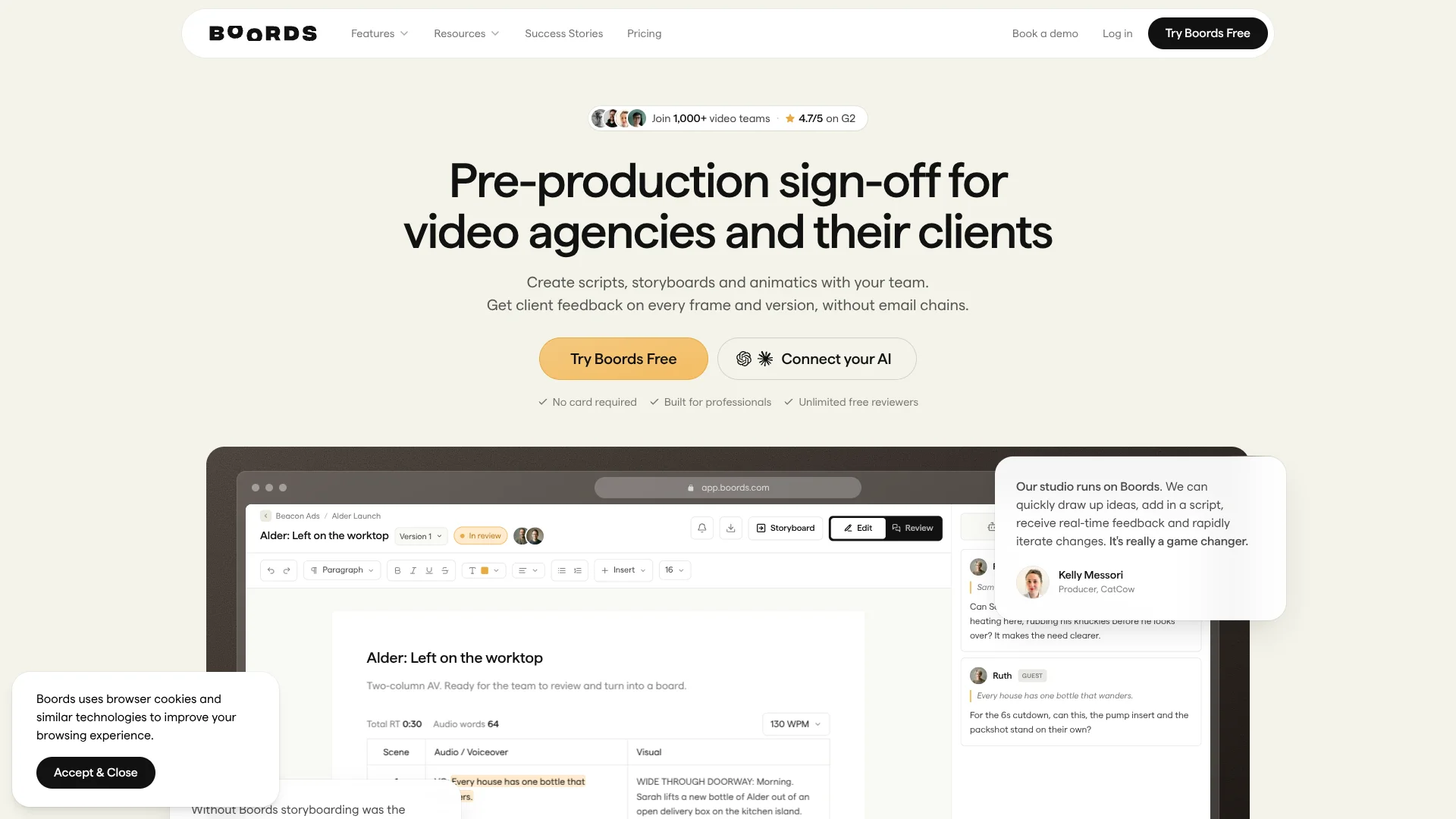
Boords turns a video script or brief into a storyboard with scenes, frame notes, and AI-generated images. Video agencies, production studios, and marketing teams can shape the idea, collect feedback on specific frames, and prepare the approved work for production. If the script is still changing, the storyboard helps the team see how the video could play before a shoot begins.
Clients can review a shared link and comment on individual frames without a Boords account. They can also mark a version approved, leaving the team with a clear record of which board received sign-off.
Boords is a strong fit for teams that need client approval and a clear handoff from script to edit, especially when visual consistency across frames matters. AI image credits are capped by plan, and script edits do not automatically update existing storyboard frames, so it is less suited to teams expecting an unlimited, self-updating visual draft.
Who is Using AI Storyboard Generator?
Agency producer
A recorded approval trail helps track which storyboard version a client signed off on.
Director
Scene breakdowns and frame notes make it easier to show how a script could translate on screen.
Storyboard artist
AI-generated frames and saved visual references help build and revise boards while preserving recurring characters and props.
Video editor
Timed exports provide a starting sequence with frame notes for editing software.
Uncommon Use Cases
Marketing teams can storyboard social ads before a shoot; production crews can export frame details as a shot list.
Key Features
Rating Breakdown
Pricing Plans
Free
Free
- Up to 5 users
- 5 active storyboards
- 3 active scripts
- 8 one-off sample AI image credits
Solo
$39 per month
- Single user
- 250 AI images per month
- Unlimited storyboards and scripts
- Yearly billing: $26.00 per month
Pro
$75 per month
- Up to 5 users
- 1,000 AI images per month
- Includes everything in Solo
- Yearly billing: $50.00 per month
Team
$125 per month
- Up to 10 users
- 2,000 AI images per month
- Advanced team controls
- Yearly billing: $85.00 per month
Agency
$250 per month
- Up to 30 users
- 3,000 AI images per month
- Priority support
- Yearly billing: $165.00 per month
Which AI Storyboard Generator plan should you pick?
Start with Free to test storyboard creation and client review, then choose a paid plan based on the number of users and monthly AI images your team needs.
Free
Good for trying the storyboard and review workflow with up to five active boards and eight sample AI image credits.
Solo
Good for one person who needs 250 AI images per month and unlimited storyboards and scripts.
Pro
Good for teams of up to five users with a monthly allowance of 1,000 AI images.
Team
Good for teams of up to 10 users that need advanced team controls and 2,000 AI images per month.
Agency
Good for agencies with up to 30 users that need priority support and 3,000 AI images per month.
AI Storyboard Generator Use Cases
Turn a script into a storyboard
A screenplay or video script becomes a structured set of scenes with frame descriptions and image prompts.
Outcome: A visual draft the team can refine before production.
Present a concept to a client
A review link lets clients comment on individual frames and approve a version without creating an account.
Outcome: Feedback and sign-off stay attached to the storyboard.
Test pacing before editing
An animatic combines storyboard frames with timing and voiceover to preview the sequence.
Outcome: A shareable timed preview of the planned video.
Prepare an editing handoff
The approved board can be exported as a timeline for After Effects, Premiere Pro, or DaVinci Resolve.
Outcome: A timed starting sequence for the editor.
Plan a shoot from an approved board
A spreadsheet export lays out storyboard frames and their fields as rows for a crew shot list.
Outcome: A frame-by-frame planning sheet for the production team.
Workflow Ideas with AI Storyboard Generator
From script to client approval
- 1Import a script or write a storyboard from a brief.
- 2Review the scenes and generate or refine frame images.
- 3Share the board link for frame comments and approval.
From approved board to edit
- 1Add timing and voiceover to the storyboard.
- 2Build an animatic to check the planned pacing.
- 3Export a timeline for the editing software.
From storyboard to shoot planning
- 1Finalize and approve the storyboard.
- 2Export the frames and their fields as a spreadsheet.
- 3Add crew planning details to the shot list.
How AI Storyboard Generator fits into your stack
Browser-based preproduction
Boords holds scripts, storyboards, frame comments, and approval status in its web app. Clients can review shared links without an account.
AI apps
Boords connects with Claude and ChatGPT so they can create or update projects, scripts, storyboards, and frames using your account.
Team notifications
Slack can deliver personal direct messages for mentions, replies, and followed storyboard comments.
Production and presentation tools
Exports carry approved storyboard content into tools such as Premiere Pro, After Effects, DaVinci Resolve, PowerPoint, and Google Sheets.
Custom systems
Paid plans include a REST API and webhooks for connecting Boords work to your own code and production pipelines.
Pros
- +Frame-level approval: Client notes stay attached to the frame they refer to.
- +Visual continuity: Saved cast and prop references help keep recurring elements consistent across generated frames.
- +Clear production handoff: Paid plans export timed boards for After Effects, Premiere Pro, and DaVinci Resolve.
- +Useful free plan: Five active storyboards, three active scripts, and eight one-off AI image credits are included.
Cons
- −Capped image generation: Monthly AI image allowances vary by paid plan, and free sample credits do not renew.
- −Manual script updates: Editing a script later does not automatically revise its existing storyboard frames.
Limitations & when to consider alternatives
Known limitations
- Free-plan capacity. The Free plan allows five active storyboards, three active scripts, and eight one-off AI image credits; free PDF exports carry a Boords watermark.
- Script changes do not sync to frames. After a script has been converted, later script edits do not automatically update the existing storyboard frames.
- API image generation. The built-in AI image generator is not available through the API, though images from other tools can be added to frames.
- Security certifications. Boords states that it is not currently certified to SOC 2 or ISO 27001.
Look elsewhere when
- You need script edits to update existing storyboard frames automatically.
- You need built-in AI image generation through an API.
- Your procurement process requires SOC 2 or ISO 27001 certification.
How to Use AI Storyboard Generator
- 1
Start a storyboard
Create one from a brief, import a script, or begin with a blank board, depending on how much material you already have.
- 2
Set the language and frame shape
Choose the language for generated frame text and the aspect ratio before creating the board.
- 3
Build the visual draft
Generate images, upload your own, or add saved character and prop references to guide recurring visuals.
- 4
Review and revise frames
Use frame revisions and comments to track changes while keeping earlier versions available.
- 5
Share for sign-off
Send clients a review link so they can leave frame-specific comments and approve a version without an account.
- 6
Hand off the approved work
Add animatic timing or export a presentation, shot list, or editing timeline for the next stage.
Who is AI Storyboard Generator For?
Video agencies
Client review links and recorded approvals help agencies keep feedback and sign-off tied to each storyboard version.
Production studios
Timed animatics and editing exports help studios carry an approved plan into production.
Animation teams
Consistent character references and frame-by-frame revisions support visual planning before animation begins.
Marketing teams
A script or brief can become a visual board for reviewing a commercial or branded video before filming.
Frequently Asked Questions
Is there a free plan?
Yes. The Free plan includes five active storyboards, three active scripts, and eight one-off AI image credits. It does not require a credit card.
Can clients comment without a Boords account?
Yes. Clients can open a shared review link and comment on frames without an account.
Can Boords connect to Claude or ChatGPT?
Yes. You can connect either AI app to work with your Boords projects using your Boords account.
Does Boords have an API?
Yes. Its REST API and webhooks are available on paid plans.
Can I export a storyboard for editing or production planning?
Yes. Paid plans include editing timelines and spreadsheet exports, among other formats. PDF export is available on every plan.
Community reviews
Be the first to share your experience.
Sign in to leave a review for AI Storyboard Generator.
AI Storyboard Generator Alternatives
Looking for alternatives to AI Storyboard Generator? Here are similar tools in the same category: