
AI Studios
Effortlessly create professional videos with AI avatars and tools.
Key Takeaways
- What it is
- Effortlessly create professional videos with AI avatars and tools.
- Pricing
- Freemium · $29 per month
- Best for
- AI Avatars
- Multilingual Support
- Video Templates
- Rating
- 4.5/5
What is AI Studios?
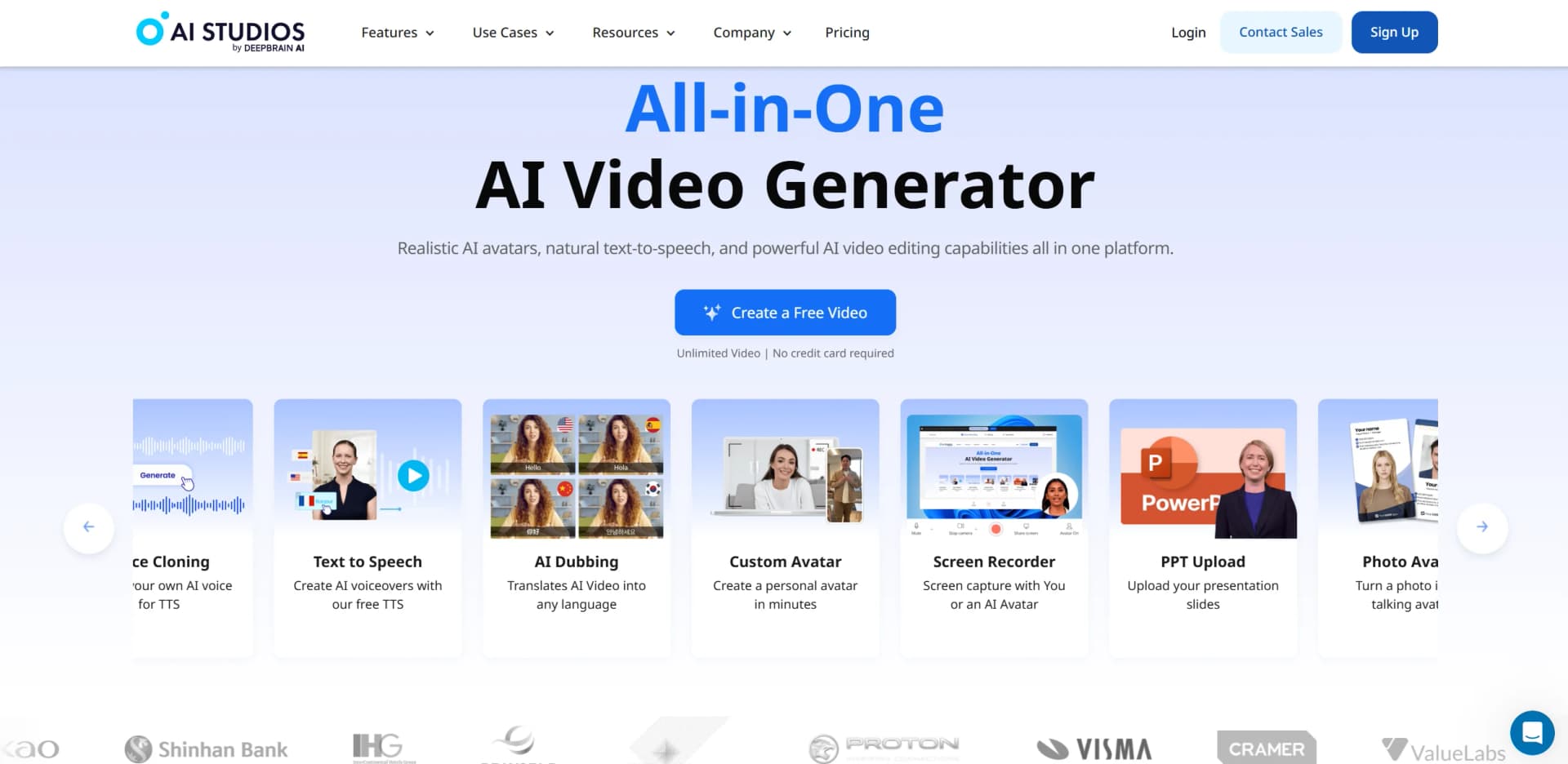
AI Studios revolutionizes video content creation by offering a comprehensive suite of AI-driven tools that enable users to create high-quality videos effortlessly. Designed for content creators, marketers, and businesses, it simplifies the video production process by integrating realistic AI avatars, natural text-to-speech capabilities, and advanced video editing features, all within a single platform.
AI Studios stands out with its integration of conversational AI avatars, which can engage in real-time interactions and deliver content in a human-like manner. Its ability to support multiple languages and seamlessly convert various types of content into videos makes it a versatile tool in the digital content creation space.
AI Studios offers an unparalleled video creation experience by combining advanced AI capabilities with user-friendly tools. Its comprehensive features cater to a wide range of users, from educators to marketers, providing a powerful solution for creating professional-grade videos quickly and efficiently. Whether you're looking to engage a global audience or streamline your content production, AI Studios delivers the tools you need to succeed in the digital age.
Who is Using AI Studios?
E-commerce Businesses
Leveraging AI Studios to create product demonstration videos and enhance customer engagement.
Educational Institutions
Utilizing the platform to produce interactive learning materials and lectures.
News Media
Employing AI avatars for news presentations and reports.
Social Media Influencers
Creating engaging content for platforms like TikTok, YouTube, and Instagram Reels.
Used by real estate agents for virtual property tours.
Adopted by healthcare professionals for patient education videos.
Key Features
Rating Breakdown
Pricing Plans
Free Tier
Free
- Experience AI Studios with a one-month free trial
Pro Tier
$29 per month
Which AI Studios plan should you pick?
Start with Free Plan to test core video creation; upgrade to Personal Plan for regular individual use, Team Plan for shared workspaces, or Enterprise for API, security, and scale.
Free Plan
Good for trying AI Studios with up to three videos monthly and three minutes per video.
Personal Plan
Good for individual creators who need unlimited videos up to the plan's duration limit.
Team Plan
Good for teams who need shared workspaces, member invitations, permissions, and collaboration.
Enterprise Plan
Good for organizations needing custom limits, API access, SSO, security controls, automation, and dedicated support.
AI Studios Use Cases
Training materials
Upload documents or presentations and convert their content into narrated avatar videos.
Outcome: Professional training videos produced with less manual editing.
Sales pitches
Turn sales documents and scripts into videos with visuals, voiceovers, and AI presenters.
Outcome: Shareable sales presentations in video format.
Educational content
Create instructional videos from topics, scripts, URLs, or uploaded documents.
Outcome: Educational material with automated narration and visuals.
Company updates
Convert internal documents or announcements into avatar-presented company videos.
Outcome: Consistent video communication for employees and stakeholders.
Multilingual video publishing
Translate and dub videos using AI voices, regional accents, and lip synchronization.
Outcome: Video content adapted for audiences in multiple languages.
Workflow Ideas with AI Studios
Document to training video
- 1Upload a PDF, PowerPoint, Word, spreadsheet, or text file.
- 2Choose the purpose, language, duration, tone, and audience.
- 3Review the generated script and scenes, then export the avatar video.
Script to narrated video
- 1Paste a script or enter a topic in AI Studios.
- 2Select visuals, a template, an AI avatar, and a voice.
- 3Edit the draft and export the finished video.
Scheduled automated video publishing
- 1Connect AI Studios with Zapier.
- 2Set prompts and a recurring generation schedule.
- 3Review generated videos and publish or schedule them for social platforms.
How AI Studios fits into your stack
Browser
AI Studios is primarily used as a web-based video creation workspace for generating, editing, and publishing avatar videos.
Knowledge and files
Users can upload PDFs and PowerPoint files, or provide URLs and scripts, to generate scenes, narration, and complete videos.
Automation and APIs
Scheduled prompt-to-video generation and Zapier integration support automated publishing workflows; Enterprise plans also advertise API integration and developer documentation.
Pros
- +Time Efficiency: Significantly reduces video production time, allowing users to create videos in minutes rather than hours.
- +Cost-Effective: Eliminates the need for expensive filming equipment and personnel by providing digital solutions.
- +User-Friendly Interface: Intuitive design makes it easy for users of all skill levels to navigate and utilize the platform's features.
- +Versatile Use Cases: Suitable for a wide range of applications, from educational content to marketing campaigns.
Cons
- −Initial Learning Curve: Some users may require time to become acquainted with the extensive features available.
- −Limited Customization for Avatars: While avatars are highly realistic, customization options can be somewhat limited for specific needs.
Limitations & when to consider alternatives
Known limitations
- Free-plan video limits. The Free Plan allows up to three videos per month, with each video limited to three minutes.
- Document upload size. Docs to Video limits uploaded documents to 20 MB.
- Standard processing delays. After priority-processing quotas are exhausted, processing may take up to 36 hours or longer.
- Generative credits expire. Unused base and add-on generative credits do not roll over after the billing cycle.
- Uploaded assets are private by default. Personal uploaded assets are available only to the uploading account unless added as workspace brand assets.
Look elsewhere when
- You need a dedicated desktop installer.
- You need fine-tuning that changes model weights.
How to Use AI Studios
- 1
Create or select a project
Log in, choose New Project, and start from a template, blank project, upload, or AI video tool.
- 2
Choose an input method
Use Topic to Video, URL to Video, Docs to Video, Script to Video, or upload media assets.
- 3
Set generation options
Define the objective, audience, tone, pacing, language, duration, visual style, template, and avatar.
- 4
Review and edit
Inspect the generated scenes, edit the script, replace visuals, adjust the avatar, and refine timing.
- 5
Export and share
Export the final video, download it, share it, or use publishing and scheduling features.
- 6
Scale with collaboration or automation
Invite workspace members, assign permissions, connect Zapier, or use Enterprise APIs for larger workflows.
Who is AI Studios For?
Creators
Create AI avatar videos from text using templates, voices, visuals, and editing tools.
Educators
Produce instructional and educational videos without cameras, actors, or traditional editing software.
Marketers
Create promotional and social video content with avatars, templates, multilingual voices, and generated visuals.
Enterprises
Scale video production with collaboration, permissions, APIs, automation, security, and support.
Businesses
Convert documents, presentations, scripts, and company updates into narrated avatar videos.
Frequently Asked Questions
What is AI Studios?
AI Studios is an AI video-generation platform for creating videos with scripts, visuals, voiceovers, and AI avatars.
How can I start a video project?
Start from a template, blank project, PowerPoint upload, AI Helper, topic, URL, document, or script.
What is Docs to Video?
Docs to Video analyzes uploaded documents, creates scenes and scripts, and adds AI avatar narration.
How many languages does AI Studios support?
AI Studios supports more than 110 text-to-speech languages and regional accent options.
Can teams collaborate in AI Studios?
Team members can be invited to shared workspaces with Admin or Member permissions.
How long can videos take to process?
After priority quotas are used, standard processing can take up to 36 hours or longer.
Community reviews
1 review from people who use AI Studios.
Sign in to leave a review for AI Studios.
John(손정욱)
AI Studios Alternatives
Looking for alternatives to AI Studios? Here are similar tools in the same category:
Learn to Master AI Studios
With Skill Leap courses
Get in-depth training on AI Studios and 50+ other AI tools with our expert-led video courses.
Start 7-Day Free Trial