
AI Text Humanizer
Transforms AI-generated text into natural, human-like language.
Key Takeaways
- What it is
- Transforms AI-generated text into natural, human-like language.
- Pricing
- Freemium
- Best for
- Humanization of AI Content
- AI Detector Bypass
- Readability Enhancement
- Rating
- 4.4/5
What is AI Text Humanizer?
AI Text Humanizer revolutionizes the way we interact with AI-generated content by transforming it into natural, human-like text. This tool is specifically designed to help users bypass AI detectors by turning machine-generated prose from platforms like ChatGPT, Claude, or Jasper into convincing, readable text. It's an ideal solution for students, writers, marketers, and anyone needing to polish AI-generated content for better readability and acceptance.
AI Text Humanizer stands out with its ability to transform machine-generated text into natural language that effectively bypasses AI detectors. Its seamless integration through API for PRO users and focus on data security makes it a reliable choice for professionals seeking to enhance AI-generated content.
AI Text Humanizer offers a practical and effective solution for converting AI-generated text into human-like language that is both engaging and readable. Its focus on bypassing AI detectors, combined with a user-friendly interface and strong data privacy measures, makes it a valuable tool for anyone looking to refine AI content. Whether for academic, professional, or personal use, this tool is a reliable partner in enhancing the quality of AI-generated prose.
Who is Using AI Text Humanizer?
Students
Using the tool to refine essays and homework to avoid AI detection and improve readability.
Content Writers
Benefiting from the tool to rephrase AI-generated drafts for more engaging articles.
Marketing Professionals
Employing it to create clear and human-like marketing copy that resonates with audiences.
Bloggers and Journalists
Utilizing the tool to enhance the readability of AI-generated content for publication.
Uncommon Use Cases
Employed by legal professionals to ensure AI-generated documents are clear and legally compliant; Used by non-native English speakers to improve the natural flow of AI-generated translations.
Key Features
Rating Breakdown
Pricing Plans
Free Tier
Free
- Offers limited daily credits for users to try out the service without signing up
Pro Tier
- Available for users needing more extensive access and API usage. Specific pricing details are not disclosed on the website
Which AI Text Humanizer plan should you pick?
Start with Free to test short passages; upgrade to PRO Monthly for recurring volume or PRO Prepaid for non-subscription usage.
Free
Good for users testing the humanizer who need up to 500 words and 200 words per process.
PRO Monthly
Good for recurring users who need 50,000 words per month, 2,000 words per process, and optional API access.
PRO Prepaid
Good for users who prefer a one-time $69.99 payment for 150,000 words valid for up to 24 months.
AI Text Humanizer Use Cases
Humanize AI-generated text
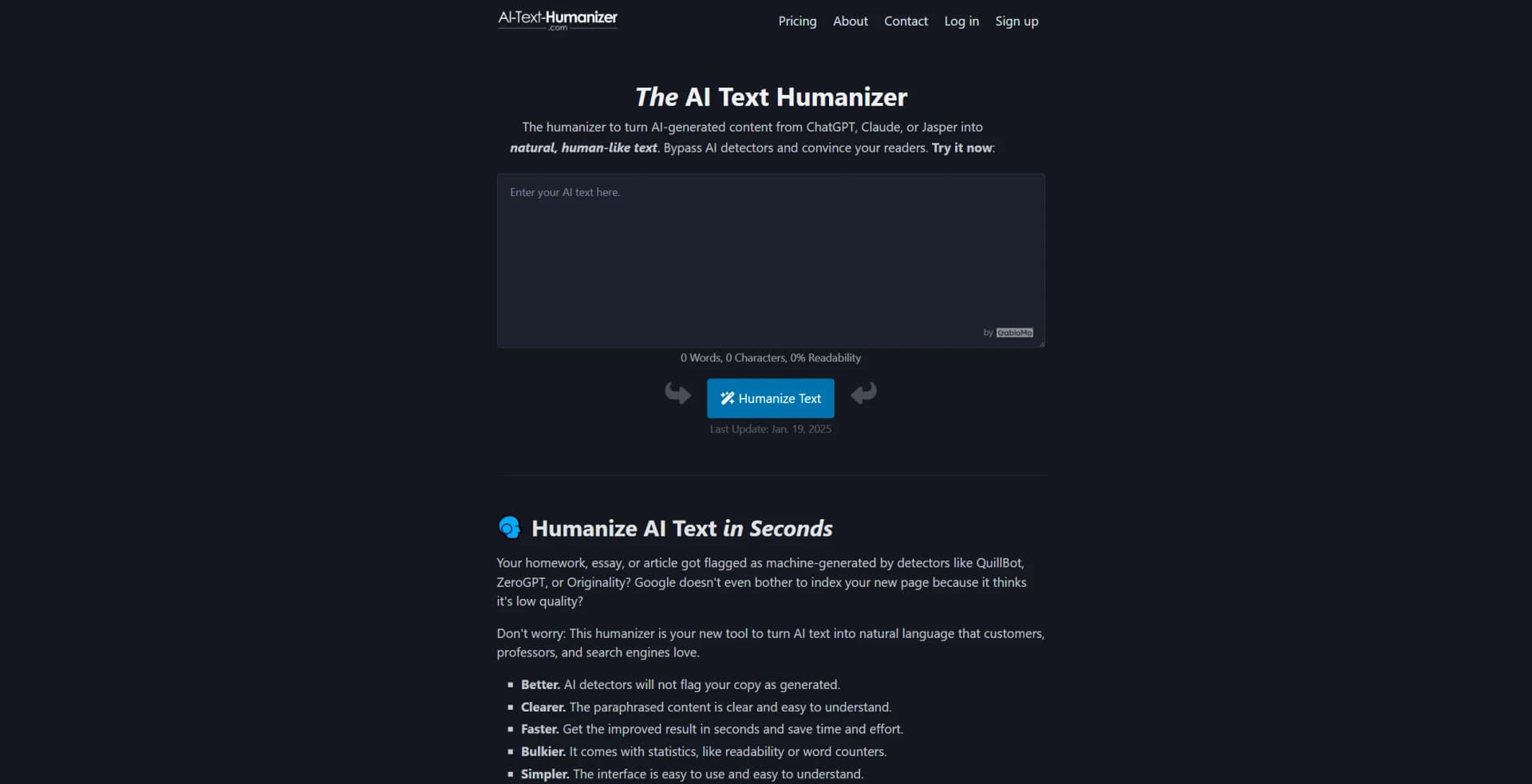
Paste AI-written content into the web editor and generate a more natural version.
Outcome: Clearer, less robotic writing.
Improve readability
Submit formal, repetitive, or difficult prose for rewriting and readability improvement.
Outcome: More accessible text with a readability score.
Rewrite business content
Transform emails, product descriptions, reports, and marketing copy into customer-friendly language.
Outcome: Content that feels more personal and engaging.
Humanize content through the API
Send text to the documented API endpoint from software using POST requests.
Outcome: Programmatic text transformation in seconds.
Check rewritten content
Review word count, character count, readability, and the generated result before publishing.
Outcome: A more polished final draft.
Workflow Ideas with AI Text Humanizer
Quick web rewrite
- 1Copy the text to improve
- 2Paste it into the highlighted input box
- 3Click Humanize Text and review the result
Iterative refinement
- 1Run the text through the humanizer
- 2Review readability and wording
- 3Use Try again if the result does not fit
API content pipeline
- 1Create a free account and purchase a PRO plan
- 2Send login details and text to the API endpoint
- 3Receive the improved text in the API response
How AI Text Humanizer fits into your stack
Browser
AI Text Humanizer is primarily a browser-based web app. Users paste text into the webpage, humanize it, review readability statistics, and copy the result.
Docs and writing
It supports rewriting essays, reports, emails, SEO articles, marketing copy, and other pasted text while preserving the original meaning.
Automation and APIs
The documented API lets PRO subscribers submit text programmatically through POST requests, with a stated limit of up to 60 API calls per minute.
Pros
- +Time Efficiency: Quickly transforms AI content into human-like text, saving users time and effort.
- +User-Friendly Interface: Simple, intuitive design makes it easy for users of all skill levels to navigate.
- +Improved Content Quality: Enhances readability and clarity, making content more appealing to readers.
- +Data Security: Ensures user data is not saved or used for machine learning, prioritizing privacy.
Cons
- −Limited Free Usage: Free version has daily usage limits, requiring signup for extended access.
- −Variable Results: Outcomes can vary with repeated attempts, which might require multiple tries for optimal results.
Limitations & when to consider alternatives
Known limitations
- Free usage is limited. The Free plan includes 500 total words and limits each process to 200 words.
- PRO Monthly usage expires. Unused words on PRO Monthly or PRO Yearly do not transfer to the next month.
- Prepaid words have an expiration period. PRO Prepaid words are valid for up to 24 months after purchase.
- No explicit tone controls. The tool tries to preserve the input tone and does not provide selectable tone settings.
- Detector bypass is not guaranteed universally. The company says results bypass most scanners but cannot guarantee every detector every time.
Look elsewhere when
- You need selectable rewriting tones.
- You need a native mobile or desktop application.
- Your workflow requires file or document uploads.
- You need third-party integrations beyond an API.
How to Use AI Text Humanizer
- 1
Open the web humanizer
Use the online editor on the official site; it works on mobile and desktop browsers.
- 2
Paste your text
Copy the sentence, paragraph, article, email, or other prose you want to improve into the input box.
- 3
Click Humanize Text
Run the rewrite to remove repetitive patterns, improve clarity, and make the prose sound more natural.
- 4
Review the output
Check the rewritten result, word count, character count, and readability score.
- 5
Try again if necessary
Use the retry option when the first version does not match your preferred wording.
- 6
Use the API for software workflows
PRO users can send authenticated POST requests to the documented API endpoint and receive rewritten text programmatically.
Who is AI Text Humanizer For?
Students
Students can rewrite essays and other academic text into clearer, more natural language.
Writers and bloggers
Writers and bloggers can rephrase machine-generated paragraphs into more engaging articles.
Marketers
Marketers can humanize marketing copy, emails, product details, and social media updates.
Journalists
Journalists can rephrase machine-created paragraphs while preserving meaning and citations.
Companies and marketing agencies
Organizations can use the web tool or API to produce customer-friendly and search-oriented content.
Frequently Asked Questions
What is AI-Text-Humanizer.com?
It is an online paraphrasing tool that converts AI-generated content into clearer, more human-sounding writing.
How do you humanize AI text?
Paste text into the input box, click Humanize Text, and review the rewritten result.
Does it bypass Turnitin?
The company says it regularly tests updates against Turnitin, QuillBot, ZeroGPT, and other detectors.
Can I use different languages?
Yes. The rewriter supports more than 100 languages, including English, Spanish, French, German, Chinese, and Japanese.
Is my content safe?
The company says it does not save input or results, does not use text for machine learning, and encrypts transfers.
Can I set the tone of the result?
No. The tool attempts to preserve the tone of the input rather than offering explicit tone selection.
Community reviews
1 review from people who use AI Text Humanizer.
Sign in to leave a review for AI Text Humanizer.
Eve McStar
AI Text Humanizer Alternatives
Looking for alternatives to AI Text Humanizer? Here are similar tools in the same category:
Learn to Master AI Text Humanizer
With Skill Leap courses
Get in-depth training on AI Text Humanizer and 50+ other AI tools with our expert-led video courses.
Start 7-Day Free Trial