
AI Video Course Generator by Coursebox
Generate multilingual training videos with customizable avatars.
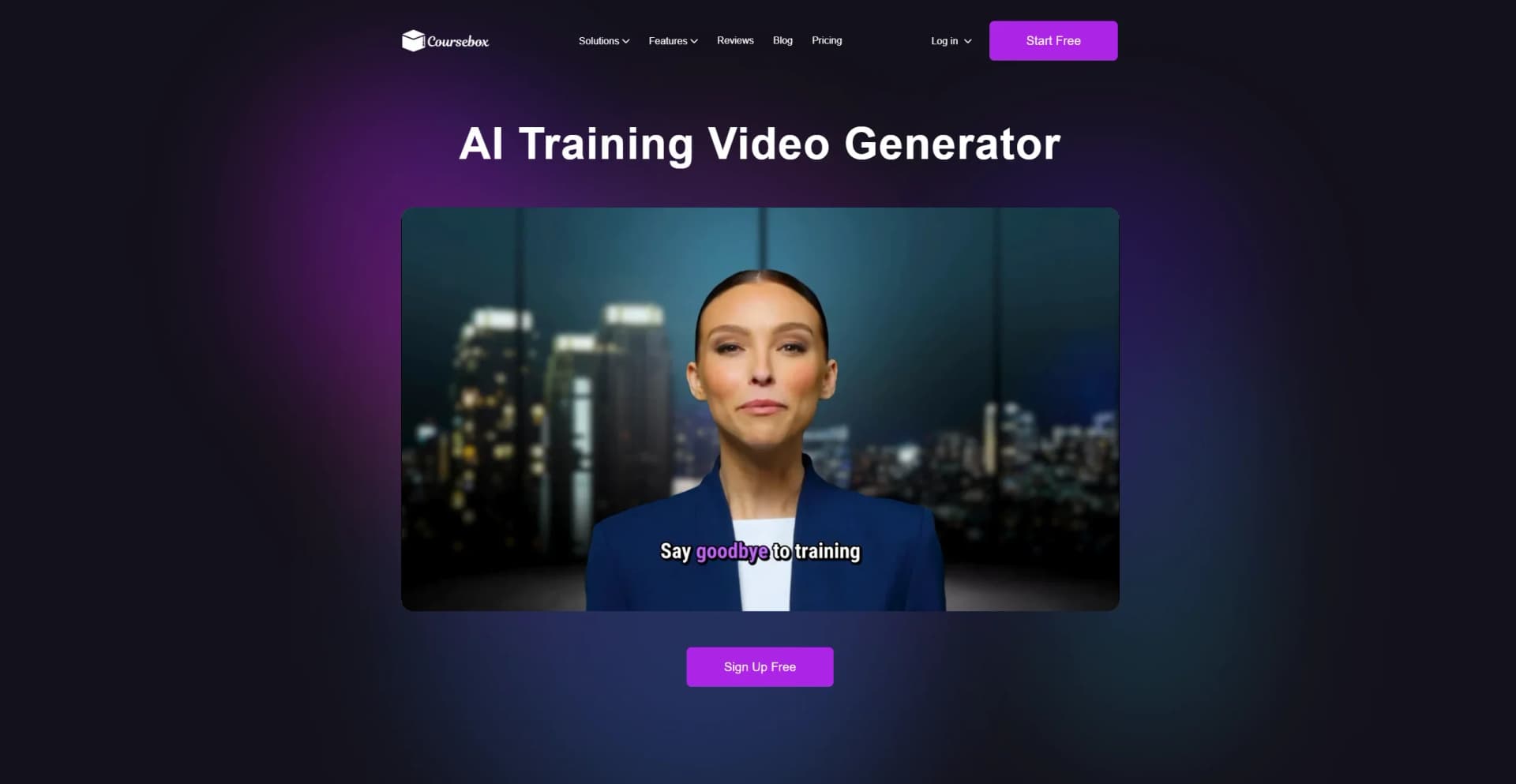
Watch AI Video Course Generator by Coursebox in Action
Key Takeaways
- What it is
- Generate multilingual training videos with customizable avatars.
- Pricing
- $30 per month · $200 per month (first month $40). Expands to 300 courses · $600 per month (first month $60)
- Best for
- AI-Powered Script Generation
- Multilingual Capabilities
- Avatar Library
- Rating
- 4.5/5
What is AI Video Course Generator by Coursebox?
AI Video Course Generator is a powerful tool designed to simplify the creation of professional training videos. Tailored for educators, corporate trainers, and instructional designers, it transforms traditional course content into engaging video presentations. With features like automatic script generation, multilingual support, and customizable avatars, the tool aims to streamline the video production process for diverse training needs.
AI Video Course Generator stands out with its extensive language and avatar options, making it a versatile tool for creating culturally diverse and personalized training content. Its ability to instantly generate professional videos from text sets it apart from traditional video production methods.
AI Video Course Generator by Coursebox offers a unique blend of convenience, customization, and cost-effectiveness. Whether you're a seasoned educator or a corporate trainer, this tool provides a seamless way to produce high-quality training videos that resonate with diverse audiences. With its array of features and user-friendly interface, creating engaging and informative videos has never been more straightforward.
Who is Using AI Video Course Generator by Coursebox?
Corporate Trainers
Utilizing the tool for efficient onboarding and compliance training.
Educational Institutions
Employing it to create multilingual course materials.
Healthcare Providers
Using the tool for staff training and patient education.
Technology Companies
Leveraging it for product tutorials and tech support videos.
Uncommon Use Cases
Adopted by agricultural organizations for safety training; Used by real estate firms for virtual property tours.
Key Features
Rating Breakdown
Pricing Plans
Creator Plan
$30 per month
- Includes 25 courses, 10 AI avatar videos, 500 AI text pages, 25 AI Chatbot Tutors, 10 AI images, and unlimited learners, plus AI tools for quizzes, grading, and branded certificates
Creator LMS Plan
$200 per month (first month $40). Expands to 300 courses
- 150 avatar videos
- 7,000 AI text pages
- 300 Chatbot Tutors
- Custom branding and LMS domain
Business Plan
$600 per month (first month $60)
- Includes 1,000 courses, 300 avatar videos, 20,000 AI text pages, 1,000 Chatbot Tutors, 10 admins, advanced user management, groups, gamification, and API support
Which AI Video Course Generator by Coursebox plan should you pick?
Start with Free to test course creation; upgrade to Creator for regular course selling, Pro for branded delivery, Business for teams and API access, or Enterprise for SSO and fine-tuning.
Free
Good for trying Coursebox with a small number of mini courses and limited AI credits.
Creator
Good for small businesses and course creators who need unlimited courses, document conversion, AI video, exports, and reporting.
Plus
Good for creators who need substantially more AI credits without moving to a branded LMS.
Pro
Good for solo creators who need a branded platform, custom domain, gamification, pathways, and optional branded mobile apps.
Business
Good for organisations and teams that need multiple admin licences, API access, integrations, and a branded LMS.
Enterprise
Good for large organisations needing SSO, fine-tuning, advanced analytics, custom hosting, migration, and contractual support.
AI Video Course Generator by Coursebox Use Cases
Employee onboarding
Upload onboarding materials and have Coursebox draft lessons, quizzes, videos, and interactive activities.
Outcome: A structured onboarding course ready for learners.
Compliance training
Turn compliance documents into courses with assessments, AI grading, certificates, and learner tracking.
Outcome: A repeatable compliance learning program.
Presenter-led training videos
Choose an avatar, edit the generated script, select a voice and language, add branding, and generate the video.
Outcome: A branded AI presenter video embedded in a course.
Document-to-course conversion
Upload PDFs, Word documents, or PowerPoint presentations and use them to generate course structure and content.
Outcome: Existing materials transformed into an online course draft.
Selling online courses
Set a course price, connect payment providers or ecommerce integrations, and publish the course on a branded page.
Outcome: A course that can be sold and delivered online.
Workflow Ideas with AI Video Course Generator by Coursebox
Document to AI training course
- 1Upload a PDF, Word document, or PowerPoint presentation
- 2Review and edit the AI-generated course outline
- 3Generate lessons, quizzes, videos, and assessments
Create an AI presenter video
- 1Open the AI Video block and choose an avatar
- 2Edit the generated script and select a language, voice, and accent
- 3Add branding and generate the video
Automated learner enrollment
- 1Connect Coursebox to Zapier or use the Open API
- 2Trigger enrollment from a CRM, form, ecommerce, or HR system
- 3Automate follow-up reporting, email, certification, or completion actions
How AI Video Course Generator by Coursebox fits into your stack
Browser
Coursebox is primarily a browser-based AI course authoring and learning platform accessed through my.coursebox.ai. Users create courses, edit lessons, generate training videos, publish content, and track learners in the web app.
Knowledge and files
Coursebox ingests PDFs, Word documents, PowerPoint files, plain text, videos, URLs, and other uploaded materials to generate course structures and learning content. It also provides resource libraries and downloadable file attachments.
Automation and APIs
The Open API and Zapier integrations connect Coursebox with external systems for learner management, workflow automation, data synchronization, and custom integrations.
Mobile
Coursebox provides native iOS and Android apps for learners using the shared Coursebox platform or an organisation’s branded LMS. Branded duplicate apps are available as an add-on for eligible plans.
Pros
- +Rapid Video Production: Converts training content into videos in minutes, drastically reducing production time.
- +Cost Savings: Eliminates the need for expensive filming and editing processes.
- +User-Friendly Interface: Designed for non-technical users, making video creation accessible to all.
- +High Engagement: Utilizes lifelike avatars and expressive narration to enhance learner engagement.
Cons
- −Limited Integration Options: While compatible with many LMS platforms, some niche systems may not be supported.
Limitations & when to consider alternatives
Known limitations
- Free plan limits. The free plan limits AI-generated courses to three mini courses with up to five pages each and includes limited AI credits.
- Short AI video segments. AI Video is designed for roughly one- to two-minute segments, or about 100–150 words per generation.
- No in-platform video editing. Coursebox does not support trimming, cutting, captioning, or updating visuals inside the platform; edits must be made externally and re-uploaded.
- AI content requires review. Coursebox states that AI cannot guarantee 100% accuracy, so generated material should be reviewed before publishing.
- AI lacks real-time external access. The help center states that the AI cannot access real-time data, the internet, or external systems beyond connected integrations.
Look elsewhere when
- You need full video editing inside the course platform.
- You need unlimited-length AI video generation.
- You need a dedicated native app for the AI video generator itself.
How to Use AI Video Course Generator by Coursebox
- 1
Start a course
Log in to my.coursebox.ai, open Courses, and choose Create New Course. Start from a prompt, create from scratch, or upload source documents.
- 2
Review the AI draft
Review the generated outline and content before publishing. Use the drag-and-drop editor or AI Editor to refine lessons and activities.
- 3
Add an AI video
Add a Videos block, select AI Video, choose an avatar, edit the script, select a voice and language, customize branding, and generate.
- 4
Add assessments and support
Generate quizzes, assignments, marking rubrics, AI grading, and an AI tutor trained on the course content.
- 5
Publish or export
Publish the course in Coursebox, sell it through supported payment and ecommerce integrations, or export it as PDF, HTML, SCORM, or LTI.
- 6
Connect external systems
Open Settings and Integrations to use the Open API, Zapier, SAML SSO, native integrations, or LMS connections.
Who is AI Video Course Generator by Coursebox For?
Educators
Educators can create structured online courses with AI-generated lessons, quizzes, videos, assessments, and learner support.
Content creators
Content creators can turn prompts, documents, videos, and presentations into branded courses and sell them online.
Training providers
Training providers can build, publish, track, and monetize training through Coursebox's course platform and LMS features.
Corporate training teams
Corporate teams can create onboarding, compliance, health and safety, and employee training from existing documents.
Universities and bootcamps
Universities and bootcamps can deliver structured learning with LMS integrations, reporting, assessments, and certificates.
Frequently Asked Questions
Is Coursebox free?
Coursebox has a free plan with no credit card required. The free plan limits AI-generated courses to three mini courses of up to five pages each and includes limited AI credits.
Can Coursebox create AI training videos?
Yes. Coursebox creates presenter-led videos from course content, with avatars, editable scripts, voices, accents, logos, backgrounds, and on-screen text.
Can I use Coursebox with my existing LMS?
Yes. Courses can be exported as SCORM or connected through LTI 1.3 to supported learning management systems.
Can I upload existing documents?
Yes. PDFs, Word documents, and PowerPoint files can be uploaded and converted into courses or used as AI context.
Can Coursebox automate training workflows?
Yes. Coursebox supports Zapier automation, an Open API, native integrations, LTI, SCORM, and website embeds.
Can I sell courses with Coursebox?
Yes. Coursebox supports payments through Stripe, PayPal, and Paystack, as well as selling through Shopify and WooCommerce.
Community reviews
Be the first to share your experience.
Sign in to leave a review for AI Video Course Generator by Coursebox.
AI Video Course Generator by Coursebox Alternatives
Looking for alternatives to AI Video Course Generator by Coursebox? Here are similar tools in the same category:
Learn to Master AI Video Course Generator by Coursebox
With Skill Leap courses
Get in-depth training on AI Video Course Generator by Coursebox and 50+ other AI tools with our expert-led video courses.
Start 7-Day Free Trial