AICarousels
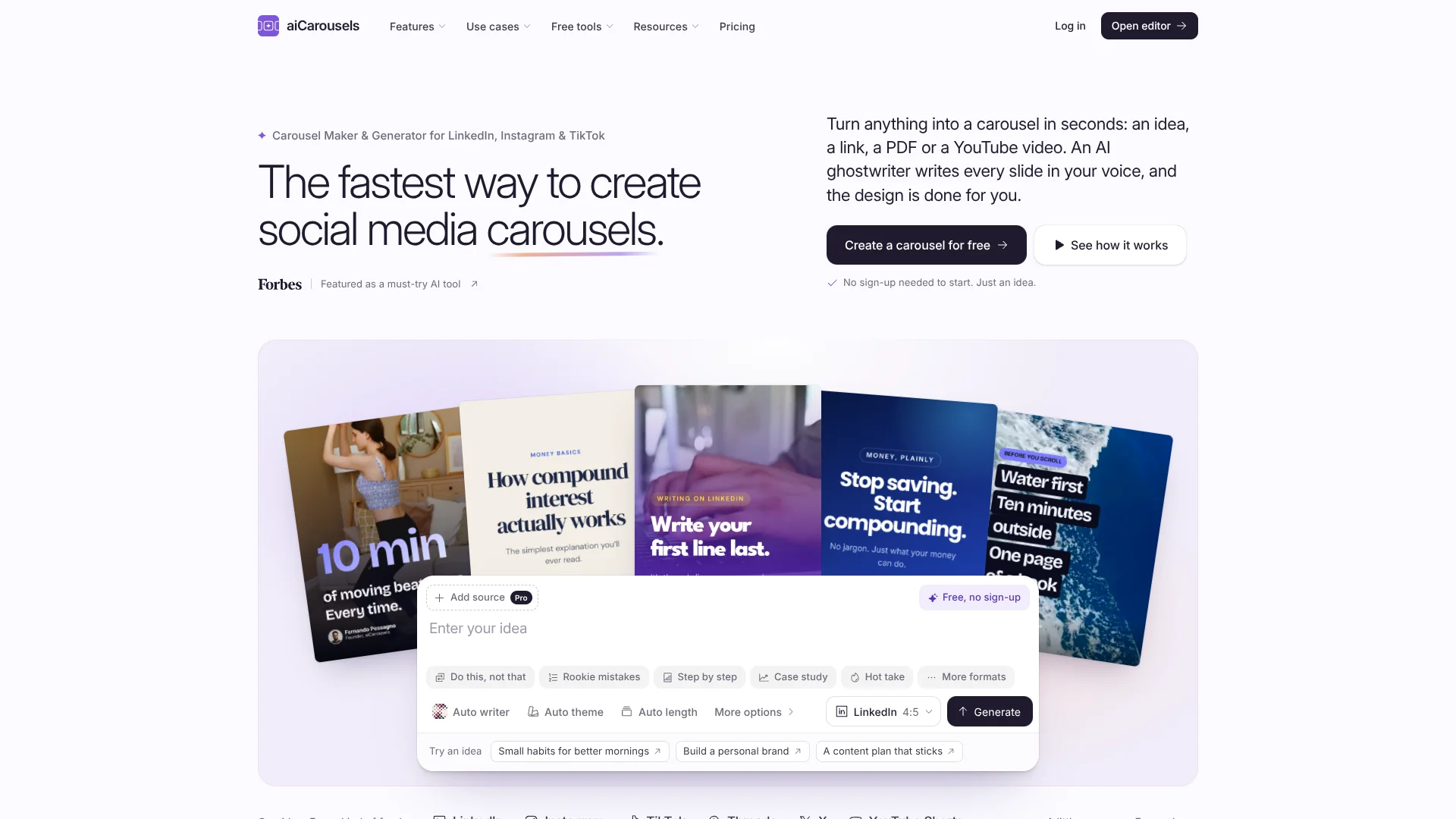
Turn creators’ ideas into on-brand social carousels without designing every slide.
Key Takeaways
- What it is
- Turn creators’ ideas into on-brand social carousels without designing every slide.
- Pricing
- Freemium · $10 per month · $39 per month · $99 once
- Best for
- AI ghostwriters
- Brand kits
- AI edits
- Rating
- 4.0/5
What is AICarousels?
AICarousels turns an idea, article, PDF, or YouTube video into slides for social posts. Its AI writes the slides, then you can edit them in a visual editor. It is built for creators, founders, and teams who want to turn ideas or existing material into designed posts.
A standout detail is how it pairs 19 named ghostwriters with brand kits that save your colors, fonts, voice, and signature. That lets a creator or agency keep a recognizable style across carousels, image posts, and videos, while adapting the writing to each project.
It suits people who publish on LinkedIn, Instagram, TikTok, Threads, and X, especially creators and agencies managing several brands. The free try makes one carousel but does not let you download it, and Pro and Team allowances reset monthly without carrying over. Choose it for creating social content, not general-purpose AI work.
Who is Using AICarousels?
Social media managers
A saved brand kit helps keep client posts visually consistent across formats.
Agency owners
Five seats and pooled AI allowances support a small team managing several client brands.
Founders
Ghostwriters and AI captions help turn company ideas into posts in a chosen voice.
Educators
PDF handouts can become editable carousel slides for explaining lessons.
Uncommon Use Cases
Save social posts as design inspiration with the Chrome extension; turn a YouTube video into a carousel.
Key Features
Rating Breakdown
Pricing Plans
Free try
Free
- One AI carousel to edit
- No download
Pro
$10 per month
- 60 AI carousels and 100 AI pictures per month
- Yearly billing is $120
Team
$39 per month
- Five seats on one bill
- 300 AI carousels and 400 AI pictures per month, shared
- Yearly billing is $468
Pro Lifetime
$99 once
- One-time payment for one person
- AI requires your own OpenAI key and is billed by OpenAI
Which AICarousels plan should you pick?
Try one carousel for free, choose Pro for regular solo publishing, or move to Team for five seats and shared allowances; Pro Lifetime suits one person willing to bring an OpenAI key.
Pro
For one creator or founder who needs monthly AI carousels, AI pictures, downloads, and saved brand kits.
Team
For an agency or small team that needs five seats, pooled monthly allowances, and more brand kits.
Pro Lifetime
For one person who prefers a one-time payment and is comfortable paying OpenAI separately for AI use.
AICarousels Use Cases
Turn an idea into a carousel
A topic becomes a written and designed set of slides that you can edit in the app.
Outcome: An editable social carousel.
Repurpose a PDF or article
Source material becomes slides for a social post, with AI helping shape the writing.
Outcome: A carousel based on existing material.
Keep posts on-brand
A saved brand kit applies your colors, fonts, voice, and signature to new content.
Outcome: Posts that follow a saved brand style.
Build a client inspiration library
The Chrome extension saves selected social posts to Inspiration for later reference.
Outcome: A browser-saved collection of post examples.
Prepare posts for social channels
Preview a carousel and download it as a PDF or PNG for the intended platform.
Outcome: A platform-ready file to post.
Workflow Ideas with AICarousels
Repurpose a source into a social carousel
- 1Add an idea, link, PDF, YouTube video, or notes.
- 2Choose a ghostwriter, language, and format.
- 3Edit the slides and download the finished carousel.
Create posts for multiple clients
- 1Set up a brand kit for each client.
- 2Start a project from the client's source material or idea.
- 3Apply the matching brand kit, review the slides, and export.
Save a post as design inspiration
- 1Right-click a post on LinkedIn, Instagram, or TikTok in Chrome.
- 2Save the post to Inspiration with the extension.
- 3Use its style as a reference for your own content.
How AICarousels fits into your stack
Social content creation
The web app turns ideas and source material into carousels, image posts, and videos for social channels.
Source material
Start with a link, PDF, YouTube video, or notes when a post should draw on existing content.
Brand and project organization
Brand kits store visual and writing choices, while Projects organizes finished work in folders.
Post inspiration
The Chrome extension saves selected posts from LinkedIn, Instagram, and TikTok to Inspiration.
Mobile editing
The app works in a phone browser, and an Android app is available on Google Play.
Pros
- +Many starting points: Turn an idea, link, PDF, YouTube video, or notes into a carousel.
- +Distinct writing voices: Choose from 19 ghostwriters to shape the tone of your slides.
- +Brand reuse: Save separate brand kits for different projects or clients.
- +Multiple post formats: Make carousels, image posts, and videos with shared themes and brand kits.
Cons
- −No free downloads: The free try lets you edit one carousel but not download it.
- −Monthly allowances expire: Unused Pro and Team AI allowances do not roll over.
- −Lifetime needs an OpenAI key: AI use on Pro Lifetime is billed separately by OpenAI.
Limitations & when to consider alternatives
Known limitations
- One free carousel. The free try lets you edit one AI carousel, but downloading and making more require a paid plan.
- Monthly allowances do not carry over. Pro and Team AI allowances reset on the first of the month, and unused amounts expire.
- Lifetime AI requires your own key. Pro Lifetime requires an OpenAI API key, and OpenAI bills AI use separately.
- Extension save limits. Each extension save is limited to 60 images, 25 MB per image, and 150 MB total.
- Extension works on a computer. The Chrome extension requires Chrome on a computer and does not work on phones.
Look elsewhere when
- You need an API for integrating carousel generation into your own software.
- You need a native iOS app instead of using the phone browser.
- Your workflow needs the browser extension to save posts from a phone.
How to Use AICarousels
- 1
Start with a source
Enter an idea or add a link, PDF, YouTube video, or notes to give the AI material to work from.
- 2
Set the writing and format
Choose a ghostwriter and post format, or leave options on Auto for the app to select.
- 3
Review the draft
Check the slides in the editor, change text by hand, or request edits with Ask AI.
- 4
Apply your brand
Select a brand kit to add its saved colors, fonts, voice, and signature details.
- 5
Preview and export
Check the post preview, then download a PDF or PNG; Pro and Team downloads have no aiCarousels mark.
Who is AICarousels For?
Creators and founders
Turn ideas and expertise into branded social carousels without designing each slide from scratch.
Agencies
Keep client voices and visual styles separate with multiple brand kits and shared team allowances.
Marketers
Repurpose articles, reports, and other source material into posts for social channels.
Educators
Convert lessons and PDF handouts into clear, editable slides.
Coaches and personal brands
Create recurring posts with a saved voice, signature, and visual identity.
Frequently Asked Questions
Can I try aiCarousels for free?
Yes. You can make and edit one AI carousel without an account, but the free try does not include downloads.
How much does Pro cost?
Pro is $10 per month, or $120 billed yearly, according to the pricing page.
What does Team include?
Team includes five seats, with 300 AI carousels and 400 AI pictures per month shared by the team.
Can I use aiCarousels on my phone?
Yes. The app works in a phone browser, and an Android app is available on Google Play.
Does aiCarousels have a Chrome extension?
Yes. Its free extension saves selected posts from LinkedIn, Instagram, and TikTok to Inspiration.
Does Pro Lifetime include AI?
No. Pro Lifetime uses your own OpenAI key, and OpenAI bills you for use.
Community reviews
Be the first to share your experience.
Sign in to leave a review for AICarousels.
AICarousels Alternatives
Looking for alternatives to AICarousels? Here are similar tools in the same category: