
Aidelly
Automates multi-platform social posts from chat.
Key Takeaways
- What it is
- Automates multi-platform social posts from chat.
- Pricing
- Freemium · $25 per month · $97 per month · $297 per month
- Best for
- Agentic control via MCP, REST API, CLI, and Claude Skill
- AI drafting with brand voice memory
- 11-platform scheduler with per-channel tailoring
- Rating
- 4.5/5
What is Aidelly?
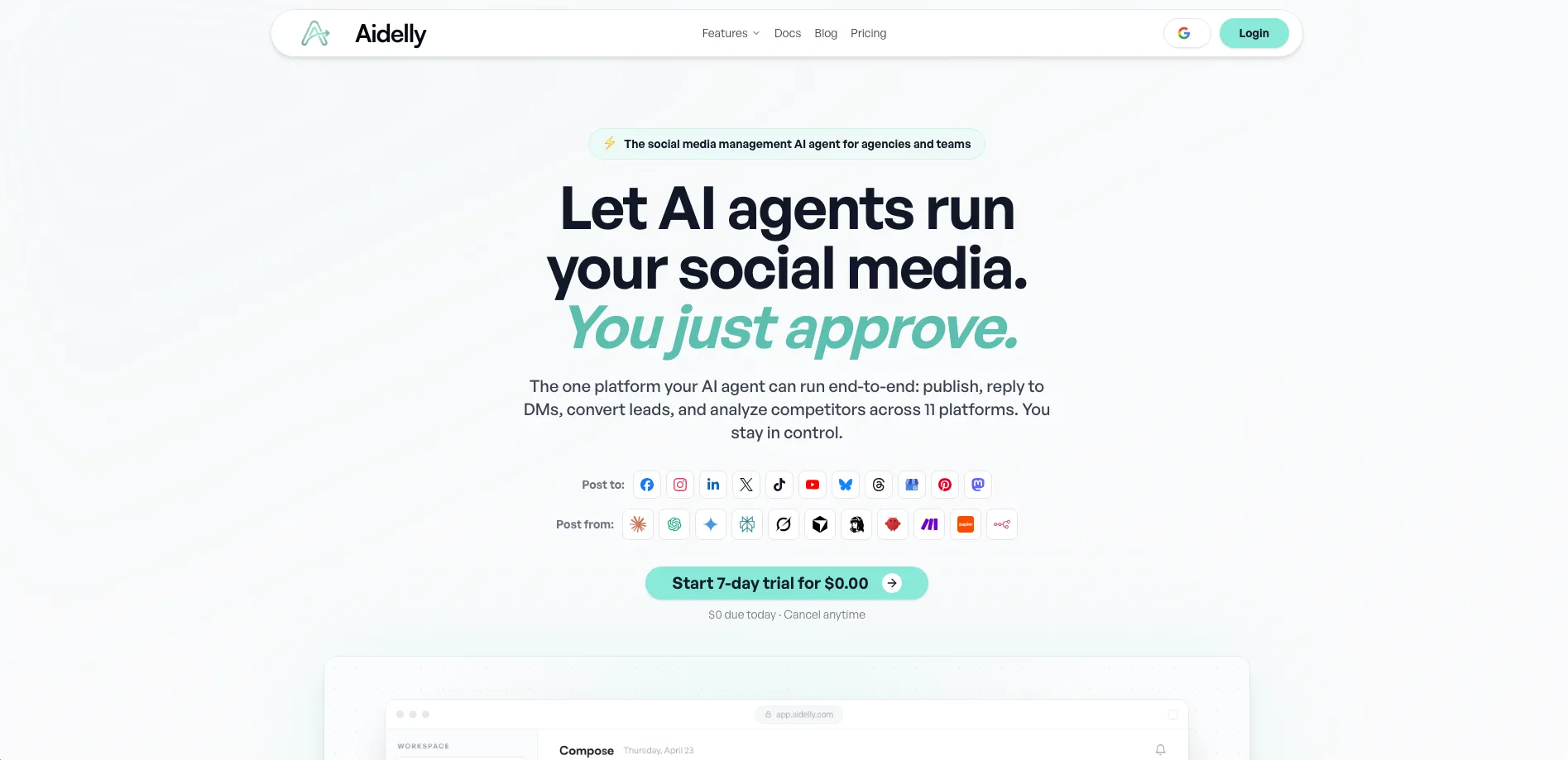
Aidelly is an agentic social media scheduler that pairs AI-generated content with multi-platform publishing across 11 social networks. It is built for agencies, teams, and serious solo operators who want AI to plan, draft, schedule, and report on social content from one place or directly from their existing AI agents and workflows.
Aidelly stands out by treating social media as infrastructure for AI agents, not just humans. Traditional schedulers mainly push human-written posts; Aidelly lets agents plan, draft, schedule, respond, and analyze through MCP, REST API, and CLI. Add in Creator Clone, Competitor Spy, and auto-post from external feeds, and it functions as a continuously learning social engine rather than a simple queue. The white-label Agency offering is especially appealing for firms that want to sell “their own” AI scheduler under their brand.
Aidelly delivers a focused, AI-centric approach to social media management that fits power users, agencies, and AI-native teams particularly well. Its combination of brand-aware AI writing, 11-platform publishing, automation queues, and rich API/MCP access makes it far more than a basic scheduler. Those willing to invest a bit of setup time gain an always-on system that can ideate, publish, and report at scale while still keeping humans firmly in control of approvals and brand direction.
Who is Using Aidelly?
Solopreneurs and coaches
Keeping Instagram, TikTok, LinkedIn, and X active without hiring a full-time social media manager.
Agencies and social media management firms
Running client calendars, approvals, reporting, and white-labeled dashboards from one system.
B2B founders and SaaS teams
Turning release notes, blogs, and podcasts into LinkedIn threads, X posts, and YouTube Shorts.
E-commerce brands and local businesses
Pulling products from Shopify, WooCommerce, Etsy, or Wix into social posts to drive traffic and sales.
Content creators and educators
Repurposing long-form videos, courses, and newsletters into multi-platform clips and carousels.
Uncommon Use Cases
Used by AI agent builders to give autonomous agents full social posting powers; adopted by developers wiring release pipelines or internal dashboards to auto-announce product updates via n8n or Zapier.
Key Features
Rating Breakdown
Pricing Plans
Free Trial
Free
- Today
- Cancel anytime
Launch Plan
$25 per month
- Or $20 per month when billed annually
- 1 workspace, up to 2 connected X accounts, 1,000 AI credits per month, 1 automation, 3 active campaigns, basic analytics, basic API access, and 1 e-commerce store
Scale Plan
$97 per month
- Or $79 per month when billed annually
- 4 workspaces, up to 8 team members, up to 8 connected X accounts, 5,000 AI credits per month, 10 automations, 15 active campaigns, advanced analytics, max API access, bulk content creation up to 30 days, and priority support
Agency Plan
$297 per month
- Or $240 per month when billed annually
- Unlimited workspaces and team members, up to 25 connected X accounts, 20,000 AI credits per month, unlimited automations and campaigns, agency API access, white-label reports, unlimited workspace activity retention, activity webhooks, and dedicated onboarding call
Billing Options
- Monthly billing is available
- Annual billing saves 19%
Which Aidelly plan should you pick?
Start with Launch for one brand, upgrade to Scale for collaborators and approvals, or choose Agency for unlimited white-label client workspaces.
Launch Plan
Good for one brand or a small operation needing AI publishing, scheduling, inbox tools, and 1,000 monthly AI credits.
Scale Plan
Good for teams managing up to eight client brands who need invited members, approval workflows, discussions, and 5,000 monthly AI credits.
Agency Plan
Good for agencies needing unlimited client workspaces, unlimited members, white-label branding, custom domains, and branded reports.
Aidelly Use Cases
Multi-platform publishing
Create or import content, adapt it for selected networks, and schedule or publish it.
Outcome: Posts go live across connected social platforms from one workflow.
Client approval management
Route drafts through team or client approval queues with comments and required approvers.
Outcome: Content is reviewed before publication.
Social inbox management
Collect comments and direct messages in a unified inbox and draft replies with AI.
Outcome: Teams respond without switching between social networks.
Agency reporting
Aggregate client activity and share live, branded analytics reports.
Outcome: Clients receive current reports without needing an Aidelly login.
Automated content calendars
Use queues, bulk fill, recycling, and AI generation to populate publishing calendars.
Outcome: Recurring social publishing requires less manual scheduling.
Workflow Ideas with Aidelly
Create and approve a client campaign
- 1Brief Aidelly through chat or create campaign content
- 2Send drafts into the workspace approval queue
- 3Approve and publish across selected platforms
Automate a form-to-social workflow
- 1Trigger a workflow from a form, spreadsheet, or external event
- 2Send the content to Aidelly through Make, Zapier, n8n, or the API
- 3Schedule or publish the resulting social post
Build a recurring content calendar
- 1Set posting schedules, queues, or evergreen recycling rules
- 2Use AI to generate or bulk-fill posts and images
- 3Review the calendar and approve scheduled content
How Aidelly fits into your stack
Browser
Aidelly is used through its web dashboard for chat-based content creation, calendars, inbox management, analytics, media, and approvals.
Automation and APIs
Teams can connect Aidelly through its REST API, MCP server, CLI, Zapier, Make, or n8n to trigger drafting, approval, scheduling, and publishing workflows.
Knowledge and files
Aidelly stores brand documents, supporting files, media assets, and content-library materials that inform content creation and repurposing.
Team chat and tickets
The Unified Inbox centralizes comments and direct messages across connected social accounts, with AI-drafted replies and approval controls.
Pros
- +Serious time savings: One prompt or source URL can yield a full multi-platform campaign, from drafts through scheduling.
- +Agent-friendly from day one: MCP server, REST API, CLI, and Claude Skill make it unusually friendly for AI-native teams and developers.
- +Strong for agencies and multi-brand teams: Workspaces, roles, approvals, and white label support client work at scale.
- +Powerful repurposing and idea capture: Repurpose tools, Idea Board, Brand Interview, and Prompt Library keep content pipelines full without constant manual writing.
Cons
- −Feature density can feel heavy at first: Non-technical users may need some time to get comfortable with automations, routes, and agent integrations.
- −Credit and X pricing complexity: AI credits plus X-specific posting costs require a bit of billing attention for heavy X users.
- −Focused on social, not full-funnel marketing: Those looking for built-in CRM or email marketing will still need other tools.
Limitations & when to consider alternatives
Known limitations
- Paid plans after trial. Aidelly offers a 7-day trial, then the documented plans are paid Launch, Scale, and Agency subscriptions.
- AI credits expire monthly. Included monthly AI credits reset each billing cycle and unused credits do not roll over.
- API access requires a paid plan. The integrations documentation states that API access is included on paid plans and advanced integrations may require Team or higher.
- Social accounts must be connected first. Aidelly and its agents publish through social accounts already connected inside the workspace.
- Two-factor authentication is unavailable. Aidelly states that two-factor authentication for user logins is on the roadmap and not yet available.
Look elsewhere when
- You need a native iOS or Android app.
- You need a browser extension.
- You need a downloadable Windows, Mac, or Linux desktop application.
How to Use Aidelly
- 1
Start the trial
Create an account and begin the 7-day trial to access the workspace and evaluate the publishing workflow.
- 2
Connect social accounts
Open Brand or Social Connections and authorize the platforms Aidelly should manage.
- 3
Set up brand context
Add brand voice, topics, no-go words, colors, fonts, and supporting documents so generated content fits the brand.
- 4
Create content
Use chat, Create Post, templates, Bulk Fill, or the Image Editor to draft text, captions, hashtags, and media.
- 5
Review and schedule
Select destinations, customize platform-specific content, route posts through approvals, and schedule publication.
- 6
Measure and automate
Use analytics, inbox tools, queues, recycling, reports, API, MCP, Make, Zapier, or n8n for ongoing operations.
Who is Aidelly For?
Marketing agencies
Manage multiple client workspaces, approvals, publishing, analytics, and white-label client experiences.
Solopreneurs
Create, schedule, publish, and report on social content from one workspace.
Small businesses
Run multi-platform publishing, content calendars, inbox management, and AI-assisted content creation.
Content creators
Generate captions, hashtags, images, videos, and scheduled social posts.
Marketing teams
Collaborate through shared workspaces, team approvals, discussions, mentions, and role-based access.
Frequently Asked Questions
Does Aidelly offer a free trial?
Yes. Every account can start a 7-day trial with $0 due today; cancel before the trial ends to avoid a charge.
Can I manage multiple brands or clients?
Yes. Workspaces separate brands or clients, each with connected accounts, calendars, settings, and brand voices.
What are team members and approvals?
Team members collaborate in workspaces with role-based access, shared AI credits, discussions, and approval workflows.
Will Aidelly post without my approval?
Never by default. Posts remain in the approval queue unless auto-publish rules are explicitly configured.
Can I use Claude, ChatGPT, Make, or Zapier?
Yes. Aidelly supports MCP, REST API, CLI, Claude Skill, Make, Zapier, and related integration paths.
What is the Agency plan?
Agency provides unlimited client workspaces, white-label branding, custom domains, branded reports, and an agency dashboard.
Community reviews
Be the first to share your experience.
Sign in to leave a review for Aidelly.
Aidelly Alternatives
Looking for alternatives to Aidelly? Here are similar tools in the same category:
Learn to Master Aidelly
With Skill Leap courses
Get in-depth training on Aidelly and 50+ other AI tools with our expert-led video courses.
Start 7-Day Free Trial