
AirMusic
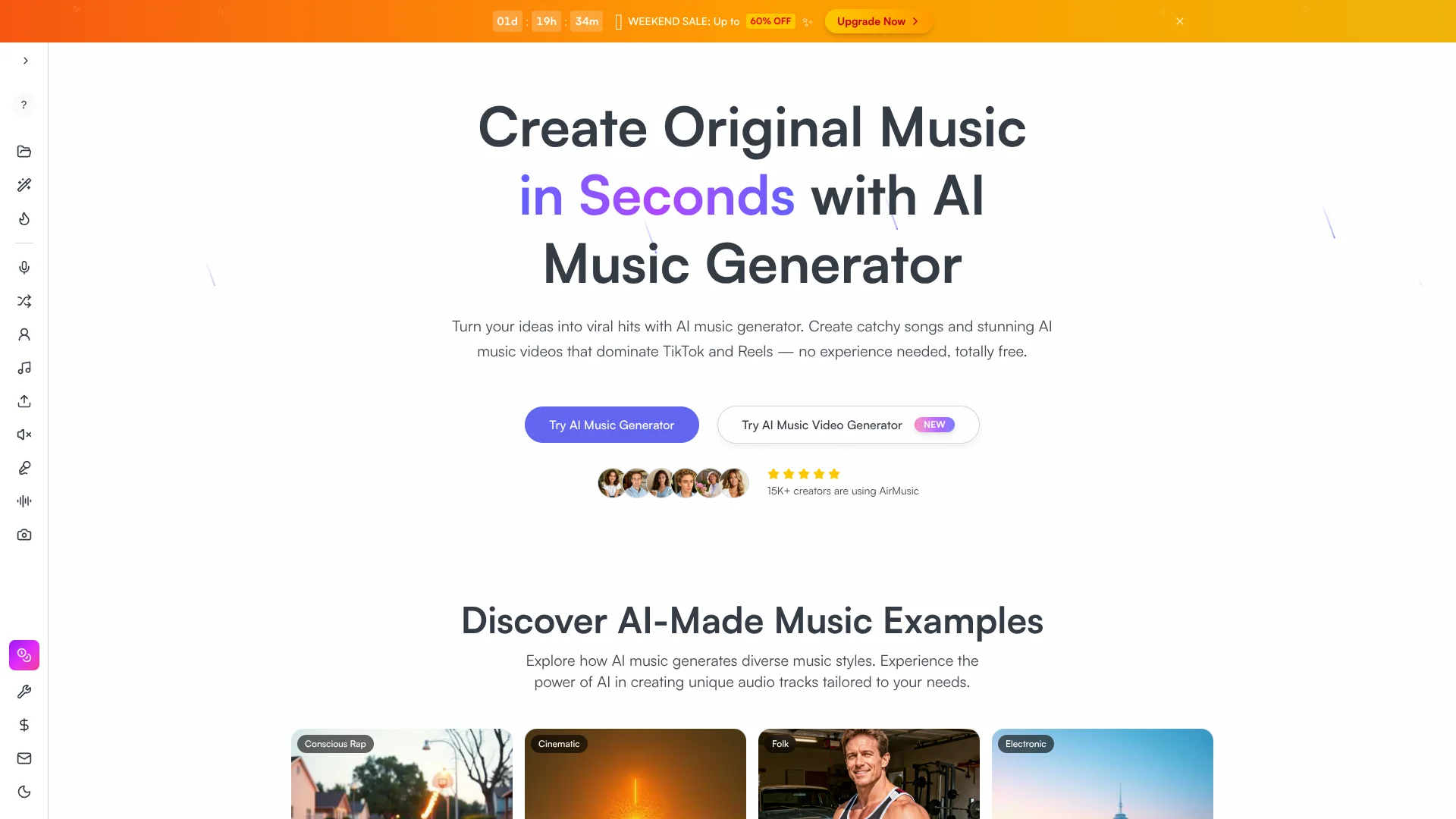
Turn prompts into complete songs and music videos
Key Takeaways
- What it is
- Turn prompts into complete songs and music videos
- Pricing
- Freemium · $19.90 per month · $59.90 per month
- Best for
- Text & Lyrics to Music
- All‑in‑one Audio Suite
- AI Vocals, Voice Cloning & Singing Photo
- Rating
- 4.4/5
What is AirMusic?
AirMusic is an AI music creation platform for quickly turning text prompts, lyrics, audio and images into finished songs and short music videos. It combines text to music generation, AI vocals and voice cloning, stem splitting, remixing and video tools so creators can produce royalty free, commercial ready content for TikTok, Reels, YouTube and podcasts without traditional studio skills.
AirMusic stands out by combining song generation, multi style AI vocals, voice cloning, karaoke stems, remixing, image to music, singing photos and AI music video creation under one roof, all wrapped in explicit commercial licensing and privacy promises. For creators chasing viral clips and quick turnarounds, that social first, all in one focus is rare among AI music tools.
AirMusic gives creators a fast route from rough idea to finished song or scroll stopping music video, without demanding production chops or big budgets. Those who live on social platforms or need constant, royalty free audio for client work get the most value, while power users can still export stems into a DAW. For many modern workflows it functions as a capable shortcut to polished, original sound and visuals.
Who is Using AirMusic?
Short‑form Video Creators
Generating hooks, background tracks and auto built music videos tailored to TikTok, Instagram Reels and YouTube Shorts.
Independent Musicians and Producers
Sketching ideas, extending demos, making AI covers and quickly creating karaoke or backing tracks.
Podcasters and YouTubers
Producing custom intro themes, stingers and low key background beds that avoid copyright headaches.
Game and App Developers
Creating looping ambience, menu themes and event cues across many genres without hiring a composer for every track.
Uncommon Use Cases
Used by teachers for songwriting and pronunciation exercises with AI vocals; adopted by event planners to create personalized songs and singing photo videos for birthdays or weddings.
Key Features
Rating Breakdown
Pricing Plans
Free
Free
- 10 credits, latest model access, text and lyrics to music, extend and cover song, MP3 and WAV downloads, voice cloning, AI image to music, AI music remixer, AI instrumental generator, AI background music, AI rap generator, AI singing voice, AI music analyzer, shared generation queue, 7-day cloud storage, and music sharing
Starter Plan
$19.90 per month
- 300 credits per month (100 songs, 100 images, 1m+ video), AI music video generator, latest model access, MP3 and WAV downloads, text and lyrics to music, voice cloning, audio upload up to 4 minutes per track, private generations, forever cloud storage, up to 3 parallel generations, priority email support, and commercial license
Pro Plan
$59.90 per month
- 1,600 credits per month (533 songs, 533 images, 8m+ video), AI music video generator, latest model access, MP3 and WAV downloads, text and lyrics to music, voice cloning, audio upload up to 8 minutes per track, private generations, forever cloud storage, up to 3 parallel generations, priority email support, and commercial license
Which AirMusic plan should you pick?
Start with Free to test generation using 10 credits; upgrade to Starter for regular creation and audio uploads, or Pro for higher monthly volume, longer uploads, and unlimited voice models.
Free
Good for users who want to test AirMusic with 10 credits and basic generation features.
Starter Plan
Good for beginners and casual creators who need 300 monthly credits, audio uploads up to 4 minutes, and commercial licensing.
Pro Plan
Good for serious musicians and content creators who need 600 monthly credits, uploads up to 8 minutes, and unlimited voice-cloning models.
AirMusic Use Cases
Generate original songs
Describe a genre, mood, tempo, instruments, or theme and generate a complete song with optional vocals.
Outcome: A downloadable finished music track.
Create background music
Generate royalty-free background music tailored to videos, podcasts, presentations, and other content.
Outcome: Custom background tracks instead of generic stock loops.
Turn images into soundtracks
Upload a photo and let AirMusic analyze its mood, colors, and atmosphere before generating music.
Outcome: A visual-matched soundtrack for creative content.
Create karaoke or practice tracks
Use vocal-removal and stem-separation tools to isolate vocals or instruments from songs.
Outcome: Backing tracks for karaoke, practice, or remixing.
Produce lyric videos
Upload audio, detect or edit lyrics, adjust typography, and export a lyric video.
Outcome: An MP4 lyric video suitable for releases and social previews.
Workflow Ideas with AirMusic
Prompt to finished song
- 1Describe the song's genre, mood, theme, and instrumentation.
- 2Choose vocal, style, language, and duration settings.
- 3Generate variations, preview them, and download the preferred track.
Image to soundtrack
- 1Upload a JPG, PNG, or WEBP image.
- 2Choose a music style, mood, and vocal language.
- 3Generate and download a soundtrack matched to the image.
Audio to lyric video
- 1Upload an audio file.
- 2Let AirMusic detect lyrics, then edit words and typography as needed.
- 3Preview and export the completed lyric video.
How AirMusic fits into your stack
Browser
AirMusic is an online AI music-creation platform used in the browser to generate songs, lyrics, instrumentals, remixes, audio edits, and music videos.
Knowledge and files
Users upload audio, images, lyrics, and cover art to guide generation, analyze music, create visuals, or produce lyric videos.
Pros
- +End to end workflow: Music, vocals, stems, remixing and video are all handled inside one platform.
- +Beginner friendly: Prompt based generation and presets help non musicians create usable tracks in minutes.
- +Commercial and private: Royalty free licensing plus private generations and clear data privacy messaging suit brands and agencies.
- +Strong value ladder: Free access plus affordable credit based paid tiers let users scale output as needed.
Cons
- −Credit model complexity: Mapping credits to songs, images and video length can be confusing early on.
- −Not a full DAW: Detailed mixing, automation and plug in style control still require exporting stems to external software.
- −Limited native integrations: Workflows currently rely on downloading and uploading files rather than deep integrations with DAWs or editors.
Limitations & when to consider alternatives
Known limitations
- Free-plan audio upload restriction. Audio upload is not available on the Free plan.
- Plan-based upload duration. Starter audio uploads are limited to 4 minutes per track, while Pro uploads are limited to 8 minutes.
- Free-plan licensing. Free users may use generated music for personal, non-commercial purposes only.
- Free-plan storage. The pricing page lists 7-day cloud storage for the Free plan; paid plans include forever cloud storage.
- Generation quality variability. AirMusic states that music quality can vary and may not always match the user's expectations.
Look elsewhere when
- You need a native desktop or mobile application.
- Your workflow requires a documented developer API.
How to Use AirMusic
- 1
Start with a prompt or upload
Describe the music you want, provide lyrics, or upload audio or an image when you want AirMusic to use an existing idea.
- 2
Set the creative direction
Choose genre, mood, tempo, vocal style, language, duration, and other available generation settings.
- 3
Generate and compare
Run the generation, preview the result, and create variations when the first version does not fit.
- 4
Extend or transform the track
Use tools such as AI Music Extender, AI Cover, vocal addition, voice cloning, remixing, or stem separation.
- 5
Create supporting visuals
Use the AI Music Video Maker, Photo Video Maker, or Lyrics Video Maker to turn audio and images into shareable video content.
- 6
Download and check licensing
Download MP3/WAV or video output, and verify whether your plan provides the commercial rights required for the intended use.
Who is AirMusic For?
Content creators
Create original music, background tracks, social content, and music videos for platforms such as YouTube, TikTok, and Instagram.
Musicians
Generate songs, instrumentals, vocal performances, covers, extensions, and remixes without traditional studio production.
Bedroom producers
Turn musical ideas into finished tracks without expensive equipment or advanced technical skills.
Professional studios
Use AI generation, vocal separation, voice cloning, and track extension as part of professional music workflows.
Game developers
Generate original music and voice content for games and other creative projects.
Frequently Asked Questions
Can I use AirMusic's music commercially?
Paid plans provide commercial rights according to the selected plan. Free users are limited to personal, non-commercial use.
Is there a free plan?
Yes. The Free plan costs $0 per month and includes 10 credits.
Can I upload my own audio?
Audio upload is unavailable on the Free plan. Starter supports tracks up to 4 minutes, while Pro supports tracks up to 8 minutes.
Can AirMusic create music from an image?
Yes. Upload an image and AirMusic analyzes its visual mood, colors, and scene to generate matching music.
Can AirMusic clone a voice?
Yes. Upload at least 10 seconds of clear audio to create a custom voice model.
Does AirMusic offer a native app?
The documented product experience runs in the browser and requires no software downloads or plugins.
Community reviews
Be the first to share your experience.
Sign in to leave a review for AirMusic.
AirMusic Alternatives
Looking for alternatives to AirMusic? Here are similar tools in the same category:
Learn to Master AirMusic
With Skill Leap courses
Get in-depth training on AirMusic and 50+ other AI tools with our expert-led video courses.
Start 7-Day Free Trial