Aithor
Academic paper drafts with structured arguments and citation support for students.
Key Takeaways
- What it is
- Academic paper drafts with structured arguments and citation support for students.
- Pricing
- Freemium · $24.99 per month
- Best for
- AI Paper Writer
- Reference Finder
- Citation Generator
- Rating
- 4.1/5
What is Aithor?
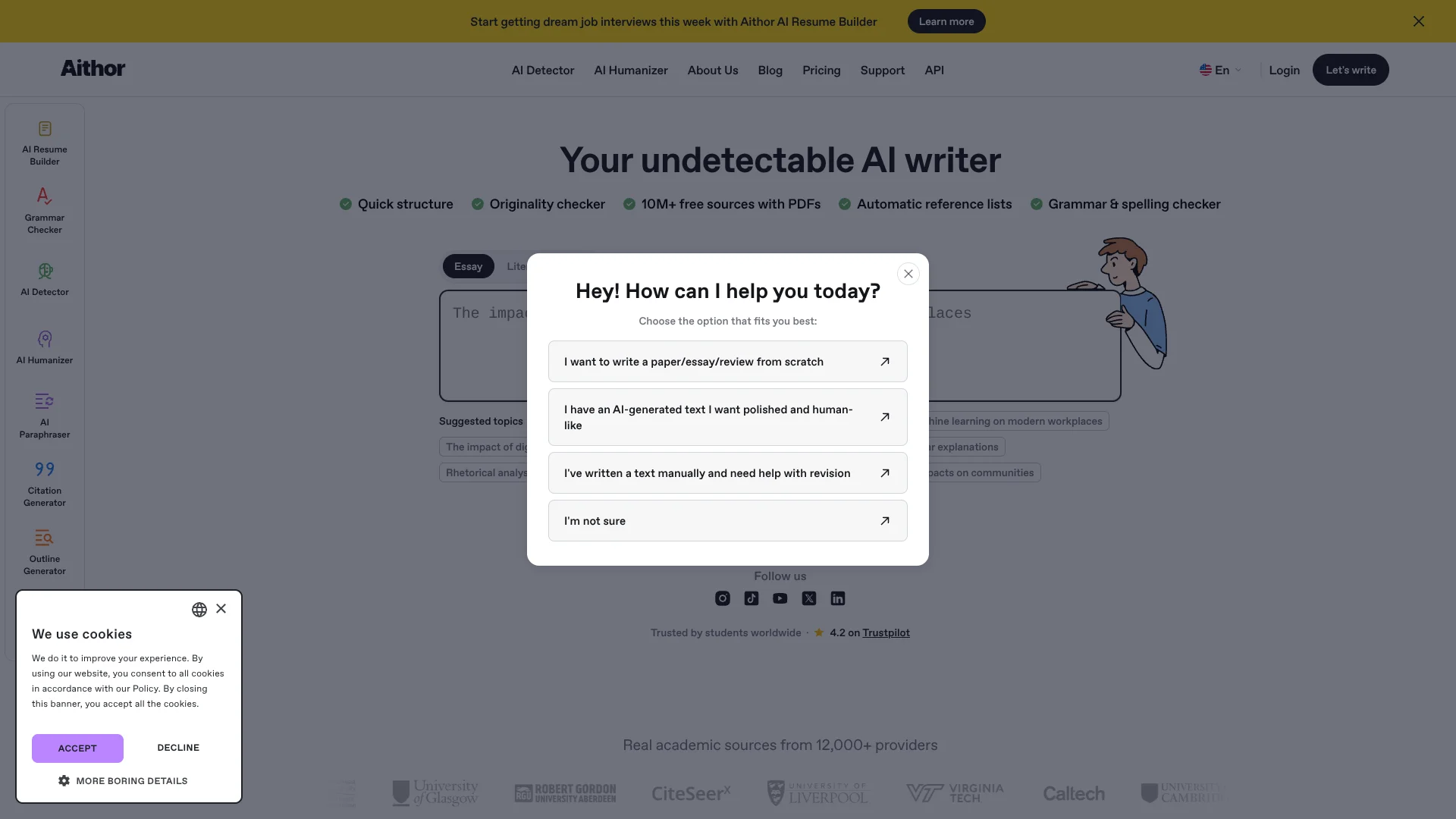
Aithor turns a paper topic into a structured academic draft, then helps you revise it with suggested sources and citations. It is built for students and researchers who want support getting started, organizing an argument, and polishing their writing. Its editor also includes rewriting, reference finding, citation formatting, and AI checks, so you can develop a draft while keeping your own review and decisions in the process.
Aithor pairs a paper-writing workspace with a reference finder that can suggest academic sources for selected text, then lets you add a chosen reference and citation style while editing.
Students and academic writers get the clearest fit, especially when a paper needs structure and formatted references. The generated draft still needs fact-checking and careful revision, so Aithor works best as a writing aid rather than a substitute for research or your own judgment.
Who is Using Aithor?
Undergraduate Students
A clearer outline and initial draft can help them move from an assignment prompt to a paper they can revise.
Graduate Students
Reference suggestions and citation formatting support papers that need a stronger source trail.
Researchers
The editor helps organize research writing and revise references as a draft develops.
Academic Writers
Rewriting and AI suggestions help them refine wording while retaining responsibility for the final text.
Uncommon Use Cases
Building a reference list from highlighted draft passages; turning a topic into a structured report draft.
Key Features
Rating Breakdown
Pricing Plans
Free
Free
- Writing style selection
- Reference style selection
- Limited content generation and AI editing
Pro
$24.99 per month
- Unlimited content generation with auto-citations
- Unlimited AI editing
- Table of contents tool
- Unlimited AI Detector and AI Humanizer
Which Aithor plan should you pick?
Start with Free to try limited drafting and editing, then consider Pro if you need unlimited content generation, AI editing, and detection or humanizer access.
Free
Good for occasional drafting and editing when limited content generation is enough.
Pro
Good for regular academic writing that needs unlimited content generation, AI editing, and access to AI Detector and AI Humanizer.
Aithor Use Cases
Starting an Academic Paper
A defined topic becomes a structured first draft that gives the writer material to assess and revise.
Outcome: An editable academic draft with citations and references.
Finding References
Selected text can prompt suggestions for relevant academic sources before the writer chooses which to cite.
Outcome: A draft with selected references and citations.
Revising Existing Writing
A rewrite can personalize, paraphrase, shorten, or expand sections of a draft.
Outcome: Revised text for the writer to review.
Formatting Citations
Citation generation helps prepare references in a selected academic style.
Outcome: Citations formatted in a supported style.
Checking Text for AI Signals
The AI detection API provides a probability score and marks fragments that appear likely to be AI-written.
Outcome: A score and highlighted text fragments for human review.
Workflow Ideas with Aithor
From Topic to Draft
- 1Enter a paper topic and choose the type of work.
- 2Generate a structured draft and review its sections.
- 3Edit the argument, verify claims, and revise the wording.
Add Sources to a Draft
- 1Highlight a sentence or passage in the editor.
- 2Choose Find references and review Aithor's suggestions.
- 3Select a source and citation style, then confirm the citation.
Review AI Detection in a Product
- 1Create an API key in the Aithor platform.
- 2Send text to the detection endpoint and receive a score with flagged fragments.
- 3Route the result to a human reviewer instead of treating it as a final verdict.
How Aithor fits into your stack
Academic Writing Workspace
The web editor supports drafting, outlining, rewriting, and refining academic papers. It saves progress automatically.
Research and References
Reference Finder suggests sources for selected passages, and Citation Generator formats citations in supported styles.
Existing Documents
The writing workspace supports PDF and DOCX uploads when you want to work with material you already have.
Developer API
Aithor offers humanizer and AI detection APIs for text-processing workflows. Detection requests handle about 4,000 words before truncating longer input.
Pros
- +Sources beside the draft: Reference Finder can suggest academic references for selected text.
- +Citation styles: The generator supports common academic formats such as APA, MLA, IEEE, and Chicago.
- +Draft-to-edit workflow: Topic suggestions, structured writing, and revision happen in the same editor.
- +Free access: The Free plan includes limited content generation and AI editing.
Cons
- −Needs close review: Generated claims and citations still need your verification.
- −Academic-first focus: The strongest fit is papers and research writing, not a broad range of business workflows.
Limitations & when to consider alternatives
Known limitations
- AI detection is probabilistic. A detection score is an estimate, not proof of how text was written; false positives can occur, and short text is less reliable.
- Detection API input length. One request processes about 4,000 words; longer text is truncated, so the documentation recommends splitting it into chunks.
- Generated work needs verification. Aithor advises reviewing claims, citations, references, and reasoning before using generated academic text.
- Free plan has limited use. The Free plan includes limited content generation and AI editing; the product page does not state the exact limits.
Look elsewhere when
- You need a detection result that proves how a text was written.
- You need unlimited content generation or AI editing without a paid plan.
How to Use Aithor
- 1
Choose a starting point
Enter a topic or choose a suggested topic to give the paper writer a clear subject.
- 2
Set the work type
Select the type of document, such as Paper, so the draft follows the intended format.
- 3
Generate and inspect the draft
Review the structure and claims before treating the generated text as working material.
- 4
Add references
Highlight relevant text, choose Find references, select a source, and confirm its citation style.
- 5
Revise the writing
Use the editor and rewriting suggestions to adjust wording, structure, and references.
- 6
Verify the final work
Check factual claims and citations yourself; Aithor says generated writing still needs human review.
Who is Aithor For?
Undergraduate Students
Aithor can help turn an assignment topic into a draft structure, then support revision and citations.
Post-Graduate Students
Graduate writers can use its academic drafting and reference tools while developing longer papers.
Doctoral Students
Researchers working on detailed papers can use the editor to organize sections and manage references.
Researchers and Academic Professionals
Its structured drafts and citation tools can support reports and other academic documents.
Frequently Asked Questions
Does Aithor have a free plan?
Yes. The Free plan includes writing style and reference style selection, plus limited content generation and AI editing.
Can Aithor find academic sources and add citations?
Yes. Reference Finder suggests sources for selected text, and Citation Generator supports styles including APA, MLA, IEEE, and Chicago.
Can I upload an existing document?
The writing workspace supports PDF and DOCX uploads for working with existing material.
Does Aithor offer an API?
Yes. Its developer platform offers AI humanizer and AI detection APIs. The detection API returns an AI-likelihood score and highlighted text fragments.
Can I rely on the AI detection score as proof?
No. Aithor describes detection as statistical and notes that false positives happen, so the result should inform human review rather than determine a decision.
Community reviews
Be the first to share your experience.
Sign in to leave a review for Aithor.
Aithor Alternatives
Looking for alternatives to Aithor? Here are similar tools in the same category: