
Alai
Create stunning presentations with AI design.
Key Takeaways
- What it is
- Create stunning presentations with AI design.
- Pricing
- Freemium · $20 per month · $30 per month
- Best for
- AI-Powered Design
- Customizable Templates
- Real-Time Collaboration
- Rating
- 4.4/5
What is Alai?
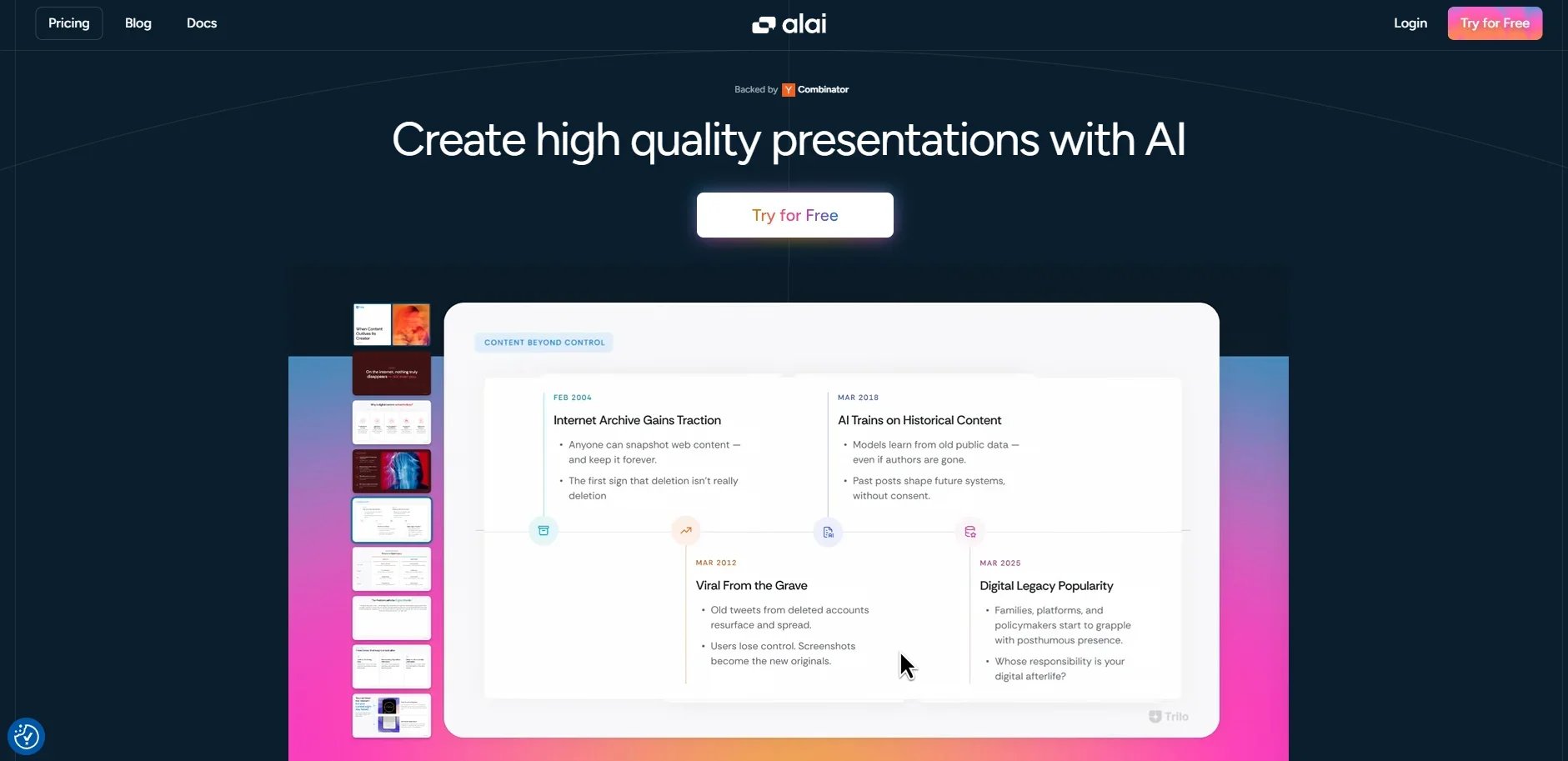
Alai is here to transform the way we create presentations. Hopping on the AI train, Alai offers an intuitive platform that enables users to craft stunning presentations with ease. It's designed for professionals who want to streamline their presentation creation process without sacrificing quality. Whether you're a business executive needing a polished deck for a big meeting or a creative looking to add flair to your slides, Alai makes the task as smooth as possible.
Alai sets itself apart with its emphasis on creating pixel-perfect presentations without the hassle of manual design. Its ability to adapt layouts, colors, and typography automatically means users can focus on content rather than design minutiae. This AI-driven approach ensures that every slide is not just a visual treat but also a signal of credibility.
Alai is a powerhouse for anyone looking to create professional presentations with minimal effort. Its AI-driven design capabilities make it stand out in a crowded market, offering a blend of creativity and efficiency. Whether you're an individual user or part of a larger team, Alai provides the tools you need to make your presentations not only look good but also convey your message effectively.
Who is Using Alai?
Corporate Teams
Utilizing Alai for creating impactful business presentations.
Educators
Employing Alai to design engaging lecture slides.
Freelancers
Leveraging the tool to craft client presentations quickly.
Startups
Using Alai for pitching ideas and products innovatively.
Uncommon Use Cases
Adopted by podcasters for visual storytelling; Used by non-profit organizations for impactful fundraising presentations.
Key Features
Rating Breakdown
Pricing Plans
Free
Free
- Unlimited presentations, 200 AI credits (no renewals), up to 10 AI slides per prompt, basic access to elements and themes, regular support, and PDF exports
Plus
$20 per month
- Unlimited presentations, 400 AI credits monthly, up to 20 AI slides per prompt, priority access to new elements and themes, watermark-free slides, PowerPoint export, priority support via Discord and email, and PDF exports
Pro
$30 per month
- Unlimited presentations, 1,000 AI credits monthly, unlimited AI slides, priority access to new elements and themes, watermark-free slides, PowerPoint export, priority support from founders, a free 30-minute consultation for first 100 users, and PDF exports
Which Alai plan should you pick?
Start with Free to test Alai; upgrade to Plus for watermark-free exports and more monthly credits, or Pro and Ultra for higher-volume generation.
Free
Good for testing Alai with 300 one-time AI credits, up to 10 slides per prompt, and PDF/PPT export.
Plus
Good for regular individual use needing 800 monthly credits, up to 20 slides per prompt, and watermark-free slides.
Pro
Good for heavier presentation workflows needing 1,600 monthly credits and up to 50 slides per prompt.
Ultra
Good for high-volume users needing 5,000 monthly credits, up to 50 slides per prompt, and direct feature requests.
Alai Use Cases
Create an AI presentation
Describe a topic or provide structured notes, then generate a presentation with a selected theme.
Outcome: A shareable presentation that can be exported to PDF or PowerPoint.
Convert documents into slides
Read meeting notes or another text file and pass the content to the generation API.
Outcome: A structured slide deck from source material.
Generate recurring reports
Feed weekly metrics into the API and generate a recurring business-report presentation.
Outcome: Automated weekly report decks.
Apply brand assets
Create a design system from templates, presentations, websites, posters, or other brand assets.
Outcome: More consistent branded outputs across formats.
Create visual assets
Generate infographics, carousels, posters, and social posts in addition to presentations.
Outcome: Ready-to-use visual content on different canvas sizes.
Workflow Ideas with Alai
Weekly metrics report
- 1Collect weekly business metrics
- 2Pass the metrics into Alai’s presentation-generation API
- 3Export the completed report as a shareable link, PDF, or PowerPoint
Document-to-deck workflow
- 1Read meeting notes or source text from a file
- 2Submit the content with a title, slide range, and theme
- 3Poll generation status and download the resulting presentation
AI-agent presentation workflow
- 1Connect Alai MCP to a compatible AI agent
- 2Ask the agent to generate or edit a presentation
- 3Export the presentation to PowerPoint, PDF, or a shareable link
How Alai fits into your stack
Browser
Alai is used as a web-based design and presentation workspace for creating, editing, and exporting decks and other visual assets.
Docs and writing
Users can provide text, Markdown, structured notes, PDF files, Word documents, or other written content and turn it into editable presentations.
Automation and APIs
The REST API and MCP server support programmatic generation, slide creation, exports, polling, and recurring high-volume workflows.
Desktop / IDE
Alai can be connected to AI-development environments including Claude Desktop, Cursor, VS Code, Windsurf, and ChatGPT through MCP.
Knowledge and files
Alai accepts uploaded PDFs, Word documents, text, and images, then reconstructs their content into editable visual assets.
Pros
- +Time-Saving: Generates a complete deck in seconds, allowing more time for perfecting the message rather than designing.
- +User-Friendly Interface: Intuitive and easy to navigate, even for those less tech-savvy.
- +High-Quality Output: Ensures that all presentations meet a professional standard, boosting your credibility.
- +Flexibility: Offers a range of styles and formats, catering to diverse presentation needs.
Cons
- −Initial Learning Curve: Some users might find the initial setup and understanding of features a bit challenging.
- −Limited Offline Access: Requires an internet connection for full functionality, which can be a downside in connectivity-challenged areas.
Limitations & when to consider alternatives
Known limitations
- Free credits do not renew. The Free plan includes a one-time credit allowance rather than monthly renewing credits.
- Free presentations include watermarks. The Free plan does not allow watermarks to be removed.
- Per-prompt slide limits. Free, Plus, Pro, and Ultra limit each prompt to 10, 20, 50, and 50 AI slides respectively.
- API generation concurrency. The API documentation sets a maximum of five concurrent generations per user.
- Export URLs expire. Signed PDF, PPT, and link download URLs are valid for 24 hours.
Look elsewhere when
- You need a native mobile app.
- You need a browser extension.
- You need SSO or SAML administration.
- You need native Google Slides integration.
How to Use Alai
- 1
Start with a prompt or source text
Describe the presentation or provide plain text, Markdown, structured notes, or document content to establish the deck’s subject.
- 2
Choose a theme or design system
Select a theme or create a design system from brand assets so generated slides follow the desired visual direction.
- 3
Generate the presentation
Submit the content and optional instructions, slide range, language, image settings, and export formats.
- 4
Refine the deck
Edit manually or instruct Alai to change content and visuals while keeping project edits consistent.
- 5
Export or share
Export to PDF or PowerPoint, or create a shareable link for online viewing.
- 6
Automate recurring creation
Use the REST API or MCP server to generate presentations programmatically and poll asynchronous generation status.
Who is Alai For?
Founders
Alai provides branded presentation creation and editing for pitch decks and company communications.
Sales teams
Shareable presentation links and engagement tracking support client-facing deck workflows.
Marketing teams
Alai creates presentations, infographics, carousels, posters, and social posts across canvas sizes.
Consultants
API examples support recurring reports, document-to-slide conversion, and reusable presentation workflows.
Frequently Asked Questions
What are AI credits?
AI credits are the usage allowance for creating AI-generated slides and presentations.
Do unused AI credits roll over to the next month?
The pricing page includes this FAQ, but does not expose the answer in the indexed page content.
Can I upgrade, downgrade, or cancel my plan anytime?
The pricing page includes this FAQ, but does not expose the answer in the indexed page content.
What happens to my presentations if I cancel or downgrade?
The pricing page includes this FAQ, but does not expose the answer in the indexed page content.
Does Alai support team or workspace accounts?
The pricing page includes this FAQ, but does not expose the answer in the indexed page content.
What are the PDF import limits on each plan?
The pricing page includes this FAQ, but does not expose the answer in the indexed page content.
Community reviews
Be the first to share your experience.
Sign in to leave a review for Alai.
Alai Alternatives
Looking for alternatives to Alai? Here are similar tools in the same category:
Learn to Master Alai
With Skill Leap courses
Get in-depth training on Alai and 50+ other AI tools with our expert-led video courses.
Start 7-Day Free Trial