Alpha3D
Turn photos and ideas into game-ready 3D assets without modeling skills.
Key Takeaways
- What it is
- Turn photos and ideas into game-ready 3D assets without modeling skills.
- Pricing
- $5.54 per month · $17.73 per month · $110.81 per month · $165.90 per month
- Best for
- Text, Image, and Multi-View to 3D
- Smart Topology
- UV Unwrapping and AI Texturing
- Rating
- 4.2/5
What is Alpha3D?
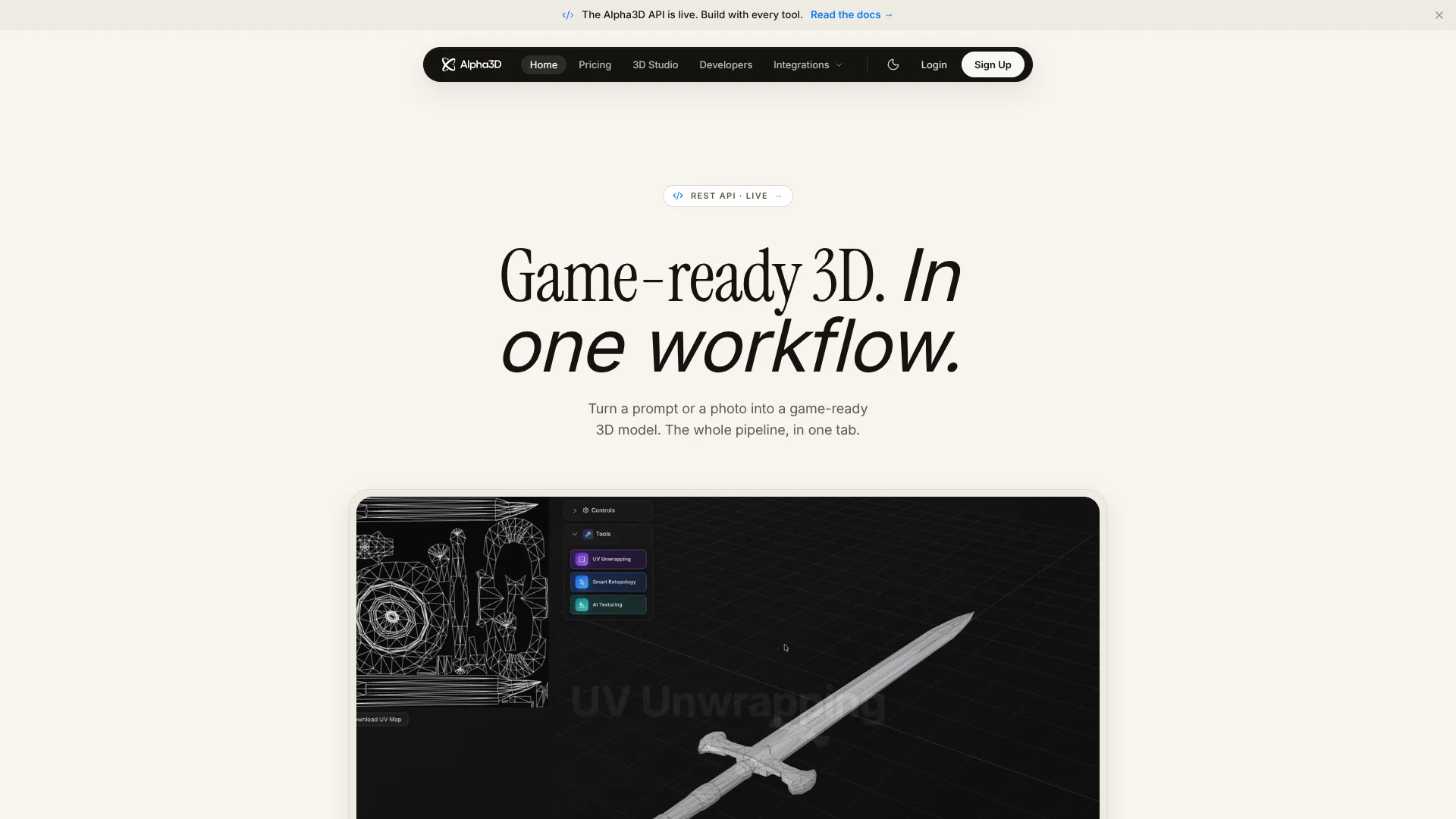
Alpha3D turns a text description, a photo, or several reference views into a 3D model, then offers tools to prepare that model for a game, render, or 3D print. Game developers, makers, and other creators can handle steps like cleaning up the mesh, mapping its surface for textures, and exporting a usable file without learning a full 3D modeling program first.
Its Workflows canvas lets you connect generation, retopology, UV unwrapping, texturing, rigging, and file conversion into a reusable graph, then run that sequence on an asset with one click.
Alpha3D fits creators who need individual 3D assets and want AI to handle much of the technical preparation. It is not a substitute for detailed hands-on sculpting, so it is best viewed as a way to create and prepare a model, not as a complete manual 3D art studio.
Who is Using Alpha3D?
Game Character Artists
Character Generator can separate parts such as armor and weapons before turning them into 3D assets.
Indie Game Developers
A prompt or concept image can become a model prepared for a game engine.
3D Printing Designers
The 3D Printing workflow focuses on solid geometry and STL export.
Product Visualization Designers
Product photos can become textured 3D models for renders or product pages.
Roblox Creators
The Roblox Assets workflow targets low-poly models and FBX export for Roblox Studio.
Uncommon Use Cases
Create multiple texture variants for one product model; extract separate character parts from a reference image.
Key Features
Rating Breakdown
Pricing Plans
Tester
$5.54 per month
- Converted from €5.00 per month; Alpha3D does not list USD pricing.
- 90 3D credits and 1,000 Tokens per month.
- Multi-view generation supports up to 2 angles.
- No low-poly generation, retopology, UV unwrapping, or rigging.
Basic
$17.73 per month
- Converted from €16.00 per month; Alpha3D does not list USD pricing.
- 1,000 3D credits and 3,500 Tokens per month.
- Multi-view generation supports up to 4 angles.
Creator
$110.81 per month
- Converted from €100.00 per month; Alpha3D does not list USD pricing.
- 3,200 3D credits and 10,000 Tokens per month.
- Multi-view generation supports up to 8 angles.
- Priority email support.
Creator Pro
$165.90 per month
- Converted from €150.00 per month; Alpha3D does not list USD pricing.
- 10,000 Tokens per month.
- Includes a dedicated GPU and beta access.
Enterprise
- Converted from €200.00 per user per month; Alpha3D does not list USD pricing.
- Custom 3D credit and Token pools.
- Dedicated GPU node for high-volume usage and beta access.
Which Alpha3D plan should you pick?
Start with Tester for occasional model generation; move to Basic or a higher plan when you need more monthly credits or additional finishing tools.
Tester
Good for trying a few monthly generations with 90 3D credits and 1,000 Tokens.
Basic
Good for regular asset creation, with 1,000 3D credits and the broader finishing feature set.
Creator
Good for heavier monthly production, with 3,200 3D credits and 10,000 Tokens.
Creator Pro
Good for higher-volume work that needs 10,000 Tokens and a dedicated GPU.
Enterprise
Good for teams that need custom credit and Token pools or a dedicated GPU node.
Alpha3D Use Cases
Concept Art to Game Asset
A concept image can become a 3D model, then move through topology cleanup, UV preparation, and texturing.
Outcome: A model prepared for export to a game engine.
Character Parts
The Character Generator workflow identifies separable character parts and prepares them for 3D generation.
Outcome: Separate 3D-ready parts based on one character concept.
3D Printing
A geometry-first workflow creates a model for printing and provides STL export.
Outcome: An STL model for a slicer.
Product Model from Photos
Product images can be turned into a textured model for a render or digital product page.
Outcome: A 3D product asset for visualization.
Repeatable Asset Preparation
A saved Workflows graph can apply the same generation and finishing steps to a batch of assets.
Outcome: A reusable sequence for preparing similar models.
Workflow Ideas with Alpha3D
Prepare a Game Prop
- 1Start with a prompt or reference image.
- 2Generate the 3D model.
- 3Run topology cleanup and UV preparation, then export the model.
Create a Printable Model
- 1Open the 3D Printing workflow.
- 2Generate a geometry-focused model from text or an image.
- 3Export the result as STL for a slicer.
Make Character Parts
- 1Start with a character image or generated concept.
- 2Use Character Generator to identify and extract separate parts.
- 3Turn the parts into 3D models and prepare them for export.
How Alpha3D fits into your stack
Web App
The browser app handles generation and the 3D finishing tools. It is the visual entry point for creators who do not need to write code.
Workflows Canvas
Connect generation and finishing steps into a graph, then reuse it for similar assets.
Alphred Chat
The conversational agent can chain image and 3D operations from a natural-language description; its Tokens are billed separately from 3D credits.
API and MCP
The REST API supports product integrations, while the MCP connection brings Alpha3D tools into Claude and ChatGPT.
Blender
The Alphred for Blender plugin brings chat-driven generation and pipeline steps into Blender.
Pros
- +Beyond the first mesh: Separate tools help prepare models with topology cleanup, UVs, textures, and rigging.
- +Reusable workflows: Save a sequence of asset steps and run it again on other models.
- +Several ways to start: Generate from text, one image, or multiple reference views.
- +Developer access: The REST API, webhooks, and MCP connection are available alongside the web app.
Cons
- −Credit-based tasks: Each generation or finishing operation uses a stated number of 3D credits.
- −Two balances to track: Alphred chat uses Tokens, which are separate from 3D credits.
- −Not a sculpting studio: The platform focuses on AI generation and asset preparation rather than detailed manual modeling.
Limitations & when to consider alternatives
Known limitations
- Tester feature limits. The Tester plan includes 90 3D credits per month and limits multi-view input to two angles; it does not include low-poly generation, retopology, UV unwrapping, or rigging.
- Monthly Token balance does not roll over. Unused plan Tokens reset at the start of a billing cycle, though bonus Tokens are held separately until used.
- Separate credit types. 3D jobs use 3D credits, while Alphred chat uses Tokens, so chat and model operations draw from different balances.
Look elsewhere when
- You need hands-on sculpting and detailed manual mesh editing as the core of your workflow.
How to Use Alpha3D
- 1
Choose a starting point
Open the web app for visual controls, Alphred for chat-led steps, or a Workflows template for a guided asset task.
- 2
Provide a prompt or reference
Enter a text description or upload an image; multi-view generation can use reference images from several angles.
- 3
Review the generation cost
Check the credit cost shown for the 3D job before submitting it.
- 4
Finish the model
Apply the steps the asset needs, such as Smart Topology, UV Unwrapping, AI Texturing, or AI Rigging.
- 5
Export for the next tool
Download the model in a supported format such as GLB, FBX, or OBJ; STL is available through format conversion.
Who is Alpha3D For?
Game Developers
Create and prepare props or characters for game engines, including topology cleanup and rigging.
3D Printing
Build a geometry-focused workflow for printable models and STL export.
Makers
Turn an idea or image into a model without starting with manual mesh creation.
AR and VR Creators
Prepare 3D assets in formats such as GLB for immersive projects.
E-commerce Teams
Create 3D product assets from product photos for use in digital storefronts.
Frequently Asked Questions
Does Alpha3D have a free plan?
The listed Tester plan is paid, not a free tier. New accounts receive a one-time Token sign-up bonus, but that is not a free subscription plan.
What can I make with Alpha3D?
It generates 3D models from text, images, or multiple views, then offers tools for topology cleanup, UV unwrapping, texturing, rigging, and conversion.
Which file formats can I export?
The FAQ lists GLB, OBJ, and FBX downloads on every plan. Convert 3D can convert between common formats, including STL.
Does Alpha3D have an API?
Yes. Its REST API supports generation and pipeline steps, with webhooks and idempotency keys.
Can I use Alpha3D from Claude or ChatGPT?
Yes. Alpha3D provides an MCP connection for using its 3D pipeline from Claude or ChatGPT.
Can I cancel a subscription?
Plans can be downgraded or canceled from the subscription page. The current plan remains active until the end of the billing period.
Community reviews
1 review from people who use Alpha3D.
Sign in to leave a review for Alpha3D.
Thibault BM
Alpha3D Alternatives
Looking for alternatives to Alpha3D? Here are similar tools in the same category: