AltIndex
Stock research for investors using online activity and hiring signals.
Key Takeaways
- What it is
- Stock research for investors using online activity and hiring signals.
- Pricing
- Freemium · $29 per month · $99 per month
- Best for
- AI Score
- AI Stock Picks
- Smart Alerts
- Rating
- 4.2/5
What is AltIndex?
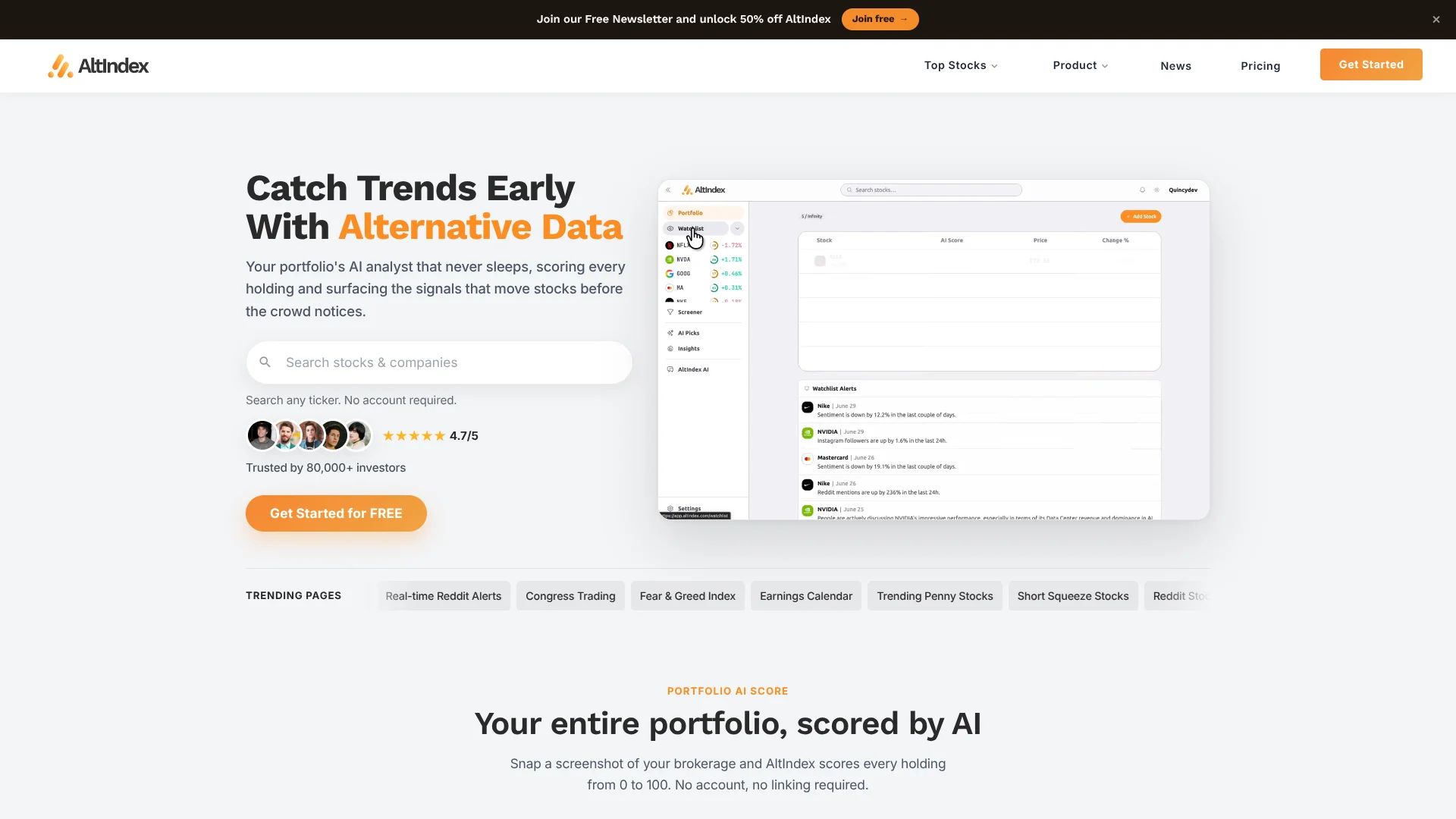
AltIndex scores public stocks using signals such as social activity, web traffic, hiring trends, and app downloads, alongside financial data. Investors can compare those signals through daily AI Scores, stock picks, alerts, and portfolio insights. Its AI analyst answers questions about holdings using AltIndex data, giving self-directed investors another way to investigate what may be moving a stock.
Rather than relying only on prices and company financials, AltIndex brings online activity and workforce signals into its stock analysis. Its 0–100 AI Score summarizes those inputs, and the company publishes a track record of its stock picks for readers to review.
AltIndex is a fit for investors who want alternative-data signals while researching stocks or monitoring a portfolio. The scores and picks are research inputs, not personalized investment advice, and scores are refreshed daily rather than serving as a live reading of every signal. Reach for it when you want to see what online and business activity may add to a stock’s story.
Who is Using AltIndex?
Self-directed investors
Daily stock scores and AI picks offer another source of evidence to review before making an investment decision.
Portfolio managers
Portfolio scores and alerts help surface changes in the signals behind multiple holdings.
Equity research analysts
Social, hiring, and web-traffic signals add context to company and stock research.
Quantitative developers
The REST API provides alternative-data history for programmatic stock analysis.
Uncommon Use Cases
An AI client can query stock signals through MCP; a brokerage screenshot can be read to score listed holdings.
Key Features
Rating Breakdown
Pricing Plans
Free
Free
- Free account features are available without a paid subscription.
Starter
$29 per month
- Annual billing: $199 per year, billed yearly.
- Watchlist of 25 stocks and 1 brokerage connection.
- Top 25 AI stock picks, updated daily.
- Smart alerts, AI chat and portfolio insights.
- Stock screener with 3 filters.
- Use AltIndex in ChatGPT, Claude, and Cursor.
Pro
$99 per month
- Annual billing: $499 per year, billed yearly.
- Unlimited watchlist and connections.
- All 200 AI stock picks, updated daily.
- Smart alerts, AI chat, and portfolio insights.
- Full stock screener with export.
- Developer API key, MCP, and priority support.
Which AltIndex plan should you pick?
Start with Free to explore AltIndex, choose Starter for its stock picks and alerts, and move to Pro when you need broader access or the Developer API.
Free
Good for investors who want to try AltIndex and review free stock and portfolio features.
Starter
Good for investors who want a 25-stock watchlist, one brokerage connection, and the top 25 AI stock picks.
Pro
Good for investors who need unlimited watchlists and connections, all 200 AI stock picks, or the Developer API.
AltIndex Use Cases
Research a stock
A daily AI Score and its underlying alternative-data signals give investors another angle on a company.
Outcome: A 0–100 score with signal context for further research.
Find stock ideas
AI Stock Picks highlight companies with buy or sell signals and a stated outlook.
Outcome: A ranked set of ideas to investigate.
Monitor a portfolio
Portfolio scoring brings the signal picture for individual holdings into one view.
Outcome: A portfolio score and scores for eligible holdings.
Track changes in company signals
Smart alerts call attention to shifts in activity such as social sentiment, insider transactions, or AI Score.
Outcome: Notifications when selected signals change.
Ask an AI client about market data
MCP makes AltIndex stock signals available to questions in compatible AI tools.
Outcome: Answers grounded in AltIndex data.
Workflow Ideas with AltIndex
Research a stock with alternative data
- 1Search for a company or ticker in AltIndex.
- 2Review its AI Score and the signals behind it.
- 3Compare the signal picture with other research before deciding what to do.
Review portfolio signals
- 1Connect a brokerage, add holdings, or upload a portfolio screenshot.
- 2Review the scores for individual holdings and the portfolio.
- 3Set relevant alerts to follow changes in the signals.
Explore data through an AI client
- 1Connect AltIndex MCP to a supported AI client.
- 2Ask about a stock, watchlist, or market signal.
- 3Check the cited AltIndex data before using the answer in research.
How AltIndex fits into your stack
Stock research
AltIndex adds social, hiring, web-traffic, and app-download signals to stock research alongside financial data.
Portfolio tracking
Holdings can be connected, entered manually, or read from a screenshot, then reviewed through portfolio scores and alerts.
AI clients
MCP makes AltIndex data queryable through ChatGPT, Claude, Cursor, and compatible MCP clients.
Developer workflows
The REST API gives developers a programmatic way to work with AltIndex alternative data.
Mobile investing
AltIndex’s iOS and Android apps bring portfolio views and push notifications to a phone.
Pros
- +Alternative-data view: Stock research includes social, hiring, web traffic, and app activity signals.
- +Inspectable picks: AltIndex publishes its stock-pick results so readers can review past calls.
- +Portfolio context: AI scores can be applied to holdings, not only stocks being researched individually.
- +AI client access: MCP connects AltIndex data to tools such as ChatGPT, Claude, and Cursor.
Cons
- −Daily score updates: The AI Score is refreshed daily, not continuously.
- −Research, not advice: Scores and picks do not account for an individual investor’s goals or risk tolerance.
Limitations & when to consider alternatives
Known limitations
- Stock coverage. AltIndex says it cannot currently add OTC or pink-sheet securities, foreign-listed stocks, mutual funds, or most ETFs that are not on its supported exchanges.
- Scores update daily. The AI Score updates daily, while underlying signals may be updated on their own rolling schedules.
- Not investment advice. AltIndex describes its scores and stock picks as information, not a recommendation tailored to an individual investor.
- Public leaderboard details. Joining the portfolio leaderboard makes a member’s handle, avatar, and tickers visible; portfolio values and position sizes are not published.
Look elsewhere when
- You need coverage for foreign-listed stocks, OTC securities, or mutual funds.
- You need an AI tool that provides personalized financial advice.
- Your research depends on continuously refreshed AI Scores rather than daily scores.
How to Use AltIndex
- 1
Create an account
Start with a free AltIndex account to explore the available stock and portfolio features.
- 2
Add portfolio holdings
Connect a brokerage, enter holdings manually, or upload a brokerage screenshot to bring positions into your portfolio.
- 3
Review scores and signals
Open a stock or portfolio view to see the AI Score and the alternative-data signals behind it.
- 4
Set stock alerts
Choose alert types that matter to your research, such as AI Score changes or shifts in social activity.
- 5
Try AI chat or MCP
Ask the AI analyst about holdings, or connect MCP to a compatible AI client for AltIndex data.
- 6
Upgrade when you need more access
Starter adds a 25-stock watchlist and the top 25 AI picks; Pro adds unlimited watchlists and connections, all 200 picks, and a Developer API key.
Who is AltIndex For?
Individual investors
Alternative-data scores and stock picks add another research view for people making their own investment decisions.
Portfolio investors
Portfolio scoring and alerts help investors keep an eye on signals across their holdings.
Institutional investors
AltIndex offers alternative-data services for funds and ETF makers.
Developers and data users
The REST API and MCP access support research workflows that use AltIndex data.
Frequently Asked Questions
Does AltIndex have a free plan?
Yes. AltIndex offers a free account, and its help center says an account returns to Free when a subscription ends.
What does AltIndex’s AI Score measure?
It is a daily 0–100 score combining alternative-data and financial signals for a stock.
Can AltIndex connect to other AI tools?
Yes. Its MCP connection works with ChatGPT, Claude, Cursor, and compatible MCP clients.
Does AltIndex have a mobile app?
Yes. AltIndex offers iOS and Android apps with portfolio features and push notifications.
Are AltIndex’s stock picks investment advice?
No. AltIndex describes its picks and scores as research information, not personalized investment advice.
Community reviews
Be the first to share your experience.
Sign in to leave a review for AltIndex.
AltIndex Alternatives
Looking for alternatives to AltIndex? Here are similar tools in the same category: