
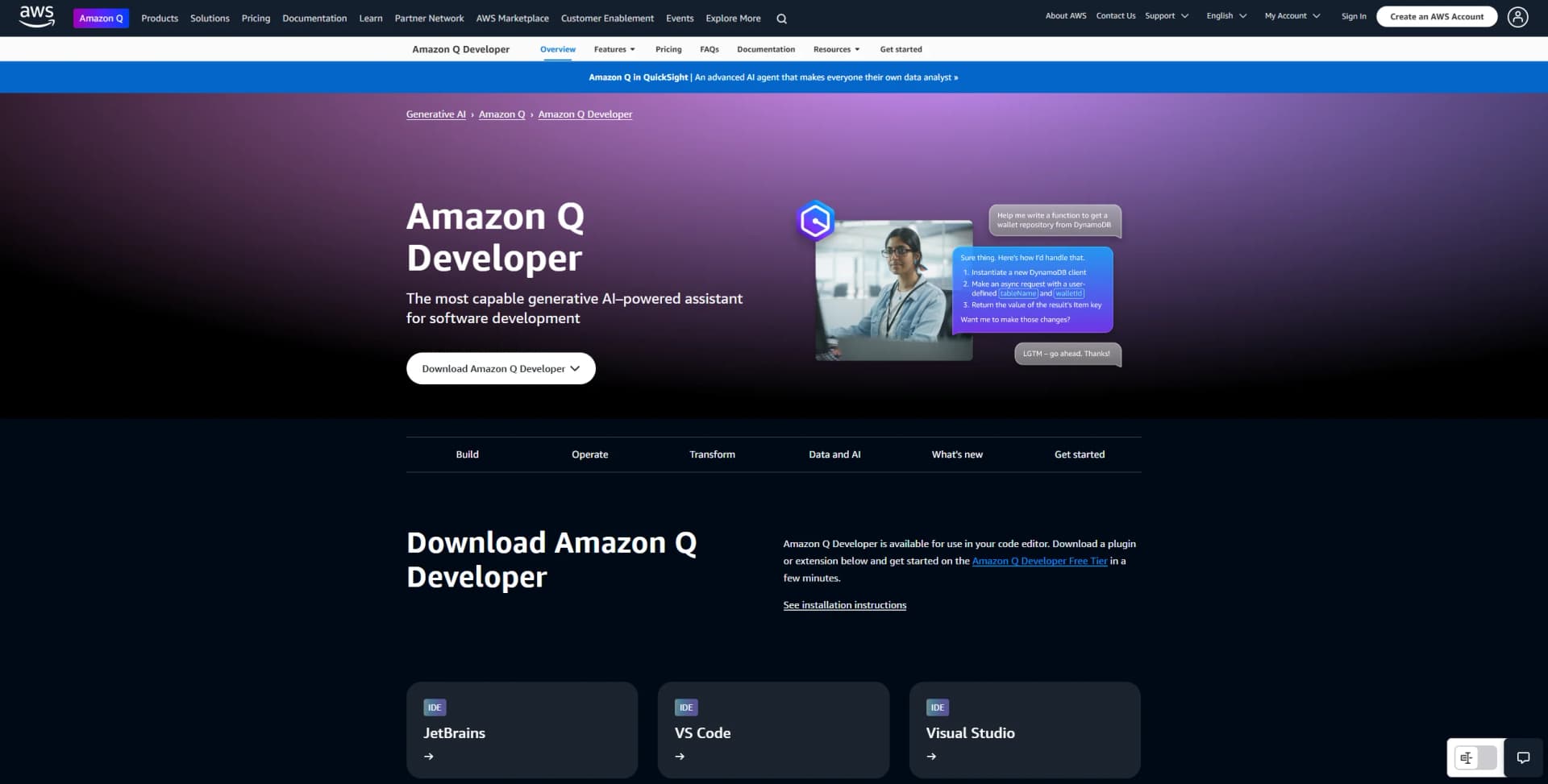
Amazon Q Developer
Streamlines coding, testing, and cloud optimization effortlessly.
Watch Amazon Q Developer in Action
Key Takeaways
- What it is
- Streamlines coding, testing, and cloud optimization effortlessly.
- Pricing
- Freemium · $19 per month per user. Unlocks higher limits across all features
- Best for
- Generative AI Assistance
- Integration with IDEs
- Command Line Interface Support
- Rating
- 4.6/5
What is Amazon Q Developer?
Amazon Q Developer is a generative AI-powered assistant designed to revolutionize software development. Available through Amazon Web Services, it offers a comprehensive suite of tools to help developers and IT professionals build, operate, and transform software efficiently. By streamlining tasks such as coding, testing, and documentation, Amazon Q Developer simplifies the software development lifecycle, making it a valuable asset for those seeking to enhance productivity and reduce operational costs.
Amazon Q Developer stands out with its deep integration within the AWS ecosystem, providing unparalleled support for cloud optimization and resource management. Its ability to perform autonomous tasks such as code refactoring and architectural guidance makes it a game-changer for large-scale enterprise applications.
Amazon Q Developer offers an impressive array of features and integrations that cater to the diverse needs of software developers and IT professionals. Its seamless compatibility with popular development environments, coupled with its robust security and cloud optimization capabilities, makes it a formidable tool in the software development landscape. Whether you're looking to streamline your development process or optimize your cloud resources, Amazon Q Developer provides the expertise and support you need to achieve your goals efficiently.
Who is Using Amazon Q Developer?
Software Developers
Utilizing the tool for efficient coding and project management.
IT Professionals
Leveraging its capabilities to optimize cloud operations and resource management.
Data Scientists
Employing Amazon Q Developer for data pipeline coding and AI/ML model development.
DevOps Teams
Using it to streamline deployment processes and improve workflow automation.
Uncommon Use Cases
Adopted by educational institutions for teaching software development; Employed by non-profit organizations for optimizing IT infrastructure.
Key Features
Rating Breakdown
Pricing Plans
Free
Free
- Includes basic code suggestions, public CLI completions, license reviews, and limited monthly access to advanced features like IDE chat (50 uses), AWS queries (25), and code transformations (1,000 lines)
Pro
$19 per month per user. Unlocks higher limits across all features
- Custom code suggestions
- Enterprise access controls
- Added support for SQL generation and complex app upgrades
Which Amazon Q Developer plan should you pick?
Start with Free Tier for personal development and limited agentic coding; upgrade to Pro when you need higher limits, Identity Center administration, or IP indemnity.
Free Tier
Good for individual developers who need IDE or CLI assistance, code generation, and limited monthly agentic requests at no cost.
Pro Tier
Good for developers and organizations who need increased usage limits, Identity Center support with administrative controls, and IP indemnity.
Amazon Q Developer Use Cases
Generate application code
Describe a feature or coding task in natural language and have Amazon Q generate implementation code, tests, or documentation.
Outcome: Faster feature development with less manual coding.
Review and secure code
Ask Amazon Q to review files, projects, or recent changes for code quality, security vulnerabilities, infrastructure misconfigurations, and deployment risks.
Outcome: Earlier detection of security and quality issues.
Modernize legacy applications
Use transformation capabilities to upgrade Java applications or transform supported .NET applications.
Outcome: Reduced effort for language and platform modernization.
Operate AWS resources
Use Amazon Q in the AWS console, Slack, or Microsoft Teams to investigate incidents, diagnose errors, inspect resources, and execute controlled AWS actions.
Outcome: Faster troubleshooting and operational response.
Automate GitHub development tasks
Assign GitHub issues to Amazon Q Developer to implement features or bug fixes, generate a pull request, and review pull requests automatically.
Outcome: A more automated issue-to-pull-request workflow.
Workflow Ideas with Amazon Q Developer
Issue to pull request
- 1Create or select a GitHub issue describing a feature or bug fix
- 2Assign the issue to Amazon Q Developer or invoke the development command
- 3Review the generated pull request and provide iterative feedback
IDE code improvement
- 1Open the relevant file or project in a supported IDE
- 2Select code and ask Amazon Q to explain, debug, refactor, document, or test it
- 3Review the diff and accept or reject the suggested changes
ChatOps incident response
- 1Configure Amazon Q Developer for a Slack or Microsoft Teams channel
- 2Ask questions about AWS resources or operational events
- 3Use approved commands, Systems Manager documents, or Lambda actions to remediate issues
How Amazon Q Developer fits into your stack
Browser
Amazon Q Developer is available in the AWS Management Console, AWS website, and AWS Documentation website for AWS-focused questions and resource guidance. It also offers a browser-based transformation experience.
Desktop / IDE
Amazon Q Developer operates inside VS Code, JetBrains IDEs, Visual Studio, Eclipse, Cloud9, and other supported development environments. Its CLI can read and write local files, run shell commands, use AWS APIs, and generate code.
Team chat and tickets
Amazon Q Developer integrates with Slack and Microsoft Teams for AWS questions, operational notifications, troubleshooting, resource management, and CLI-based actions in shared channels. GitHub and GitLab integrations support issue, merge-request, feature-development, code-review, and modernization workflows.
Automation and APIs
The CLI supports MCP connections to local or remote tools and services. Amazon Q Developer in chat applications can execute approved CLI commands, Lambda functions, automation runbooks, and custom actions with IAM controls.
Pros
- +Enhanced Productivity: Significantly speeds up development tasks, from coding to deployment.
- +Versatile Integration: Compatible with a wide range of IDEs and platforms, ensuring a seamless workflow.
- +Cost-Effective: Helps reduce cloud costs and operational expenses with optimized resource management.
- +Security and Reliability: Offers superior security measures, including vulnerability scanning and code optimization.
Cons
- −Learning Curve: New users might need time to familiarize themselves with the tool's advanced features.
- −Limited Free Usage: The free tier has restrictions on the number of chat interactions and code transformations.
Limitations & when to consider alternatives
Known limitations
- Free-tier usage limits. The Free tier includes monthly limits, including 50 agentic requests and limited Java transformation capacity.
- Image context limits. Images must be JPEG, PNG, GIF, or WebP, no larger than 3.75 MB, no more than 8,000 by 8,000 pixels, and limited to 20 images per message.
- IDE support varies by feature. Supported languages and capabilities differ across chat, inline suggestions, transformations, code reviews, and customizations.
- GitHub integration is preview. Amazon Q Developer for GitHub is a preview release and is subject to change.
- Chat application access is limited. Amazon Q Developer in Slack and Microsoft Teams is limited to the Amazon Q Developer Free tier.
Look elsewhere when
- You need a dedicated mobile AI coding app.
- You need a standalone desktop application.
- You need user-controlled model fine-tuning.
- You need a general-purpose document-chat workspace.
How to Use Amazon Q Developer
- 1
Install the IDE extension
Install Amazon Q Developer for VS Code, JetBrains, Visual Studio, or Eclipse so coding assistance appears in the development environment.
- 2
Authenticate
Sign in with an AWS Builder ID for Free Tier use or IAM Identity Center for organizational access and Pro subscriptions.
- 3
Add project context
Use the context picker to provide files, folders, workspace code, project rules, or supported images for more relevant answers.
- 4
Generate or modify code
Ask Amazon Q to generate code, explain logic, write tests, debug, refactor, document, or upgrade the selected code.
- 5
Review suggested changes
Inspect the generated diff, then accept or reject changes before they are applied to the project.
- 6
Connect development workflows
Configure GitHub, GitLab, Slack, or Microsoft Teams when you need automated reviews, feature development, ChatOps, or operational assistance.
Who is Amazon Q Developer For?
Software developers
They can generate, explain, refactor, debug, test, review, and transform code directly in supported IDEs or the command line.
AWS application builders
They can ask questions about AWS architecture, resources, costs, documentation, best practices, and support.
DevOps and incident-response teams
They can monitor operational events, troubleshoot incidents, and operate AWS resources through Slack or Microsoft Teams.
Enterprise administrators
They can manage subscriptions, identities, permissions, profiles, encryption keys, and organizational controls through AWS.
Java and .NET modernization teams
They can use Amazon Q Developer transformation capabilities to upgrade Java applications and transform .NET applications.
Frequently Asked Questions
What does Amazon Q Developer do?
It helps developers understand, build, extend, secure, transform, and operate AWS applications. In IDEs it provides code chat, inline completions, code generation, security scanning, debugging, refactoring, and upgrades.
Is Amazon Q Developer free?
Yes. Amazon Q Developer has a perpetual Free tier with monthly limits. The Pro tier costs $19 per user per month and provides higher limits and additional features.
Which development environments does Amazon Q Developer support?
It supports Visual Studio Code, JetBrains IDEs, Visual Studio, and Eclipse, as well as command-line use on macOS, Linux, Ubuntu, and Windows.
Can Amazon Q Developer work with GitHub and GitLab?
Yes. GitHub integration can implement features, fix bugs, review pull requests, generate tests, and create documentation. GitLab Duo with Amazon Q supports feature development, code reviews, unit-test generation, and chat.
Does Amazon Q Developer support images?
Yes. IDE chat can analyze JPEG, PNG, GIF, and WebP images, including UI mockups and sequence diagrams. Up to 20 images can be included in one message.
How does Amazon Q Developer protect data?
Amazon Q encrypts data in transit with TLS 1.2 or higher and encrypts stored data using AWS KMS-managed encryption. Pro customer content is not used to train underlying foundation models.
Community reviews
Be the first to share your experience.
Sign in to leave a review for Amazon Q Developer.
Amazon Q Developer Alternatives
Looking for alternatives to Amazon Q Developer? Here are similar tools in the same category:
Learn to Master Amazon Q Developer
With Skill Leap courses
Get in-depth training on Amazon Q Developer and 50+ other AI tools with our expert-led video courses.
Start 7-Day Free Trial