
Anaplan
Revolutionize planning: Connect, model, and forecast across all business areas.
Key Takeaways
- What it is
- Revolutionize planning: Connect, model, and forecast across all business areas.
- Pricing
- $45 per month
- Best for
- Connected Planning
- User Experience Intelligence
- Planning and Modeling
- Rating
- 4.5/5
What is Anaplan?
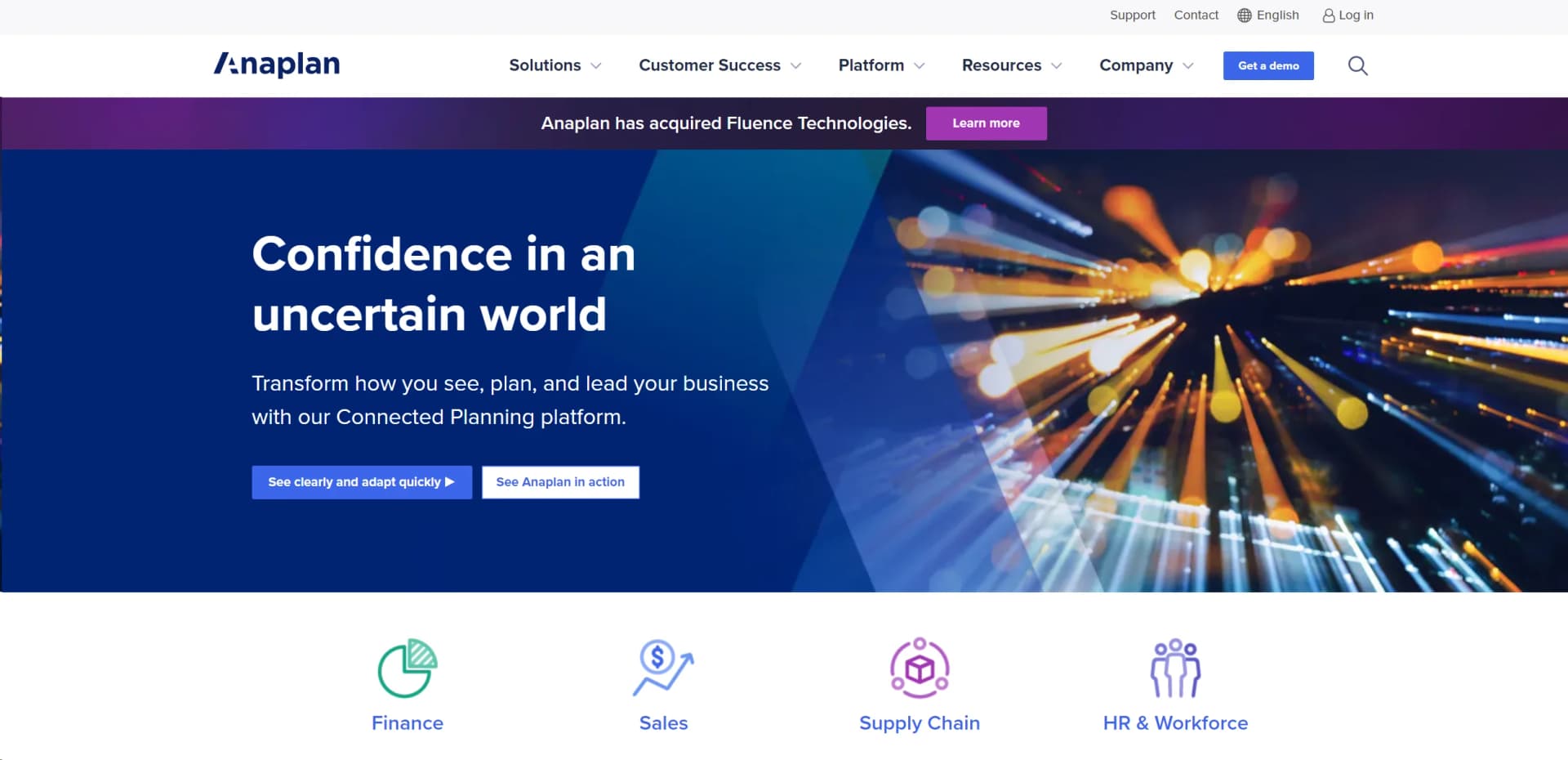
Imagine a tool that not only simplifies complex business planning but also empowers organizations to adapt quickly in a fast-changing world. That's Anaplan. It's not just software; it's a revolutionary platform that enhances business performance through connected planning. Whether you're dealing with finance, sales and marketing, supply chain, or HR, Anaplan brings clarity and confidence to your business decisions, helping you see new opportunities and drive efficiency.
Anaplan stands out with its robust Connected Planning platform, which integrates all aspects of organizational planning. This connectivity is a game-changer for businesses seeking to enhance agility and coherence across various departments. Its capacity to adapt swiftly to changes offers businesses a significant competitive edge.
Anaplan excels in transforming business planning with its Connected Planning platform, making it an indispensable tool for organizations aiming to enhance decision-making and operational efficiency. Its robust features and integrative capabilities offer unmatched agility and insight, positioning Anaplan as a leader in the planning software industry.
Who is Using Anaplan?
Finance Departments
Streamlining budgeting, forecasting, and financial reporting processes.
Supply Chain Managers
Enhancing logistics planning and inventory management.
HR Departments
Optimizing workforce planning and operational efficiencies.
Sales Teams
Improving sales forecasting and performance management.
Uncommon Use Cases
Non-profits optimizing fund allocation and academic institutions managing administrative planning.
Key Features
Rating Breakdown
Pricing Plans
Free Trial
- Test drive Anaplan with a comprehensive free trial period
Standard Tier
$45 per month
- Basic planning functionalities
Anaplan Use Cases
Financial planning and forecasting
Create connected budgets, forecasts, models, reports, and what-if scenarios.
Outcome: Faster and more accurate financial decision-making.
Workforce planning
Model workforce needs, organizational structures, compensation, and headcount scenarios.
Outcome: Better alignment between workforce plans and business objectives.
Sales planning
Plan territories, quotas, incentives, pipeline, and sales performance across business hierarchies.
Outcome: Improved visibility into revenue opportunities and sales execution.
Supply chain planning
Connect demand forecasts, supply plans, inventory, operations, and scenario analysis.
Outcome: More responsive and coordinated supply-chain decisions.
Connected enterprise planning
Combine people, data, models, workflows, and integrations across business functions.
Outcome: A shared planning environment for coordinated decisions.
Workflow Ideas with Anaplan
Monthly forecasting cycle
- 1Notify planners when forecast updates are required
- 2Assign review and approval tasks to stakeholders
- 3Track completion and monitor the planning cycle
Data integration and model refresh
- 1Upload or connect source data
- 2Run imports, exports, or model actions
- 3Monitor task status and review results
Planning approval process
- 1Assign planning tasks to responsible users
- 2Collect submissions and approvals
- 3Notify stakeholders and audit workflow progress
How Anaplan fits into your stack
Cloud-Based Platform
Ensures compatibility with numerous operating systems and devices.
API Accessibility
Facilitates custom integrations with your existing tech stack.
Real-Time Data Sync
Integrates seamlessly with multiple data sources for up-to-date information.
Extensive Partner Ecosystem
Connects with a wide range of business applications enhancing functionality and user experience.
Pros
- +Agility in Decision-Making: Rapidly adapt to changes with real-time updates that keep your strategies relevant.
- +Enhanced Collaboration: Break down silos within your organization with a platform that integrates various functions seamlessly.
- +Scalability: Whether you're a small business or a global enterprise, Anaplan grows with your needs without compromising performance.
- +Data-Driven Insights: Make informed decisions with comprehensive analytics that highlight trends and potential outcomes.
Cons
- −Learning Curve: New users may require time to fully grasp the extensive features and capabilities.
- −Cost Factor: While offering immense value, the initial investment might be considerable for smaller entities.
- −Integration Complexity: Some users might find integrating existing systems with Anaplan's platform challenging without proper guidance.
Limitations & when to consider alternatives
Known limitations
- Workflow is separately entitled. Anaplan Workflow must be purchased separately and requires the Workflow Owner role.
- File imports have format restrictions. Standard file imports use text formats such as TXT or CSV; ZIP files may contain only one TXT or CSV file.
- Browser support is required. The core platform supports modern browsers and requires WebSocket support plus TLS 1.2 or 1.3.
- Access is governed by roles and permissions. API and model access depend on tenant, workspace, model-role, and object-level permissions.
- Mobile does not expose every desktop capability. Anaplan Mobile is focused on viewing dashboards, worksheets, charts, model data, and mobile workflow actions.
Look elsewhere when
- You need a downloadable desktop application.
- You need a vendor-published browser extension.
- You need unrestricted file-format support.
- You need a free production plan.
How to Use Anaplan
- 1
Explore extensive resources including webinars, live training, and a rich online community to help users maximize the platform’s capabilities.
Who is Anaplan For?
Finance teams
Use Anaplan for financial planning, budgeting, forecasting, reporting, and scenario analysis.
Sales teams
Use Anaplan for sales forecasting, territory and quota planning, incentive compensation, and deal planning.
Supply chain teams
Use Anaplan to connect demand planning, supply planning, sales and operations planning, and scenario modeling.
Human resources teams
Use Anaplan for workforce planning, headcount planning, compensation planning, and organizational modeling.
IT and integration teams
Use Anaplan APIs, connectors, CloudWorks, and integration tools to connect enterprise systems and automate data movement.
Frequently Asked Questions
What is Anaplan?
Anaplan is a cloud-based planning and analysis platform that connects data, workflows, models, and business teams.
Does Anaplan support APIs?
Yes. Anaplan publishes Integration, Transactional, SCIM, CloudWorks, Audit, Administration, and other APIs.
Does Anaplan support single sign-on?
Yes. Anaplan supports SAML 2.0 single sign-on and related enterprise authentication controls.
Can Anaplan automate business processes?
Yes. Anaplan Workflow supports repeatable processes, task assignment, approvals, notifications, monitoring, and scheduled actions.
Can Anaplan be used on mobile devices?
Yes. Anaplan Mobile is available for iOS and Android and supports dashboards, worksheets, charts, and workflow tasks.
Can Anaplan import files?
Yes. Anaplan supports file-based imports, including TXT and CSV files, with manual and API-based upload workflows.
Community reviews
Be the first to share your experience.
Sign in to leave a review for Anaplan.
Anaplan Alternatives
Looking for alternatives to Anaplan? Here are similar tools in the same category:
Learn to Master Anaplan
With Skill Leap courses
Get in-depth training on Anaplan and 50+ other AI tools with our expert-led video courses.
Start 7-Day Free Trial