
Animoto
Create marketing videos from photos, clips, and text.
Key Takeaways
- What it is
- Create marketing videos from photos, clips, and text.
- Pricing
- Freemium · $19 per month · $29 per month · $79 per month
- Best for
- AI‑Assisted Templates & Storyboards
- Extensive Stock & Music Library
- Branding & Saved Templates
- Rating
- 4.2/5
What is Animoto?
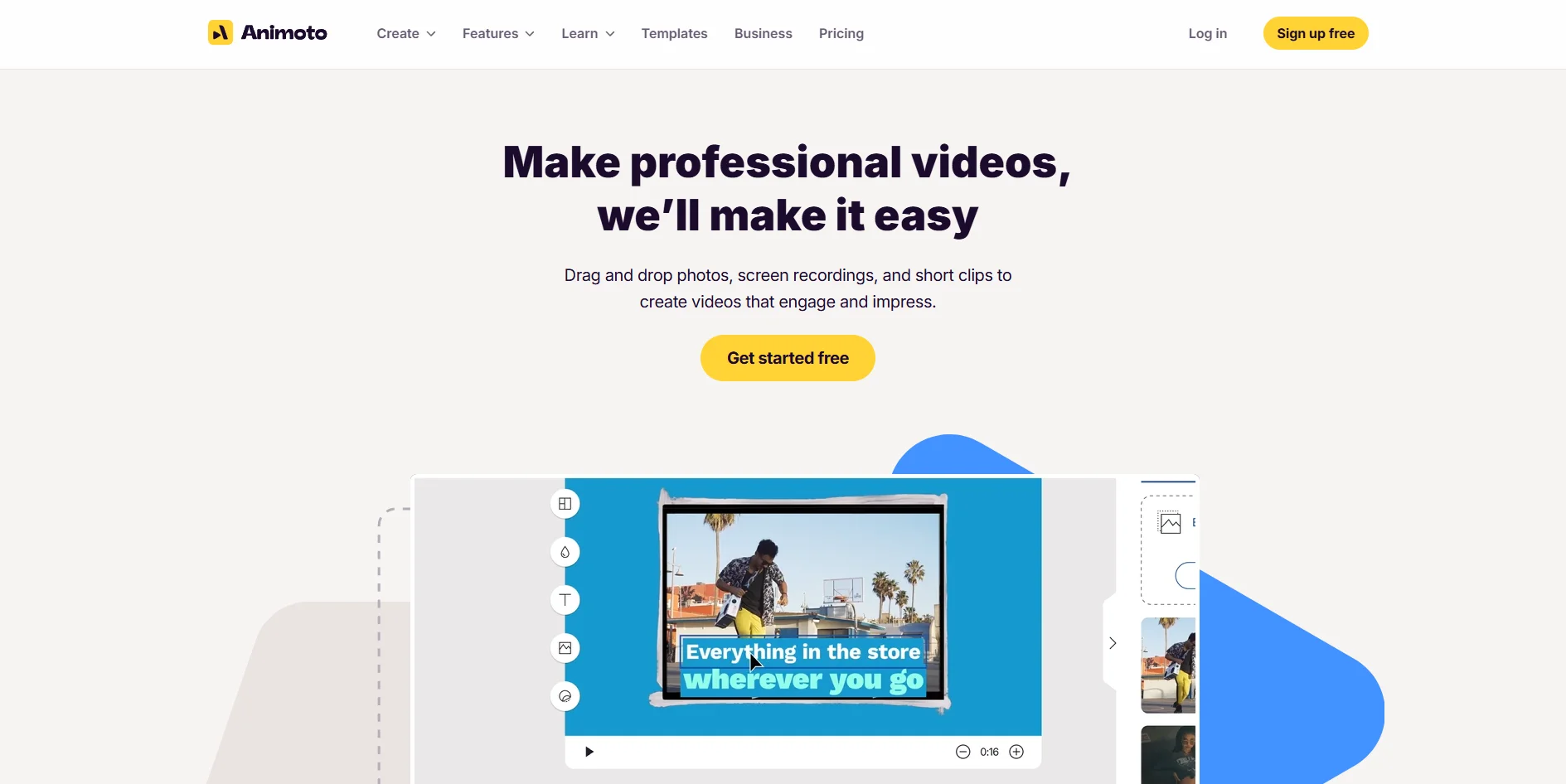
Animoto is an online video maker focused on marketing, social media, and training content. It combines drag‑and‑drop editing, template‑driven design, and AI‑assisted guidance so that non‑editors can turn photos, clips, text, and music into polished videos in minutes. Features like stock media from Getty Images, voice‑over, brand kits, and team workspaces make it appealing to small businesses, marketers, educators, and organizations that need frequent video without hiring a full production team.
Animoto sits in the sweet spot between slideshow creator and full editor, aimed squarely at business users who care more about speed and consistency than frame‑level control. AI‑assisted templates and goal‑based storyboards help users pick layouts and pacing that fit use cases like product launches, real estate tours, or training modules. The combination of a very approachable interface, large stock libraries, and business‑oriented features such as brand kits, saved templates, and team workspaces makes it especially attractive to organizations that need ongoing video output without building an in‑house production team.
Animoto offers a practical route into AI‑assisted video production for people who care more about getting effective content out the door than mastering complex post‑production. Its strengths lie in guided templates, plentiful stock assets, and branding options that keep marketing and training videos on message even when created by non‑specialists. The trade‑off is a somewhat templated aesthetic and limited depth for advanced editors, along with pricing and support that deserve a close read of the fine print. For solo founders, small teams, and departments that need dependable, good‑looking video on tight timelines, it remains a very appealing tool.
Who is Using Animoto?
Small Businesses & Local Retailers
Creating product promos, seasonal offers, and social media clips without hiring videographers.
Marketing Teams & Agencies
Producing ad variations, explainer videos, and social campaigns at scale from a shared template and brand library.
Educators & Nonprofits
Building training modules, lesson intros, and fundraising stories with narration and simple motion.
Real Estate Agents & Solopreneurs
Turning listing photos, testimonials, and personal branding content into quick tours and social reels.
Uncommon Use Cases
Used by HR and People teams to produce onboarding or culture videos; adopted by conference organizers for sponsor reels and event highlight recaps.
Key Features
Rating Breakdown
Pricing Plans
Free
Free
- 1 user
- Core features, 720p video quality, unlimited video creation, screen + webcam recording, and 50 licensed music tracks (videos include an Animoto watermark)
Basic
$19 per month
- Billed monthly
- 1 user
- Everything in Free plus no watermark, unlimited downloads, and 1080p video quality
Professional
$29 per month
- Billed monthly
- 1 user
- Everything in Basic plus logo/colors, 3,000 licensed music tracks, 1M+ Getty stock photos/videos, voice-over, customizable video landing pages, screen+webcam together, multiple songs per video, 3 saved templates, 70+ fonts, and 1 saved brand
Professional Plus
$79 per month
- Billed monthly
- 3 users
- Everything in Professional plus 100M+ premium Getty assets, 10 saved brands, 25 saved templates, custom font uploads, time-stamped comments, shared team workspace, user/role management, dedicated account manager, onboarding/training, additional seat purchases, and a license to resell to businesses
Which Animoto plan should you pick?
Start with Free to test video creation; upgrade to Basic for sharing and downloads, Professional for advanced media and 4K, or Professional Plus for team collaboration.
Free
Good for testing Animoto and creating unlimited watermarked videos with limited assets.
Basic
Good for users who need watermark-free sharing, embeds, and HD downloads.
Professional
Good for creators who need broader stock access, more audio tracks, branding, and 4K downloads.
Professional Plus
Good for teams needing shared workspaces, invited members, roles, saved templates, and team collaboration.
Animoto Use Cases
Product promotion
Start with a product-promotion template, replace its media, and customize the design.
Outcome: Create a polished promotional video.
Social media videos
Use templates and aspect ratios designed for social posts, stories, ads, and feeds.
Outcome: Produce platform-ready social videos.
Marketing and advertising
Combine photos, video clips, text, music, branding, and transitions in a video project.
Outcome: Create marketing or advertising content.
Screen and webcam recording
Record your screen or yourself with Animoto’s built-in recording features and incorporate the recording into a project.
Outcome: Create demonstrations, presentations, or personal video content.
Collaborative team projects
Invite teammates to a Professional Plus Team Workspace and work on shared projects.
Outcome: Coordinate video creation across a team.
Workflow Ideas with Animoto
Create a branded product video
- 1Choose a product-promotion template or start from scratch
- 2Replace template media with product photos and video clips
- 3Customize text, colors, fonts, music, and branding
- 4Export and download or share the finished video
Build a social media video from phone media
- 1Open the project’s Media Library and generate a phone-upload QR code
- 2Upload photos and video clips from the phone
- 3Arrange media in blocks and adjust text, timing, and transitions
- 4Export the video for sharing or downloading
Collect and edit team-submitted media
- 1Create a project in a Professional Plus Team Workspace
- 2Share an import link so others can add photos and video clips
- 3Combine submitted media with templates, text, music, and branding
- 4Export and share the completed team project
How Animoto fits into your stack
Browser
Animoto is primarily a cloud-based browser editor optimized for desktop Chrome and Firefox, with templates, drag-and-drop editing, recording, and export.
Team collaboration
Professional Plus provides a shared Team Workspace where invited members can access projects, edit, comment, and manage roles.
Knowledge and files
Users upload local media or import photos and videos from Dropbox, OneDrive, and Box into projects.
Pros
- +Very low barrier to entry: Non‑technical users can assemble professional‑looking videos quickly using drag‑and‑drop and guided templates.
- +Huge built‑in media catalog: Getty stock and licensed music reduce the need for external assets or extra licensing spend.
- +Designed for marketing outputs: Social‑ready formats, promos, ads, and presentation‑style videos match core needs of small businesses and marketers.
- +Scales from solo to team use: Individual creators can start free, then graduate to brand kits and multi‑seat workspaces as needs grow.
Cons
- −Template‑driven look: Creative control is more limited than in advanced editors, and results can feel “template‑y” for users with strong design preferences.
- −Free tier restrictions: Watermarks on exports and lack of downloads on the free plan push serious users to upgrade quickly.
- −Support and billing complaints: Some users report difficulty with auto‑renewal charges and slow or inflexible customer support responses.
Limitations & when to consider alternatives
Known limitations
- Free videos include a watermark. All videos made on the Free plan include a visible “Made with Animoto” watermark.
- Free plan sharing and downloads are restricted. Link sharing, embeds, and downloads require the Basic plan or higher.
- Projects have a maximum length. Animoto 3 projects can be up to 50 minutes; uploaded video clips can be up to 20 minutes.
- Mobile browser support is limited. Animoto is optimized for desktop browsers, and some mobile-browser features may not work correctly.
- Team editing is limited to one editor per project. In a Team Workspace, only one team member can edit a single project at a time.
Look elsewhere when
- You need a developer API or programmatic access.
- You need a Windows, Mac, or Linux desktop installer.
- You need SSO or SAML authentication.
- You need image analysis, code generation, or model fine-tuning.
How to Use Animoto
- 1
Choose a template
Select a template by video type, or start from scratch for a blank workspace.
- 2
Add media
Upload photos and video clips, use Getty Images stock media, import from Dropbox, OneDrive, or Box, or collect media through a share link.
- 3
Customize the design
Edit text, layouts, transitions, colors, fonts, aspect ratio, music, and branding.
- 4
Add recording or audio
Record a webcam video, capture your screen, upload audio, or select music from Animoto’s library.
- 5
Export and share
Export the project, then download it, share a link, email it, or embed it on a website.
- 6
Invite collaborators
On Professional Plus, create or use a Team Workspace and invite teammates with defined roles and permissions.
Who is Animoto For?
Businesses
Animoto provides templates, branding, voiceovers, and promotional video tools for communicating business messages.
Educators and schools
Animoto offers special pricing for educators and schools creating instructional or presentation videos.
Nonprofit organizations
Approved nonprofits can receive special pricing when video supports marketing or outreach.
Professional photographers
Professional photographers can create collage videos to sell to clients as part of photography packages.
Freelance video editors
Professional Plus users can create videos for companies needing online video advertisements.
Frequently Asked Questions
Does Animoto have a free plan?
Yes. The Free plan lets users create and produce unlimited videos without payment information, with limited assets and an Animoto watermark.
Which plan allows collaboration?
Professional Plus includes a shared Team Workspace where invited teammates can view, edit, copy, and share projects.
What file types can I upload?
Animoto accepts common image, video, audio, and font formats, including JPG, PNG, MP4, MOV, MP3, AAC, M4A, OTF, TTF, and WOFF.
How long can an Animoto video be?
Animoto 3 projects can be up to 50 minutes long, while individual uploaded video clips can be up to 20 minutes.
Can I share or download videos on the Free plan?
Sharing links, embeds, watermark removal, and downloads require the Basic plan or higher.
Does Animoto have a mobile app?
Animoto offers an official iPhone app, while the website is optimized for desktop browsers.
Community reviews
Be the first to share your experience.
Sign in to leave a review for Animoto.
Animoto Alternatives
Looking for alternatives to Animoto? Here are similar tools in the same category:
Learn to Master Animoto
With Skill Leap courses
Get in-depth training on Animoto and 50+ other AI tools with our expert-led video courses.
Start 7-Day Free Trial