
Apollo
Automate lead generation and multichannel outreach.
Watch Apollo in Action
Key Takeaways
- What it is
- Automate lead generation and multichannel outreach.
- Pricing
- Freemium · $59 per user per month · $99 per user per month. Designed for full-cycle sales automation · $149 per user per month (minimum 3 users, billed annually)
- Best for
- Pipeline Builder
- AI Assistants
- Data Enrichment
- Rating
- 4.5/5
What is Apollo?
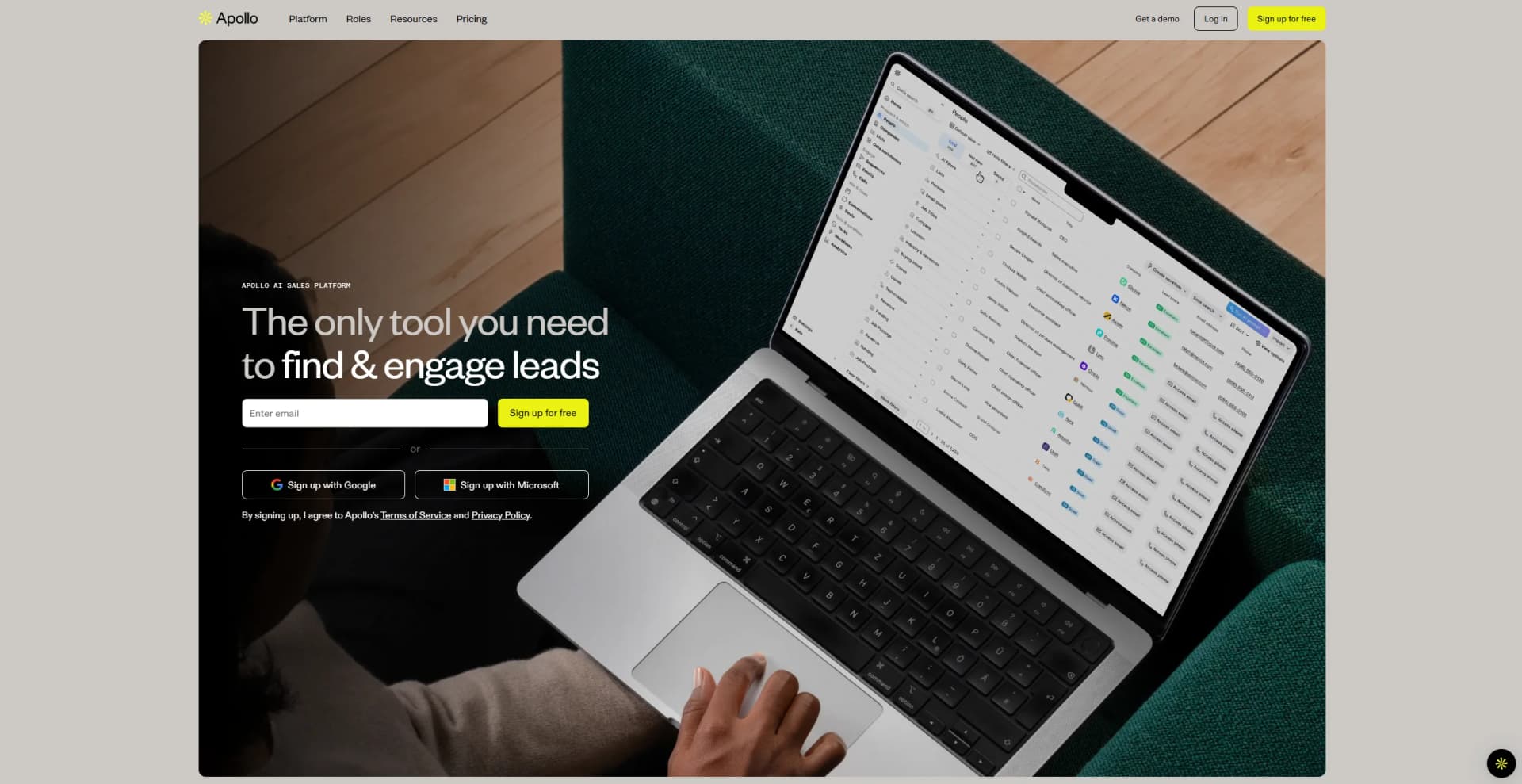
Apollo is an innovative AI sales platform designed to revolutionize the way businesses approach sales prospecting and outreach. By leveraging advanced AI-driven features, Apollo simplifies the process of finding and engaging with potential leads, making it an ideal choice for businesses aiming to streamline their sales cycle. This platform is particularly beneficial for sales teams, marketers, and business leaders looking to enhance efficiency and drive growth.
Apollo stands out with its AI-driven sales automation capabilities, offering a comprehensive approach to sales prospecting and outreach. Its ability to provide real-time insights and automate repetitive tasks sets it apart, making it a valuable tool for sales teams looking to maximize efficiency and effectiveness.
Apollo offers a robust solution for businesses looking to enhance their sales operations. Its AI-powered tools and comprehensive features make it an excellent choice for those seeking to improve efficiency and drive growth. With Apollo, businesses can streamline their sales processes, ensuring they stay ahead in today’s competitive market.
Who is Using Apollo?
Sales Leaders
Utilizing Apollo to streamline sales processes and improve team performance.
Marketing Teams
Employing the platform to enhance campaign targeting and execution.
Startups
Leveraging Apollo’s tools to scale sales operations efficiently.
Account Executives
Using the platform to optimize client interactions and close deals faster.
Uncommon Use Cases
Educational institutions use Apollo for teaching sales strategies; Non-profits adopt it for donor outreach and engagement.
Key Features
Rating Breakdown
Pricing Plans
Free
Free
- Includes 100 credits per user monthly, 2 sequences, Gmail and Salesforce extensions, and basic filters
Basic
$59 per user per month
- Includes 5,000 credits monthly, 2 sequences, advanced filters, CRM integrations, meeting scheduling, 6 intent topics, and enrichment for CRM data
Professional
$99 per user per month. Designed for full-cycle sales automation
- Includes 10,000 credits monthly, unlimited sequences and meetings, US dialer, AI research intelligence, 5 mailboxes, workflows, and 4,000 minutes of call recordings with insights
Organization
$149 per user per month (minimum 3 users, billed annually)
- Includes 15,000 credits monthly, all Pro features, plus international dialer, 15 mailboxes, customizable dashboards, SSO, and advanced security configurations
Which Apollo plan should you pick?
Start with Free to validate Apollo's prospecting workflow; upgrade to Basic or Professional for more credits and automation, or Organization for larger teams and advanced administration.
Free
Good for individuals who need basic prospecting and a $0 entry point.
Basic
Good for teams that need more credits, enrichment, AI research, and broader outbound functionality.
Professional
Good for teams that need higher usage limits, advanced outreach, and dialer functionality.
Organization
Good for larger teams needing more credits, at least three seats, and organization-level administration.
Apollo Use Cases
Find and prioritize prospects
Search for people and companies using filters, buying intent, lookalikes, and AI research.
Outcome: Identify higher-priority accounts and contacts for outreach.
Run outbound sequences
Create multichannel sequences with email, LinkedIn actions, manual tasks, and AI-generated messaging.
Outcome: Scale prospect engagement through repeatable outreach.
Enrich CRM records
Sync Salesforce or HubSpot records with Apollo and enrich contacts, accounts, deals, and activities.
Outcome: Keep CRM data more complete and current.
Automate go-to-market operations
Build workflows that trigger actions in Apollo and connected third-party applications.
Outcome: Reduce repetitive manual work and move data across the GTM stack.
Analyze sales conversations
Record, access, share, and analyze calls and meeting conversations, including AI-generated summaries.
Outcome: Turn conversations into follow-up actions and coaching insights.
Workflow Ideas with Apollo
Prioritize new prospects
- 1Define a workflow trigger for new or updated prospects
- 2Apply filters, scoring, or AI research to prioritize records
- 3Add qualified prospects to a list or sequence
Sync enriched contacts to a CRM
- 1Import or find contacts in Apollo
- 2Run enrichment to improve contact data
- 3Push enriched records and activities to Salesforce or HubSpot
Route Apollo activity to connected tools
- 1Choose an Apollo workflow trigger
- 2Select an integration such as Slack, Google Sheets, or Airtable
- 3Configure the action and run the workflow automatically
How Apollo fits into your stack
Browser
Apollo's primary workspace is the web application at app.apollo.io for prospecting, enrichment, outreach, analytics, deals, and workflows.
Browser extension
The Apollo Chrome and Edge extensions bring prospect data and actions into Gmail, Google Calendar, LinkedIn, Salesforce, HubSpot, and other websites.
Automation and APIs
Apollo provides a documented API plus multi-step workflows with conditional logic and integrations including Salesforce, HubSpot, Outreach, SalesLoft, Marketo, SendGrid, LinkedIn, and 200-plus workflow apps.
Pros
- +Enhanced Productivity: Apollo reduces the time spent on manual prospecting, allowing sales teams to focus on closing deals.
- +Comprehensive Data Access: Users can tap into a vast B2B database with over 200 million contacts, ensuring a wide reach.
- +Seamless Integrations: Apollo integrates easily with popular CRM systems, providing a unified workflow.
- +User-Friendly Interface: The platform’s intuitive design makes it accessible to users of all experience levels.
Cons
- −Initial Learning Curve: New users may require time to fully leverage all of Apollo’s advanced features.
- −Pricing Complexity: Some users may find the pricing structure challenging to navigate without detailed consultation.
Limitations & when to consider alternatives
Known limitations
- Free plans become limited to one seat. Apollo states that free plans are limited to one seat after 100 days of active use.
- AI writing supports English only. Apollo's AI writing assistant currently supports only English.
- File attachments require a paid plan. Account-record file attachments are available only on paid Apollo plans.
- AI email generation has usage limits. Apollo limits each person to 50 AI email generations per 24 hours, and generated words count toward monthly usage.
- Custom SAML claim mapping is unavailable. Apollo's SSO documentation states that custom SAML claim or attribute mapping is not currently supported.
Look elsewhere when
- You need a native mobile app.
- You need multilingual AI email generation.
- You need a downloadable desktop installer.
How to Use Apollo
- 1
Create or select an Apollo plan
Start with the Free plan or choose Basic, Professional, or Organization based on seats, credits, and required features.
- 2
Configure your workspace
Set up users, permission profiles, security controls, language, integrations, and optional SSO.
- 3
Find prospects
Use people and company search, filters, intent signals, lookalikes, and AI research to identify target accounts.
- 4
Enrich and organize records
Save contacts, enrich records, add them to lists, import CSV files, or sync data with Salesforce and HubSpot.
- 5
Launch outreach
Create sequences with email, LinkedIn actions, manual tasks, meetings, and AI-generated messaging.
- 6
Automate and measure
Build workflows across Apollo and connected tools, then review analytics, conversations, deliverability, and activity.
Who is Apollo For?
Sales teams
Apollo combines prospecting, contact data, messaging, sequences, calling, and pipeline workflows in one sales platform.
Go-to-market teams
Workflows connect Apollo with CRM, marketing, analytics, enrichment, scheduling, support, and communications tools.
Sales representatives
The Chrome extension lets reps research contacts, compose email, add prospects to sequences, log activity, and push records to CRMs.
Sales operations and administrators
Admins can manage seats, permissions, SSO, security settings, integrations, credits, and workspace configuration.
Frequently Asked Questions
Does Apollo have a free plan?
Yes. Apollo offers a Free plan priced at $0 with 900 credits per seat per year, granted monthly.
Does Apollo provide an API?
Yes. Apollo publishes API documentation covering API keys, authentication, endpoints, rate limits, search, enrichment, and record management.
Is there a native Apollo mobile app?
No. Apollo retired its mobile app on August 28, 2026. Users should access Apollo through a mobile or desktop browser.
Does Apollo have a browser extension?
Yes. Apollo provides a Chrome extension and also supports Microsoft Edge. It works across Gmail, Google Calendar, CRMs, and company websites.
What integrations does Apollo support?
Apollo supports native integrations and more than 200 workflow integrations, including Salesforce, HubSpot, Slack, Google Sheets, Notion, and many others.
Can users upload files to Apollo?
Yes. Paid plans can attach documents, images, audio, and video files to account records. Individual files can be up to 100MB.
Community reviews
Be the first to share your experience.
Sign in to leave a review for Apollo.
Apollo Alternatives
Looking for alternatives to Apollo? Here are similar tools in the same category:
Learn to Master Apollo
With Skill Leap courses
Get in-depth training on Apollo and 50+ other AI tools with our expert-led video courses.
Start 7-Day Free Trial