
AppDeploy
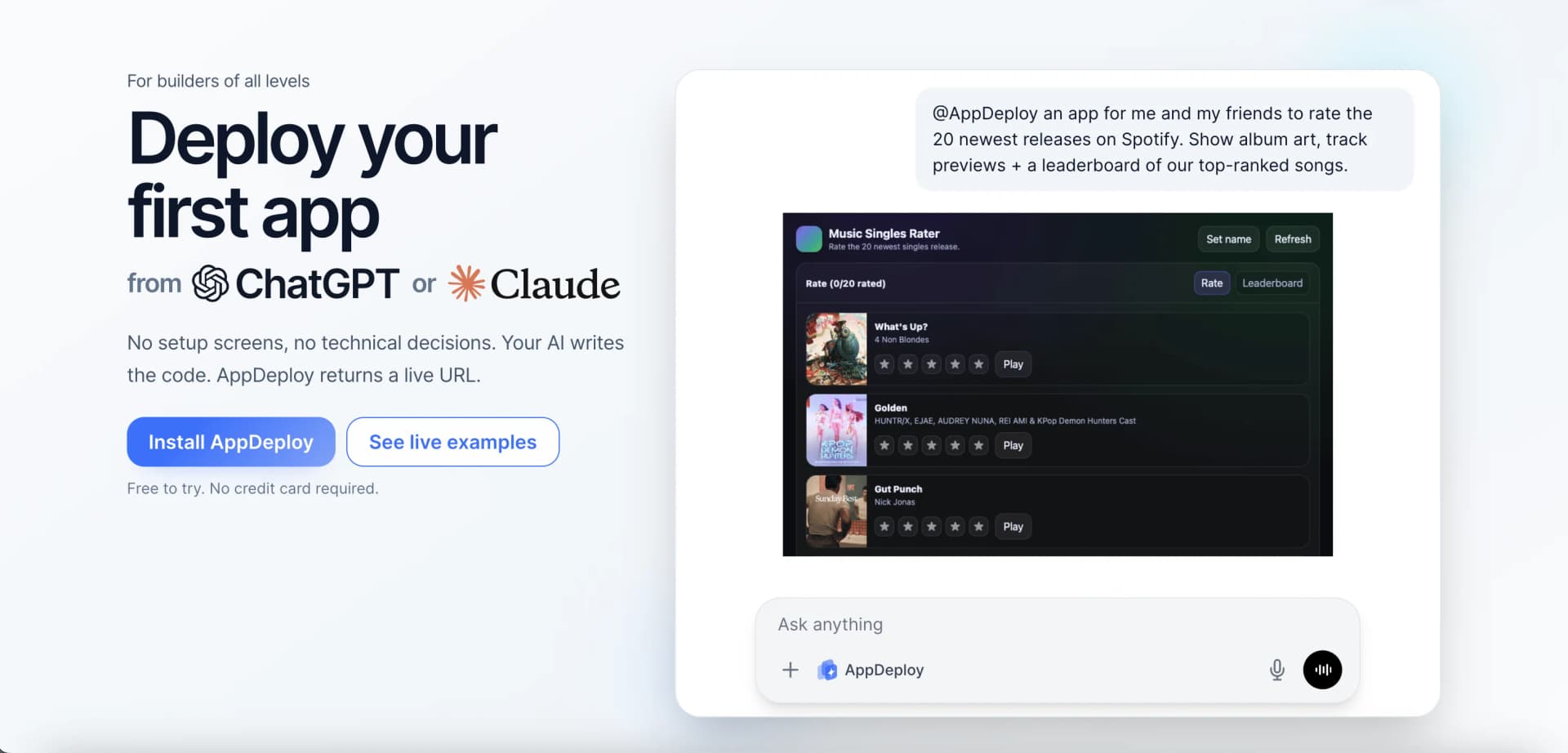
Ship real apps directly from ChatGPT and Claude.
Key Takeaways
- What it is
- Ship real apps directly from ChatGPT and Claude.
- Pricing
- Freemium
- Best for
- Chat‑Native Deployment
- Managed Hosting & Infrastructure
- Backend Essentials Out of the Box
- Rating
- 4.3/5
What is AppDeploy?
AppDeploy turns natural-language prompts in ChatGPT, Claude, and other coding agents into live, hosted web applications. Instead of wrestling with hosting panels, databases, and deployment pipelines, builders describe what they want, let the AI write the code in chat, then let AppDeploy handle everything from infrastructure to a shareable URL.
AppDeploy focuses specifically on the last mile of AI‑assisted development: turning LLM‑written code into running software without ever leaving the chat interface. That tight loop between AI coding agents, automated infrastructure provisioning, and AI‑driven QA is unusual. Many tools help generate code, and many others host apps, but AppDeploy stitches those pieces together so “Prompt → Code → Live URL” becomes a single workflow.
AppDeploy offers a focused proposition: let AI do the coding inside tools like ChatGPT and Claude, then let AppDeploy do everything required to put that code in front of real users. For individuals and teams who care more about testing ideas than fine‑tuning Kubernetes clusters, it provides a fast, surprisingly production‑aware route from prompt to URL. The combination of managed infrastructure, AI‑assisted QA, and multi‑platform integration makes it a compelling option for anyone leaning into LLM‑driven development and wanting the deployment story to be just as quick as the coding.
Who is Using AppDeploy?
Indie Hackers and Solo Builders
Spinning up MVPs, micro‑SaaS projects, and side experiments directly from AI chat.
Startup Product Teams
Validating new features, internal tools, and proof‑of‑concepts without waiting for traditional infrastructure provisioning.
Agencies and Consultancies
Building client demos and interactive prototypes quickly, then iterating in front of stakeholders in real time.
Internal Operations Teams
Shipping small workflow tools and dashboards for finance, HR, and ops without involving central IT for every deployment.
Uncommon Use Cases
Used by educators to show students how LLMs can move from prompt to running software in a single session; adopted by hackathon organizers to help participants ship working web apps fast without wrestling with cloud accounts.
Key Features
Rating Breakdown
Pricing Plans
Free Tier
Free
- Free to try under fair‑use limits
- No credit card required to deploy the first live app and see the platform in action
Which AppDeploy plan should you pick?
Start with Free for prototypes and initial production apps; upgrade to Business when you need higher limits, unbranded apps, bulk source export, or priority production support.
Free
Good for builders, prototypes, and first production apps who need hosting, databases, file storage, authentication, AI capabilities, QA, version history, and rollback.
Business
Good for teams and higher-usage production apps that need higher limits, higher AI credits, watermark removal, bulk ZIP export, custom domains, and priority support.
AppDeploy Use Cases
Build and deploy a full-stack web app
Describe the app in an AI chat, generate the code, and deploy it with hosting, backend services, and a public URL.
Outcome: A live, shareable web application.
Create an internal tool
Build dashboards, portals, or operational tools with authentication, databases, storage, and real-time updates.
Outcome: A hosted internal application that teams can use.
Add AI features to an application
Use built-in native AI capabilities for text, images, voice, runtime, scraping, and automations.
Outcome: An application with integrated AI functionality.
Deploy from an AI coding workflow
Connect AppDeploy to ChatGPT, Claude, Cursor, GitHub Copilot, CLI agents, or other MCP-compatible tools.
Outcome: Deployment without manually configuring hosting infrastructure.
Iterate and recover deployed versions
Review QA results, inspect runtime errors, update the app, and reapply a known-good version when necessary.
Outcome: Faster debugging and safer releases.
Workflow Ideas with AppDeploy
Prompt-to-production app
- 1Describe the app in ChatGPT, Claude, or another supported agent
- 2Have the agent generate code using AppDeploy guidance and templates
- 3Deploy the app and receive a live URL
QA and repair loop
- 1Deploy the initial application
- 2Review autonomous QA results, snapshots, and runtime errors
- 3Ask the agent to fix issues and redeploy
Scheduled AI report workflow
- 1Build an app with database and native AI capabilities
- 2Configure scheduled jobs for recurring processing or reminders
- 3Deliver updated reports or notifications to users
How AppDeploy fits into your stack
Browser
AppDeploy hosts web applications at live URLs, with HTTPS, global delivery, custom domains, and installable PWA support.
Automation and APIs
The MCP server exposes deployment, upload, status, versioning, rollback, and source-management tools through documented MCP, OpenAPI, OAuth, and API-key flows.
Desktop / IDE
Developers can connect AppDeploy to Claude Desktop, Cursor, Codex, VS Code-compatible IDEs, Kiro, Cline, and other coding agents.
Team chat and tickets
AppDeploy can be connected to Slack, Linear, and Atlassian Rovo so users can deploy from those conversational work environments.
Docs and writing
A documented Notion connection lets agents add AppDeploy through custom MCP and deploy applications from Notion-based workflows.
Pros
- +Radically Lowers Deployment Friction: Removes hosting providers, CI/CD setup, and infrastructure decisions, so builders stay focused on prompt and product instead of plumbing.
- +Accessible for Non‑Coders: Since the AI writes code from natural language descriptions, product thinkers and domain experts can experiment with apps without deep programming experience.
- +Great for Rapid Prototyping: Shipping a live URL directly from chat makes it ideal for testing ideas with real users, stakeholders, or clients in hours instead of weeks.
- +Production‑Minded Features: Built‑in QA, rollbacks, logs, and authentication move it beyond “toy demo” territory into something teams can iterate on for serious use.
- +Strong Support for Iterative Workflows: Redeploying as the AI refines code in chat feels natural for teams already using LLMs as coding partners.
Cons
- −Infrastructure Abstraction: Deep DevOps users may find the lack of low‑level control limiting for very complex or compliance‑heavy production workloads.
- −Platform Dependency: Apps are tied to AppDeploy’s hosting stack, so migrating away later could require manual re‑deployment elsewhere.
- −Connector Requirements: Some supported platforms, such as ChatGPT or Claude with certain connectors, may require paid plans from those providers.
Limitations & when to consider alternatives
Known limitations
- Fair-use limits. The Free tier operates under standard fair-use limits, with concrete limits to be introduced in the future.
- Public deployment URLs. Deployment URLs are accessible to anyone who has the link unless the deployed app adds authentication and authorization.
- Some connectors may require paid plans. Certain supported AI platforms may require their own paid plan to enable connectors.
- Complex production systems require review. For complex production systems, teams are expected to inspect the generated code, iterate, and decide how far to take the app.
Look elsewhere when
- You need a native iOS or Android application.
- You need private deployment links by default.
- You need a local desktop deployment application.
How to Use AppDeploy
- 1
Connect AppDeploy
Install or connect AppDeploy through a supported AI assistant, coding agent, or MCP-compatible client.
- 2
Load deployment guidance
Have the agent retrieve deployment instructions, templates, and SDK guidance before writing the application.
- 3
Describe the app
Specify the app's purpose, screens, users, data, and behavior in the connected AI conversation.
- 4
Build and deploy
Ask the agent to generate the code and call AppDeploy to provision services, run the build, and publish the live URL.
- 5
Review QA and iterate
Inspect the QA snapshot, deployment status, runtime errors, and live result, then prompt fixes and redeploy.
- 6
Rollback or export
Use version history to restore a known-good release or export the deployed source as a ZIP when available.
Who is AppDeploy For?
Non-technical builders
They can describe an app in natural language without needing to write the code themselves.
Developers
Developers can inspect source code, iterate in chat, export source, and use AppDeploy through coding agents.
Internal tool builders
AppDeploy explicitly supports internal tools with hosting, authentication, databases, and live deployment.
Dashboard and portal builders
The platform is designed for dashboards, portals, and other shareable full-stack web applications.
Teams building lightweight SaaS products
AppDeploy supports lightweight SaaS products with backend services, authentication, storage, and deployment infrastructure.
Frequently Asked Questions
Do I need to know how to code?
No. Users can describe what they want to build, while coding knowledge helps them move faster.
What kind of apps can I build?
AppDeploy supports landing pages, full applications with complex logic, servers, databases, internal tools, dashboards, portals, workflow apps, lightweight SaaS products, and AI-assisted prototypes.
Which AI platforms are supported?
Supported platforms include ChatGPT, Claude, Figma Make, Cursor, Codex, Kiro, Linear, Trae, Cline, Kilo Code, Notion, Genspark, GitHub Copilot, Atlassian Rovo, Slack, Devin, Muse Code, Grok, and other MCP-compatible agents.
Are deployed app links private?
No. Anyone with the deployment link can access the app unless the app implements authentication and authorization.
Can I keep iterating after the first deploy?
Yes. Users can continue prompting the AI to change the live app, deploy updated versions, inspect source snapshots, and roll back when needed.
Is data encrypted in transit and at rest?
AppDeploy states that it uses TLS in transit and encryption at rest for stored data where supported by the underlying infrastructure.
Community reviews
Be the first to share your experience.
Sign in to leave a review for AppDeploy.
AppDeploy Alternatives
Looking for alternatives to AppDeploy? Here are similar tools in the same category:
Learn to Master AppDeploy
With Skill Leap courses
Get in-depth training on AppDeploy and 50+ other AI tools with our expert-led video courses.
Start 7-Day Free Trial