
Arcwise
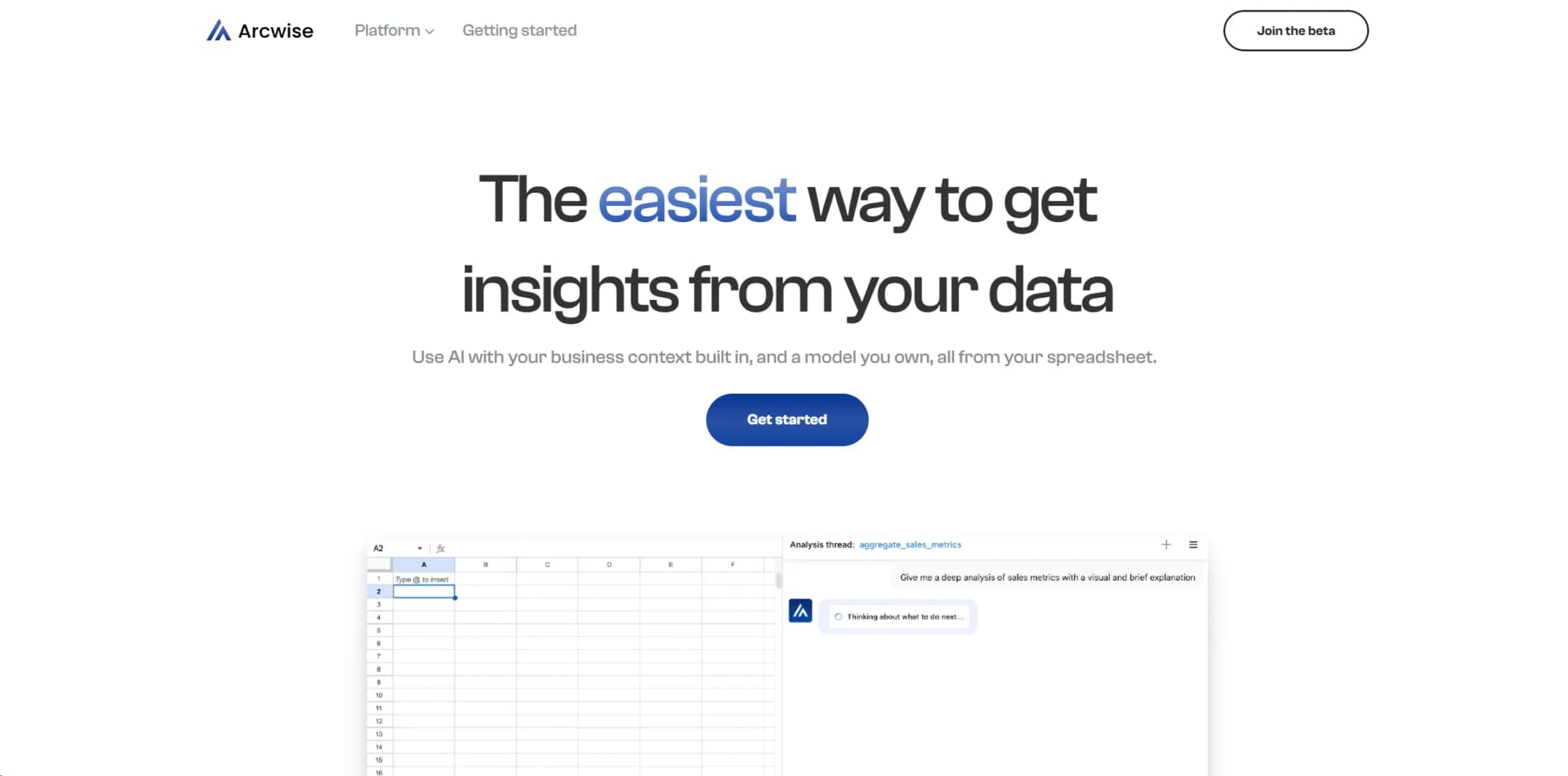
AI-driven tool streamlines spreadsheet tasks, boosting productivity.
Watch Arcwise in Action
Key Takeaways
- What it is
- AI-driven tool streamlines spreadsheet tasks, boosting productivity.
- Pricing
- Freemium · $29.99 per month
- Best for
- AI-Powered Insights
- Seamless Integration
- Automated Data Processing
- Rating
- 4.5/5
What is Arcwise?
Arcwise AI revolutionizes spreadsheet management, offering advanced AI-driven capabilities to streamline data analysis and enhance productivity. Designed for data analysts, business professionals, and anyone who works extensively with spreadsheets, it simplifies complex data tasks, making them more efficient and less time-consuming.
Arcwise AI stands out with its advanced AI-driven insights, a game-changer for data analysis. Its ability to automate data processing and provide real-time insights sets it apart, enabling users to make informed decisions quickly and efficiently.
Arcwise AI offers a robust solution for anyone looking to enhance their data analysis capabilities. With its AI-driven features, seamless integration, and user-friendly design, it empowers users to handle complex data tasks more efficiently. Whether you're a financial analyst, business consultant, or project manager, Arcwise AI provides the tools you need to transform data into actionable insights, making it an invaluable asset in today's data-driven world.
Who is Using Arcwise?
Financial Analysts
Utilizing the tool for detailed financial modeling and analysis.
Business Consultants
Employing the tool to streamline data reporting and client presentations.
Project Managers
Leveraging the tool to track project metrics and performance indicators effectively.
Data Scientists
Using the tool for pre-processing and cleaning data before deeper analysis.
Uncommon Use Cases
Adopted by academic researchers for managing large datasets; utilized by non-profit organizations for impact analysis and reporting.
Key Features
Rating Breakdown
Pricing Plans
Free Tier
Free
- Experience Arcwise AI with a limited free trial to explore basic features
Pro Tier
$29.99 per month
- Offering advanced features and capabilities
Arcwise Use Cases
Retrieve warehouse data with natural language
Ask the AI Analyst for tables, transactions, stores, sales, or year-over-year changes.
Outcome: A queried dataset can be saved into a Google Sheet.
Analyze spreadsheet data
Select a tabular range in Google Sheets and ask Arcwise to analyze it.
Outcome: The selected spreadsheet data becomes the focus of an AI analysis.
Create visualizations
Use the AI Analyst or pivot tools to create charts from connected data.
Outcome: Charts and visualizations can be saved into the spreadsheet.
Generate business insights
Ask Arcwise to explain trends, key drivers, and metric changes.
Outcome: Insights can be copied into reports.
Join uploaded files with business data
Upload CSV or TSV data and join it with warehouse or connected-tool data.
Outcome: External file data becomes available for querying and AI analysis.
Workflow Ideas with Arcwise
Create a warehouse-backed report
- 1Connect a data warehouse or BI tool
- 2Ask the AI Analyst for the required metrics
- 3Save the resulting tables and visualizations to Google Sheets
Analyze an uploaded CSV
- 1Open Arcwise in Google Sheets
- 2Upload a CSV or TSV file
- 3Connect the previewed data and query it with AI
Build a shared governed workspace
- 1Invite users through the Arcwise admin portal
- 2Assign Admin, Editor, or User roles
- 3Use SSO and audit logs to manage access and activity
How Arcwise fits into your stack
Browser
Arcwise is delivered through a standalone web app and Chrome extension, with the extension operating inside Google Sheets.
Docs and writing
Arcwise can generate reports, summaries, reference materials, and visualizations for Google Docs, Slides, and existing business documentation.
Knowledge and files
Teams can connect warehouse metadata, business definitions, dbt artifacts, and uploaded CSV or TSV files for grounded analysis.
Automation and APIs
Arcwise documents an authenticated audit-log API and supports integrations with data warehouses and tools such as Salesforce, NetSuite, Looker, and HubSpot.
Pros
- +Time Efficiency: Significantly reduces the time spent on routine data tasks, allowing users to allocate more time to analysis and strategy.
- +User-Friendly Interface: Designed with an intuitive interface that minimizes the learning curve, making it accessible to users with varying levels of expertise.
- +Enhanced Accuracy: Improves data accuracy by minimizing human error through automated processes.
- +Scalability: Suitable for businesses of all sizes, from small startups to large enterprises, thanks to its scalable features.
Cons
- −Initial Learning Curve: While user-friendly, some advanced features may require time to master.
- −Limited Offline Functionality: Full capabilities are best utilized with an internet connection.
- −Integration Limitations: Currently supports a limited range of third-party applications beyond the major spreadsheet platforms.
Limitations & when to consider alternatives
Known limitations
- CSV and TSV uploads are limited to 1GB. Arcwise currently supports files up to 1GB, although administrators or Arcwise may increase the limit.
- Large sheet previews are truncated. When data is large, the spreadsheet preview is limited to 100 rows even though the full dataset can still be queried.
- Arcwise formulas do not automatically recalculate. Formulas referencing Arcwise data require an explicit refresh to update.
- Integrations require a database or warehouse destination. Each third-party integration requires an attached database or data warehouse connection for persistent snapshots and refreshes.
- AI works best with connected data. Arcwise can analyze ordinary spreadsheet ranges, but its documentation says AI is most effective with Arcwise-connected data.
How to Use Arcwise
- 1
Install the Chrome extension
Add the Arcwise extension to Chrome so the Arcwise icon appears inside Google Sheets.
- 2
Set up users and roles
Administrators can invite users and assign Admin, Editor, or User permissions.
- 3
Connect a data source
Configure a warehouse, BI tool, SaaS integration, or CSV/TSV upload as an Arcwise data source.
- 4
Ask the AI Analyst for data
Use natural-language prompts to retrieve tables, create metrics, or investigate spreadsheet ranges.
- 5
Create and save visuals
Generate charts or pivot-based visualizations and save them into the spreadsheet.
- 6
Refresh results when needed
Use the refresh controls for Arcwise formulas and connected data because they do not always recalculate automatically.
Who is Arcwise For?
Sheets users
Arcwise is designed for users who analyze and visualize warehouse data directly in Google Sheets.
Business teams
Teams can preserve explanations and decisions as shared institutional knowledge.
Data and analytics teams
Arcwise connects warehouses and BI tools, generates SQL, and helps users investigate metrics.
Enterprise organizations
Enterprise controls include SAML SSO, role management, audit logs, encryption, and governance features.
Frequently Asked Questions
What data can Arcwise connect to?
Arcwise connects to data warehouses, CSV or TSV files, and third-party tools such as Salesforce and NetSuite.
Does Arcwise store query results?
Arcwise says query results are not persisted on its servers, although metadata and query history may be stored.
How does Arcwise protect sensitive data?
Arcwise uses authenticated encryption with organization-specific 256-bit encryption keys.
What can the AI Analyst do?
The AI Analyst can retrieve data, create business metrics and visualizations, and generate insights for reports.
What file size does Arcwise support?
CSV and TSV uploads are currently limited to 1GB, with possible increases through an administrator or Arcwise support.
Which authentication methods are supported?
Arcwise supports Google OAuth and SAML-based SSO, including identity providers such as Okta and Azure AD.
Community reviews
1 review from people who use Arcwise.
Sign in to leave a review for Arcwise.
Jose Moreno
Arcwise Alternatives
Looking for alternatives to Arcwise? Here are similar tools in the same category:
Learn to Master Arcwise
With Skill Leap courses
Get in-depth training on Arcwise and 50+ other AI tools with our expert-led video courses.
Start 7-Day Free Trial