
Argil
AI-driven tool for effortless, high-quality video creation.
Key Takeaways
- What it is
- AI-driven tool for effortless, high-quality video creation.
- Pricing
- Freemium · $39 per month. Includes: 3 custom avatars (one-time training) · $149 per month. Includes: 10 custom avatars (one-time training)
- Best for
- AI-Generated Avatars
- Magic AI Editing
- Body Language Control
- Rating
- 4.6/5
What is Argil?
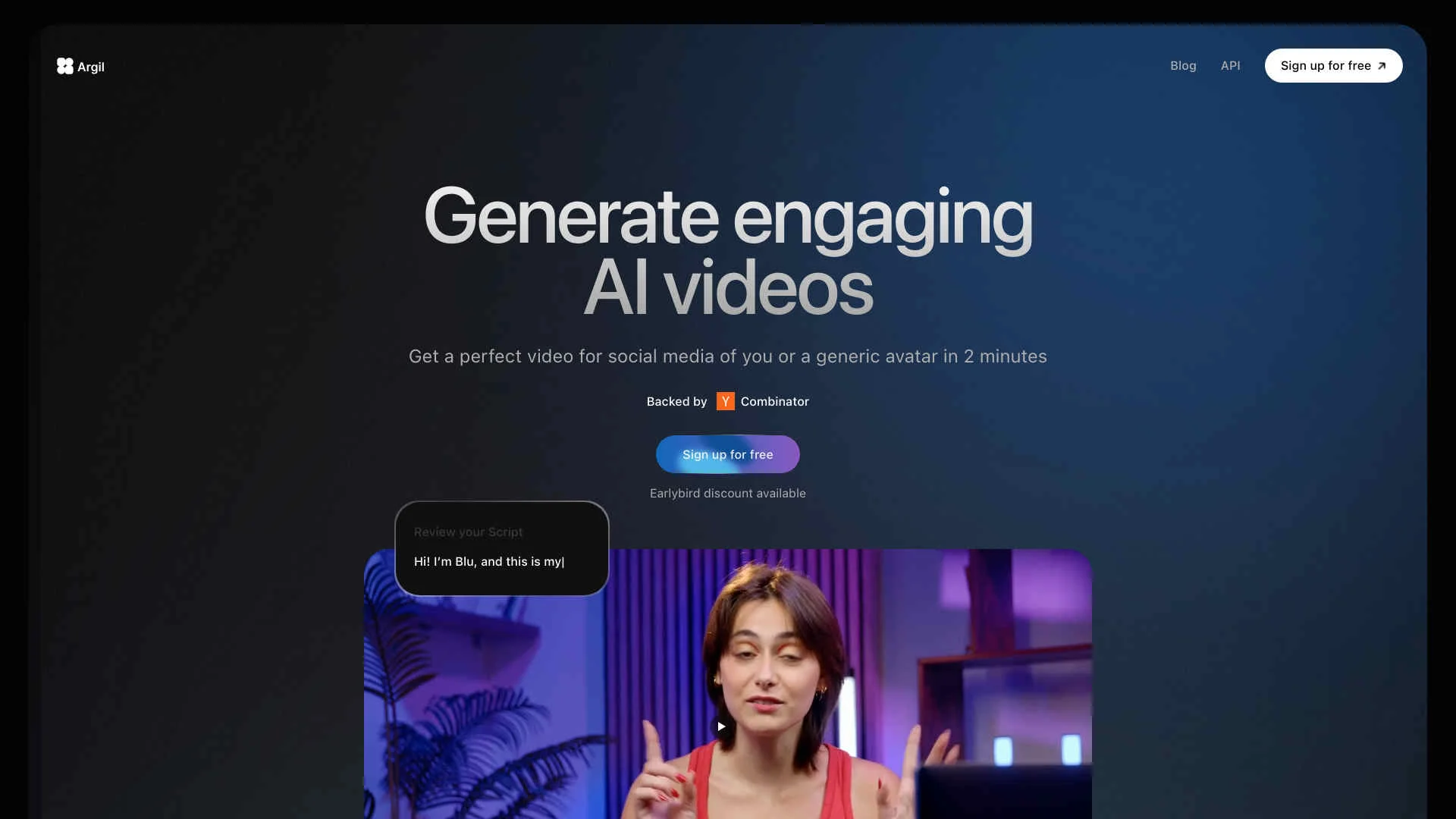
Argil revolutionizes the way we create and engage with videos by leveraging advanced AI technology. Designed to cater to a broad audience, including social media influencers, educators, and marketers, Argil simplifies the process of generating high-quality, engaging videos. Whether you need a perfect video for social media or an AI-generated avatar to represent your brand, Argil offers a comprehensive solution that saves time, reduces costs, and enhances efficiency.
Argil stands out with its ability to create highly realistic AI-generated avatars that can speak any language and mimic user movements. This unique feature allows for the creation of engaging, high-quality videos without the need for extensive production efforts. Additionally, the platform’s Magic AI Editing and body language control features provide users with unparalleled control and efficiency in video production.
Argil excels in providing a comprehensive solution for creating engaging AI-generated videos, making it an essential tool for content creators, marketers, and educators. Its unique features, such as lifelike avatars and Magic AI Editing, offer unmatched advantages in video production, significantly saving time and costs while delivering high-quality outputs.
Who is Using Argil?
E-commerce Businesses
Utilizing Argil for creating engaging product videos and advertisements.
Digital Marketing Agencies
Employing the tool to produce visually appealing campaign content and promotional videos.
Social Media Managers
Leveraging Argil to create captivating social media posts and stories.
Educators
Using the platform to develop interactive and engaging educational videos.
Uncommon Use Cases
Freelance photographers utilizing the tool for streamlined video editing; educational institutions adopting it for teaching purposes.
Key Features
Rating Breakdown
Pricing Plans
Free Plan
Free
- 2 video minutes
- Access to basic avatars
Basic Plan
$39 per month. Includes: 3 custom avatars (one-time training)
- 25 video minutes per month
- 75 audio minutes per month (powered by ElevenLabs)
- Magic AI editing
- Access to generic avatars
Pro Plan
$149 per month. Includes: 10 custom avatars (one-time training)
- 100 video minutes per month
- 300 audio minutes per month (powered by ElevenLabs)
- Access to generic and pro avatars
- Priority support
- API access
Enterprise Plan
- Contact for pricing Includes: Unlimited videos
- Unlimited avatars
- Exclusive avatars
- Priority support
- API access
Which Argil plan should you pick?
Start with Classic for basic avatar video creation and API access; upgrade to Pro for faster generation and unlimited avatar styles, Scale for additional workspace seats, or Enterprise for custom limits and integrations.
Classic Plan
Good for individual creators who need core video creation, 1,500 monthly credits, public avatars, magic editing, and API access.
Pro Plan
Good for higher-volume creators who need 6,000 monthly credits, unlimited avatar styles, style editing, and faster generation.
Scale Plan
Good for larger production workloads needing 18,000 monthly credits, three workspace seats, fastest support, and priority support.
Entreprise plan
Good for organizations needing custom credit limits, custom avatar development, dedicated support, or custom integrations.
Argil Use Cases
Article to video
Paste an article link or written content and generate a video using an avatar, voice, captions, and media.
Outcome: A ready-to-edit narrated video from written content.
Product presentation
Create an avatar-led video that presents or demonstrates a product.
Outcome: Product-focused promotional video content.
Social video repurposing
Create alternate hooks, avatars, languages, and formats from an existing video.
Outcome: Multiple region- or platform-specific video versions.
Educational content
Turn articles, PDFs, ebooks, or course material into short videos with narration and captions.
Outcome: Shareable educational video content.
Automated content production
Connect Argil with Make and trigger video generation from ideas stored in spreadsheets or content systems.
Outcome: A repeatable, lower-touch video production workflow.
Workflow Ideas with Argil
Spreadsheet idea to video
- 1Add a new content idea to Google Sheets
- 2Use Make to trigger Argil video generation
- 3Send the rendered video to a review or publishing step
Article to multilingual video
- 1Paste an article link or script into Argil
- 2Select an avatar, voice, captions, and B-roll
- 3Generate language variations with synced speech and captions
API video generation
- 1Create an API key and retrieve avatar and voice IDs
- 2POST a video request to the /videos endpoint
- 3Render the video and poll its status until it is DONE
How Argil fits into your stack
Browser
Argil is accessed through its web application at app.argil.ai, where users create avatars, scripts, videos, captions, and media assets.
Docs and writing
Users can write scripts directly, generate scripts from article links, and turn article content into social or longer-form videos.
Knowledge and files
Argil accepts uploaded images and videos for B-roll and product presentation, and supports article or PDF content as video inputs.
Automation and APIs
The documented API exposes avatar, voice, video, rendering, and asset endpoints. Argil also documents Make.com automation workflows for connecting video generation to other tools.
Pros
- +Time Efficiency: Significantly reduces content creation time by automating video production processes.
- +Cost-Effective: Offers affordable plans and reduces the need for expensive video production setups.
- +User-Friendly Interface: Intuitive design makes it easy for users of all skill levels to create professional videos.
- +High-Quality Output: Delivers videos with high realism and engagement, enhancing viewer experience.
Cons
- −Initial Learning Curve: Users may need some time to familiarize themselves with the advanced features.
- −Limited Free Tier: The free plan offers restricted functionalities, which may not be sufficient for all users.
Limitations & when to consider alternatives
Known limitations
- Paid plan required for API access. The API credentials documentation requires access to the app with a paid plan.
- Video duration limits. Videos support up to 60 paragraphs, with each paragraph limited to 500 characters.
- Media upload limits. Uploaded image and video B-roll must use supported formats and cannot exceed 50 MB.
- Audio upload limits. Uploaded audio supports MP3, WAV, and M4A files up to 50 MB.
- Generation is not instantaneous. The documented generation process can take 5–15 minutes depending on video length and plan.
Look elsewhere when
- You need a documented desktop application for Windows, macOS, or Linux.
- You need a browser extension for capturing or processing browser content.
- You need image analysis or visual question answering rather than image-based video creation.
How to Use Argil
- 1
Create an account
Register at app.argil.ai using email or Google, then choose a subscription plan.
- 2
Choose or create an avatar
Select a public avatar or create a custom avatar from scratch using an image or avatar-building workflow.
- 3
Add your script or audio
Write a script or prompt, or upload or record audio for transcription and voice transformation.
- 4
Configure the video
Choose the voice, captions, B-roll type, layout, background music, and other editing options.
- 5
Preview and edit
Review the draft and edit the script, captions, B-roll, background, voice, music, or body language before generation.
- 6
Generate or automate
Generate the final video in the app, or use the API and webhooks to automate video creation and status handling.
Who is Argil For?
Content creators
Argil helps creators produce and repurpose short-form videos with avatars, captions, B-roll, music, and automated editing.
Marketing and sales teams
Teams can create product, promotional, testimonial, and social-media videos at scale.
Educators
Argil can convert articles and other written material into narrated, captioned videos.
Internal communications and enterprise teams
Custom avatars and multilingual video variations support training, onboarding, and company updates.
Developers
The API supports programmatic avatar, voice, video, rendering, asset, subtitle, and webhook operations.
Frequently Asked Questions
How do I create my first Argil video?
Create an account, choose an avatar, enter a script or prompt, select voice and media options, preview the result, and generate the video.
Can I use my own avatar?
Yes. Argil documents creating custom avatars from scratch and training an avatar before using it through the API.
Can I upload my own media?
Yes. Users can upload images and videos as assets or B-roll, and can upload audio for transcription and voice transformation.
How long can an Argil video be?
A video can contain up to 60 paragraphs, with each paragraph limited to 500 characters; the maximum duration can reach approximately 10–15 minutes depending on avatar speed.
Does Argil support multiple languages?
Argil documents approximately 30 supported voice languages and video variations in more than 30 languages.
Does Argil offer an API?
Yes. Paid-plan users can create API keys, generate videos, render them, retrieve statuses, and use webhooks.
Community reviews
Be the first to share your experience.
Sign in to leave a review for Argil.
Argil Alternatives
Looking for alternatives to Argil? Here are similar tools in the same category:
Learn to Master Argil
With Skill Leap courses
Get in-depth training on Argil and 50+ other AI tools with our expert-led video courses.
Start 7-Day Free Trial