
Artbreeder
Revolutionize digital art creation with AI-powered image blending and customization.
Watch Artbreeder in Action
Key Takeaways
- What it is
- Revolutionize digital art creation with AI-powered image blending and customization.
- Pricing
- Freemium
- Best for
- Mixer
- Tuner
- Patterns
- Rating
- 4.4/5
What is Artbreeder?
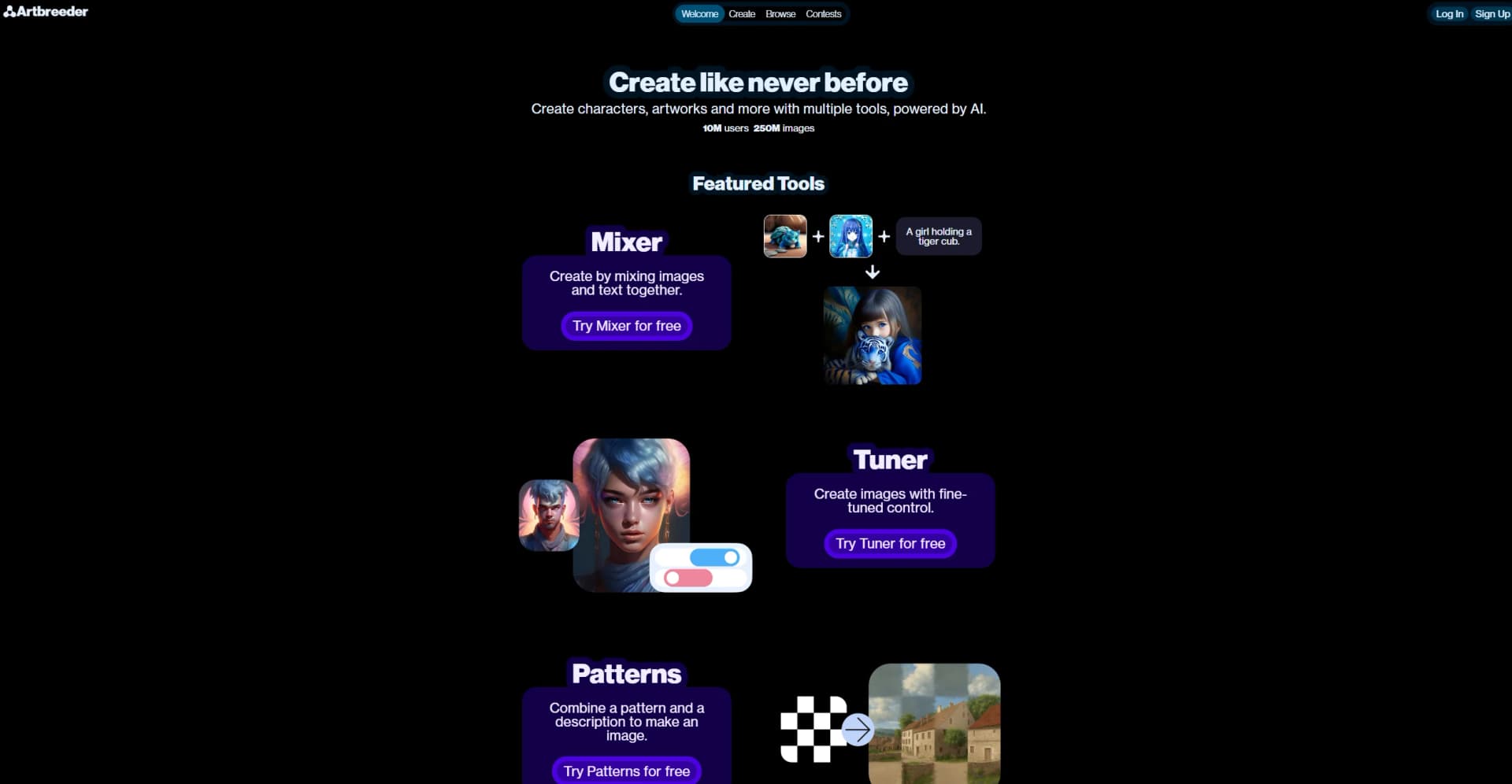
Artbreeder is a cutting-edge platform that transforms the way we create and interact with digital art. Powered by advanced AI algorithms, Artbreeder allows users to generate unique characters, landscapes, and artworks by blending images and text inputs. With over 10 million users and a repository of more than 250 million images, Artbreeder stands out as a revolutionary tool in the realms of digital creativity and design. Designed for artists, designers, and anyone with a flair for creativity, Artbreeder simplifies the art creation process by providing powerful tools like Mixer, Tuner, and Patterns.
Artbreeder distinguishes itself by enabling an unparalleled level of creativity and collaboration in digital art creation. Its use of AI to blend images and text inputs for generating unique artworks is a game-changer, offering artists and designers a novel approach to creativity. The community-driven aspects, such as contests and image sharing, further set Artbreeder apart, making it not just a tool but a platform for inspiration and collective growth.
Artbreeder excels in fostering creativity and innovation in digital art creation. Its unique blend of AI-powered tools, combined with a vast image gallery and a supportive community, offers an unmatched advantage for artists, designers, and creatives. Whether you're a professional looking to streamline your workflow or a hobbyist eager to explore the bounds of your creativity, Artbreeder provides a versatile, accessible, and engaging platform that is sure to inspire.
Who is Using Artbreeder?
Digital Artists
For creating unique characters and landscapes for their projects.
Game Developers
Employing the tool to design characters, environments, and assets for video games.
Graphic Designers
Using Artbreeder for brainstorming and generating visual concepts.
Educators
Integrating the tool into art and design curriculum to inspire creativity among students.
Uncommon Use Cases
Novelists using Artbreeder to visualize characters; Event planners creating unique thematic visuals.
Key Features
Rating Breakdown
Pricing Plans
Free Tier
Free
- Explore Artbreeder's basic features at no cost
Subscription Plans
- Detailed pricing for advanced features and higher usage limits available on the website
Which Artbreeder plan should you pick?
Start with the free tier to explore Artbreeder, then upgrade to Starter for regular creation or Advanced/Champion for substantially larger annual credit allowances.
starter
Good for individual creators who need 1,200 annual credits, faster rendering, higher-resolution downloads, privacy controls, and Google Drive sync.
advanced
Good for creators who need 3,300 annual credits and a lower effective per-credit price.
champion
Good for heavy users who need 8,400 annual credits and the lowest listed per-credit price.
Artbreeder Use Cases
Mix and edit images
Use Splicer or Splicer 2 to mix, branch, and edit images.
Outcome: Explore many image variations.
Generate images from text
Use Prompter to describe an image or changes in conversational language.
Outcome: Create or restyle images from prompts.
Compose controlled scenes
Use Composer to control images for style, content, or composition.
Outcome: Produce more controllable image generations.
Create collages
Assemble shapes, images, and text in Collager.
Outcome: Build composite visual compositions.
Animate images
Combine static images with text prompts in Animator.
Outcome: Turn still images into videos with motion and effects.
Workflow Ideas with Artbreeder
Upload and restyle an image
- 1Open the upload control and select an image
- 2Choose a tool such as Prompter or Composer
- 3Describe the desired changes and generate variations
Build a visual composition
- 1Create or select source images
- 2Add them to Collager or Composer
- 3Adjust composition and generate the final image
Join a community remix
- 1Open a Remix Party or contest
- 2Remix the shared seed image and publish the result
- 3Explore or vote on community entries
How Artbreeder fits into your stack
Web-Based Platform
Accessible from any device with internet connectivity, ensuring wide compatibility.
Image Export
Easily export creations for use in other applications or platforms.
Community Integration
Share and collaborate with a vibrant online community directly within Artbreeder.
API Access
For developers looking to integrate Artbreeder's capabilities into their own applications (subject to availability).
Pros
- +Unlimited Creativity: Offers endless possibilities for creating unique artworks.
- +Time Efficiency: Simplifies the art creation process, saving valuable time for professionals and hobbyists alike.
- +Collaborative Features: Enables sharing and collaboration, fostering a vibrant community of creators.
- +Accessibility: Free to try, making it accessible to a wide audience eager to explore digital art creation.
Cons
- −Learning Curve: New users may need time to fully grasp the capabilities and features of the various tools.
- −Overwhelming Options: The sheer number of images and combinations can be overwhelming for some users.
Limitations & when to consider alternatives
Known limitations
- General-category uploads are unavailable. The support page says uploads for the general category are not currently possible.
- Private mode requires a subscription. Private mode is available to subscribers, although images remain private after a subscription ends.
- Some tools are subscriber-only. Animator is documented as available exclusively to subscribers.
- Legacy portrait images have editing limits. Old portrait images remain visible, but the site says they become non-editable after the stated cutoff date.
How to Use Artbreeder
- 1
Explore a range of tutorials available on the Artbreeder website and across the web, covering everything from basic setup to advanced techniques for maximizing the potential of the tool.
Who is Artbreeder For?
Artists and creative users
Artbreeder is designed as a creative tool for exploring and making characters, artwork, and other images.
Community creators
Users can follow creators, share work, enter contests, vote, and remix other creators’ images.
World-builders and storytellers
The Worlds feature is presented as an experimental platform for building worlds and telling stories from images.
Frequently Asked Questions
How do I upload images?
Click the green plus icon, choose uploads, and select the kind of image to upload.
Why does my uploaded image not look like the original?
Uploads are encoded into a representation the neural networks can understand, so the source image should resemble the images the network produces.
Who owns the images?
Artbreeder says images are public domain under CC0 and may be used commercially. Private mode is available to subscribers.
How does private mode work?
Private-mode images are not seen or used by anyone; they remain private if the subscription ends.
Are uploads for other image categories available?
Not yet; uploads for the general category are currently unavailable.
How can I delete my account?
Go to the account page from the menu and click Delete Account.
Community reviews
Be the first to share your experience.
Sign in to leave a review for Artbreeder.
Artbreeder Alternatives
Looking for alternatives to Artbreeder? Here are similar tools in the same category:
Learn to Master Artbreeder
With Skill Leap courses
Get in-depth training on Artbreeder and 50+ other AI tools with our expert-led video courses.
Start 7-Day Free Trial