Artisan
AI-led outbound prospecting that books meetings for growing sales teams.
Key Takeaways
- What it is
- AI-led outbound prospecting that books meetings for growing sales teams.
- Best for
- Ava AI BDR
- 250M+ Contact Database
- Autonomous Campaigns
- Rating
- 4.1/5
What is Artisan?
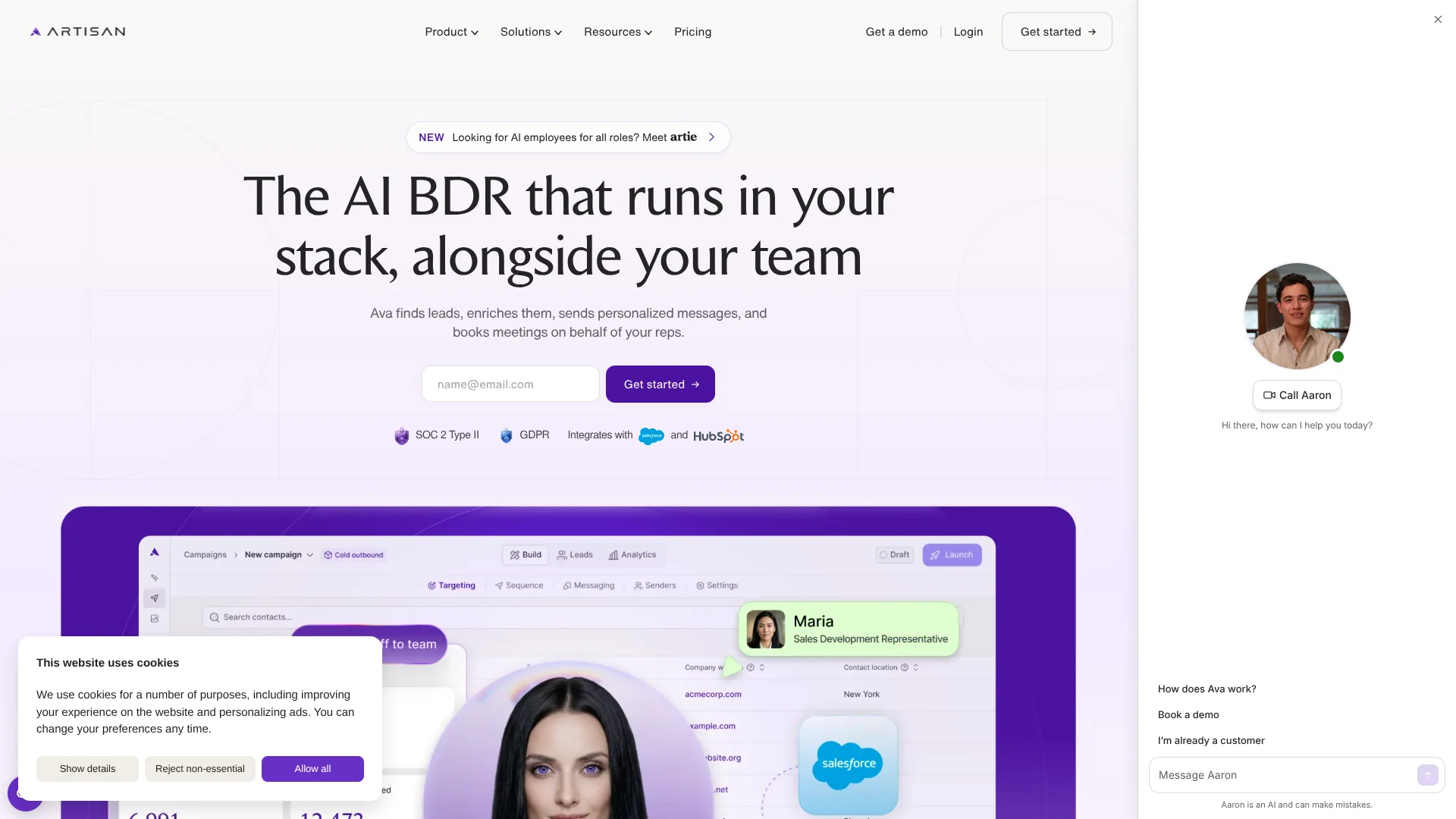
Artisan gives revenue teams an AI BDR named Ava that finds B2B prospects, researches them, writes personalized outreach, handles replies, and books meetings for sales reps. It combines a 250M+ contact database with intent signals, CRM data, email sequences, social touches, and a native dialer so teams can build pipeline without assigning every step to a human.
Ava can carry a prospect from research through reply handling and calendar booking while following approval gates, escalation rules, account ownership, and do-not-contact lists.
Artisan is best for startups, mid-market teams, and enterprise revenue organizations that want outbound execution to run continuously. It is less suitable for teams looking only for a contact database or a lightweight email sequencer. The strongest fit is a sales operation that wants Ava to own repetitive outbound work while reps focus on live conversations.
Who is Using Artisan?
BDRs
More prospect research and follow-up happens automatically, leaving reps with warmer conversations.
Account executives
Ava can send outreach in an AE's name and place qualified meetings on the correct calendar.
Account managers
Cross-sell, upsell, and customer reactivation campaigns can reach existing accounts with relevant context.
Sales operations managers
Campaign rules, CRM mappings, suppression lists, approval settings, and reporting stay under centralized control.
Growth leaders
Intent signals and campaign analytics show where automated outbound can create more pipeline.
Uncommon Use Cases
Re-engaging closed-lost opportunities with new messaging; contacting past champions after they change companies
Key Features
Rating Breakdown
Pricing Plans
Team
- For teams running their first serious outbound motion
- Roughly 2,500 leads contacted per month
- Every campaign type
- Autonomous replies and meeting booking
- 250M+ verified B2B contacts
- Salesforce and HubSpot sync
- CSM support and onboarding
- AI dialer add-on, priced per seat
Scale
- For teams scaling outbound across reps and segments
- Roughly 6,000 leads contacted per month
- Everything in Team
- Dedicated CSM
- CRM setup included
- Priority support
Enterprise
- For custom volume, security, and rollout support
- Flexible plans
- Everything in Scale
- Forward-deployed strategist
- Full onboarding buildout
- Dedicated strategic support
- Advanced security controls and audit logs
Which Artisan plan should you pick?
Start with Team for an initial outbound motion, move to Scale for broader rep coverage and dedicated support, and choose Enterprise for custom volume, security, and rollout needs.
Team
Good for teams running their first serious outbound motion with roughly 2,500 leads contacted per month.
Scale
Good for teams expanding outbound across reps and segments with roughly 6,000 leads contacted per month.
Enterprise
Good for organizations needing custom volume, advanced security controls, audit logs, and strategic rollout support.
Artisan Use Cases
Cold outbound
New-market prospecting starts with ICP targeting, enrichment, personalized sequences, and automated follow-up.
Outcome: More qualified conversations without assigning every prospecting step to a rep.
Website visitor follow-up
Identified website visitors can be matched to campaigns and contacted with context from their company or profile.
Outcome: Potential buyers receive outreach while their interest is still recent.
CRM reactivation
Dormant, closed-lost, or known CRM contacts can receive new campaigns based on their existing account history.
Outcome: Old records become a source of new pipeline and follow-up conversations.
Intent-triggered outreach
Signals such as funding, hiring, leadership changes, and technology changes can enroll matching prospects into campaigns.
Outcome: Sales outreach aligns with events that may indicate buying interest.
Cross-sell and upsell
Existing customers can be reached with campaigns based on account data, product usage, and relevant business signals.
Outcome: More expansion opportunities from accounts the team already serves.
Workflow Ideas with Artisan
Intent signal to booked meeting
- 1Define a signal such as funding, hiring, or leadership change
- 2Let Ava find and enrich matching prospects
- 3Ava sends outreach, handles replies, and books the meeting
CRM reactivation
- 1Sync Salesforce or HubSpot records
- 2Select closed-lost, dormant, or existing customer segments
- 3Launch personalized follow-up with approval and escalation rules
Warm lead handoff
- 1Ava monitors replies and engagement
- 2Interested prospects become rep call tasks with context
- 3The assigned rep handles the live conversation and follow-up
How Artisan fits into your stack
CRM
Artisan connects with Salesforce and HubSpot for contact, company, deal, activity, and ownership data. Export controls determine what Ava writes back.
Outbound execution
Ava adds prospect research, enrichment, sequencing, reply handling, and meeting booking to the sales workflow.
Calling
The native dialer gives reps call tasks, prospect briefs, and follow-up summaries when a lead needs human conversation.
Team communication
Slack notifications surface replies, booked meetings, and campaign events in the channels or direct messages teams already monitor.
Governance
SSO, SAML, role-based access, workspace permissions, audit logs, approval settings, and suppression lists support controlled deployment.
Pros
- +End-to-end outbound: Ava can move from prospect research to booked meeting instead of stopping at lead generation.
- +Deep prospect context: Waterfall enrichment across 22+ sources supports more relevant outreach.
- +Human control: Approval modes, escalation rules, banned phrases, and exclusion lists limit what Ava can send and who she contacts.
- +CRM coverage: Native Salesforce and HubSpot sync supports owner routing and activity sharing.
- +Enterprise readiness: SOC 2 Type II, SSO, SAML, role-based access, audit logs, and workspace permissions support larger deployments.
Cons
- −Quote-based pricing: Teams must talk with sales because the public pricing page does not show dollar amounts.
- −Sales-specific scope: Artisan is built around outbound revenue work rather than general business automation.
- −Human calling remains necessary: Ava queues dialer tasks, but reps still handle live phone conversations.
Limitations & when to consider alternatives
Known limitations
- Pricing is scoped to usage. Plans are sized around lead volume, mailboxes, and dialer seats, and the pricing page directs buyers to sales.
- Person-level visitor identification is US-only. Artisan states that person-level website visitor identification is available in the United States, while company-level identification works globally.
- Ava does not replace live sales conversations. The platform queues warm leads for reps in the dialer, while humans handle the phone conversation.
- CRM coverage is centered on Salesforce and HubSpot. Artisan names Salesforce and HubSpot as native integrations, with other CRM connections handled through custom APIs or webhooks.
Look elsewhere when
- You need a general-purpose AI tool for writing, research, or internal knowledge work.
- You want a self-serve plan with a published monthly price.
- Your team needs a standalone contact database without automated outreach.
- Your sales process depends on a native CRM other than Salesforce or HubSpot.
How to Use Artisan
- 1
Connect your revenue stack
Link Salesforce or HubSpot, sending mailboxes, calendars, and Slack so Ava can work with existing ownership and communication flows.
- 2
Set your targeting rules
Define the ideal customer profile, campaign type, intent signals, exclusions, and do-not-contact lists.
- 3
Choose the autonomy level
Start with approval mode for review before sending, then add escalation rules or allow more autonomous execution as confidence grows.
- 4
Launch a campaign
Select a campaign from Artisan's library or build a motion for cold outbound, reactivation, cross-sell, or signal-triggered outreach.
- 5
Review performance
Use analytics for campaign results, messaging, deliverability, dialer activity, and credits.
- 6
Route human conversations
Let Ava send qualified replies to the right rep, queue dialer tasks, and place meetings on the correct calendar.
Who is Artisan For?
Startups
Small growth teams can build outbound pipeline without hiring a full BDR team.
Mid-market sales teams
Growing organizations can increase prospecting volume without adding the same number of reps.
Enterprise revenue teams
Large organizations get centralized campaign control, ownership routing, security controls, and rollout support.
Sales and revenue operations
Operations leaders can manage campaigns, guardrails, CRM sync, analytics, and rep workflows from one workspace.
Teams with Salesforce or HubSpot
CRM-centered teams can keep existing records and account ownership while Ava runs outbound activity.
Frequently Asked Questions
Does Artisan have a free plan?
The current pricing page does not list a free plan. Plans are scoped to lead volume, mailboxes, and dialer seats.
How much does Artisan cost?
The public pricing page lists Team, Scale, and Enterprise plans but does not publish dollar amounts. Buyers are directed to sales for a plan sized to their outbound motion.
Which CRMs does Artisan integrate with?
Artisan names Salesforce and HubSpot as native CRM integrations. Custom CRMs can connect through API-based options or webhooks.
Can Ava send messages without approval?
Yes. Teams can require approval before sending, configure escalation rules, or allow autonomous sending within campaign guardrails.
Can Artisan handle replies?
Ava reads replies, answers questions, handles objections, qualifies interested prospects, and books meetings based on the rules your team sets.
Does Artisan support multiple languages?
Artisan says Ava can run outbound in more than 50 languages.
Community reviews
Be the first to share your experience.
Sign in to leave a review for Artisan.
Artisan Alternatives
Looking for alternatives to Artisan? Here are similar tools in the same category: