AskYourDatabase
Turn plain-English business questions into queries for your connected databases.
Key Takeaways
- What it is
- Turn plain-English business questions into queries for your connected databases.
- Pricing
- $49 per seat per month · $149 per month · $329 per month
- Best for
- Natural-language database queries
- SQL and result review
- Schema and business context
- Rating
- 4.2/5
What is AskYourDatabase?
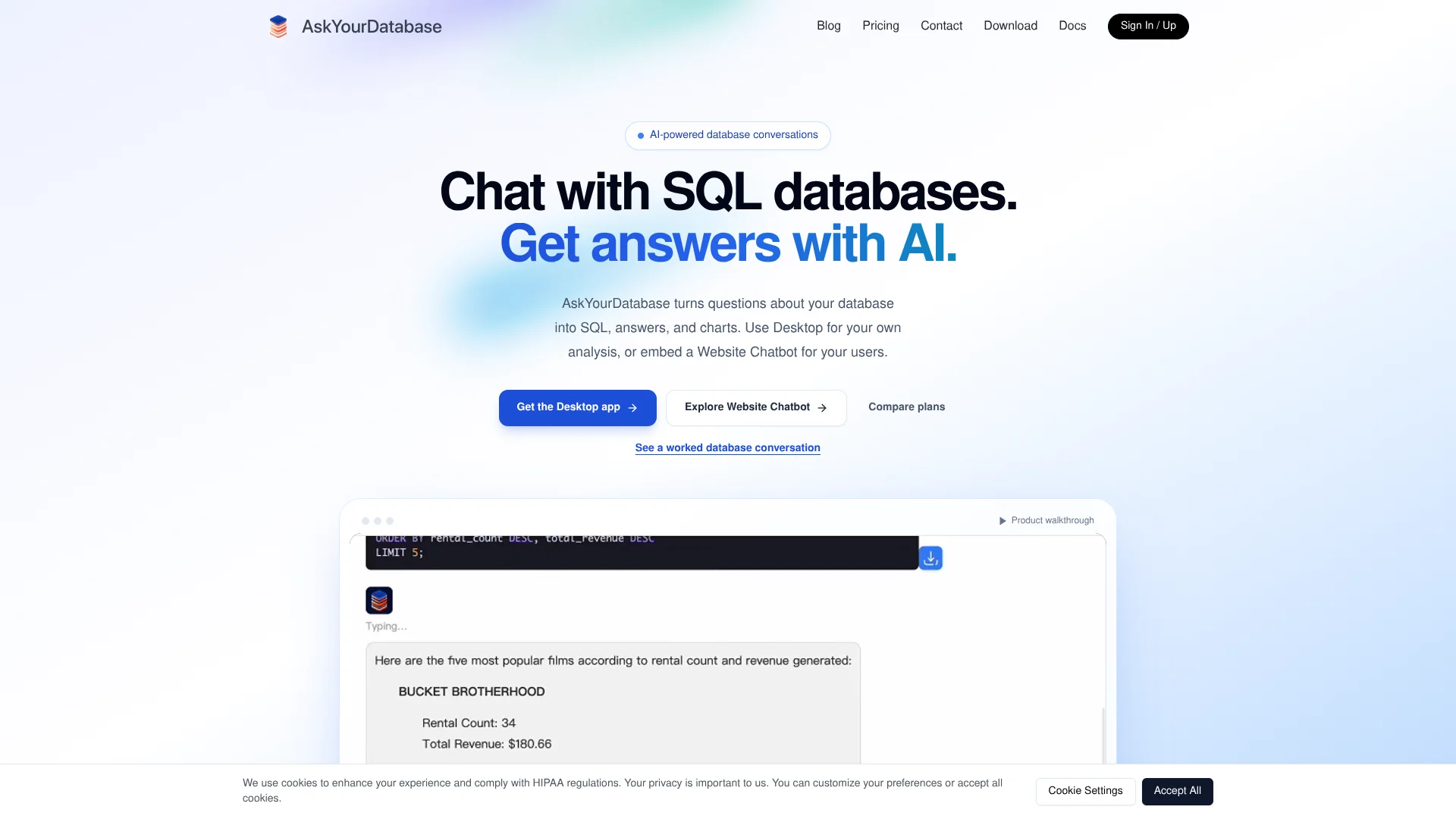
AskYourDatabase turns business questions into SQL queries against a connected database, then shows the results for review. Analysts, operations teams, and business users can ask in plain English, inspect the generated SQL, and follow up with a chart. Its Desktop app is for internal analysis, while Website Chatbot lets product teams add database questions to their own sites.
For customer-facing products, a Website Chatbot can let each user ask questions about approved database information, with user-level access controls. The Dashboard Builder can also create interactive dashboards from natural-language descriptions and share or embed them.
It fits teams that want people to explore company data without writing each query by hand. It still needs someone to configure database access and check important answers, since generated SQL can be wrong. AskYourDatabase is most useful when you can provide clear data definitions and verify the results.
Who is Using AskYourDatabase?
Data analyst
SQL and result review help the analyst check a business question before sharing a finding.
Operations analyst
Follow-up questions and charts help the analyst investigate changing business metrics.
Product engineer
The Website Chatbot and API can add database question flows to a customer-facing product.
Database administrator
Restricted database accounts and schema explanations help prepare a safer, clearer data connection.
Uncommon Use Cases
Building an internal dashboard from a natural-language description; letting authorized WhatsApp users ask questions about connected database data
Key Features
Rating Breakdown
Pricing Plans
Ultimate
$49 per seat per month
- Unlimited access to Claude Haiku 4.5, GPT-4.1, and Claude Sonnet 5.
- Each person using the Desktop app needs a seat.
- The pricing page offers monthly and yearly billing options.
Scale
$149 per month
- Includes 1,000 questions per month.
- Up to 6 chatbots and Dashboard Builder.
- Additional questions cost $0.15 each.
Established
$329 per month
- Includes 1,500 questions per month.
- Unlimited chatbots and Dashboard Builder.
- Includes own-brand logo and name, and removes AskYourDatabase branding.
- Additional questions cost $0.15 each.
Enterprise
- For large teams and custom deployment requirements.
- Scope and pricing are agreed with the vendor.
Which AskYourDatabase plan should you pick?
Choose Ultimate for internal Desktop analysis, Scale or Established for an embedded Website Chatbot, and Enterprise when you need a private deployment or custom requirements.
Ultimate
For people who need the Desktop app for internal analysis, with access to the listed AI models billed per seat.
Scale
For small teams and startups that need up to six customer-facing chatbots and 1,000 questions per month.
Established
For organizations that need unlimited chatbots, 1,500 included monthly questions, and their own branding.
Enterprise
For large teams with custom deployment requirements that need to discuss scope and pricing with the vendor.
AskYourDatabase Use Cases
Explore business data
A business question becomes a query against connected tables, with SQL and returned rows available for checking.
Outcome: A reviewable answer from the connected database.
Add database chat to a product
Customer-facing users can ask questions through an embedded chatbot tied to approved data.
Outcome: An embedded database chat experience with user-level access controls.
Build a repeatable dashboard
A plain-English description can become an interactive dashboard with tables, charts, and forms.
Outcome: A shareable or embeddable dashboard.
Clarify company-specific metrics
Business definitions and verified question-and-SQL examples give the AI context for ambiguous terms.
Outcome: More context for interpreting company-specific data questions.
Review data through WhatsApp
Authorized users can be set up to ask database questions through a WhatsApp chatbot.
Outcome: A database question workflow through WhatsApp.
Workflow Ideas with AskYourDatabase
Check a reporting question
- 1Connect a small reporting dataset with read-only database permissions.
- 2Ask a question whose answer you can verify in an existing report.
- 3Inspect the SQL, filters, and result before exploring a follow-up.
Prepare business-specific answers
- 1Identify terms or table relationships that are unclear from the schema.
- 2Add business explanations and verified question-and-SQL examples.
- 3Test the same questions against known results.
Add customer-facing database chat
- 1Create a Website Chatbot connected to approved data.
- 2Set up authentication and user-level data access in your application.
- 3Test that separate users can retrieve only their permitted records.
How AskYourDatabase fits into your stack
Database sources
Connect data sources including PostgreSQL, MySQL, Microsoft SQL Server, BigQuery, Snowflake, Oracle, MongoDB, and ClickHouse. The connection guide also covers other engines, with setup details varying by database.
Desktop analysis
The Windows and macOS app connects from your computer for internal analysis. Database credentials stay on the device, but questions and necessary response data can go to a model provider through the AI gateway.
Customer-facing products
Website Chatbot can be embedded in a website or customer portal. Plan authentication and test user-level data access before letting customers query data.
Dashboards and API
Dashboard Builder creates interactive dashboards that can be shared or embedded. The documented API supports chatbot sessions and retrieving Website Chatbot messages.
Pros
- +Inspectable SQL: Review the query behind a result instead of relying only on the AI's explanation.
- +Follow-up analysis: Refine a question or turn its result into a chart in the same conversation.
- +Two distinct workflows: Choose a local desktop connection for internal analysis or an embedded chatbot for customers.
- +Business-specific context: Add definitions and verified query examples for terms your schema does not explain.
Cons
- −Requires data setup: A database administrator may need to prepare credentials, network access, and permissions.
- −Answers need review: Clear wording does not guarantee that a generated query matches the intended business definition.
- −Separate products and plans: Desktop analysis and customer-facing chat have different subscriptions and allowances.
Limitations & when to consider alternatives
Known limitations
- Desktop platform support. The download page offers Windows and macOS installers; it does not offer a Linux installer.
- Website Chatbot query timeout. The pricing page lists a 60-second timeout for the chatbot, compared with unlimited timeout for Desktop.
- Desktop is not offline AI. Although database access and query execution happen from the computer, questions and necessary response data can be sent to a model provider.
- Generated answers are not guaranteed correct. The vendor notes that AI may generate incorrect SQL or answers, so important results should be checked against known data.
- Customer access needs careful setup. The vendor advises configuring authentication and user-level data access and testing that each user sees only permitted records.
Look elsewhere when
- You need the Desktop app on Linux.
- You need database analysis that runs entirely offline.
- Your team needs answers without configuring database access or validating business definitions.
How to Use AskYourDatabase
- 1
Choose a product
Pick Desktop for analysis on your own computer or Website Chatbot for a customer-facing website; their plans are separate.
- 2
Prepare database access
Ask your database administrator for connection details and start with access limited to the tables or views you need.
- 3
Connect a supported database
Follow the connection guide for your database, such as PostgreSQL, MySQL, SQL Server, BigQuery, or Snowflake.
- 4
Try a question with a known answer
Start with a small dataset and a total you can compare with a trusted report.
- 5
Check and refine the result
Review the SQL, filters, joins, and returned rows; add schema context or a verified example if a business term is unclear.
- 6
Continue with a chart or dashboard
Request a chart as a follow-up or describe an interactive dashboard for sharing or embedding.
Who is AskYourDatabase For?
Data analysts
Useful for exploring connected databases, checking SQL, and turning results into charts.
Operations teams
Business users can ask questions about reporting data without composing every query themselves.
Product teams
The Website Chatbot can add customer-facing questions about approved data to a site or portal.
Startups and small teams
The Scale Website Chatbot plan is presented for small teams and startups adding database chat to a website.
Organizations with private deployment needs
Enterprise deployment discussions cover application hosting, model endpoints, and network requirements.
Frequently Asked Questions
Do I need to know SQL to use AskYourDatabase?
No. You can ask in plain English, then inspect the generated SQL and results. SQL knowledge is useful when checking a query before relying on it.
Which databases can I connect?
The site lists PostgreSQL, MySQL, Microsoft SQL Server, BigQuery, Snowflake, Oracle, MongoDB, and ClickHouse, among other supported engines.
Does AskYourDatabase have a free plan?
The current pricing page lists paid Desktop and Website Chatbot plans, plus a custom Enterprise offering. It does not list a free plan.
Can I embed AskYourDatabase on my website?
Yes. Website Chatbot is designed for websites and customer portals. You need to plan authentication and user-level data access.
Does the Desktop app work offline?
No. The app connects to the database from your computer, but questions and necessary response data can be sent through the AI gateway to a model provider.
Community reviews
1 review from people who use AskYourDatabase.
Sign in to leave a review for AskYourDatabase.
Sheldon
AskYourDatabase Alternatives
Looking for alternatives to AskYourDatabase? Here are similar tools in the same category: