
AutoCut
Revolutionize video editing: automate silences, captions, B-rolls, enhancing quality and efficiency.
Key Takeaways
- What it is
- Revolutionize video editing: automate silences, captions, B-rolls, enhancing quality and efficiency.
- Pricing
- $6.60/month ($79 billed yearly) · $14.90/month ($178.80 billed yearly)
- Best for
- Automatic Silence Remover
- Animated Captions with One Click
- Instant Podcast Editing
- Rating
- 4.5/5
What is AutoCut?
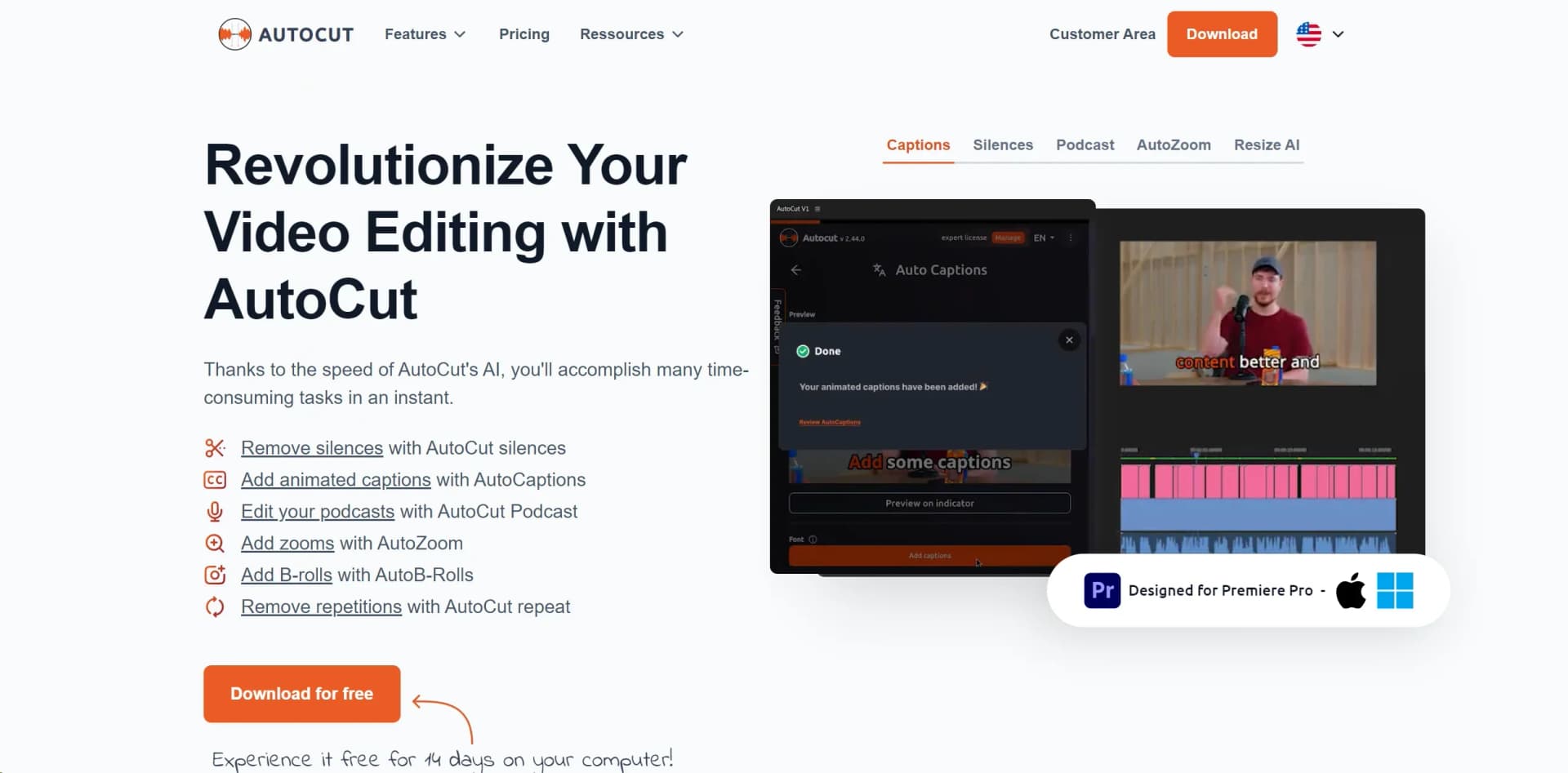
AutoCut is an advanced plugin for Adobe Premiere Pro designed to transform the video editing process by automating repetitive and time-consuming tasks. This tool aims to streamline video production by efficiently handling tasks such as removing silences, adding animated captions, and integrating B-rolls, thereby significantly reducing editing time and enhancing the quality of video content. Ideal for content creators, video editors, and podcast producers, AutoCut stands out for its ability to streamline workflows while preserving creativity and quality.
AutoCut distinguishes itself with its comprehensive automation of tedious editing tasks. Its key features, such as AutoCaptions and AutoSilences, combine to enhance both efficiency and quality, making it an indispensable tool for video editors looking to streamline their workflow while maintaining high standards of content.
AutoCut revolutionizes video editing by automating routine tasks, allowing creators to focus on crafting compelling content. Its suite of AI-driven features, combined with ease of use and continuous innovation, makes it a valuable asset for content creators, video editors, and podcast producers. AutoCut's ability to save time while enhancing video quality positions it as an essential tool in modern video production.
Who is Using AutoCut?
Content Creators
For producing polished and engaging content for social media.
Video Editors
Streamlining post-production workflows and enhancing efficiency.
Podcast Producers
Adding dynamic edits and animated captions to podcast videos.
Marketing Agencies
Creating compelling video content for campaigns with minimal effort.
Uncommon Use Cases
Educational institutions using it in digital media courses; Independent filmmakers speeding up documentary editing.
Key Features
Rating Breakdown
Pricing Plans
Basic Plan
$6.60/month ($79 billed yearly)
- Core features like AutoCut silences v2 and AutoCaptions
AI Plan
$14.90/month ($178.80 billed yearly)
- Provides full access to all advanced AI features
Which AutoCut plan should you pick?
Start with Basic if you only need silence removal; upgrade to AI Plan for the full feature set, or Enterprise for centralized licensing and business support.
Basic Plan
Good for editors who need AutoCut Silences and do not require the other AI editing features.
AI Plan
Good for creators and editors who need captions, podcast editing, AutoViral, B-rolls, zooms, profanity filtering, and chapters.
Enterprise Plan
Good for agencies and organizations that need multiple licenses, centralized billing, priority support, and demo calls.
AutoCut Use Cases
Remove silence
Detect and remove dead air from spoken-word videos.
Outcome: Tighter edits without manually trimming every pause.
Create animated captions
Generate, style, edit, and translate captions inside the editing workflow.
Outcome: Publish-ready subtitles with less manual timing.
Edit multicamera podcasts
Detect speakers and switch among camera angles automatically.
Outcome: A faster first pass for podcast edits.
Repurpose long videos
Use AutoViral to identify strong segments and create short-form clips.
Outcome: Long videos become clips suitable for Reels and Shorts.
Add contextual B-roll
Insert relevant stock footage and AI-generated images into the timeline.
Outcome: More visual coverage with fewer manual searches.
Workflow Ideas with AutoCut
Turn a podcast into short clips
- 1Import the long podcast into Premiere Pro or DaVinci Resolve
- 2Use AutoViral to detect and score strong segments
- 3Apply AutoResize and captions to prepare short-form clips
Create a multicamera podcast edit
- 1Prepare the podcast timeline with multiple camera and audio tracks
- 2Run AutoCut Podcast to detect speakers and switch angles
- 3Refine the generated multicamera edit inside the host editor
Clean and enhance a talking-head video
- 1Run AutoCut Silences to remove dead air
- 2Apply AutoCaptions and choose a caption style
- 3Use AutoZoom, profanity filtering, and chapters before export
How AutoCut fits into your stack
Adobe Premiere Pro
Fully integrated for a seamless editing experience.
AI Technology
Utilizes advanced AI for features like AutoZoom and AutoResize.
Continuous Software Updates
Ensures compatibility with the latest Premiere Pro versions and introduces new features.
Pros
- +Efficiency in Editing: Saves significant time by automating routine tasks, allowing creators to focus on more creative aspects.
- +Enhanced Viewer Engagement: Features like animated captions and auto zooms contribute to a more engaging and polished video.
- +Ease of Use: Intuitive design makes it accessible for both novice and experienced editors.
- +Continuous Innovation: Regular updates and new features ensure the tool evolves to meet the needs of modern video editors.
Cons
- −Limited Compatibility: Currently only compatible with Adobe Premiere Pro, which may limit its use for users of other editing software.
- −Learning Curve: New users might need some time to become familiar with all features and optimize their use.
- −Subscription-Based Pricing: Ongoing costs could be a concern for freelancers or small studios on a tight budget.
Limitations & when to consider alternatives
Known limitations
- Requires a supported host editor. AutoCut requires Adobe Premiere Pro 2023–2026 or DaVinci Resolve 18.6–21.
- Requires macOS or Windows. The documented operating systems are macOS 11 or later and Windows 10 or later.
- One computer active at a time. A license can be used on two computers, but only one may be active simultaneously.
- Some features require cloud processing. Transcription and AI detection may require cloud processing, although temporary files are deleted after processing.
- Cracked host applications are unsupported. AutoCut does not support cracked versions of Premiere Pro or DaVinci Resolve.
Look elsewhere when
- You need a native mobile app.
- You need a standalone desktop editor.
How to Use AutoCut
- 1
AutoCut offers a range of resources including detailed tutorials on its website and YouTube, covering everything from basic setup to advanced feature utilization.
Who is AutoCut For?
Video editors
AutoCut is built for editors using Premiere Pro or DaVinci Resolve who want to reduce repetitive work.
Content creators
Creators can automate captions, short-form clips, zooms, chapters, and social reframing.
Podcasters
AutoCut Podcast automatically switches camera angles and accelerates multicamera podcast editing.
Agencies
The Enterprise plan is designed for agencies needing multiple licenses, centralized billing, and priority support.
Small and large organizations
Enterprise supports organizational licensing and centralized account administration.
Frequently Asked Questions
What is included in the free trial?
The 14-day trial includes all 10 AI features and requires no credit card.
Which editing applications does AutoCut support?
AutoCut supports Adobe Premiere Pro and DaVinci Resolve on macOS and Windows.
Does AutoCut limit video length?
AutoCut says it has no time limit for video projects, although safeguards prevent abuse.
Can one license be used on two computers?
Yes, but only one computer can be active at a time; the current computer must be unlinked before switching.
Does AutoCut work with DaVinci Resolve Free?
Yes. Every AutoCut feature works with both DaVinci Resolve Free and Studio.
What languages are supported?
AutoCut supports more than 80 human languages for its language-processing features.
Community reviews
Be the first to share your experience.
Sign in to leave a review for AutoCut.
AutoCut Alternatives
Looking for alternatives to AutoCut? Here are similar tools in the same category:
Learn to Master AutoCut
With Skill Leap courses
Get in-depth training on AutoCut and 50+ other AI tools with our expert-led video courses.
Start 7-Day Free Trial