
Avatar AI
Generate unique digital identities
Key Takeaways
- What it is
- Generate unique digital identities
- Pricing
- $99/month · $299/month
- Best for
- AI-Powered Photography
- Diverse Avatar Styles
- Rapid Generation
- Rating
- 4.5/5
What is Avatar AI?
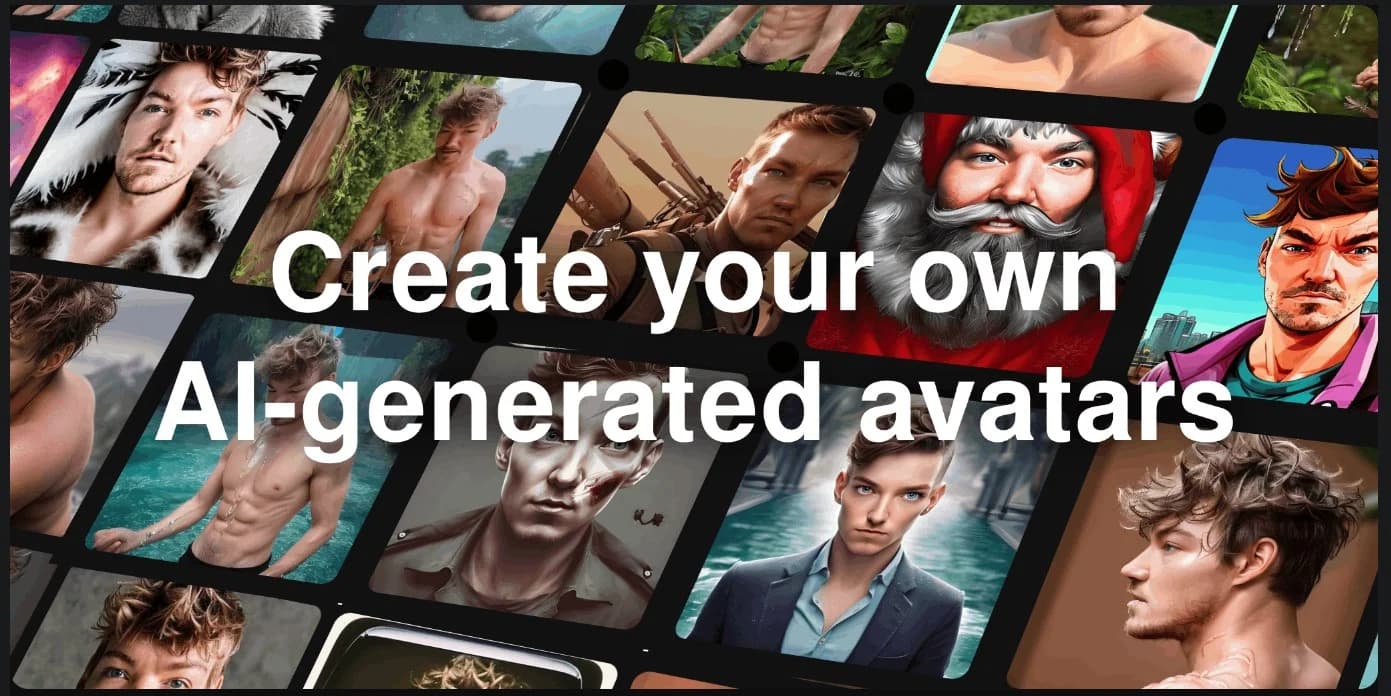
Avatar AI is a cutting-edge tool designed to revolutionize the way we think about photography and avatar creation. It harnesses the power of artificial intelligence to generate a diverse array of avatars and photographs in over 120 different styles. Aimed at content creators, marketers, and individuals seeking to produce high-quality images without the logistics of a traditional photoshoot, Avatar AI provides a quick, cost-effective, and highly customizable solution for digital imagery.
Avatar AI distinguishes itself with its powerful AI photography capabilities, enabling users to create high-resolution, photorealistic images quickly and easily. The ability to generate a wide range of styles and scenarios with a simple user interface sets Avatar AI apart from traditional image creation methods.
Avatar AI excels in providing a unique blend of convenience, cost-efficiency, and creative freedom, making it an invaluable tool for a wide range of users. Its rapid generation of photorealistic images and the ability to customize avatars to a high degree offers a significant advantage in the realm of digital photography and content creation.
Who is Using Avatar AI?
Content Creators
Generating unique and diverse images for social media, blogs, and other digital platforms.
Marketing Professionals
Creating engaging visuals for campaigns and branding without the overhead of a photoshoot.
Fashion Designers
Visualizing clothing designs using the Sketch2Image™ feature for quick concept realization.
Individuals
Personalizing their digital presence with unique avatars for gaming, virtual reality, and online profiles.
Uncommon Use Cases
Used by authors for visualizing characters in their stories; utilized by virtual event organizers for creating attendee avatars.
Key Features
Rating Breakdown
Pricing Plans
Pro Plan
- Access to the full suite of features
Premium Plan
$99/month
- More intensive usage and additional capabilities
Business Plan
$299/month
- Extensive commercial use
Which Avatar AI plan should you pick?
Start with Starter for personal experimentation, upgrade to Pro for commercial use and custom prompts, and choose Premium or Ultra for higher quality, more models, and faster or larger-scale production.
Starter
Good for individuals who need basic AI photos, one model per month, and personal-use output.
Pro
Good for creators and small businesses who need commercial licensing, custom prompts, imports, and remixing.
Premium
Good for higher-volume users who need better likeness, editing, videos, relighting, upscaling, and virtual try-on.
Ultra
Good for heavy production users who need the most credits, models, storage, parallel generation, and model export.
Avatar AI Use Cases
Personalized AI photos
Upload selfies, train a personal model, and generate photos in different settings, outfits, poses, and styles.
Outcome: Consistent photorealistic images of the person.
Virtual clothing try-on
Upload a garment photo, mockup, or sketch and apply it to a trained model.
Outcome: Product-page, lookbook, social, or pre-manufacturing visuals.
AI video creation
Turn generated photos into videos, including talking or motion-based clips.
Outcome: Animated social and marketing content.
Professional headshots
Run headshot photo packs for professions such as founders, lawyers, doctors, teachers, and speakers.
Outcome: AI-generated professional profile imagery.
AI influencer creation
Design a synthetic influencer persona from scratch or train a model from real photos.
Outcome: Reusable branded influencer imagery and content.
Workflow Ideas with Avatar AI
Create a personalized AI photo model
- 1Sign up and choose Create new AI model
- 2Enter the model details and upload approximately 20 varied photos
- 3Click Create model and wait for automatic training
Create virtual try-on product imagery
- 1Create or select a trained AI model
- 2Upload a garment photo, mockup, or designer sketch
- 3Select the model and click Take photo
Turn an AI photo into video
- 1Generate or select an AI photo
- 2Hover over the photo and choose Make video
- 3Wait for the finished animated video
How Avatar AI fits into your stack
Device Compatibility
Accessible from any device with an internet connection and a web browser.
Photo Formats
Supports a variety of photo formats for uploading and creating AI characters.
Social Media Integration
Easily share created avatars and images on various social media platforms.
API Access
Offers API access for developers to integrate Avatar AI's functionalities into other applications.
Pros
- +Time-Saving: Eliminates the need for scheduling and conducting physical photoshoots, saving significant amounts of time.
- +Cost-Effective: More affordable than hiring professional photographers, models, and renting locations.
- +Convenience: Accessible from any device with an internet connection, allowing users to create images anytime, anywhere.
- +Creative Freedom: Offers the ability to experiment with different poses, outfits, and scenarios at no additional cost.
Cons
- −Quality of Input: The final image quality heavily relies on the quality and variety of user-uploaded photos.
- −Learning Curve: New users may require time to familiarize themselves with the tool's features and best practices for optimal results.
- −Specialized Use Cases: May not fully replace the nuanced work of professional photographers in certain specialized scenarios.
Limitations & when to consider alternatives
Known limitations
- Starter output quality is limited. Starter provides low-quality photos and low likeness compared with higher plans.
- Starter processing is slower. Starter supports one photo at a time and uses slow processing.
- Starter is personal-use only. Commercial-use licensing begins with higher plans; Starter is limited to personal use.
- Model training requires suitable photos. The service advises against low-variety, group, obscured-face, sunglasses, or hat photos.
- Data deletion is delayed. Deleted photos are permanently removed after 30 days, and canceled-account data is deleted after 90 days.
Look elsewhere when
- You need a documented developer API.
- You need a native iOS app.
- You need collaborative team workspaces.
How to Use Avatar AI
- 1
The platform provides a user-friendly interface that guides users through the process of creating AI characters and conducting photoshoots. Additional resources and tutorials are likely available on the website or through customer support.
Who is Avatar AI For?
E-commerce stores
Create virtual try-on images, product photos, lifestyle content, and videos without traditional photo shoots.
Fashion designers and Shopify sellers
Upload garments, mockups, or sketches and visualize them on trained AI models.
Social media creators
Generate profile photos, lifestyle content, photo packs, and AI videos featuring a consistent model.
Dating-app users
Create dating profile photos for services such as Tinder, Hinge, Bumble, and other dating apps.
Game developers and digital-product creators
Generate 3D representations for gaming avatars, NPCs, product previews, and visualization.
Frequently Asked Questions
How does Photo AI create a personalized AI model?
Upload around 20 varied photos, provide model details, and Photo AI automatically trains a personalized model.
What types of photos should I upload?
Use varied close-up and full-body photos with different angles, places, clothing, and expressions. Avoid group photos, sunglasses, hats, and images where the face is obscured.
Can Photo AI generate videos?
Yes. A generated photo can be turned into an AI video, including talking and motion-capture video options.
Can I use Photo AI for Shopify or e-commerce?
Yes. The virtual try-on workflow supports real garment photos, mockups, or designer sketches for product pages, lookbooks, and social posts.
Can I use Photo AI images commercially?
The Pro, Premium, and Ultra plans include commercial-use rights; Starter is personal-use only.
Is there a Photo AI iOS app?
No. Photo AI says its previous iOS app is no longer available and warns that similarly named apps may be unrelated.
Community reviews
Be the first to share your experience.
Sign in to leave a review for Avatar AI.
Avatar AI Alternatives
Looking for alternatives to Avatar AI? Here are similar tools in the same category:
Learn to Master Avatar AI
With Skill Leap courses
Get in-depth training on Avatar AI and 50+ other AI tools with our expert-led video courses.
Start 7-Day Free Trial