
Avaturn
Create lifelike 3D avatars from selfies with extensive customization.
Key Takeaways
- What it is
- Create lifelike 3D avatars from selfies with extensive customization.
- Best for
- Realistic 3D Avatar Creation
- Extensive Customization Options
- Animation-Ready Avatars
- Rating
- 4.6/5
What is Avaturn?
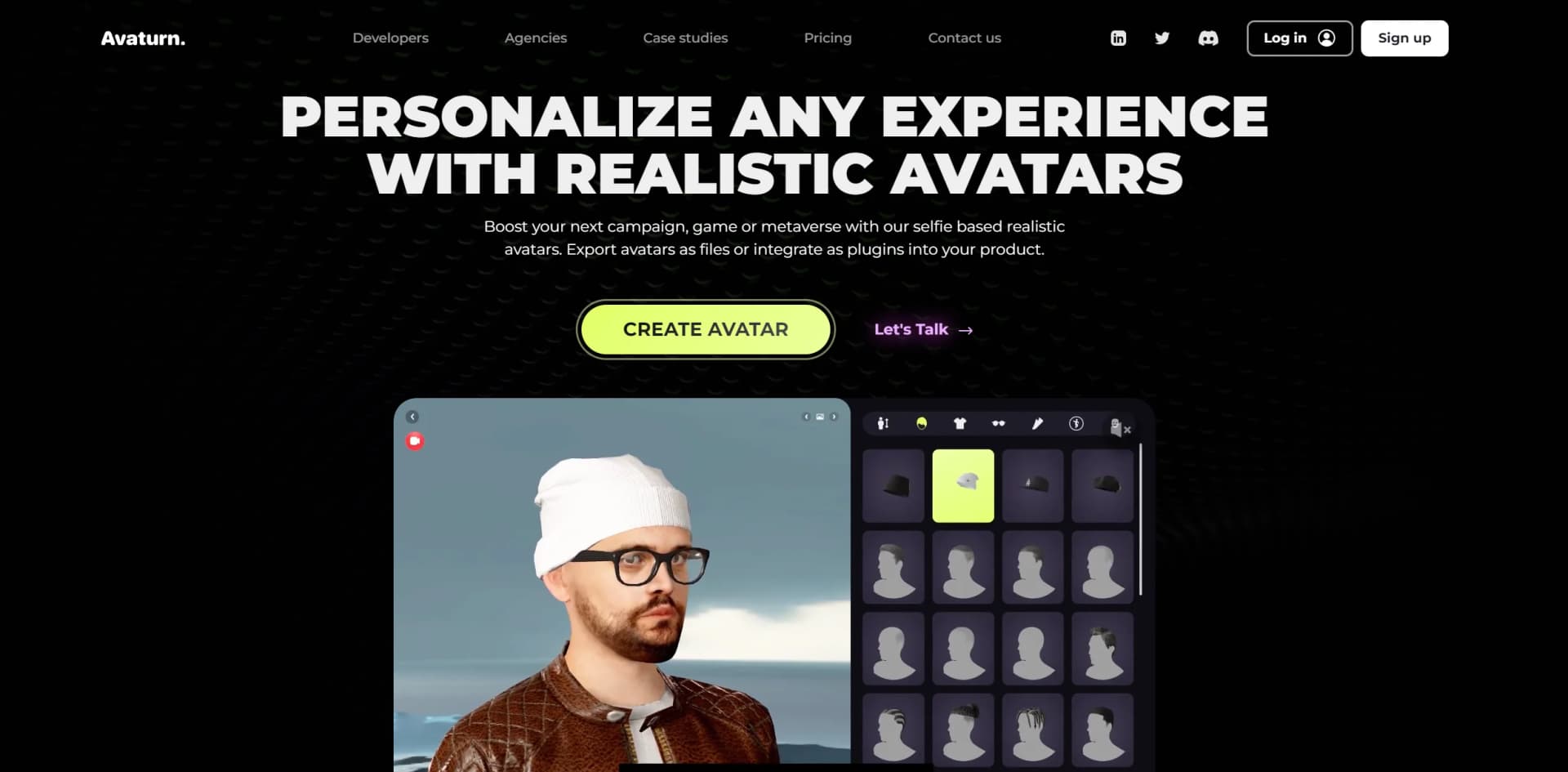
Avaturn is an innovative AI tool that specializes in creating realistic 3D avatars from simple selfies. This platform is designed to empower developers, gamers, and marketers by providing an easy-to-use interface to generate lifelike avatars that can be integrated into various applications, including VR, gaming, and social media. Avaturn stands out by offering a seamless blend of accessibility and advanced technological features, making it a go-to solution for anyone looking to personalize digital experiences with high-quality avatars.
Avaturn sets itself apart with its ability to create highly realistic and detailed avatars from a simple selfie. This capability is a game-changer for personalizing user experiences in digital realms. Its seamless integration as a plugin makes it uniquely versatile in real-time applications, differentiating it from other avatar creation tools.
Avaturn excels in transforming simple selfies into high-quality, realistic 3D avatars, making it an indispensable tool for developers, marketers, and content creators aiming to enhance user interaction and personalization in digital spaces. Its robust feature set, combined with ease of use and extensive compatibility, ensures that Avaturn delivers exceptional value and innovation.
Who is Using Avaturn?
VR Software Developers
Integrating Avaturn to create personalized avatars for virtual reality applications.
Game Developers
Using the Avaturn plugin to turn gamers into in-game characters, enhancing the gaming experience.
Digital Marketing Agencies
Employing Avaturn to create unique avatars for marketing campaigns and social media.
Content Creators and Influencers
Leveraging Avaturn for creating digital representations in various online platforms.
Uncommon Use Cases
Educational institutions use Avaturn for creating interactive learning environments; HR departments utilize it for virtual introductions and meetings.
Key Features
Rating Breakdown
Pricing Plans
Free Trial
- Avaturn offers a free trial
- Allowing users to test its features before committing to a purchase
Subscription Plans
- Detailed pricing plans are available
- Tailored to different user needs and project scales
Which Avaturn plan should you pick?
Start with the free integration tutorials for basic avatar creation and exports; upgrade to PRO when you need API, SDK customization, branding, custom garments, or managed user authentication, and contact Avaturn for Enterprise requirements.
PRO
Good for teams who need API and SDK customization, branded experiences, custom garments, their own user management, and up to 1,000 avatars per month.
Enterprise
Good for organizations needing full-body scans, dedicated cloud servers, custom terms, or dedicated Slack support.
Avaturn Use Cases
Interactive marketing
Create selfie-based realistic avatars and personalize campaigns with branded assets.
Outcome: More engaging campaign experiences.
Broadcast avatars
Create digital twins and animate avatars for broadcast content.
Outcome: Avatar-based broadcast production.
Fan engagement
Deploy customizable avatars in branded experiences for audiences and fans.
Outcome: Personalized fan experiences.
In-game character creation
Let gamers create avatars at runtime and load them into a game.
Outcome: Players appear as their own realistic characters.
Digital-twin content production
Create digital twins for presenters, users, or influencers and use them in content workflows.
Outcome: More scalable content production.
Workflow Ideas with Avaturn
Create and export a player avatar
- 1Create a user through the Avaturn API
- 2Create a session and open the returned URL in the frontend
- 3Receive or download the exported avatar file
Create an avatar from uploaded photos
- 1Call the avatar-creation endpoint to obtain an upload URL
- 2Upload frontal and side images with body metadata
- 3Wait for the avatar-ready webhook and export the result
Brand an avatar configurator
- 1Create a project in the developer portal
- 2Upload custom garments and configure logos, colors, or environments
- 3Embed the customized experience through the web SDK
How Avaturn fits into your stack
Major 3D Software Support
Fully compatible with leading 3D modeling tools like Blender and Unity.
Real-Time Integration in Games
Can be integrated into games for on-the-fly avatar creation.
API Access
Offers developers extensive API support to customize and extend functionalities.
Cross-Platform Compatibility
Ensures smooth operation across different platforms and devices.
Pros
- +Enhanced User Engagement: By allowing users to create personalized avatars, Avaturn significantly boosts engagement in apps and games.
- +Ease of Use: The intuitive interface ensures that even users with minimal technical skills can create and customize avatars effortlessly.
- +High Compatibility: Avaturn's support for numerous 3D platforms and software enhances its utility across different digital media.
- +Innovative Technology: Leveraging cutting-edge AI, Avaturn offers a unique feature set that is currently unmatched by other avatar creation tools.
Cons
- −Niche Application: The focus on realistic avatar creation might not appeal to users looking for more abstract or cartoon-style avatars.
- −Resource Intensity: High-quality 3D modeling might require significant computational resources, potentially limiting use on less powerful devices.
- −Learning Curve: Despite being user-friendly, new users might need some time to fully explore and utilize all advanced features.
Limitations & when to consider alternatives
Known limitations
- API and web SDK require a paid package. The REST API and web SDK are not available on the free plan; the listed PRO plan costs $800 per month.
- Avatar processing can fail. Processing may fail when uploaded images lack a face, have poor quality, or use an incorrect format; failure notifications are currently unavailable.
- Browser performance constraints. Avaturn is web-based and can be affected by client bandwidth, CPU-to-GPU transfer, texture size, and shader compilation.
- T1 faces are not facial-animation ready. T1 avatars have static faces and cannot use face bones or blendshapes for facial animation.
- Native Unreal SDK is beta and paid. The native Unreal SDK is beta, requires a paid plan, and assumes the user's photos have already been submitted and processed.
How to Use Avaturn
- 1
Avaturn provides comprehensive tutorials on its website, covering everything from basic setup to advanced customization techniques.
Who is Avaturn For?
Game developers
They can integrate Avaturn as a plugin so players create realistic avatars that replace in-game characters.
App developers
They can embed the avatar configurator in an app and receive the resulting 3D avatar in their environment.
Metaverse developers
They can use customizable, exportable avatars in metaverse experiences.
Brands and agencies
They can create branded avatar experiences with custom logos, colors, outfits, and campaign content.
Presenters, users, and influencers
Their digital twins can support content production and personalized experiences.
Frequently Asked Questions
What can I do with the Avatars?
Avatars can be animated, played, used as digital twins for content generation, or used in personalized chatbots.
Is it easy to integrate? / Do I need a code?
Avaturn can be integrated as a webview plugin in a game or app; the developer hub supports branding and custom garments.
How scalable can it be?
Avaturn says it can generate thousands of avatars simultaneously, with lightweight avatars designed for browsers and low-compute devices.
Is it secured?
Selfies are processed in the cloud using Google Cloud and AWS, and data can be instantly deleted through an API or user request.
Can I make the Avatars talk?
Avaturn avatars support facial blendshapes and visemes for real-time or manually authored animation.
Community reviews
1 review from people who use Avaturn.
Sign in to leave a review for Avaturn.
A K
Avaturn Alternatives
Looking for alternatives to Avaturn? Here are similar tools in the same category:
Learn to Master Avaturn
With Skill Leap courses
Get in-depth training on Avaturn and 50+ other AI tools with our expert-led video courses.
Start 7-Day Free Trial