
BastionGPT
Transcribes visits into HIPAA-safe clinical notes
Key Takeaways
- What it is
- Transcribes visits into HIPAA-safe clinical notes
- Pricing
- $20/user/mo · $45/user/mo · $75/user/mo
- Best for
- AI Assistant and Scribe
- Multi-model AI
- Document Analysis
Who is Using BastionGPT?
Physicians and providers
Supports differential diagnoses, clinical documentation, patient messaging, and treatment planning.
Mental health professionals
Creates therapy notes, treatment plans, session documentation, and counseling-related drafts.
Rehab and sports medicine teams
Helps produce PT/OT progress notes, exercise plans, and functional outcome reporting.
Billing and administration teams
Drafts insurance appeals, prior-authorization responses, denial responses, and revenue-cycle documents.
Healthcare organizations and health systems
Offers team accounts, shared prompts, enterprise security configurations, SSO, and private-cloud deployment options.
Key Features
Pricing Plans
Professional
$20/user/mo
- HIPAA + signed BAA
- Unlimited AI assistant chat
- Unlimited AI scribe & audio transcription
- Saved prompts, instructions, writing styles
- Share prompts with teammates
- Auto model selection
- Single PDF, Word, or text document, up to 30 pages
- Real human support: email, chat, phone & video
- Read & analyze images, charts, and graphs: Not included
- Manual model selection: Not included
Professional Plus
$45/user/mo
- HIPAA + signed BAA
- Unlimited AI assistant chat
- Unlimited AI scribe & audio transcription
- Saved prompts, instructions, writing styles
- Share prompts with teammates
- Auto model selection
- Multiple documents at once, up to 1,000+ pages of context
- Real human support: email, chat, phone & video
- Read & analyze images, charts, and graphs
- Read & analyze spreadsheets, PowerPoint, HTML files
Ultra
$75/user/mo
- HIPAA + signed BAA
- Unlimited AI assistant chat
- Unlimited AI scribe & audio transcription
- Saved prompts, instructions, writing styles
- Share prompts with teammates
- Auto model selection
- Multiple documents at once, up to 1,000+ pages of context
- Real human support: email, chat, phone & video
- Read & analyze images, charts, and graphs
- Customizable security policies
Which BastionGPT plan should you pick?
Start with Professional for smaller single-document workflows, choose Professional Plus for large or multi-document cases and image analysis, and upgrade to Ultra for 100+ users needing enterprise security and deployment options.
Professional
Good for users who need healthcare AI chat, unlimited scribing, and single documents up to approximately 30 pages.
Professional Plus
Good for clinicians who need multiple documents, up to approximately 1,000 pages of context, image analysis, and manual model selection.
Ultra
Good for organizations with 100 or more users that need custom security policies, SSO, enterprise-cloud deployment, and dedicated support.
BastionGPT Use Cases
Clinical documentation
Record or upload encounters and convert them into SOAP, DAP, BIRP, H&P, progress notes, and other structured formats.
Outcome: Faster completion of clinical notes.
Patient communication
Rewrite medical information and messages into clear, patient-friendly language.
Outcome: Improved health literacy and communication.
Coding and billing
Look up ICD-10, CPT, and J-codes and draft insurance appeals or medical-necessity documentation.
Outcome: Reduced administrative burden.
Clinical decision support
Analyze patient information, identify possible differential diagnoses, and surface questions or safety checks.
Outcome: An additional review layer for complex cases.
Research and document analysis
Upload clinical records, charts, images, spreadsheets, and other documents for summarization and analysis.
Outcome: Faster extraction of relevant information from large records.
Workflow Ideas with BastionGPT
Telehealth note generation
- 1Open BastionGPT alongside Zoom, Teams, or Google Meet
- 2Record the encounter through the device microphone and speakers
- 3Review the transcript and generate the required clinical note
Large-record case review
- 1Upload the relevant PDFs, Word files, images, or spreadsheets
- 2Ask BastionGPT to summarize findings and identify inconsistencies
- 3Generate a structured report or patient-facing explanation
Reusable documentation prompts
- 1Create a saved prompt with instructions and reference files
- 2Choose a response mode or preferred model
- 3Invoke the prompt from the Prompt Library in future chats
How BastionGPT fits into your stack
Browser
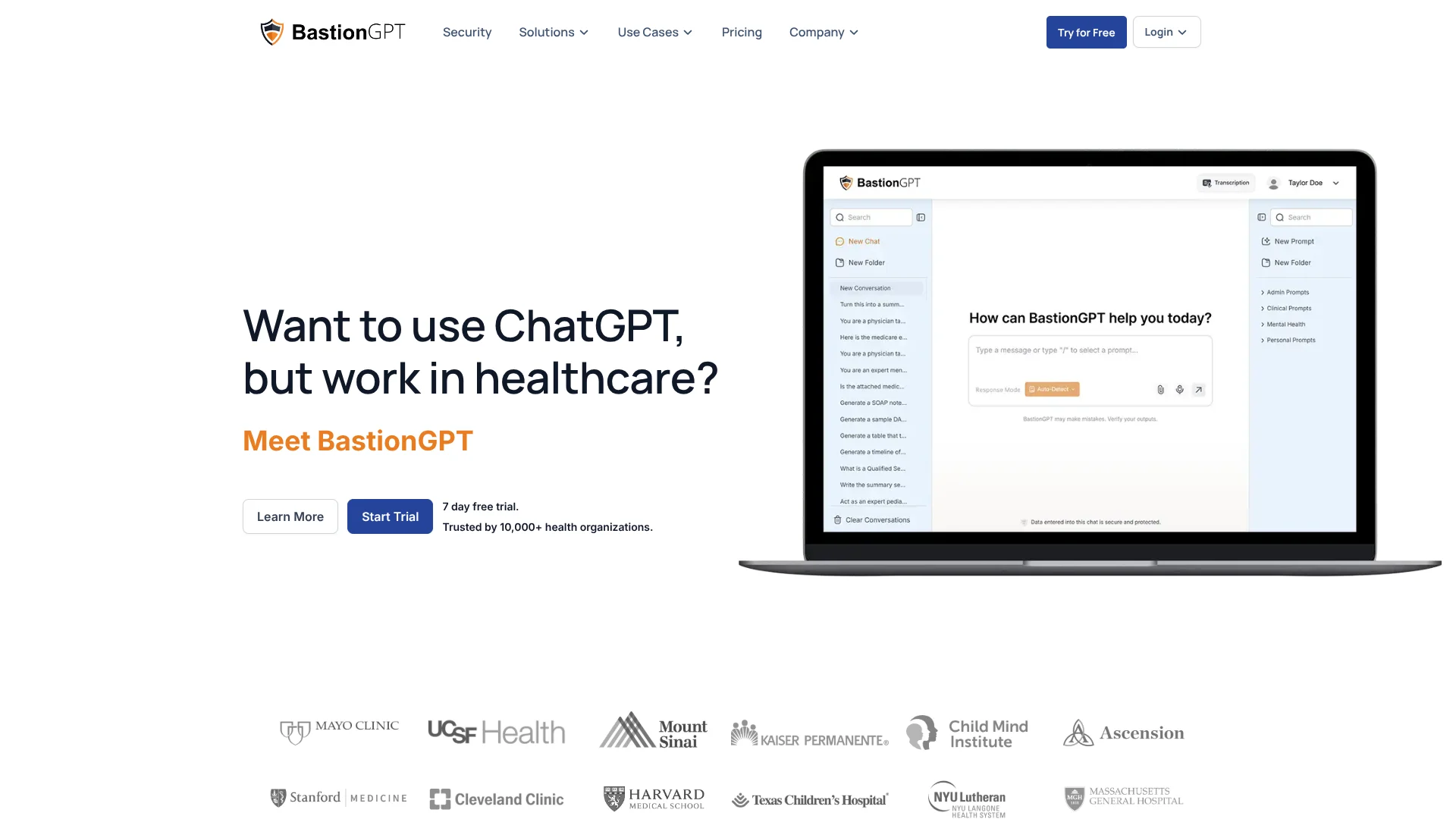
Runs as a web application in desktop and mobile browsers, with AI chat, document analysis, and scribe recording available without installation.
Docs and writing
Drafts SOAP, DAP, BIRP, H&P, progress notes, referral letters, reports, patient communications, and other healthcare documents.
Knowledge and files
Users attach PDFs, Word files, spreadsheets, presentations, HTML, images, audio, and other supported files for analysis and reference.
Automation and APIs
An approval-based, OpenAI-compatible API supports chat completion, streaming, document understanding, and audio transcription.
Pros
- +HIPAA BAA included on every plan
- +Unlimited AI chat and scribe transcription
- +AES-256 at-rest and TLS in-transit encryption
- +Supports long clinical documents and multiple file types
- +Professional Plus includes image, chart, and spreadsheet analysis
Cons
- −No native mobile app
- −No desktop app or browser extension
- −No live web search or third-party integrations
- −Professional plan excludes image and chart analysis
- −API access requires use-case approval
Limitations & when to consider alternatives
Known limitations
- No native mobile application. The product is currently accessed through a mobile browser; a dedicated iOS or Android app is only on the roadmap.
- No direct EHR integrations today. Users must copy or download outputs into their EHR, unless they build a connection through the API.
- No web search or browsing. Responses come from the available models and user-provided documents rather than live web results.
- API access requires approval. API access is limited to approved customers after a use-case and compliance review.
- Document and recording limits vary by plan. Professional is designed for smaller documents, while larger multi-document workflows and image analysis require Professional Plus or Ultra.
Look elsewhere when
- You need a native iOS or Android app.
- You need direct EHR connectors without building them.
- You need live web search or browsing.
- You need API tool calling or function calling.
How to Use BastionGPT
- 1
Choose your plan and sign in
Use the Professional, Professional Plus, or Ultra access path provided for your subscription.
- 2
Select a response mode
Use Auto Detect for automatic model routing, or select an available model or response style when your plan supports it.
- 3
Start a chat or record a session
Enter a prompt, dictate, upload audio, or record an in-person or telehealth encounter.
- 4
Add reference material
Upload supported documents, images, charts, or spreadsheets when the task requires source context.
- 5
Generate and review the output
Create a clinical note, report, summary, message, or other document, then review it before using it in the patient record.
- 6
Save recurring workflows
Store reusable instructions and reference files in the Prompt Library and invoke them later with a slash command.
Who is BastionGPT For?
Physicians and providers
Use BastionGPT for differential diagnoses, ICD-10 lookup, patient messages, clinical documentation, and related workflows.
Mental health professionals
Create therapy notes, treatment plans, session documentation, and patient-facing materials.
Rehab and sports medicine teams
Draft PT and OT progress notes, exercise plans, and functional outcome reports.
Billing and administration teams
Prepare insurance appeals, prior-authorization materials, denial responses, and revenue-cycle documentation.
Legal and compliance teams
Draft HIPAA-compliant policies, review contracts, and prepare audit materials.
Frequently Asked Questions
Is BastionGPT HIPAA compliant?
Every plan includes a signed Business Associate Agreement and is designed for HIPAA-regulated healthcare use.
Can BastionGPT record telehealth appointments?
Yes. It captures audio from the device microphone and speakers while working alongside Zoom, Microsoft Teams, Google Meet, and other meeting platforms.
What types of documents can BastionGPT process?
Supported formats include PDF, Word, text, spreadsheets, PowerPoint, HTML, images, and common audio formats, depending on the plan.
Does BastionGPT integrate directly with EHR systems?
Not currently. Users copy or download outputs into their EHR, or build a direct connection using the BastionGPT API.
Does BastionGPT train AI models on customer data?
No. Chats, uploaded documents, recordings, transcripts, and API requests are not used to train AI models.
Does BastionGPT have a mobile app?
Not yet. BastionGPT runs in a mobile browser, and the vendor says a native mobile app is on the roadmap.
Community reviews
Be the first to share your experience.
Sign in to leave a review for BastionGPT.
BastionGPT Alternatives
Looking for alternatives to BastionGPT? Here are similar tools in the same category:
Learn to Master BastionGPT
With Skill Leap courses
Get in-depth training on BastionGPT and 50+ other AI tools with our expert-led video courses.
Start 7-Day Free Trial