
BeforeSunset
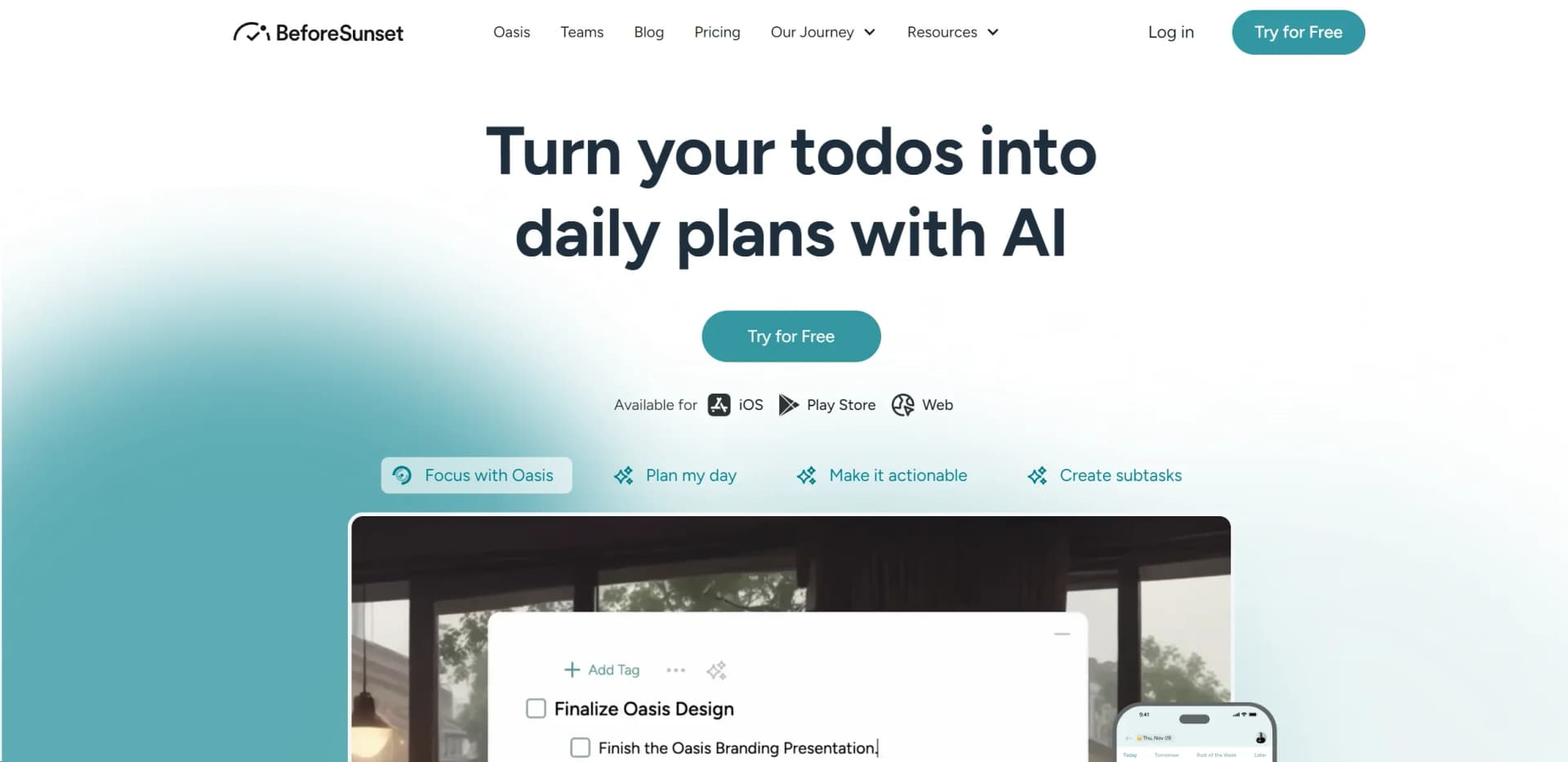
Maximize productivity with AI planning, time-blocking, and team collaboration.
Watch BeforeSunset in Action
Key Takeaways
- What it is
- Maximize productivity with AI planning, time-blocking, and team collaboration.
- Pricing
- Freemium · $49
- Best for
- AI-Powered Planning
- Time Tracking and Blocking
- Focus Mode
- Rating
- 4.5/5
What is BeforeSunset?
BeforeSunset is an innovative AI-powered workspace designed to enhance productivity for busy professionals and teams. By integrating calendars, to-dos, and notes into one streamlined platform, BeforeSunset offers a daily and weekly planner that uses smart time-blocking on your calendar. This tool stands out by not just organizing your tasks but also optimizing your schedule based on your to-do list and commitments, ensuring you make the most out of every day.
BeforeSunset stands out for its AI-powered planning capability that not only schedules your tasks but optimizes your day based on your own commitments and priorities. Its focus on enhancing productivity while ensuring a work-life balance, coupled with features designed for both individual and team use, sets it apart in the crowded space of productivity tools.
BeforeSunset AI excels in transforming chaotic workdays into structured, productive schedules. It's a vital tool for anyone from freelancers to large teams seeking to improve their efficiency and achieve a healthier work-life balance. Its unique AI-powered planning, combined with an intuitive interface and robust analytics, offers a comprehensive solution to daily and weekly planning challenges. Whether you're looking to minimize distractions, plan ahead, or work in sync with your team, BeforeSunset provides the features and support to help you succeed.
Who is Using BeforeSunset?
Freelancers
For managing tasks efficiently and tracking time for hourly billing.
Digital Marketers
To streamline campaign planning and execution.
Productivity Enthusiasts
Individuals looking to optimize their daily schedules and habits.
Teams and Remote Workers
For staying in sync in real-time, sharing tasks, and collaborating effectively.
Uncommon Use Cases
Teachers incorporating it into lesson planning; HR professionals using it for time and task management.
Key Features
Rating Breakdown
Pricing Plans
Free Tier
Free
- Try BeforeSunset with limited features at no cost
Personal Pro Plan
$49
- A lifetime deal with current discounts available
Which BeforeSunset plan should you pick?
Start with Pro for individual AI planning and upgrade to Team Pro when you need a shared workspace, unlimited members, and team analytics.
Pro
Good for individuals who need AI task creation, unlimited calendars, Oasis, auto-moving tasks, planning views, analytics, and bookmarks.
Team Pro
Good for teams who need everything in Pro plus a shared team workspace, unlimited members, and team daily and weekly analytics.
BeforeSunset Use Cases
Plan a productive day
Enter tasks, choose a planning style, and have AI organize them into a calendar schedule.
Outcome: A structured daily plan
Turn goals into tasks
Write goals or thoughts in natural language and let AI create tasks with tags, priorities, and subtasks.
Outcome: Clear, actionable to-dos
Manage student workloads
Organize classes, assignments, deadlines, and personal time with AI-powered planning.
Outcome: Better control over student commitments
Run focused work sessions
Select a task and use Oasis with timers, sounds, themes, notes, and distraction blockers.
Outcome: A customized distraction-free workspace
Coordinate team planning
Use a shared team workspace with member access and team-level analytics.
Outcome: Shared visibility into team planning and progress
Workflow Ideas with BeforeSunset
Convert goals into a daily schedule
- 1Write goals or thoughts in natural language
- 2Let AI generate prioritized tasks and subtasks
- 3Use Plan My Day to schedule tasks on the calendar
Run a focused work block
- 1Select the task requiring concentration
- 2Customize the Oasis workspace and sound settings
- 3Start a timer and complete the task in focus mode
Plan a student week
- 1Add classes, assignments, and deadlines
- 2Use AI task creation to break assignments into subtasks
- 3Review weekly and monthly views to balance study and personal time
How BeforeSunset fits into your stack
Google Calendar Sync
Ensures your tasks and meetings are aligned.
Team Communication Tools
Integration with platforms like Slack for seamless updates.
Focus Mode
Helps minimize digital distractions.
Analytics
Offers insights into task completion and time management.
Pros
- +Streamlined Planning: Simplifies the process of planning your day and week, saving time and reducing stress.
- +Enhanced Productivity: Focus mode and time tracking/blocking features help you stay focused and use your time efficiently.
- +Insightful Analytics: Allows you to monitor your performance and find a better work-life balance.
- +Collaborative Features: Makes team coordination seamless, fostering a stronger team bond.
Cons
- −Learning Curve: New users might need some time to fully utilize all features.
- −Calendar Sync Limitations: Currently may have limitations or bugs with calendar synchronization.
- −Need for More Integrations: While it offers various integrations, users might find the need for more third-party tools compatibility.
Limitations & when to consider alternatives
Known limitations
- No free plan is listed. The current pricing page presents Pro and Team Pro paid plans rather than a permanent $0 tier.
- No desktop installer is listed. The official product navigation identifies Web, iOS, and Android access, but does not provide a Windows, Mac, or Linux download.
- No browser extension is listed as available. The official roadmap describes a Chrome extension as a requested feature intended for a future release.
- No documented developer API is listed. The public pricing and feature pages describe user-facing planning features but do not publish API keys, endpoints, or developer documentation.
Look elsewhere when
- You need a permanent free plan.
- You need a browser extension.
- You need a desktop installer.
- You need custom model training.
How to Use BeforeSunset
- 1
BeforeSunset provides comprehensive guides and tutorials on their website, helping users to quickly get started and make the most out of the tool.
Who is BeforeSunset For?
Students
The student offering helps organize classes, assignments, deadlines, and personal time.
Self-preneurs
Self-preneurs can use AI planning, task prioritization, analytics, and calendar organization independently.
Freelance Creatives
Freelance creatives can manage projects, deadlines, notes, subtasks, and focused work sessions.
Busy Professionals
Busy professionals can combine calendar events, prioritized tasks, recurring work, and time-focused sessions.
Teams
Teams can use shared workspaces, unlimited members, and team daily and weekly analytics.
Frequently Asked Questions
What does BeforeSunset AI do?
It turns natural-language goals into actionable tasks, organizes daily plans, and schedules work around priorities.
Does BeforeSunset AI have a mobile app?
Yes. Dedicated iOS and Android apps are available, and the product also has a web app.
Does BeforeSunset AI support team workspaces?
Yes. The Team Pro plan includes a shared team workspace, unlimited members, and team analytics.
Which calendars can BeforeSunset AI connect to?
The product lists Google Calendar and Outlook Calendar integrations.
What is Focus with Oasis?
Oasis provides a focused workspace with timers, customizable sounds, notes, themes, and distraction blockers.
Does BeforeSunset AI offer a free plan?
The current pricing page lists Pro and Team Pro paid plans; it does not list a $0 plan.
Community reviews
1 review from people who use BeforeSunset.
Sign in to leave a review for BeforeSunset.
Ugur Yigit
BeforeSunset Alternatives
Looking for alternatives to BeforeSunset? Here are similar tools in the same category:
Learn to Master BeforeSunset
With Skill Leap courses
Get in-depth training on BeforeSunset and 50+ other AI tools with our expert-led video courses.
Start 7-Day Free Trial