
BLACKBOX.AI
Revolutionize coding: AI generation, conversational code help, intuitive search.
Key Takeaways
- What it is
- Revolutionize coding: AI generation, conversational code help, intuitive search.
- Best for
- AI-Powered Code Generation
- Code Optimization
- Integration with Popular IDEs
- Rating
- 4.4/5
What is BLACKBOX.AI?
BLACKBOX.AI is an innovative tool designed to enhance coding efficiency through AI-powered code generation and optimization. Tailored for developers and tech professionals, it simplifies the coding process by automating repetitive tasks, allowing users to focus on more complex problem-solving. Whether you're developing new software or maintaining existing code, BLACKBOX.AI aims to streamline your workflow and elevate your productivity.
BLACKBOX.AI stands out with its AI-driven code optimization, offering a significant advantage in enhancing software performance. Its ability to integrate with various IDEs and support multiple programming languages makes it a versatile tool for developers across different sectors.
BLACKBOX.AI offers remarkable value for developers seeking to enhance their coding efficiency and software quality. Its AI-driven features and seamless integration with popular development environments make it a valuable asset for both individual developers and large tech teams. With its focus on automating tasks and optimizing code, BLACKBOX.AI empowers users to achieve more in less time, making it a smart choice for anyone looking to streamline their development processes.
Who is Using BLACKBOX.AI?
Software Developers
Leveraging the tool for efficient code writing and optimization.
Tech Startups
Utilizing it to accelerate product development cycles.
IT Departments
Employing the tool for maintaining and upgrading existing software systems.
Educational Institutions
Integrating it into computer science programs to enhance learning experiences.
Uncommon Use Cases
Adopted by cybersecurity firms for analyzing vulnerabilities in code; Used by data scientists for automating data processing scripts.
Key Features
Rating Breakdown
Pricing Plans
Blackbox AI offers access to high-end GPUs at a rate of $0.75 per hour.
Which BLACKBOX.AI plan should you pick?
Start with Pay As You Go for metered API and agent usage; upgrade to Enterprise when you need SSO, RBAC, team administration, dedicated deployments, or custom security controls.
Pay As You Go
Good for developers and individuals who need metered access to the model catalog, API, CLI, IDE, and agent surfaces without a contract.
Enterprise
Good for organizations that need team administration, SAML SSO, RBAC, audit logs, dedicated deployments, customer-managed keys, or custom SLAs.
BLACKBOX.AI Use Cases
Generate a new project
Describe a project in natural language and have BLACKBOX AI create its initial structure and configuration files.
Outcome: A generated starter project with framework and configuration scaffolding.
Refactor and debug code
Use the VS Code agent to understand existing code, apply refactors, and fix bugs.
Outcome: Improved code structure and resolved implementation issues.
Automate testing and deployment
Use CLI workflows for compilation, dependency management, test generation, CI/CD, and deployment setup.
Outcome: A more automated build, test, and deployment process.
Run repository tasks remotely
Connect GitHub and dispatch remote agent tasks against repositories and branches.
Outcome: Proposed code changes and pull requests for review.
Build applications with hosted models
Call multiple frontier and open-source models through the OpenAI-compatible API.
Outcome: Programmatic model access through one endpoint and API key.
Workflow Ideas with BLACKBOX.AI
GitHub repository change workflow
- 1Connect a GitHub account and select an accessible repository.
- 2Create an agent task with the requested code change.
- 3Review the generated branch changes and proposed pull request.
Automated CI/CD workflow
- 1Describe the desired build, test, or deployment process.
- 2Have BLACKBOX AI generate project files and CI/CD configuration.
- 3Run the workflow through GitHub Actions, Docker, or another supported environment.
Multi-agent implementation workflow
- 1Send the same development task to multiple agents.
- 2Let each agent work independently on a separate branch.
- 3Compare implementations and select or merge the preferred result.
How BLACKBOX.AI fits into your stack
Browser
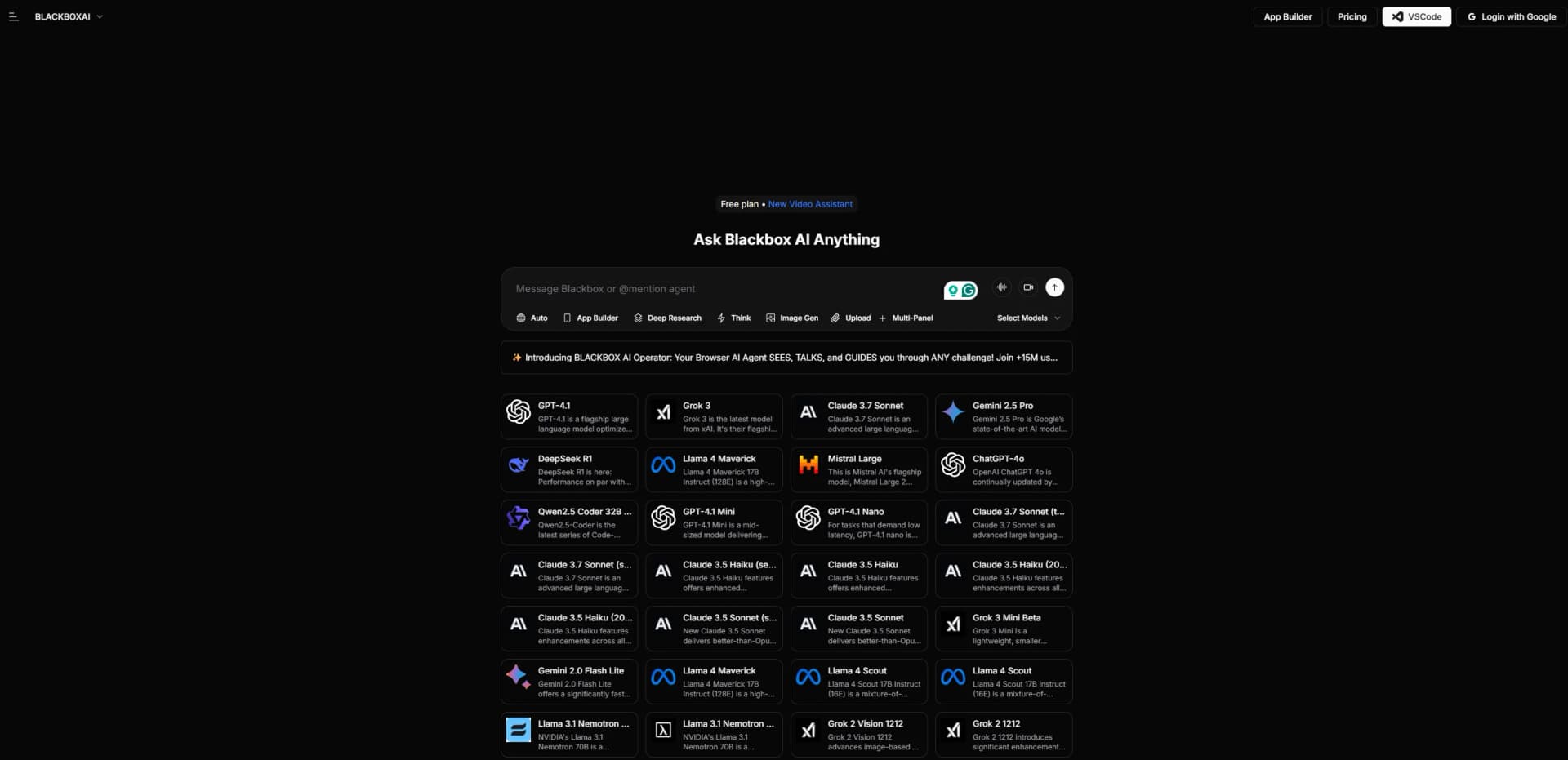
BLACKBOX AI provides a full web app for chat, code generation, project management, app building, and remote coding agents. Its browser-based agents can connect repositories, execute tasks in cloud sandboxes, and create pull requests.
Desktop / IDE
BLACKBOX AI operates inside VS Code and through its CLI, with tools for code editing, debugging, testing, file operations, and deployment. A native Blackbox Terminal app is also available for macOS.
Knowledge and files
Users can upload files into agent sandboxes and provide project-specific context for coding tasks. The platform supports image inputs through BLACKBOX Vision and offers file-management operations inside agent workspaces.
Automation and APIs
The OpenAI-compatible API and Agents API support programmatic model access, task creation, live log streaming, sandbox file management, Git operations, and automated pull-request workflows. Supported repository surfaces include GitHub, GitLab, and Bitbucket.
Pros
- +Time Efficiency: Automates repetitive coding tasks, significantly reducing development time.
- +User-Friendly Interface: Designed with an intuitive interface that simplifies interaction for both beginners and experienced developers.
- +Enhanced Code Quality: Provides suggestions for code improvement, leading to more reliable and maintainable software.
- +Versatile Application: Suitable for various programming languages and development environments.
Cons
- −Initial Learning Curve: New users may need some time to familiarize themselves with all features and integrations.
- −Limited Customization: Currently offers a standard set of features, with limited options for customization.
Limitations & when to consider alternatives
Known limitations
- Agent API access requires Pro. The Agent API documentation states that obtaining an Agent API key requires a Pro subscription.
- Agent task duration is bounded. The create-task API limits maxDuration to 30–600 seconds, with a default of 300 seconds.
- GitHub tasks require a connected GitHub account. Repository-based tasks require connecting a GitHub personal access token before task creation.
- Enterprise features require an Enterprise plan. Organization workspaces, member invitations, shared credits, and enterprise administration require an active Enterprise plan.
- Windows CLI agent availability is limited. On Windows PowerShell, only Blackbox and Claude agents are available; additional agents require WSL.
Look elsewhere when
- You need a verified native mobile app from the BLACKBOX AI vendor.
- You need an officially verified Android store listing that is currently available.
How to Use BLACKBOX.AI
- 1
Create or access a BLACKBOX AI account
Sign in to BLACKBOX AI and select the surface you need, such as the web app, CLI, VS Code extension, or API.
- 2
Install the development surface
Install the CLI through npm or the provided installer, or install the BLACKBOX AI extension from the VS Code Marketplace.
- 3
Configure authentication
Create an API key or connect your BLACKBOX AI account so the selected surface can access models and agent features.
- 4
Give BLACKBOX AI a development task
Describe the requested feature, bug fix, refactor, test, or project in natural language.
- 5
Add context when needed
Provide workspace files, folders, URLs, Git commits, repositories, or uploaded files so the agent can work with relevant context.
- 6
Review and apply the result
Inspect generated code, diffs, tests, branches, or pull requests before merging or deploying the changes.
Who is BLACKBOX.AI For?
Software developers
BLACKBOX AI provides code generation, debugging, refactoring, testing, project generation, and IDE assistance.
Development teams
Teams can share repositories, tasks, projects, and development context through Blackbox Cloud.
Enterprise engineering organizations
Enterprise offers SAML SSO, RBAC, audit logs, dedicated deployments, and customer-managed keys.
DevOps and platform engineers
The CLI supports build automation, dependency management, CI/CD setup, Docker, AWS, and GCP workflows.
AI application developers
The OpenAI-compatible API provides access to a large catalog of hosted models through one endpoint.
Frequently Asked Questions
Does BLACKBOX AI provide an API?
Yes. BLACKBOX AI offers OpenAI-compatible chat, embeddings, image-generation, and Agent API endpoints.
Does BLACKBOX AI support file uploads?
Yes. The Agent API supports multipart uploads into an agent task's sandbox workspace.
Can BLACKBOX AI work with GitHub repositories?
Yes. Users can connect GitHub, list repositories and branches, and create agent tasks against repositories.
Does BLACKBOX AI support vision inputs?
Yes. Its compatible API models support vision inputs, and the model catalog identifies image-capable models.
Does BLACKBOX AI support team collaboration?
Yes. Blackbox Cloud supports teams, invitations, shared projects, shared tasks, and shared development context.
Is single sign-on available?
SAML SSO is available with Enterprise features.
Community reviews
Be the first to share your experience.
Sign in to leave a review for BLACKBOX.AI.
BLACKBOX.AI Alternatives
Looking for alternatives to BLACKBOX.AI? Here are similar tools in the same category:
Learn to Master BLACKBOX.AI
With Skill Leap courses
Get in-depth training on BLACKBOX.AI and 50+ other AI tools with our expert-led video courses.
Start 7-Day Free Trial