
Blockode AI Photo Studio
Generate immersive 360° worlds from text or sketches with advanced customization.
Key Takeaways
- What it is
- Generate immersive 360° worlds from text or sketches with advanced customization.
- Pricing
- Freemium
- Best for
- 360° Panorama Generator
- Text and Sketch Input
- Detailed Customization
- Rating
- 4.4/5
What is Blockode AI Photo Studio?
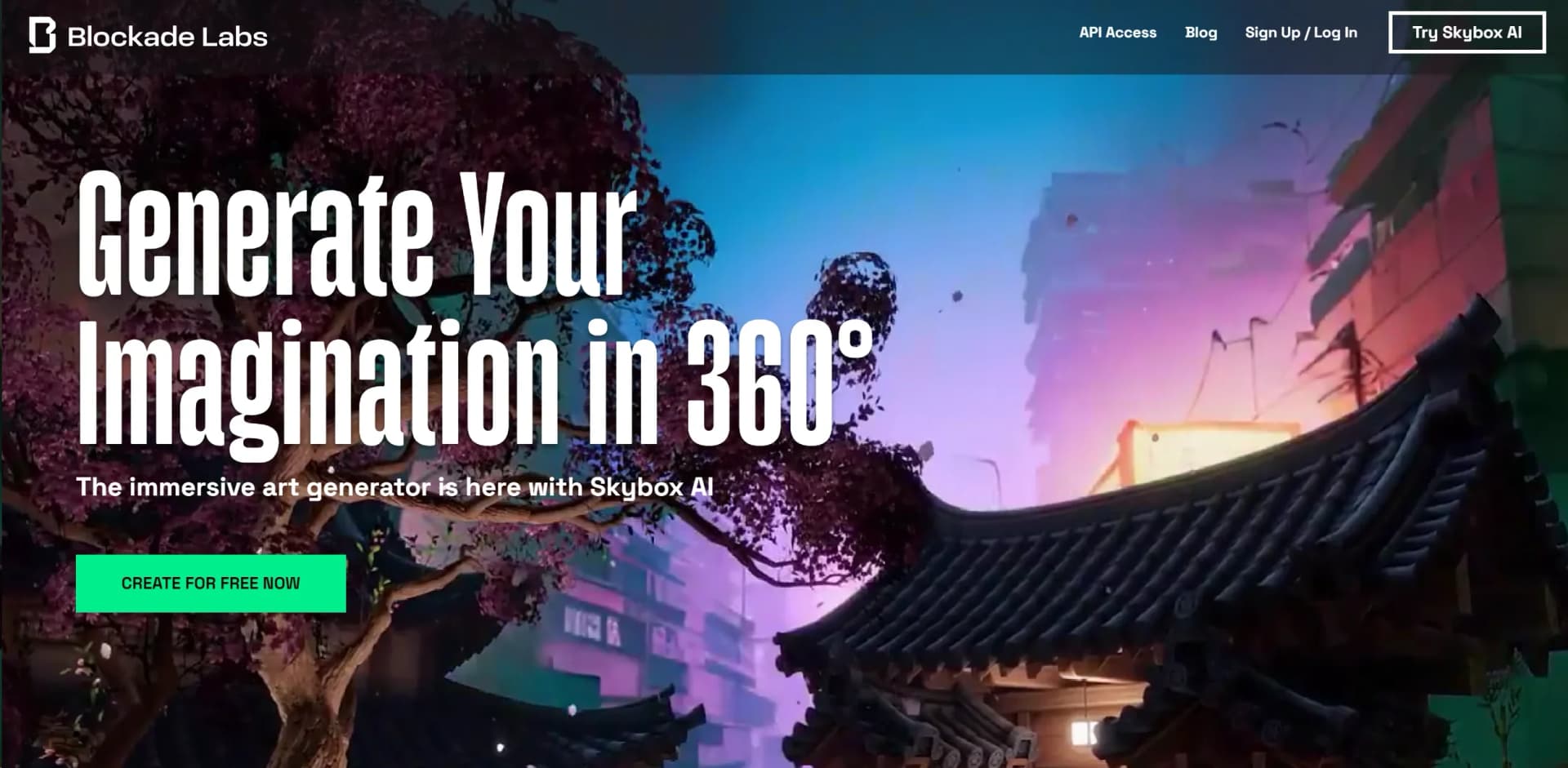
Blockade Labs is a cutting-edge AI tool designed to revolutionize the creation of digital environments by enabling the generation of 360° panoramic worlds. This platform stands out by offering a unique blend of creativity and technology, allowing users to create immersive spaces with ease. Whether through textual prompts or sketches, Blockade Labs' Skybox AI facilitates the generation of infinite worlds, offering an unparalleled tool for artists, designers, and creatives seeking to bring their imaginations to life in full 360° glory.
Blockade Labs sets itself apart with its innovative approach to digital environment creation. The ability to generate entire worlds from just text or sketches is a game-changer, particularly for industries like game development and virtual reality. Its seamless integration with Unity further underscores its value, making it a potent tool for creators looking to bring their visions to life with efficiency and creativity.
Blockade Labs excels at providing a unique and powerful platform for creating immersive 360° worlds. Its standout feature, the ability to generate environments from text or sketches, offers an unmatched advantage for creatives across various industries. With its high degree of customization, versatile export options, and seamless Unity integration, Blockade Labs proves to be an essential tool for anyone looking to push the boundaries of digital environment creation.
Who is Using Blockode AI Photo Studio?
Game Developers
Leveraging the tool to create immersive environments for video games.
Virtual Reality Creators
Utilizing Skybox AI to design spaces for VR experiences.
Architects and Interior Designers
Employing the tool to visualize spaces in 360° before actual construction or renovation.
Digital Artists
Using the platform to explore new forms of generative art.
Uncommon Use Cases
Educational institutions incorporating it into digital art and design curriculum; Indie filmmakers using it for pre-visualizing scenes.
Key Features
Rating Breakdown
Pricing Plans
Free Tier
Free
- Users can start creating with Skybox AI for free
- Offering a glimpse into its capabilities
API Access Subscription
- Details for subscription plans are available on the Blockade Labs website
- Providing advanced features and integrations
Which Blockode AI Photo Studio plan should you pick?
Start with the listed 1 Studio + 50 shots package if you need one personalized model and a limited photoshoot batch; upgrade only if Blockode publishes additional packages or larger usage options.
1 Studio + 50 shots
Good for creators who need one custom-trained studio, 50 AI photoshoots, prompt assistance, image-to-image generation, and 4K export.
Blockode AI Photo Studio Use Cases
Generate 360° environments
Enter a text description, select a visual style, and generate an equirectangular skybox.
Outcome: A production-ready immersive environment.
Remix photospheres
Upload a 360° image and use prompts, style controls, influence, and structure retention to transform it.
Outcome: A cleaned, enhanced, or restyled photosphere.
Create game environments
Generate skyboxes and export them for Unity, Unreal Engine, Roblox, and other 3D applications.
Outcome: Game-ready environmental backgrounds and lighting assets.
Build training scenarios
Create realistic environments for emergency response, medical procedures, geographic education, and safety training.
Outcome: Immersive learning and simulation scenarios.
Support virtual production
Generate backplates, HDRI lighting environments, and location concepts for LED volumes, previs, and matte painting.
Outcome: Faster visualization and virtual-production iteration.
Workflow Ideas with Blockode AI Photo Studio
Create a personalized AI photoshoot
- 1Upload clear selfies from different angles
- 2Wait while Blockode builds a studio from the photos
- 3Write a prompt to generate the photoshoot
Create themed portraits
- 1Open a theme such as viking, paladin, cyberpunk, or astronaut
- 2Use the provided prompt inspiration
- 3Generate personalized images using the studio
Create and export commercial imagery
- 1Generate images with manual prompts or image-to-image generation
- 2Select the desired photoshoot results
- 3Export images in 4K under the included commercial license
How Blockode AI Photo Studio fits into your stack
Unity Engine Integration
Enhances game development workflows with an official plugin.
Versatile Export Formats
Supports HDRi lighting, depth maps, cube maps, and more for broad compatibility.
API Access
Offers developers the ability to integrate Skybox AI's capabilities into custom applications.
Pros
- +Innovative Creation Tool: Empowers users to generate immersive worlds with minimal effort.
- +High Degree of Customization: Allows for detailed control over every aspect of the virtual space.
- +Versatile Export Options: Supports various export formats, enhancing compatibility with other design and development tools.
- +Unity Integration: Direct plugin support for Unity Engine streamlines the game and app development process.
Cons
- −Learning Curve: Users may need time to familiarize themselves with the tool's full capabilities.
- −API Access Subscription Required: Advanced features and Unity integration necessitate a subscription.
Limitations & when to consider alternatives
Known limitations
- High-quality varied photos are required. The service recommends clear photos from multiple angles, expressions, locations, backgrounds, and perspectives for accurate results.
- Uploaded photos must meet content requirements. Users must own or have rights to uploaded photos, and photos must not be naked or pornographic.
- Refunds are restricted. Refunds are only potentially available within 14 days and before the AI training process begins.
- Replicate data requires separate deletion. Deleting data from Blockode does not delete data transmitted to Replicate.
- Usage is credit-limited. The listed package includes one studio and 50 AI photoshoots.
How to Use Blockode AI Photo Studio
- 1
Explore a range of tutorials directly on the Blockade Labs website, covering everything from basic setup to advanced features of Skybox AI. These resources are designed to help users quickly get up to speed with the tool's functionalities.
Who is Blockode AI Photo Studio For?
Indie game developers
Skybox AI generates professional-quality environments for Unity, Godot, and GameMaker without requiring a dedicated 3D team.
Education and training teams
Educators and training organizations can create immersive scenarios, geographic environments, and practice spaces on demand.
Spatial experience developers
Developers building VR, AR, MR, XR, Quest, Vision Pro, or AndroidXR experiences can create immersive 360° worlds.
Film and VFX teams
Film and VFX professionals can use generated environments for previsualization, matte painting, LED volumes, and virtual production.
Retail and e-commerce teams
Retailers can create virtual showrooms, product environments, and immersive visualization experiences.
Frequently Asked Questions
What kind of photos should I upload to the platform?
Upload varied, clear, high-quality photos, including close-ups, profiles, full-body shots, expressions, locations, backgrounds, and perspectives. Photos should not include other people or animals.
How similar will the photoshoot be to my appearance?
Accuracy depends on the number and variety of uploaded photos. More diverse, higher-quality images help the AI reproduce facial and bodily characteristics.
Is it possible to obtain a refund?
Refunds may be available within the first 14 days if the AI has not been trained. Refunds are unavailable after training or after the 14-day period.
What will happen to my photos?
Photos and datasets can be deleted by deleting the studio. Once studio credits are exhausted, the model is automatically deleted within 24 hours.
Can I delete my account and associated data?
Account and associated data deletion can be requested by email. Data transmitted to Replicate is not deleted by Blockode and requires a separate request to Replicate.
Community reviews
Be the first to share your experience.
Sign in to leave a review for Blockode AI Photo Studio.
Blockode AI Photo Studio Alternatives
Looking for alternatives to Blockode AI Photo Studio? Here are similar tools in the same category:
Learn to Master Blockode AI Photo Studio
With Skill Leap courses
Get in-depth training on Blockode AI Photo Studio and 50+ other AI tools with our expert-led video courses.
Start 7-Day Free Trial