Blog2Video
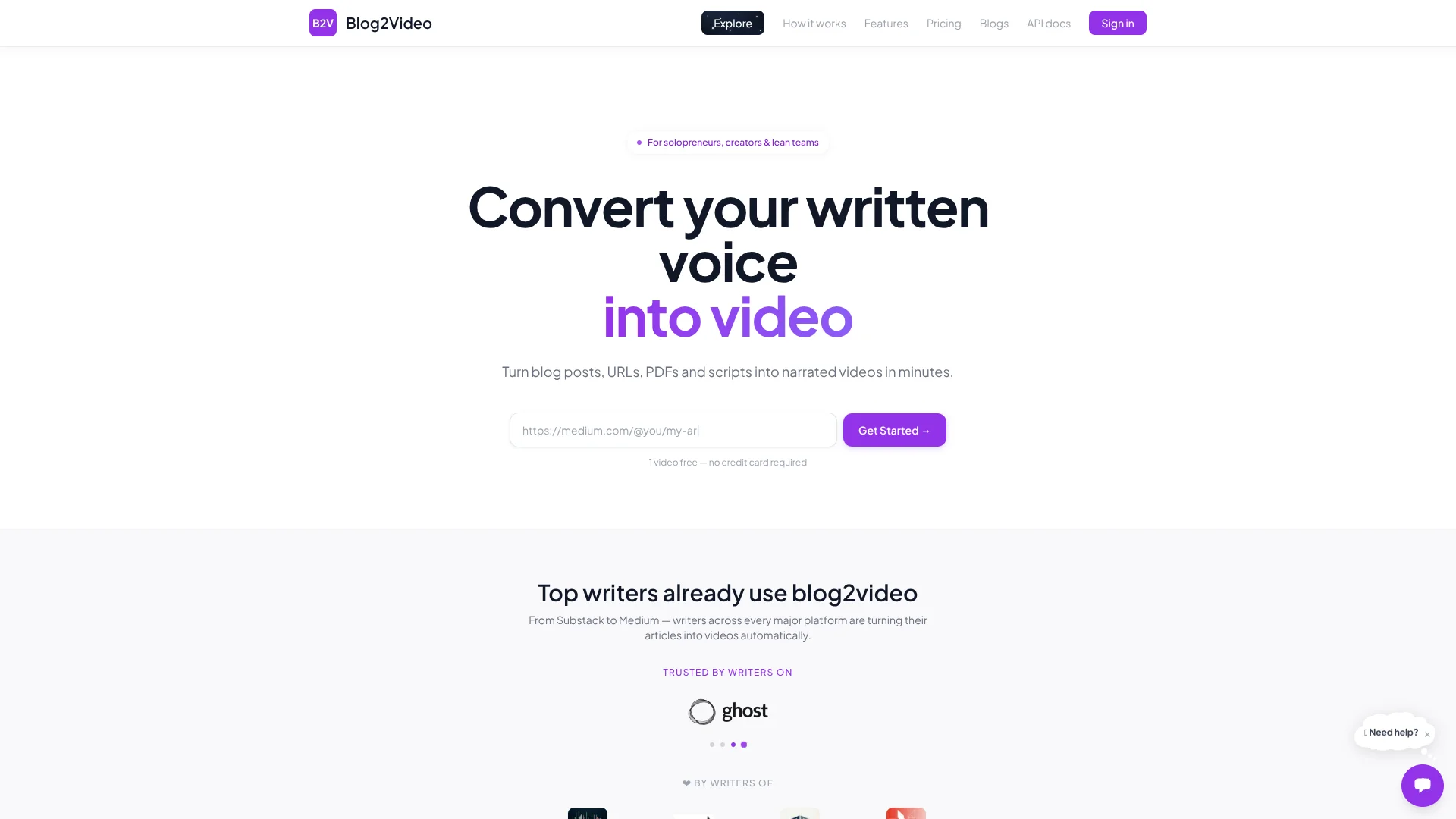
Turn published articles into narrated videos without filming or editing scenes.
Key Takeaways
- What it is
- Turn published articles into narrated videos without filming or editing scenes.
- Pricing
- Freemium · $3.99 per video · $19.99 per month · $34.99 per month · $59.99 per month
- Best for
- Article-to-video generation
- AI chat editor
- Branded templates
- Rating
- 4.2/5
What is Blog2Video?
Blog2Video turns a blog URL, public link, PDF, or pasted text into a narrated video with a script, scenes, voiceover, and visuals. Writers, publishers, and marketing teams can adapt content they have already made for audiences who prefer watching. The video can be previewed, edited with AI, and rendered as an MP4.
A publisher can send a finished video directly to Ghost, YouTube, or LinkedIn from Blog2Video. Each video can also become a PowerPoint deck, PDF, or PNG slides, giving existing written content several publishable formats.
Blog2Video fits writers and content teams that want branded videos from articles without building each scene by hand. Its subscriptions cap monthly video counts and AI edit credits, so teams with uneven workloads should weigh those limits against per-video pricing.
Who is Using Blog2Video?
Newsletter editor
A video version of a newsletter gives readers another way to follow its stories.
Content marketer
Existing blog posts become narrated videos and slide assets for a broader content plan.
Agency account manager
Reusable client templates help keep videos aligned with each brand.
Publisher or platform developer
The API can turn a URL, text, or document into a narrated video inside a larger publishing workflow.
Uncommon Use Cases
Research papers turned into explainer videos; technical articles turned into videos with code blocks and diagrams.
Key Features
Rating Breakdown
Pricing Plans
Free
Free
- 1 video
- 6 shared AI-assisted edits
- 1 custom video template
Per Video
$3.99 per video
- $3.00 per video for 10–30 videos
- $2.80 per video for 31 or more
- 20 AI edits per video purchase
Lite
$19.99 per month
- 10 videos per month
- 300 AI edit credits per month
- 2 custom video templates
- Annual billing: $15.99 per month, billed annually
Standard
$34.99 per month
- 30 videos per month
- 2,000 AI edit credits per month
- 5 custom video templates
- Annual billing: $27.99 per month, billed annually
Pro
$59.99 per month
- 100 videos per month
- 5,000 AI edit credits per month
- 20 custom video templates
- Annual billing: $47.99 per month, billed annually
Customized
- Custom video limits and team pricing
- Contact sales for a tailored plan
Which Blog2Video plan should you pick?
Start with Free to make one video, choose Per Video for occasional projects, and move to a subscription when you need a regular monthly video allowance.
Free
Good for trying the article-to-video workflow with one video.
Per Video
Good for occasional videos when you do not want a subscription.
Lite
Good for getting started with up to 10 videos per month.
Standard
Good for a steady publishing schedule of up to 30 videos per month.
Pro
Good for higher-volume creators who need up to 100 videos per month.
Customized
Good for enterprise volume, custom limits, or team pricing.
Blog2Video Use Cases
Repurpose a blog post
An existing article becomes a narrated video with scenes and visuals shaped around its content.
Outcome: A rendered MP4 to share or publish.
Create a branded video series
A saved custom template gives videos from the same publication a consistent visual style.
Outcome: Videos that follow the publication's template.
Publish an article as slides
The scenes from a written-content project can also be exported as presentation or image files.
Outcome: A PowerPoint deck, PDF, or PNG slide set.
Automate video production through an API
A publisher or software team can send a URL or text to the API and retrieve a rendered video.
Outcome: A finished MP4 available through the API.
Translate an existing video project
The API can translate a project by rewriting its text and recording the narration again.
Outcome: A translated project with updated narration.
Workflow Ideas with Blog2Video
Turn a blog post into a published video
- 1Paste the post URL and choose a template and voice.
- 2Review the generated script and adjust scenes with the AI editor.
- 3Render the MP4 and publish it to YouTube, LinkedIn, or Ghost.
Make a branded video series
- 1Generate a custom template from your website or brand document.
- 2Create videos from related articles using the template.
- 3Export the finished videos or slide files for distribution.
Add video generation to a publishing workflow
- 1Create an API key on a paid plan.
- 2Send a URL or text to the video-generation API.
- 3Check the render status and retrieve the finished MP4.
How Blog2Video fits into your stack
Written content
Blog URLs, public links, PDFs, and text provide the source material. Multiple URLs can be added for batch video generation.
Publishing platforms
Blog2Video supports sending finished videos to Ghost, YouTube, or LinkedIn, so the video can go to a supported publishing destination from the app.
Video and slide delivery
Projects can be rendered as MP4 video or exported as PowerPoint, PDF, and PNG slides.
Developer workflows
The documented API accepts a URL or text and provides endpoints to check a project and retrieve a rendered MP4.
Pros
- +Repurposing: Starts with existing articles and PDFs rather than requiring a new video script.
- +Scene-level editing: AI-assisted changes can target a scene without rebuilding the whole video.
- +Brand consistency: Custom templates can be generated from a website or brand document.
- +Multiple outputs: The same project can become a video or presentation slides.
Cons
- −Monthly caps: Subscription plans limit the number of videos and AI edit credits.
- −Per-video pricing: Pay-as-you-go costs more per video than the lower per-video rate of larger bundles.
- −Template-led production: The core workflow is built around scenes and templates, not a conventional video-editing timeline.
Limitations & when to consider alternatives
Known limitations
- Monthly video allowances. Lite includes 10 videos per month, Standard includes 30, and Pro includes 100.
- AI edit allowances. The paid plans include different monthly AI edit credit amounts, and the free plan has six shared AI-assisted edits.
- API requires a paid plan. The API documentation says API access requires a paid Blog2Video plan.
- API file limits. The documented project API accepts up to five uploaded files, with a 5 MB limit per file.
Look elsewhere when
- You need a native mobile app or desktop installer.
- You need a shared workspace with named users and roles.
- You need a documented fine-tuning feature that trains a model on your own data.
How to Use Blog2Video
- 1
Choose source material
Start with a blog URL, public link, PDF, or pasted text so Blog2Video has content to shape into scenes.
- 2
Set the video's style
Pick a template and narrator; a custom template can be based on a website or brand document.
- 3
Review the script and scenes
Check the AI-generated structure and use the AI chat editor to revise individual scenes.
- 4
Preview the video
Review the live preview before rendering so you can catch changes the script or scene edits still need.
- 5
Render or export
Render an MP4 or export the scenes as PowerPoint, PDF, or PNG.
- 6
Publish or share
Send finished videos to supported destinations such as Ghost, YouTube, or LinkedIn.
Who is Blog2Video For?
Publishers
Turn articles and newsletters into narrated videos and publish them through supported channels.
Content marketers
Repurpose blog posts into branded video and slide assets for distribution.
Writers and bloggers
Give existing written work a video format without recording narration themselves.
Marketing agencies
Create client videos from published content using reusable custom templates.
Founders
Turn company articles and updates into videos for channels such as LinkedIn.
Frequently Asked Questions
Does Blog2Video have a free plan?
Yes. The Free plan costs $0 and includes one video, AI script generation, voiceover, preview, and MP4 rendering.
How much does Blog2Video cost?
Plans include Free at $0, Per Video at $3.99 per video, Lite at $19.99 per month, Standard at $34.99 per month, and Pro at $59.99 per month. Annual billing has lower monthly equivalent prices, and Customized pricing is available.
Can I use Blog2Video through an API?
Yes. Its documented API can create and edit video projects and render MP4s, but API access requires a paid plan.
Can Blog2Video publish videos to other services?
The site describes direct publishing to Ghost, YouTube, and LinkedIn.
Can I turn a video project into slides?
Yes. Projects can be exported as PowerPoint, PDF, or PNG slides.
Can Blog2Video translate a project?
The API documentation describes translating a project by rewriting its text and recording the narration again.
Community reviews
Be the first to share your experience.
Sign in to leave a review for Blog2Video.
Blog2Video Alternatives
Looking for alternatives to Blog2Video? Here are similar tools in the same category: