Blueshift
Cross-channel marketing tailored to shoppers’ behavior for retail and ecommerce brands.
Key Takeaways
- What it is
- Cross-channel marketing tailored to shoppers’ behavior for retail and ecommerce brands.
- Pricing
- $1,250 per month
- Best for
- Unified customer profiles
- Cross-channel journeys
- Customer AI
- Rating
- 4.2/5
What is Blueshift?
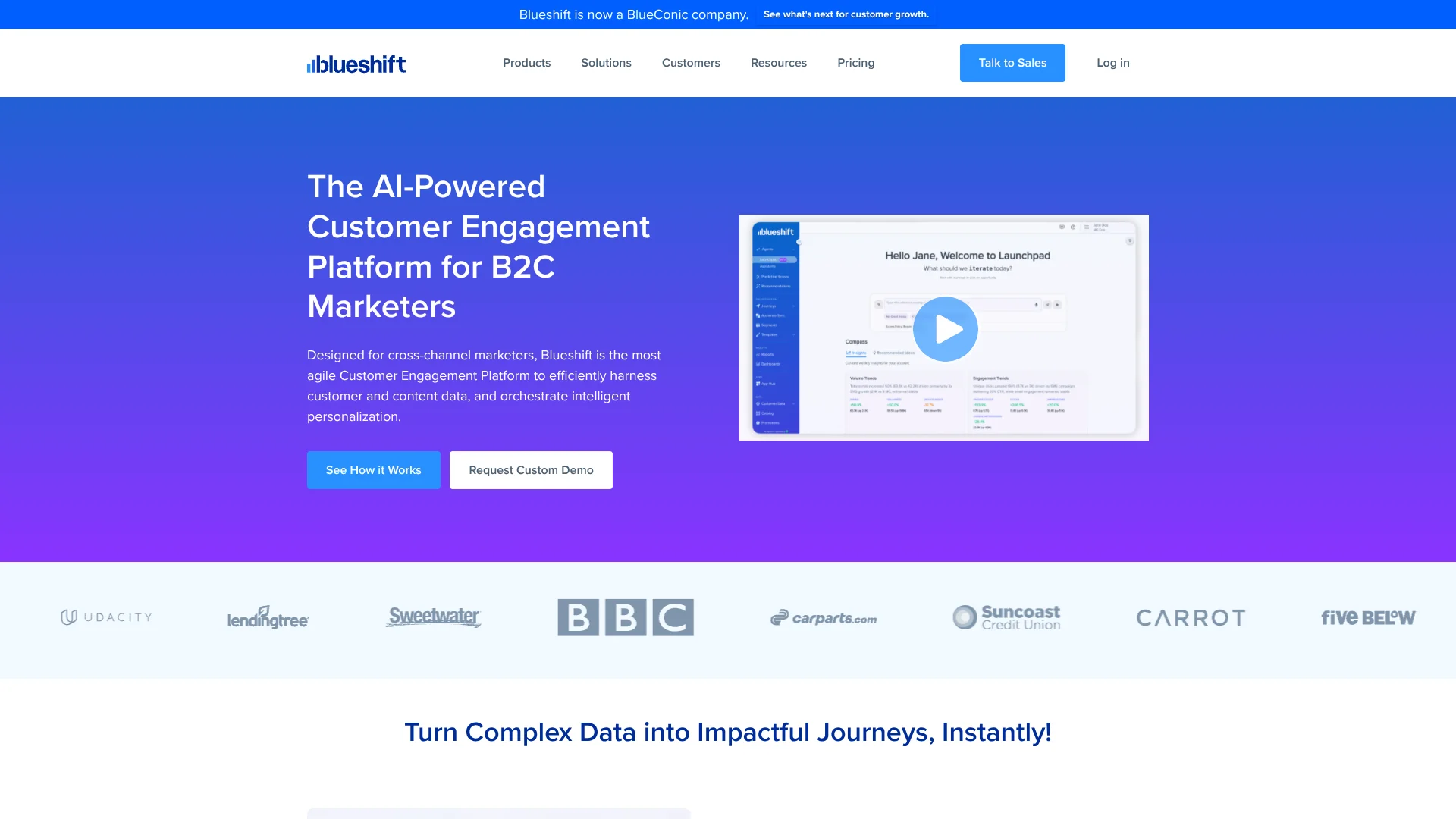
Blueshift brings customer data and marketing campaigns together so B2C marketing teams can respond to what customers do across channels. Its built-in customer data platform combines behavioral, transaction, and identity data into customer profiles that marketers can use to build audiences and personalize campaigns. That helps teams coordinate messages without relying on a separate data platform for every campaign.
Blueshift’s Compass and Launchpad agents can work with data already in a Blueshift account to analyze performance, build audiences, and draft campaigns through conversation; a person must approve changes before they take effect.
It is best suited to brands running ongoing, data-rich customer marketing, especially in retail and ecommerce. Teams with limited marketing operations resources may still face work connecting their data sources and configuring campaigns, so Blueshift is most useful when there is a clear need for coordinated customer journeys.
Who is Using Blueshift?
Lifecycle marketing managers
Customer journeys and triggers help coordinate welcome, retention, and re-engagement campaigns.
Ecommerce marketers
Shopify data can inform campaigns for abandoned carts, cross-sells, and price changes.
CRM managers
Unified profiles and dynamic audiences support more relevant customer messaging.
Marketing operations managers
APIs, integrations, and campaign controls help connect data sources and manage campaign execution.
Uncommon Use Cases
Syncing Blueshift audiences to paid-media destinations; exporting campaign activity to Snowflake for analysis.
Key Features
Rating Breakdown
Pricing Plans
Starter
$1,250 per month
- Plans start at this price and are billed annually.
- Includes the customer data platform, Customer AI, and omnichannel campaigns.
Which Blueshift plan should you pick?
Start with Starter for cross-channel campaigns, consider Growth for recommendations and predictive optimization, and choose Enterprise for advanced controls and multi-brand needs.
Starter
For lean teams that need customer profiles, Customer AI, and cross-channel campaigns.
Growth
For brands that need product and content recommendations, predictive optimization, and campaign testing.
Enterprise
For regulated or multi-brand organizations that need advanced data modeling, SSO, audit trails, and a dedicated customer success manager.
Blueshift Use Cases
Abandoned-cart campaigns
A shopper’s cart activity can trigger a personalized follow-up through a marketing channel.
Outcome: A timely reminder based on shopping behavior.
Customer re-engagement
Predictive audiences can help identify customers who may be less likely to return.
Outcome: Targeted campaigns for customers at risk of disengaging.
Cross-channel customer journeys
A multi-step journey can coordinate messages across channels using customer behavior and profile data.
Outcome: Campaigns that respond to customer activity across channels.
Audience activation for advertising
Customer segments can be synced to destinations such as Facebook, Google, and TikTok.
Outcome: Customer audiences available for paid-media targeting.
Campaign performance review
Compass can analyze Blueshift performance data and help surface audience or campaign opportunities.
Outcome: Insights and draft campaign work for a marketer to review.
Workflow Ideas with Blueshift
From Shopify order to follow-up campaign
- 1Connect Shopify to bring in customer, product, transaction, and behavioral data.
- 2Build an audience around a purchase or browsing behavior.
- 3Create a triggered message or journey for the relevant customers.
From customer data to paid-media audience
- 1Bring customer data into Blueshift through an integration or file import.
- 2Create a dynamic audience using customer attributes or activity.
- 3Sync the audience to a supported paid-media destination.
From campaign results to a new test
- 1Review campaign performance in Blueshift.
- 2Ask Compass or Launchpad to help identify an opportunity or prepare a draft.
- 3Review and approve the proposed campaign work before it is activated.
How Blueshift fits into your stack
Customer data
Blueshift can ingest customer profiles, behavior events, catalogs, and historical transactions through integrations, APIs, SDKs, JavaScript tags, or file imports.
Marketing campaigns
The cross-channel hub supports customer journeys across channels such as email, SMS, push, in-app messaging, and paid media.
Commerce and data warehouses
Named integrations include Shopify and Snowflake, which can connect store or warehouse data to customer marketing.
Developer integrations
The REST API supports profile and event management, catalog syncing, triggered campaigns, and personalized content retrieval.
AI-assisted campaign work
Compass and Launchpad can help analyze Blueshift data and prepare drafts, with human approval required before changes take effect.
Pros
- +Built-in customer data platform: Customer profiles and campaign tools draw on the same customer data.
- +AI campaign drafts: Compass and Launchpad can prepare work for review without making unapproved changes.
- +Broad channel coverage: Teams can coordinate messaging across several marketing channels.
- +Named integrations: Options include Shopify, Snowflake, Segment, and mParticle.
Cons
- −High starting price: The Starter plan begins at $1,250 per month.
- −Annual commitment: Blueshift lists an annual standard term, with monthly billing or upfront payment options.
- −Extra charges: Some add-on modules and premium onboarding can add one-time charges.
Limitations & when to consider alternatives
Known limitations
- Campaign Optimizer access. The Campaign Optimizer Agent must be enabled for an account before it can be used.
- Campaign Optimizer test restriction. The agent does not optimize a trigger or node that is part of an active A/B test.
- Optional charges. SMS, in-app messaging, and advanced analytics add-on modules may appear as one-time charges on the first invoice.
Look elsewhere when
- You need a low-cost self-serve marketing tool with publicly listed entry plans.
- You need a standalone mobile app or browser extension for personal AI tasks.
- Your team needs an AI tool that launches campaign changes without human approval.
How to Use Blueshift
- 1
Connect customer data
Choose an integration, API, SDK, JavaScript tag, or file import to bring customer information into Blueshift.
- 2
Build unified profiles
Bring together identity, behavioral, and transaction data so campaigns can use a shared customer view.
- 3
Create an audience
Define a dynamic segment from customer activity, history, or profile attributes.
- 4
Set up a journey
Choose campaign channels and triggers to coordinate messages around customer behavior.
- 5
Review results and improve
Use campaign reporting, testing, or Customer AI tools to assess performance and prepare changes.
Who is Blueshift For?
B2C marketing teams
Teams managing customer campaigns across several channels can use unified profiles to personalize journeys.
Retail and ecommerce brands
Online retailers can connect store activity and purchase data to campaigns such as cart reminders and post-purchase messaging.
Lean cross-channel teams
Starter is positioned for teams scaling cross-channel marketing with customer data and AI included.
Regulated and multi-brand organizations
Enterprise adds advanced data controls, SSO, audit trails, and support for multiple brands.
Frequently Asked Questions
Does Blueshift have a free plan?
Blueshift offers a trial account, but its pricing page lists paid plans starting at $1,250 per month. The site does not describe a permanent free tier.
How much does Blueshift cost?
The Starter plan starts at $1,250 per month, billed annually. Blueshift says its standard term is annual and customers can choose monthly billing or upfront payment.
What channels does Blueshift support?
The platform supports channels including email, SMS, mobile apps, websites, push, in-app messaging, and paid media.
Can Blueshift connect to other tools?
Yes. Blueshift lists more than 100 native integrations and supports APIs, file imports, and third-party integrations such as Shopify, Snowflake, Segment, and mParticle.
Do Blueshift’s AI agents launch campaigns automatically?
Compass and Launchpad prepare drafts for review. Changes are not activated without human approval.
Community reviews
Be the first to share your experience.
Sign in to leave a review for Blueshift.
Blueshift Alternatives
Looking for alternatives to Blueshift? Here are similar tools in the same category: