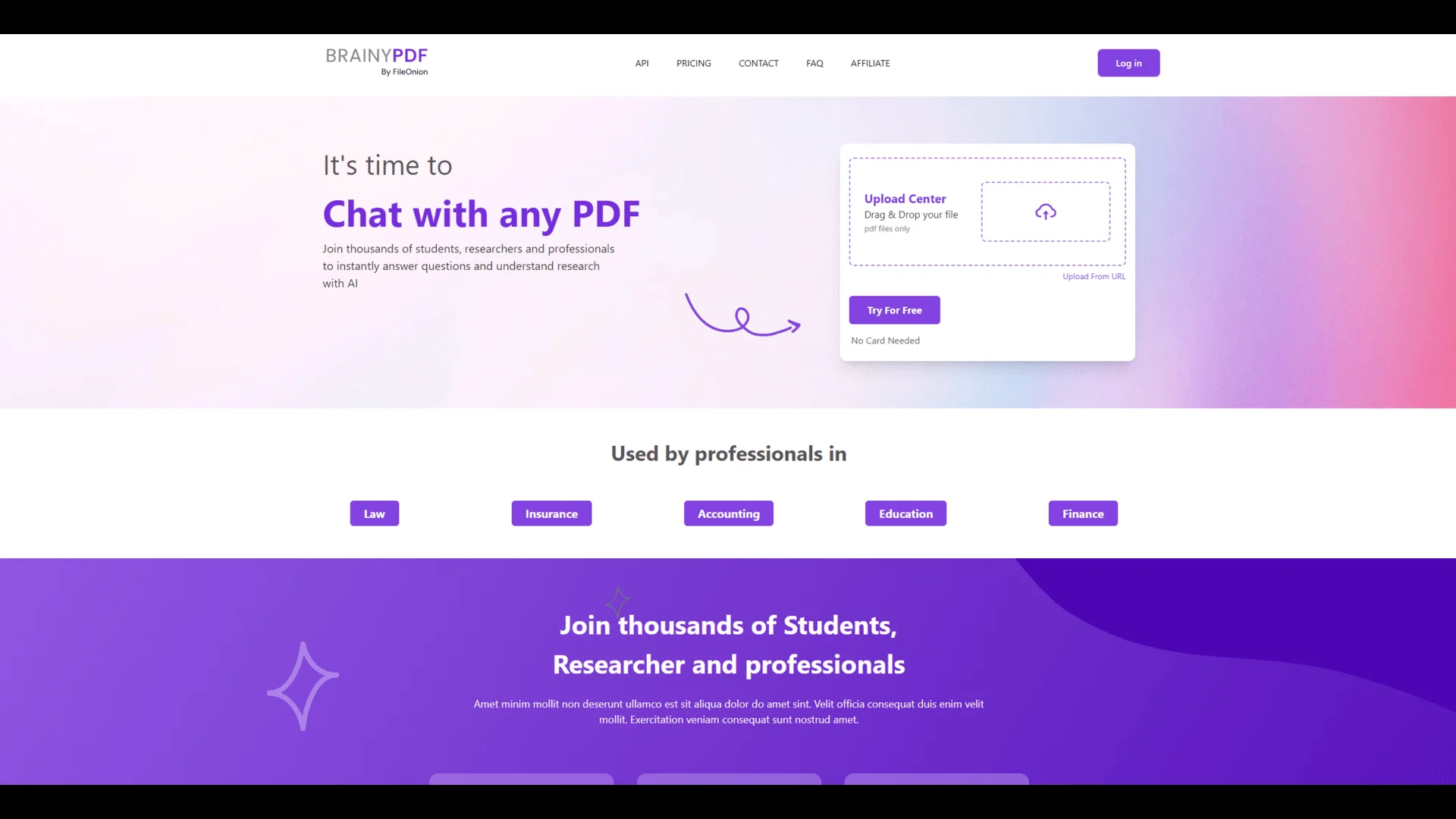
BrainyPDF
AI-powered tool for smart PDF data extraction and summarization.
Key Takeaways
- What it is
- AI-powered tool for smart PDF data extraction and summarization.
- Pricing
- Freemium · $3 per month
- Best for
- Intelligent Data Extraction
- Automated Summarization
- Multi-Platform Integration
- Rating
- 4.4/5
What is BrainyPDF?
BrainyPDF is an innovative AI tool designed to streamline the process of extracting and managing information from PDF documents. With its advanced AI capabilities, BrainyPDF revolutionizes document processing by offering features like intelligent data extraction, automated summarization, and seamless integration with various platforms. Tailored for professionals and businesses that frequently handle large volumes of PDFs, it simplifies tasks such as data entry, research, and content management, enabling users to focus on more strategic activities.
BrainyPDF stands out with its intelligent summarization feature, a game-changer for professionals who deal with extensive PDF documents. Its ability to integrate seamlessly with other platforms and provide accurate data extraction sets it apart from conventional PDF tools, making it an invaluable asset for businesses aiming to enhance productivity.
BrainyPDF offers a comprehensive solution for managing PDF documents efficiently. Its advanced AI-driven features provide significant time savings and accuracy, making it a top choice for professionals across various sectors. With its competitive pricing and robust feature set, BrainyPDF proves to be a valuable tool for anyone looking to enhance their document processing capabilities. Whether you're in finance, law, or any field dealing with substantial document volumes, BrainyPDF is designed to meet your needs and exceed expectations.
Who is Using BrainyPDF?
Legal Professionals
Leveraging the tool for efficient document review and data extraction.
Financial Analysts
Utilizing it to quickly summarize financial reports and statements.
Academic Researchers
Employing it for extracting data from research papers and generating summaries.
Corporate Teams
Using it to manage large volumes of business documents and reports.
Key Features
Rating Breakdown
Pricing Plans
Free Tier
Free
- Experience BrainyPDF with a limited feature set to explore its capabilities
Pro Tier
$3 per month
- Offering full access to all features
Which BrainyPDF plan should you pick?
Start with Free for occasional document questions, choose Starter for moderate usage, and upgrade to Premium for large files and high daily limits.
Free
Good for casual users who need limited PDF uploads, smaller files, and up to 25 questions per day.
Starter
Good for users who need 10 MB PDFs, up to 5 daily uploads, and a larger document library.
Premium
Good for researchers and professionals who need large PDF, DOCX, or TXT files, unlimited PDFs, and 1,000 daily questions.
BrainyPDF Use Cases
Adopted by non-profits for processing grant applications.
Utilized by real estate agents for summarizing property documents.
Workflow Ideas with BrainyPDF
Research-paper review
- 1Upload a research paper
- 2Ask questions about methods, findings, and conclusions
- 3Review cited answers and extracted insights
Contract analysis
- 1Upload a contract
- 2Ask BrainyPDF to summarize key clauses
- 3Extract dates, obligations, risks, and financial terms
Study preparation
- 1Upload course PDFs or textbooks
- 2Ask questions about difficult sections
- 3Use summaries and extracted explanations for revision
Pros
- +Time Efficiency: Significantly reduces the time spent on manual data extraction and document summarization.
- +High Accuracy: Ensures precise data extraction, minimizing the risk of errors in critical information.
- +Versatile Application: Suitable for various industries, from legal to finance, due to its robust feature set.
- +Enhanced Productivity: Allows users to allocate more time to strategic tasks by automating routine document processing.
Cons
- −Initial Learning Curve: Some users may require time to fully grasp all the advanced features.
- −Limited Customization Options: Customization for specific industry needs might be somewhat restricted.
Limitations & when to consider alternatives
Known limitations
- Free-plan document limits. The Free plan limits documents to 120 pages and 5 MB per PDF.
- Daily upload limits. The Free plan allows 2 PDFs per day, while Starter allows 5 PDFs per day.
- Daily question limits. Free and Starter provide 25 questions per day; Premium provides 1,000 questions per day.
- Premium-only larger documents. The Premium plan supports up to 2,000 pages and 32 MB for PDF, DOCX, and TXT files.
- Web-only access. BrainyPDF is presented as a browser-based service without documented native desktop or mobile applications.
Look elsewhere when
- You need a documented developer API.
- You need shared team workspaces.
- You need a native mobile app.
How to Use BrainyPDF
- 1
Upload a document
Open BrainyPDF and upload a supported PDF, DOCX, or TXT document to begin analysis.
- 2
Ask questions
Use natural-language questions to locate facts, clarify concepts, or investigate specific sections.
- 3
Request a summary
Ask for a document or section summary when you need a faster overview.
- 4
Extract key information
Prompt BrainyPDF to identify items such as dates, names, figures, clauses, or conclusions.
- 5
Upgrade when limits become restrictive
Move from Free to Starter or Premium when file size, daily uploads, document count, or question limits become barriers.
Who is BrainyPDF For?
Students
Useful for exam preparation, homework help, and understanding study materials.
Researchers
Helps analyze scientific papers, books, and other research documents.
Legal and finance professionals
Supports extracting insights from contracts, reports, and financial documents.
Frequently Asked Questions
What is BrainyPDF?
BrainyPDF is an AI tool for chatting with PDF documents, summarizing them, and extracting information.
What file types does BrainyPDF support?
The published plans identify PDF, DOCX, and TXT support, with higher limits on the Premium plan.
Can BrainyPDF work with documents in different languages?
Yes. BrainyPDF supports interaction with PDFs in any language and multilingual questions and answers.
Is there a free plan?
Yes. The Free plan includes limited document size, daily uploads, stored PDFs, and daily questions.
Can BrainyPDF summarize documents?
Yes. BrainyPDF provides document summaries, answers questions, and extracts insights from uploaded files.
Community reviews
Be the first to share your experience.
Sign in to leave a review for BrainyPDF.
BrainyPDF Alternatives
Looking for alternatives to BrainyPDF? Here are similar tools in the same category: