Brand24
Track brand mentions across social media, news, blogs, and forums.
Watch Brand24 in Action
Key Takeaways
- What it is
- Track brand mentions across social media, news, blogs, and forums.
- Pricing
- $249 per month · $349 per month · $499 per month · $699 per month
- Best for
- AI Brand Assistant
- AI Events Detection
- AI Insights
- Rating
- 4.2/5
What is Brand24?
Brand24 tracks public mentions of a brand, product, competitor, or campaign across social networks, news, blogs, forums, podcasts, reviews, and other online sources. Marketing and PR teams choose keywords to monitor, then follow mention volume, reach, and sentiment in one dashboard. Its AI features summarize conversations and flag unusual changes, helping teams spot reputation risks, measure campaigns, and learn what people are discussing.
AI Brand Assistant answers questions using the mentions and metrics in your Brand24 projects, so it can explain a spike, compare time periods, or benchmark a competitor based on your monitoring data.
Brand24 fits PR teams, marketers, and agencies that need to track public conversations and report on brand visibility. It is less suited to deep historical research because new projects generally start with data from the last 30 days, with coverage varying by source.
Who is Using Brand24?
PR managers
Track earned media coverage, spot sudden attention spikes, and report on reach.
Social media managers
Keep up with public reactions and route selected mention alerts into Slack or Microsoft Teams.
Brand marketers
Compare campaign hashtags, audience sentiment, and brand visibility over time.
Customer insights researchers
Review recurring topics and feedback in public conversations to identify customer concerns.
Uncommon Use Cases
Find public posts that suggest purchase intent; identify forum conversations that may reveal product bugs or feature requests.
Key Features
Rating Breakdown
Pricing Plans
Individual
$249 per month
- Annual billing: $199 per month, billed annually.
- 3 keywords, 2,000 mentions per month, and 1 user.
- Updates every 12 hours.
Team
$349 per month
- Annual billing: $299 per month, billed annually.
- 7 keywords and 10,000 mentions per month.
- Unlimited users and updates every hour.
Pro
$499 per month
- Annual billing: $399 per month, billed annually.
- 12 keywords and 40,000 mentions per month.
- Unlimited users and real-time updates.
- Includes AI Events Detection and AI Brand Assistant.
Business
$699 per month
- Annual billing: $599 per month, billed annually.
- 25 keywords and 100,000 mentions per month.
- Unlimited users, real-time updates, and a Client Success Lead.
Enterprise
- Custom keyword count and mention limit.
- Unlimited users, dedicated consulting, and AI Visibility.
Which Brand24 plan should you pick?
Start with the 14-day trial to test your monitoring setup, then choose a paid plan based on your keyword, mention, and team-size needs.
Individual
Good for monitoring one small brand with up to 3 keywords, 2,000 monthly mentions, and one user.
Team
Good for startups and small businesses that need up to 7 keywords and unlimited users.
Pro
Good for growing businesses and small agencies that need real-time updates, AI Brand Assistant, and AI Events Detection.
Business
Good for scaling businesses and established agencies that need up to 25 keywords, higher mention limits, and expanded AI reporting.
Enterprise
Good for large organizations that need custom keyword and mention limits, dedicated consulting, and AI Visibility.
Brand24 Use Cases
Reputation and crisis monitoring
A sudden rise in mentions or negative sentiment can signal a public issue that needs attention.
Outcome: Teams can investigate the triggering mentions and respond sooner.
Competitor benchmarking
Separate projects let teams compare competitors’ mention volume, reach, and sentiment.
Outcome: A clearer view of changes in share of voice and public reaction.
Campaign measurement
Campaign hashtags and keywords show how online discussion changes during a promotion or press push.
Outcome: Mention, reach, and sentiment metrics for campaign reporting.
Customer feedback research
Topic Analysis groups public mentions into recurring themes, making feedback easier to review.
Outcome: A view of common discussion topics and audience concerns.
AI visibility tracking
The AI Visibility module monitors how often AI platforms mention a brand and the context around those answers.
Outcome: A view of brand presence and cited sources in AI-generated answers.
Workflow Ideas with Brand24
Catch and review a reputation spike
- 1Track the brand name and relevant product terms in a project.
- 2Set Storm Alerts and route selected notifications to Slack or Microsoft Teams.
- 3Review the mentions behind an unusual spike and summarize the cause with AI Brand Assistant.
Report campaign results
- 1Create a project for the campaign name and hashtag.
- 2Compare mention volume, reach, and sentiment across the campaign period.
- 3Export a PDF or PPTX report for colleagues or clients.
Find customer themes and leads
- 1Monitor product categories and phrases customers use when seeking recommendations.
- 2Filter mentions by topic, source, and sentiment to find relevant conversations.
- 3Share useful findings with the product or marketing team.
How Brand24 fits into your stack
Brand24 dashboard
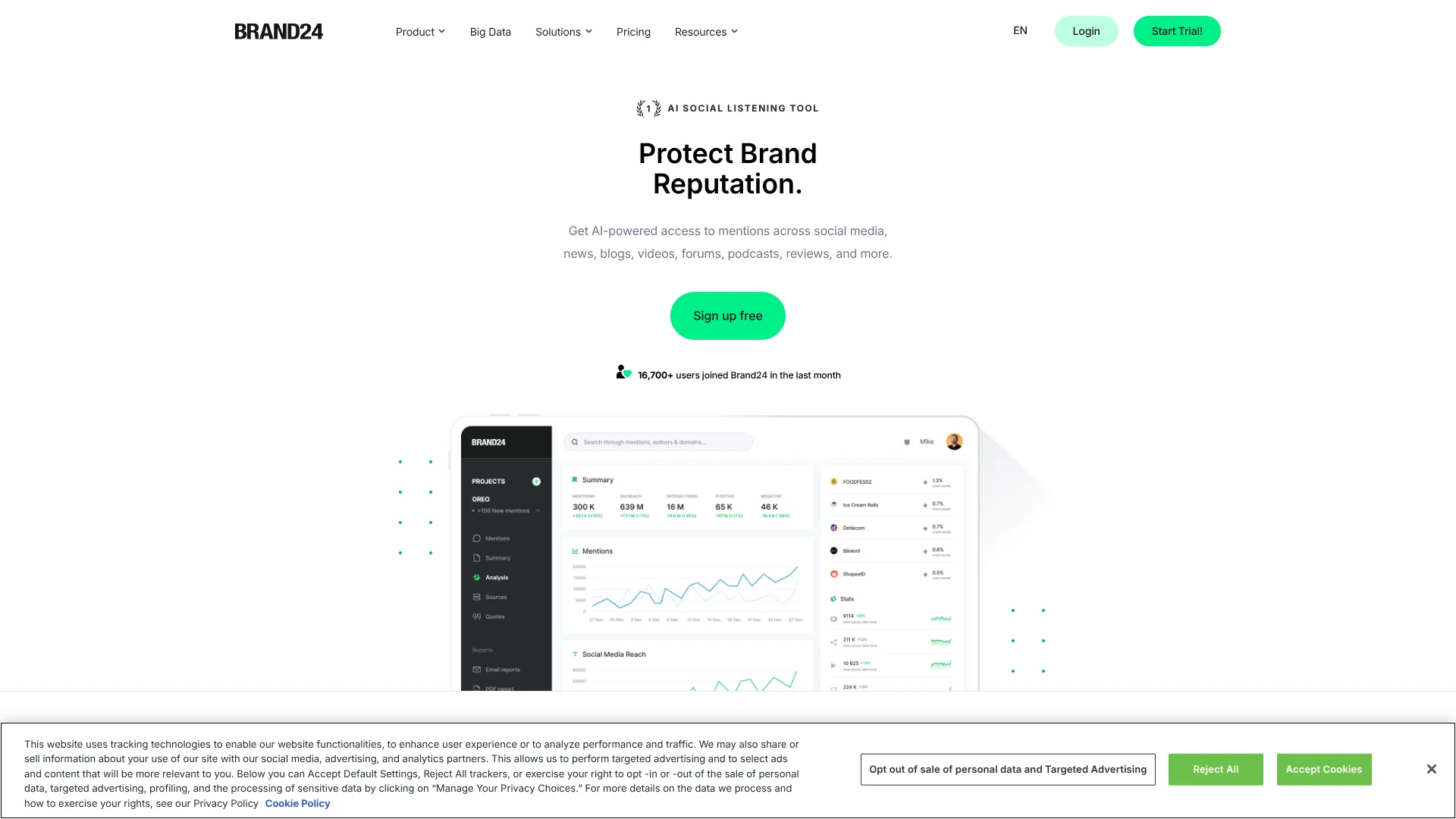
The web dashboard is where teams set up keyword projects, filter mentions, review analytics, and ask AI Brand Assistant about their data.
Team notifications
Slack and Microsoft Teams can receive selected mention alerts. Email and the mobile app provide other ways to follow updates.
Reports and sharing
Scheduled email reports and PDF, CSV, or PPTX exports move monitoring results into client and internal reporting.
API and AI tools
The API can send Brand24 data to custom dashboards and analysis tools. MCP connects authorized Brand24 data with compatible AI chat tools.
Pros
- +Data-grounded AI answers: Brand Assistant can explain results using the mentions and statistics in your projects.
- +Broad public-source monitoring: Brand24 tracks social posts alongside news, blogs, forums, podcasts, and reviews.
- +Fast alerts: Storm Alerts and notifications can flag unusual activity before a team checks the dashboard.
- +Agency reporting: PDF and PPTX exports, including white-label reports, help teams share client results.
Cons
- −High starting cost: The lowest paid plan is $249 per month.
- −Plan-based capacity: Keyword and monthly mention limits can restrict how many brands or topics you monitor.
- −Advanced AI is tiered: AI Brand Assistant and several analysis features are reserved for higher plans.
Limitations & when to consider alternatives
Known limitations
- Limited historical collection for new projects. A new project generally starts with a sample of data from the last 30 days, and how much is available varies by source.
- Keyword and mention quotas. Each paid plan sets keyword and monthly mention limits; Enterprise has custom limits.
- Trial usage limits. The 14-day trial is limited to 10 keywords, 30,000 mentions, and 100 mentions from Twitter/X or Instagram per day.
Look elsewhere when
- You need a deep archive of online mentions from well before the last 30 days.
- Your research depends on private customer records rather than public online conversations.
How to Use Brand24
- 1
Start the trial
The 14-day trial uses Pro-based features and lets you monitor up to 10 keywords and 30,000 mentions.
- 2
Set up a project
Choose a brand, competitor, product, or campaign keyword, then select the languages and sources relevant to your monitoring.
- 3
Refine the results
Add required or excluded words and use filters to reduce unrelated mentions.
- 4
Set up alerts
Choose email, mobile, Slack, or Microsoft Teams notifications for the projects and mentions that need attention.
- 5
Review patterns with AI
Use AI Events, AI Insights, or AI Brand Assistant to investigate changes and summarize tracked conversations.
- 6
Share the findings
Send scheduled email reports or export results as PDF, CSV, or PPTX for colleagues and clients.
Who is Brand24 For?
PR and marketing teams
Monitor media coverage, measure reach, and prepare reports on brand mentions and campaigns.
Marketing agencies
Track multiple clients and share branded reports on their public visibility.
Growing businesses
Follow brand reputation, competitors, and customer conversations as the company expands.
Enterprise teams
Monitor larger volumes of mentions and use custom limits, reporting, and consulting options.
Frequently Asked Questions
Does Brand24 have a free plan?
Brand24 offers a 14-day free trial, not a permanent free plan. Trial features are based on Pro, with limits on keywords, mentions, refresh timing, and some social data.
How much does Brand24 cost?
The Individual plan starts at $249 per month. Annual billing lowers its listed monthly price to $199, billed annually.
Can Brand24 send alerts to Slack or Microsoft Teams?
Yes. Brand24 can send selected project notifications to Slack and Microsoft Teams.
Does Brand24 have a mobile app?
Yes. The iOS and Android apps let you create and browse projects and receive push notifications for new mentions.
Can I connect Brand24 to my own dashboard?
Yes. Its documented API can send monitoring data to custom dashboards and analysis tools. API access requires an eligible paid plan or add-on.
How many keywords can I monitor?
The paid plans include 3 keywords on Individual, 7 on Team, 12 on Pro, and 25 on Business. Enterprise has a custom keyword count.
Community reviews
Be the first to share your experience.
Sign in to leave a review for Brand24.
Brand24 Alternatives
Looking for alternatives to Brand24? Here are similar tools in the same category: