
BrandBastion
AI-driven tool for 24/7 social media management and protection.
Key Takeaways
- What it is
- AI-driven tool for 24/7 social media management and protection.
- Best for
- 24/7 Community Management
- Brand Protection
- Sentiment Analysis
- Rating
- 4.5/5
What is BrandBastion?
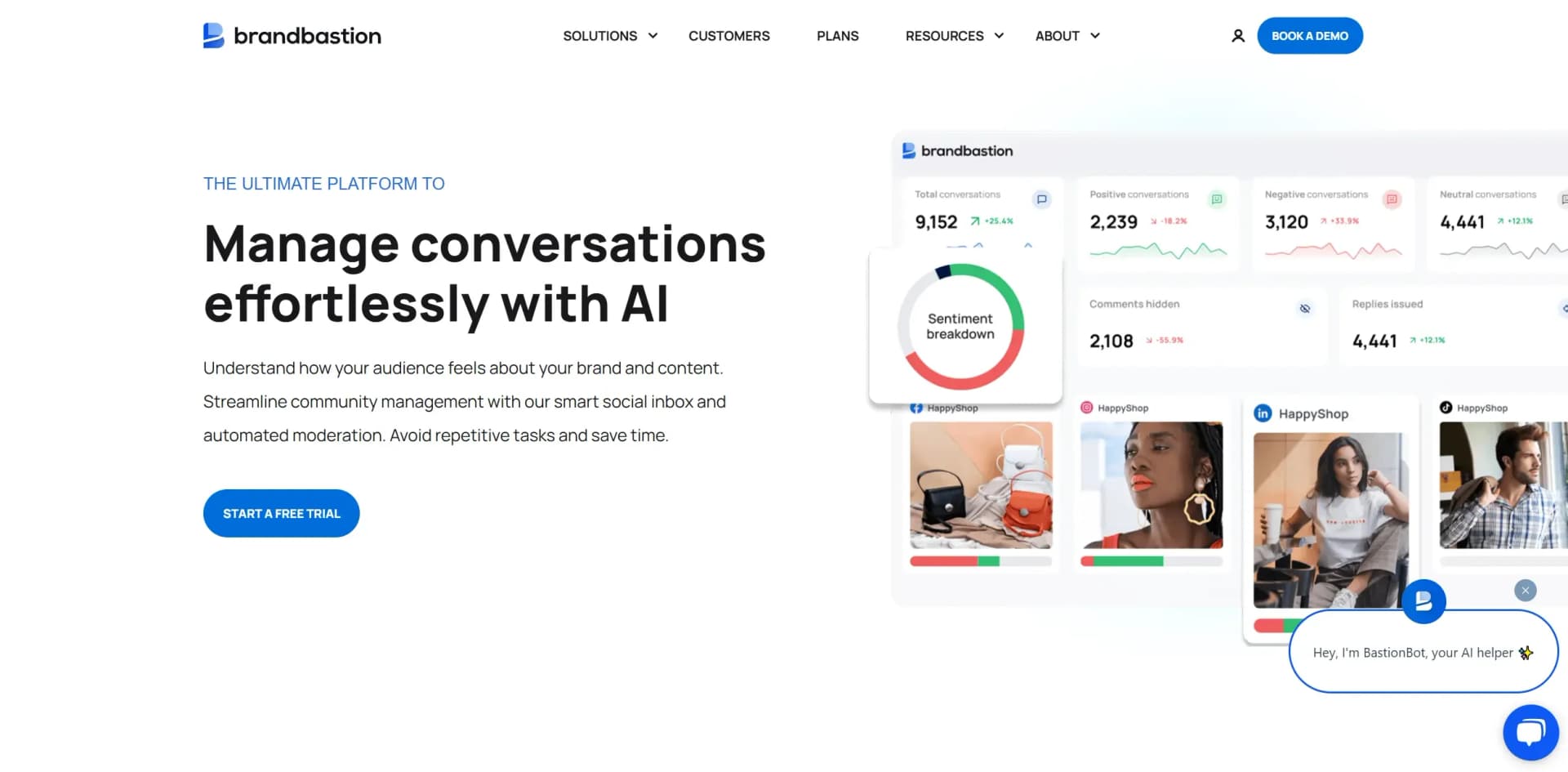
BrandBastion is a cutting-edge AI tool designed to revolutionize social media management by offering comprehensive community management, brand protection, and engagement solutions. Tailored for businesses looking to streamline their social media presence, BrandBastion simplifies the complexities of moderating, engaging, and analyzing social interactions 24/7. With its proprietary AI refined over a decade, it ensures precise sentiment analysis, proactive moderation, and effective engagement, making it an indispensable asset for brands aiming to boost their social media ROI.
BrandBastion stands out with its advanced AI-driven moderation and engagement capabilities, uniquely tailored to handle the fast-paced dynamics of social media. Its ability to deliver accurate sentiment analysis across multiple languages and platforms sets it apart, providing brands with actionable insights and peace of mind in managing their online presence.
BrandBastion provides a robust solution for businesses looking to enhance their social media strategy. With its AI-driven capabilities, it offers unparalleled support in community management, brand protection, and engagement, making it a vital tool for brands aiming to thrive in the digital landscape. Whether you're a large corporation or a growing enterprise, BrandBastion empowers you to maintain a positive and engaged online community while safeguarding your brand's reputation.
Who is Using BrandBastion?
E-commerce Businesses
Leveraging the tool for real-time engagement and customer feedback analysis.
Digital Marketing Agencies
Utilizing BrandBastion for comprehensive moderation and campaign performance insights.
Social Media Managers
Relying on the tool for efficient community management and brand protection.
Entertainment Industry
Engaging with audiences and managing high-volume interactions on social platforms.
Uncommon Use Cases
Educational institutions using it for managing online course discussions; non-profit organizations protecting brand reputation in advocacy campaigns.
Key Features
Rating Breakdown
Pricing Plans
Custom Pricing
- BrandBastion offers tailored pricing plans based on specific needs and scale of operations. Interested users are encouraged to book a demo for detailed pricing information
Which BrandBastion plan should you pick?
Start with Reputation+ for moderation and brand protection, upgrade to Agent+ for in-house AI replies, or choose Engage+ when replies are fully managed.
Reputation+
Good for brands that need 24/7 moderation, crisis alerts, sentiment, listening, and a unified inbox.
Agent+
Good for in-house teams that need AI-generated, post-aware replies grounded in help-center content and brand voice.
Engage+
Good for brands that want BrandBastion to manage moderation, replies, escalations, and community engagement end-to-end.
BrandBastion Use Cases
Automate harmful-comment moderation
Set filters, exclusions, and schedules for workflows that automatically hide comments matching defined criteria.
Outcome: Harmful or unwanted comments are moderated faster.
Automate FAQ replies
Create reply workflows triggered by keywords, sentiment, language, and message type.
Outcome: Predictable, high-volume questions receive faster responses.
Route conversations to teammates
Use tags based on language, topic, campaign, sentiment, or customer issue to assign messages to specific users.
Outcome: Each conversation reaches the appropriate team member.
Create support cases from social conversations
Use Zendesk or Salesforce integrations to create and manage tickets or cases from filtered social interactions.
Outcome: Important issues are escalated into customer-support workflows.
Analyze brand and campaign sentiment
Review sentiment, topics, trends, post performance, and audience conversations across connected platforms.
Outcome: Teams identify risks, opportunities, and content patterns.
Workflow Ideas with BrandBastion
Route multilingual customer issues
- 1Create language and issue tags
- 2Configure assign rules for each language or support team
- 3Review assigned conversations in the Smart Inbox
Automate common shipping questions
- 1Create a reply workflow for shipping and delivery keywords
- 2Add exclusions for negative or complaint-related terms
- 3Preview matches and enable the workflow
Escalate risky comments to support
- 1Configure AI or filter-based complaint and risk tags
- 2Connect Zendesk or Salesforce
- 3Automatically create tickets or cases for matching conversations
How BrandBastion fits into your stack
Browser
BrandBastion is accessed through its web platform at app.brandbastion.com. Supported browsers include current and three prior versions of Chrome, Edge, and Firefox.
Team chat and tickets
BrandBastion sends alerts and scheduled reports to Slack and Microsoft Teams, and supports two-way escalation workflows with Zendesk and Salesforce.
Automation and APIs
Teams build multi-step workflows for tagging, assigning, moderation, alerts, replies, and case creation. BrandBastion does not currently provide a public developer API.
Knowledge and files
AI replies can use help-center content, site content, brand voice rules, and uploaded files in Astra for contextual analysis.
Pros
- +Time Efficiency: Automates moderation and engagement, saving brands up to 450 hours monthly.
- +Enhanced Engagement: Increases visibility and interaction rates, with some campaigns seeing up to a 31% engagement rate boost.
- +Comprehensive Analytics: Provides detailed insights into audience behavior, improving decision-making and strategy formulation.
- +Scalable Solution: Supports international operations with AI functionalities that adapt to diverse markets and languages.
Cons
- −Initial Setup Complexity: May require a learning curve to fully integrate and utilize all features effectively.
- −Price Point: Could be considered high for small businesses or startups with limited budgets.
Limitations & when to consider alternatives
Known limitations
- Social-network API restrictions. Capabilities vary by platform; examples include Meta reply windows, YouTube historical-data limits, and X reply restrictions.
- TikTok public-to-private limitation. TikTok workflows can reply publicly to comments but cannot send a DM from a comment trigger in the documented US coverage.
- YouTube analysis limits. YouTube sentiment analysis, data older than 30 days, bulk analytics downloads, and several interaction types are restricted by the platform API.
- Reply Workflow availability. Reply Workflow is an add-on feature that must be activated by the Customer Success Manager.
- Dynamic-ad limitations. Some dynamic Facebook ad formats have monitoring or action limitations imposed by the social-network API.
Look elsewhere when
- You need a documented developer API for programmatic access
- You need a dedicated desktop application rather than a browser platform
- You need a browser extension for your workflow
- You need a free plan rather than a time-limited trial
How to Use BrandBastion
- 1
Connect social assets
Sign up, verify your account, and connect supported social accounts so BrandBastion can ingest conversations and posts.
- 2
Review the Smart Inbox
Open comments, DMs, mentions, and reviews; use sentiment, topic, language, and custom tags to prioritize work.
- 3
Configure moderation workflows
Create Hide or Alert workflows with filters, exclusions, and schedules to protect social channels.
- 4
Create reply workflows
Choose platforms and message types, define keyword, sentiment, language, and exclusion rules, then preview matches before enabling automation.
- 5
Publish and collaborate
Schedule posts, add media and tags, use AI captions, and leave internal notes for teammates during review.
- 6
Analyze and escalate
Use dashboards and Astra for insights, then create Zendesk tickets or Salesforce cases for conversations requiring support.
Who is BrandBastion For?
Brands and advertisers
Monitor and manage online conversations, protect reputation, and improve engagement across social channels.
Fast-growing brands and global enterprises
Manage high-volume comments, messages, mentions, reviews, and moderation from one platform.
DTC brands
Use publishing, social inbox, sentiment analysis, moderation, and automated replies to manage engagement in-house or with managed support.
Agencies
Automate moderation, sentiment analysis, engagement, publishing, and client collaboration across multiple accounts.
Customer experience teams
Surface customer questions and complaints, route conversations, and connect social interactions with Zendesk or Salesforce.
Frequently Asked Questions
Which BrandBastion plan is right for my team?
Reputation+ fits teams focused on brand protection and moderation; Agent+ adds in-house AI-assisted replies; Engage+ provides fully managed replies.
How does BrandBastion’s AI decide what needs a response?
Its natural-language processing identifies conversational intent and prioritizes messages in the Smart Inbox.
Which AI models does BrandBastion use?
BrandBastion combines its proprietary social-focused model with OpenAI, Gemini, and translation models for specialized tasks.
Can BrandBastion automate replies?
Reply Workflows automate responses to public comments, ad comments, private messages, and public-to-private interactions using filters.
Does BrandBastion support single sign-on?
SSO is available as an enterprise add-on and is configured by BrandBastion’s development team.
Which languages does BrandBastion support?
Moderation and translation capabilities support 194 language entries for conversation classification and tagging.
Community reviews
2 reviews from people who use BrandBastion.
Sign in to leave a review for BrandBastion.
Thibault BM
Samuel Okafor
BrandBastion Alternatives
Looking for alternatives to BrandBastion? Here are similar tools in the same category:
Learn to Master BrandBastion
With Skill Leap courses
Get in-depth training on BrandBastion and 50+ other AI tools with our expert-led video courses.
Start 7-Day Free Trial