
BrandScreen
Score names across trademarks, domains, socials.
Key Takeaways
- What it is
- Score names across trademarks, domains, socials.
- Pricing
- Freemium · $19 per report · $79 · $299 · $999
- Best for
- Trademark Screening
- Domain Intelligence
- Business Entity Search
- Rating
- 4.4/5
What is BrandScreen?
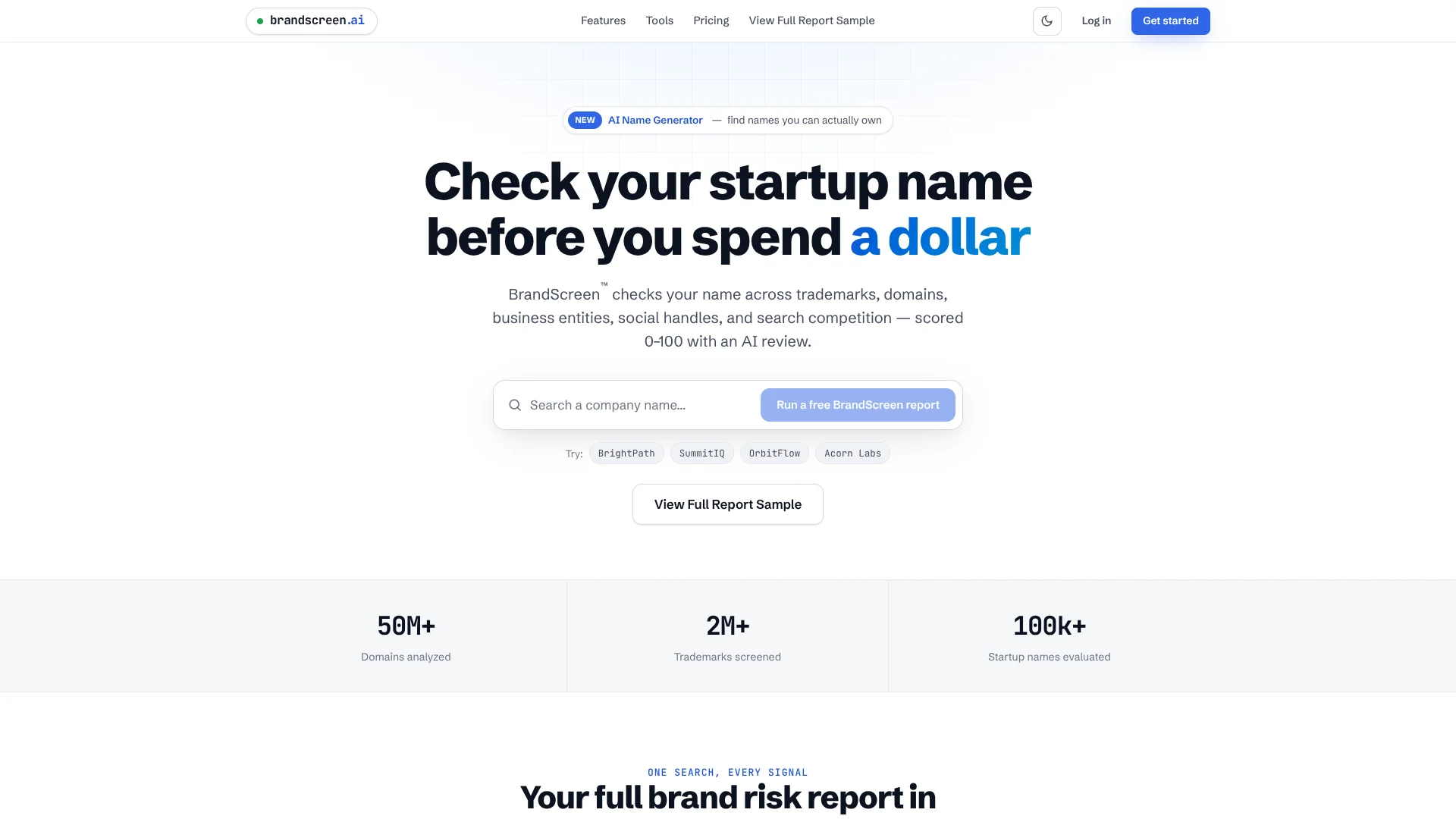
BrandScreen is a naming risk checker for startups and product launches that combines legal, domain, and social signals into a single AI-scored report. It screens a proposed name across USPTO trademarks, domain availability, business entity records, social handles, and search competition, then assigns a 0–100 Brand Score with AI commentary. The tool targets founders and teams who want to know how ownable and defensible a name looks before they spend on branding, development, or legal filings.
BrandScreen stands out by tying multiple name ownership signals into an AI-driven Brand Score that is free to query and only costs credits when teams want deeper, decision-ready detail. Many tools check domains or social availability in isolation, but BrandScreen focuses on startup-grade risk by pulling USPTO marks, state entity data, search competition, and social handles into one AI-explained report with alternative names generated from the same checks.
BrandScreen offers a fast, AI-aware way to see whether a startup or product name is worth serious consideration before any money goes out the door. It will not replace a full global clearance search or professional counsel, and its credit-based pricing may not fit every workflow, but as a first-pass risk filter it is unusually practical. Founders, investors, and high-volume naming teams who care about early conflict signals will likely find it a valuable step in their process.
Who is Using BrandScreen?
Startup founders
Quickly screen one or two favorite company names before investing in branding.
Serial entrepreneurs
Use credit packs to compare several naming directions across repeated projects.
Investors and deal teams
Run name diligence on portfolio companies using the Investor Pack and client-ready reports.
Platforms and high-volume teams
Use larger credit bundles to standardize naming checks at scale.
Uncommon Use Cases
Accelerators screening cohort company names as part of intake; venture studios validating names for many experiments in parallel.
Key Features
Rating Breakdown
Pricing Plans
Always Free
Free
- Includes unlimited basic searches, Brand Score (0–100 ownability score), full domain availability with pricing and buy links, trademark summary, business entity summary, and social handle summary
Single Report
$19 per report
- Includes 1 credit, full BrandScreen report, trademark analysis, business entity search, social handle analysis, AI brand risk assessment, alternative name suggestions, and PDF export
Entrepreneur Pack
$79
- Includes 5 credits at $15.80 per report, everything in Single Report, analysis for up to 5 company names, side-by-side report comparison, dashboard report storage, and PDF exports
Investor Pack
$299
- Includes 25 credits at $11.96 per report, everything in Entrepreneur Pack, shared report library, bulk report generation, and client-ready PDF reports
Enterprise Pack
$999
- Includes 100 credits at $9.99 per report, everything in Investor Pack, 100 full reports, best per-report pricing, and priority support
Which BrandScreen plan should you pick?
Start with Free for name research and full reports; upgrade to Protect when you need weekly monitoring and a claimed brand page.
Free
Good for founders, teams, and agencies who need free reports, name generation, and screening across the core signals.
Protect
Good for founders who need monitoring for five names, weekly change alerts, and brand claiming.
BrandScreen Use Cases
Screen a startup name
Enter a proposed name and review trademark, domain, entity, social-handle, and search-competition signals.
Outcome: A 0–100 Brand Score and a clearer view of naming risk.
Generate brand-name ideas
Describe what you are building, optionally add an audience, industry, and keywords, and generate pre-screened names.
Outcome: Brandable candidates with initial availability checks.
Claim a brand
Verify that you are behind a screened name and publish a public verified brand page with a badge.
Outcome: A public record showing the brand is claimed and verified.
Monitor a protected brand
Use Brand Protect to track ownership changes across trademarks, domains, handles, and entity registrations.
Outcome: Weekly alerts describing what changed and what action may be appropriate.
Integrate screening into another product
Use white-label screening, the partner API, or a bundled Protect offering.
Outcome: BrandScreen functionality delivered under a partner product or interface.
Workflow Ideas with BrandScreen
From idea to screened name
- 1Describe the business idea and generate candidate names.
- 2Review the pre-screened candidates.
- 3Run a full BrandScreen report on the strongest option.
From screened name to claimed brand
- 1Run a full report across trademarks, domains, entities, handles, and search competition.
- 2Verify that you are behind the name.
- 3Publish the verified brand page and claim badge.
From claimed brand to ongoing protection
- 1Claim the brand and establish the monitoring baseline.
- 2Let Brand Protect re-check ownership signals weekly.
- 3Review the weekly email when a trademark, domain, handle, or entity changes.
How BrandScreen fits into your stack
Browser
BrandScreen is used as a web-based screening workspace: enter a company or product name and review trademark, domain, entity, social-handle, search-competition, score, and AI-review results.
Automation and APIs
Partners can call BrandScreen endpoints for structured name-generation, screening-result, and monitoring-event data, or embed the flow under their own brand.
Pros
- +Unlimited free triage: Basic searches with Brand Score, full domain availability, and legal and social summaries are free with no account credit usage.
- +All key signals in one place: Trademark, domain, entity, social, and search competition appear in a single report, which shortens manual research.
- +Clear upgrade path: A simple credit system upgrades a free search into a full decision-grade report when a name looks promising.
- +Founder-friendly UX: The interface is framed around startup naming, with example reports and plain-language explanations.
Cons
- −US-centric legal data: Trademark coverage is described in USPTO terms and entity searches are state-based, so non-US brands may not get full protection signals.
- −No subscription billing: Pricing is credit-based only, which may not suit teams that prefer predictable monthly plans.
- −Not a replacement for counsel: The site explicitly states it is not legal advice, so filings still require a trademark attorney.
Limitations & when to consider alternatives
Known limitations
- Not legal clearance. BrandScreen is an automated knockout-screening tool and does not replace professional trademark clearance.
- Not legal advice. Reports, scores, and AI reviews are informational and do not create an attorney-client relationship.
- No guarantee of availability. A favorable score does not guarantee that a name is usable, registrable, or free of third-party rights.
- Potentially incomplete similarity detection. Screening may miss phonetic equivalents, alternate spellings, translations, or legally similar marks.
- AI review can be mistaken. The AI review may be incomplete or inaccurate and does not exercise legal judgment.
Look elsewhere when
- You need legal trademark clearance rather than early-stage screening.
- You need native mobile software rather than a web-based screening workflow.
How to Use BrandScreen
- 1
Describe what you are building
Use the AI Name Generator to provide an idea, audience, industry, and keywords so BrandScreen can suggest candidate names.
- 2
Run a BrandScreen report
Enter a candidate name and review its trademark, domain, entity, social-handle, and search-competition signals.
- 3
Compare the Brand Score
Use the 0–100 score and AI explanation to prioritize names that appear more ownable.
- 4
Claim the name
Verify that you are behind the name to create a public verified brand page.
- 5
File through official sources
Use report links to reach official trademark and entity-registration sources.
- 6
Protect the brand
Subscribe to Protect when you need weekly monitoring of ownership signals and change alerts.
Who is BrandScreen For?
Founders and startups
They can screen company or product names before launch and avoid expensive naming mistakes.
Agencies and studios
They can compare many candidate names quickly during client naming sprints.
Product and marketing teams
They can evaluate names for features, sub-brands, and launches within larger companies.
Business formation services
They can add broader name screening to formation flows that otherwise only check state availability.
Naming and branding agencies
They can automate recurring screening work across client candidate names.
Frequently Asked Questions
What is BrandScreen?
BrandScreen screens a proposed name across trademarks, domains, business entities, social handles, and search competition, then provides a 0–100 Brand Score and AI review.
What is included in a full report?
A full report includes USPTO trademark screening, domain availability, business-entity searches across five states, social-handle checks, search competition, and AI analysis.
Is BrandScreen legal trademark clearance?
No. BrandScreen describes itself as automated knockout screening, not legal clearance or a substitute for a trademark attorney.
What does Brand Protect monitor?
Protect re-checks trademark filings, domain registrations, social handles, and entity registrations weekly, while performance metrics refresh monthly.
Do I need to claim my brand before using Protect?
Yes. Protect watches claimed brands and uses the claimed report as the baseline for future checks.
Can I cancel Protect?
Yes. The pricing page says subscriptions can be managed or canceled from Settings, with access continuing through the billing period.
Community reviews
Be the first to share your experience.
Sign in to leave a review for BrandScreen.
BrandScreen Alternatives
Looking for alternatives to BrandScreen? Here are similar tools in the same category:
Learn to Master BrandScreen
With Skill Leap courses
Get in-depth training on BrandScreen and 50+ other AI tools with our expert-led video courses.
Start 7-Day Free Trial