
Browser Cloud by TestMu AI
Give AI agents stealth Chrome sessions.
Key Takeaways
- What it is
- Give AI agents stealth Chrome sessions.
- Pricing
- Freemium · $29/month billed annually
- Best for
- Stealth Mode
- Session Persistence
- Parallel Cloud Browsers
Who is Using Browser Cloud by TestMu AI?
QA automation teams
Run checkout flows, UI rendering, JavaScript execution, and automated browser tests across real browser environments.
AI agent developers
Give Claude, Cursor, Gemini, OpenAI Computer Use, and custom agents a managed production browser.
Data extraction teams
Pull fully rendered content from single-page applications and JavaScript-heavy websites.
Competitive intelligence teams
Continuously monitor competitor pricing, inventory, and content changes across websites.
Model-training teams
Collect fully rendered, JavaScript-executed web content at scale for foundational model training datasets.
Key Features
Pricing Plans
Free
Free
- 100 minutes of free 2-parallel web automation testing valid for lifetime
- 100 minutes of access to all browsers and operating systems for Selenium, Playwright, and Puppeteer automation tests
- 100 accessibility tests per organisation
- Accessibility testing for webpages
Browser Cloud
$29/month billed annually
- Complimentary access to Live Plan
- Unlimited access to all features of Live plan
- Desktop browsers for automation
- Access to 3000+ browser environments
- Supports all Selenium automation frameworks
- Supports Selenium, TestCafe, TestNG, WebdriverIO, and other major frameworks
- Supports Puppeteer and Playwright
- Integration with CI/CD tools
- Detailed test execution logs
- Restful APIs for automating pipelines
Enterprise
- Premium support options
- Advanced access controls
- Single sign-on
- IP whitelisting
- Advanced data retention rules
- Advanced local testing
- Usage analytics
- Unlimited users
- SOC1 and SOC2 certified enterprise-grade security
- Private Slack channel
Which Browser Cloud by TestMu AI plan should you pick?
Start with Free for evaluation and small automation jobs; upgrade to Browser Cloud for unlimited automation and CI/CD integrations, or Enterprise for SSO, advanced controls, and unlimited users.
Free
Good for individuals who need a limited amount of browser automation and accessibility testing.
Browser Cloud
Good for teams who need unlimited browser automation, many browser environments, CI/CD integrations, APIs, and detailed execution logs.
Enterprise
Good for organizations that need SSO, advanced access controls, private-app testing, custom retention, unlimited users, and enterprise security.
Browser Cloud by TestMu AI Use Cases
QA Automation Against Real Browsers
Run checkout-flow, UI-rendering, and JavaScript-execution tests against real browsers.
Outcome: Validate behavior across thousands of browser environments.
Pull Real-Time Structured Data
Extract content from fully rendered single-page and JavaScript-heavy applications.
Outcome: Retrieve executed DOM data rather than incomplete HTTP responses.
AI Agent Execution
Give AI agents production browser sessions with stealth and persistent session state.
Outcome: Enable agents to perform tasks on the live web.
Automate Multi-Step Workflows
Run workflows involving authentication, cookies, CSRF tokens, and multiple browser actions.
Outcome: Keep the agent in context across the workflow.
Competitive Intelligence and Price Monitoring
Track pricing, inventory, and content changes across competitor websites.
Outcome: Monitor changes continuously rather than once per day.
Workflow Ideas with Browser Cloud by TestMu AI
Build a browser automation agent
- 1Install the TestMu AI Browser SDK
- 2Create a cloud browser session with Puppeteer or Playwright
- 3Connect the agent and execute browser actions
Automate a private staging workflow
- 1Create a Browser Cloud session with the tunnel enabled
- 2Navigate to the localhost, staging, or VPN-gated application
- 3Capture video, console logs, and network logs for the run
Extract competitor pricing
- 1Start parallel cloud browser sessions
- 2Navigate to competitor pages and wait for rendered content
- 3Collect pricing or inventory data from the executed DOM
How Browser Cloud by TestMu AI fits into your stack
Browser
Provides real cloud Chrome sessions that agents and automation code drive programmatically against live, rendered websites.
Automation and APIs
Connects with Playwright, Puppeteer, Selenium, the Browser Cloud SDK, MCP, agent skills, and documented session/file APIs.
CI/CD
Supports GitHub, GitLab, CircleCI, and other CI/CD integrations for continuous browser automation and testing pipelines.
Team chat and tickets
Integrates with Slack, Microsoft Teams, Jira, GitHub, GitLab, Notion, Linear, and other tools for sharing or tracking issues.
Knowledge and files
Transfers documents and generated files between local machines and cloud browser sessions through the Files API.
Pros
- +Free Forever tier available
- +Real Chrome sessions with Playwright, Puppeteer, and Selenium support
- +Built-in tunnel for localhost and private applications
- +Persistent cookies, local storage, and login state
- +Automatic video, console, network, and command-replay diagnostics
Cons
- −Free plan is limited to 100 automation minutes
- −The $29 Browser Cloud plan is shown billed annually
- −Stealth Mode is best-effort rather than guaranteed undetectability
- −REST API reference is marked coming soon
- −Enterprise capabilities such as SSO and unlimited users require contacting sales
Limitations & when to consider alternatives
Known limitations
- Stealth is best-effort. Fingerprint masking, CAPTCHA solving, and ad blocking reduce blocking risk but do not guarantee undetectable sessions.
- Chrome extension uploads require external hosting. Extensions must be hosted at a cloud URL such as S3, and uploading them to S3 must currently be performed manually.
- Extensions work only with cloud sessions. The Browser Cloud extension service does not apply to local browser sessions.
- Selenium humanized interactions are not yet available. The session adapter table marks Selenium humanized interactions as coming soon.
- Free usage is limited. The Free plan provides 100 minutes of browser automation testing and 100 accessibility tests.
Look elsewhere when
- You need a native iOS or Android application.
- You need model fine-tuning on your proprietary data.
- You need a dedicated desktop application.
- You need built-in image understanding.
How to Use Browser Cloud by TestMu AI
- 1
Install the SDK
Install the TestMu AI Browser SDK in a Node.js project and configure the TestMu AI username and access key.
- 2
Create a browser session
Create a session using Puppeteer, Playwright, or Selenium and configure browser, stealth, profile, tunnel, or observability options.
- 3
Connect your automation
Connect to the session through the SDK and use the selected framework's normal browser commands.
- 4
Persist authentication state
Use profiles to save and reload cookies and login state across sessions.
- 5
Transfer files
Upload documents to the cloud browser or download generated reports and exports through the Files API.
- 6
Replay and debug runs
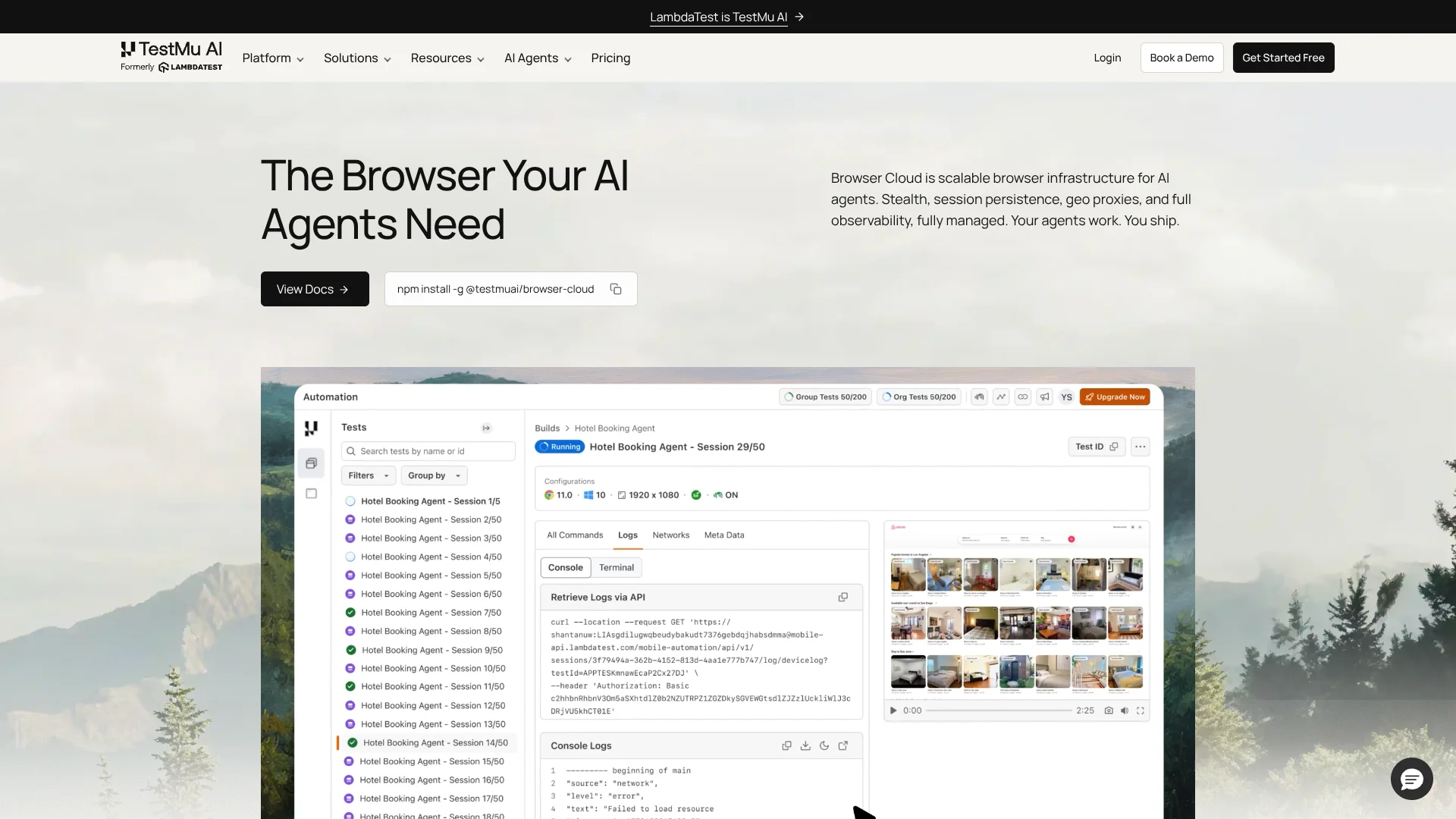
Review video, console logs, network logs, and command replay in the TestMu AI session history.
Who is Browser Cloud by TestMu AI For?
AI agent developers
They can give agents real cloud Chrome sessions with session persistence, stealth, tunnels, and observability.
QA automation teams
They can run Selenium, Playwright, and Puppeteer automation across real browser environments.
Data extraction teams
They can collect fully rendered content from single-page and JavaScript-heavy applications.
Competitive intelligence teams
They can continuously monitor competitor pricing, inventory, and content across websites.
Model-training data teams
They can collect JavaScript-rendered, fully executed web content at scale.
Frequently Asked Questions
What is Browser Cloud?
Browser Cloud is scalable browser infrastructure for AI agents, providing real Chrome sessions, session persistence, stealth capabilities, tunnels, and session transparency.
Can agents reach localhost or private apps?
Yes. The built-in tunnel connects cloud browser sessions to localhost, staging environments, internal dashboards, and VPN-gated applications.
How do agents avoid getting blocked?
Stealth Mode uses fingerprint masking, CAPTCHA solving, and ad blocking to reduce blocking risk. TestMu AI describes this as best-effort rather than guaranteed undetectability.
Which frameworks and AI agents work with Browser Cloud?
Browser Cloud supports Playwright, Puppeteer, Selenium, Claude, Cursor, Gemini, OpenAI Computer Use, and custom agents through the SDK, MCP server, or agent skills.
How do I debug an agent run?
Each session captures video, console logs, network logs, and step-by-step command replay for debugging.
How much does Browser Cloud cost?
The Free plan costs $0, the Browser Cloud plan costs $29 per month when billed annually, and Enterprise uses contact-sales pricing.
Community reviews
Be the first to share your experience.
Sign in to leave a review for Browser Cloud by TestMu AI.
Browser Cloud by TestMu AI Alternatives
Looking for alternatives to Browser Cloud by TestMu AI? Here are similar tools in the same category:
Learn to Master Browser Cloud by TestMu AI
With Skill Leap courses
Get in-depth training on Browser Cloud by TestMu AI and 50+ other AI tools with our expert-led video courses.
Start 7-Day Free Trial