
Buffer
Streamline social media management, analyze engagement, automate scheduling.
Key Takeaways
- What it is
- Streamline social media management, analyze engagement, automate scheduling.
- Pricing
- Freemium · $15 per month
- Best for
- Content Organization
- Publication Automation
- Performance Analytics
- Rating
- 4.6/5
What is Buffer?
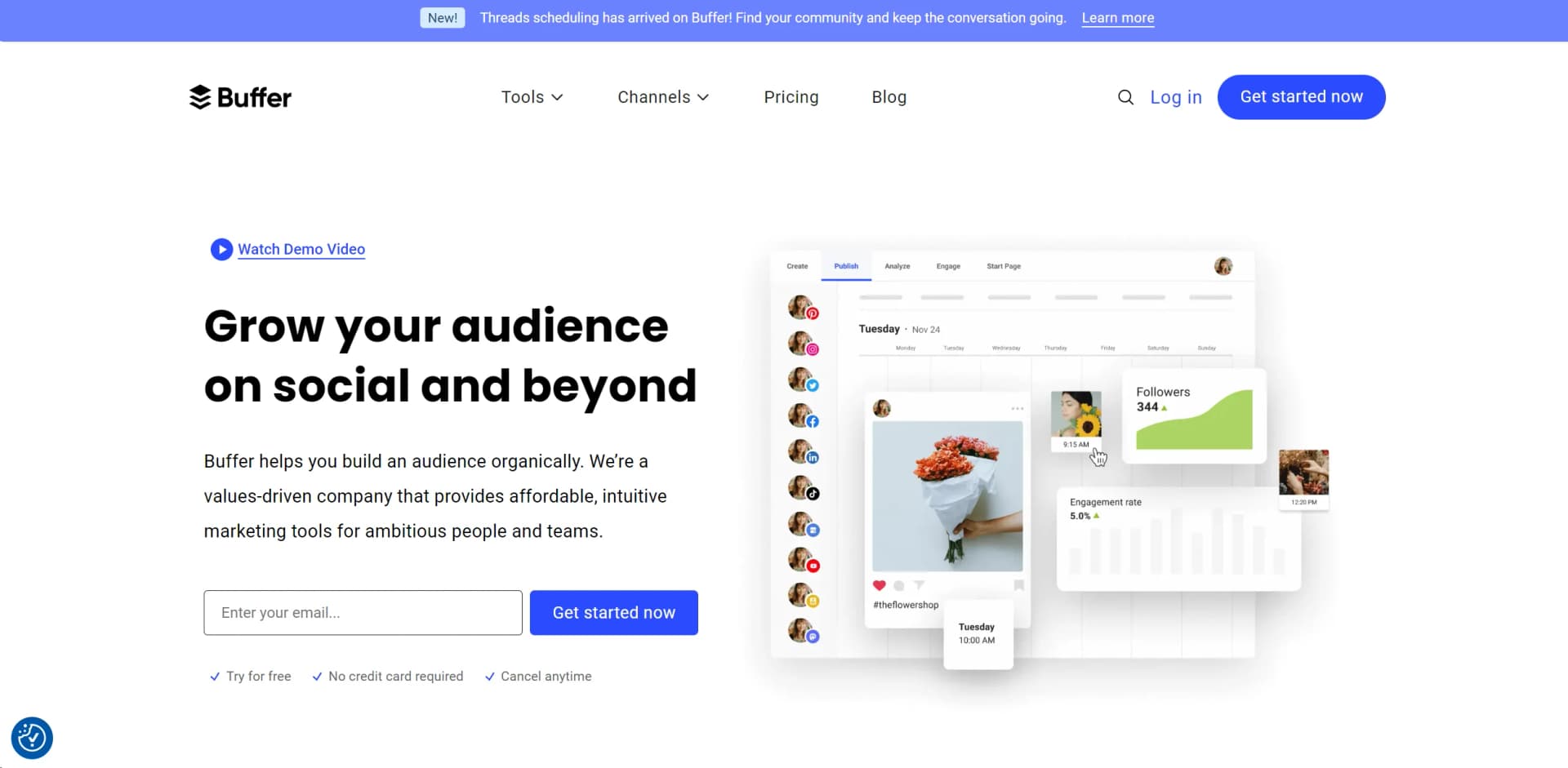
Buffer is a comprehensive social media management toolkit designed to help small businesses and marketing teams enhance their online presence. It simplifies the process of creating, scheduling, and publishing content across various social media platforms, while also providing tools for analyzing performance and engaging with audiences. As a seasoned user, I've found Buffer's platform to be invaluable in streamlining social media tasks, which allows more time to focus on strategic initiatives.
Buffer stands out due to its user-centric design and affordability. It caters especially to small businesses and individuals who are looking to grow their social media presence organically without a large investment. The addition of an AI Assistant for content generation and rewriting is particularly notable, making content creation accessible even to those without extensive marketing experience.
Buffer excels in providing a robust, intuitive, and affordable social media management toolkit that is particularly beneficial for small businesses and individual entrepreneurs. Its unique features, like the AI Assistant and customizable Start Page, offer significant advantages in content management and audience engagement. With its strong support system and comprehensive educational resources, Buffer ensures that users can maximize their social media potential efficiently and effectively.
Who is Using Buffer?
Small Business Owners
Utilizing Buffer to manage their social media presence efficiently without needing dedicated staff.
Marketing Agencies
Employing Buffer to handle multiple client accounts seamlessly, from scheduling to analytics.
Social Media Managers
Leveraging Buffer for planning and executing comprehensive social media strategies.
Freelancers
Using Buffer to manage their personal brand and client projects effectively.
Uncommon Use Cases
Non-profits using Buffer to engage with their communities; educational institutions teaching marketing students about social media management.
Key Features
Rating Breakdown
Pricing Plans
Free Tier
Free
- Get started with Buffer for free
- Ideal for new users looking to explore its features without commitment
Pro Tier
$15 per month
- Offering additional features like advanced scheduling and analytics
Which Buffer plan should you pick?
Start with Free to test AI Assistant, publishing, and API access; upgrade to Essentials for unlimited scheduling or Team for collaboration and approvals.
Free
Good for individuals who need basic publishing, AI Assistant access, up to three channels, and limited scheduled posts.
Essentials
Good for individuals who need unlimited scheduled posts, advanced analytics, and higher API limits.
Team
Good for teams and agencies who need unlimited members, channel permissions, and content approval workflows.
Buffer Use Cases
Generate social media ideas
Provide an industry and target audience, then generate and save content ideas.
Outcome: A starting point for future social posts.
Repurpose one post
Use AI to transform a single idea into multiple formats and styles for different social networks.
Outcome: Platform-tailored content without starting from scratch.
Refine captions
Regenerate, rephrase, shorten, expand, or change the tone of draft social copy.
Outcome: Polished captions ready to insert into a post.
Automate content publishing
Connect Buffer to automation tools or scripts that create and schedule posts from external data.
Outcome: A repeatable content pipeline with less manual posting.
Manage team approvals
Invite users, assign channel permissions, collect drafts, and approve posts before publishing.
Outcome: A controlled review process for collaborative publishing.
Workflow Ideas with Buffer
Turn structured data into scheduled posts
- 1Add products, launches, or customer stories to a structured data source
- 2Use a scheduled script or automation to draft content
- 3Send the drafts to Buffer for scheduling
Route content through AI before publishing
- 1Trigger a workflow from a form, feed, or uploaded file
- 2Use an AI step to rewrite or enrich the content
- 3Create a Buffer draft or scheduled post
Create an approval workflow
- 1Invite team members and assign Needs Approval permissions
- 2Have contributors create and submit drafts
- 3Review, edit, approve, or reject drafts before publishing
How Buffer fits into your stack
Major Social Networks
Fully integrates with platforms like Facebook, Instagram, LinkedIn, and Twitter.
Google Business Profile
Enhances visibility on Google services.
Shopify Integration
Allows e-commerce businesses to seamlessly connect their online store with social media.
API Access
Offers API for custom integrations, providing flexibility for tech-savvy users.
Pros
- +Time Efficiency: Reduces the time spent on daily social media tasks by automating scheduling and reporting.
- +Cost-Effective: Offers multiple pricing tiers, including a free option, making it accessible for businesses of all sizes.
- +User-Friendly Interface: The intuitive design makes it easy for newcomers and professionals alike to navigate and utilize the platform effectively.
- +Robust Analytics: Provides comprehensive insights that help in making informed decisions to enhance social media strategies.
Cons
- −Learning Curve: New users may require some time to fully utilize all available features.
- −Platform Limitations: While it supports many major platforms, some newer or less common platforms might not be fully supported.
- −Integration Limits: Although it offers various integrations, there might be specific tools or services that are not yet compatible.
Limitations & when to consider alternatives
Known limitations
- AI content may be inaccurate. Buffer warns that the assistant can hallucinate, produce incorrect facts, or generate biased or harmful content.
- AI knowledge is not real-time. The assistant may not include the latest events or developments.
- AI cannot process URLs directly. Buffer says the AI Assistant cannot open, read, or directly access URLs supplied in prompts.
- API media requires public links. Buffer's API does not accept direct file uploads; images and videos must be available through public links.
- Team administration is web-only. Inviting users and managing team settings are not available in the mobile app.
Look elsewhere when
- You need a dedicated desktop application.
- You need SSO or SAML authentication.
- You need API-based direct file uploads.
How to Use Buffer
- 1
Explore a range of tutorials available on Buffer's website and YouTube channel, covering everything from basic setup to advanced features.
Who is Buffer For?
Creators
Create, refine, schedule, and repurpose social media content with less writing overhead.
Small businesses
Manage social channels, content creation, publishing, analytics, and community engagement from one dashboard.
Agencies
Manage multiple client brands and invite teammates with channel-specific permissions.
Nonprofits
Coordinate social publishing and collaboration for small teams.
Developers
Connect Buffer to agents, automation tools, scripts, and custom applications through the API.
Frequently Asked Questions
How does Buffer's AI Assistant work?
It generates social post ideas, repurposes existing posts, summarizes long content, and creates text from prompts.
Can I adjust the tone of AI-generated posts?
Yes. You can make content more casual or formal, shorten or expand it, and adjust its structure.
Is Buffer's AI Assistant free to use?
Yes. Buffer says the AI Assistant can be used without limits with a free Buffer account.
What are the AI Assistant's limitations?
It may produce inaccurate or fabricated information, lacks real-time knowledge, and cannot open or read URLs.
Can Buffer connect to automation tools and AI assistants?
Yes. Buffer supports tools such as Zapier, Make, IFTTT, n8n, Claude, ChatGPT, Cursor, Notion, and Perplexity.
Can teams collaborate in Buffer?
Team users can be invited with channel permissions, draft posts, approval workflows, notes, and separate logins.
Community reviews
1 review from people who use Buffer.
Sign in to leave a review for Buffer.
Thibault BM
Buffer Alternatives
Looking for alternatives to Buffer? Here are similar tools in the same category:
Learn to Master Buffer
With Skill Leap courses
Get in-depth training on Buffer and 50+ other AI tools with our expert-led video courses.
Start 7-Day Free Trial