
Build AI
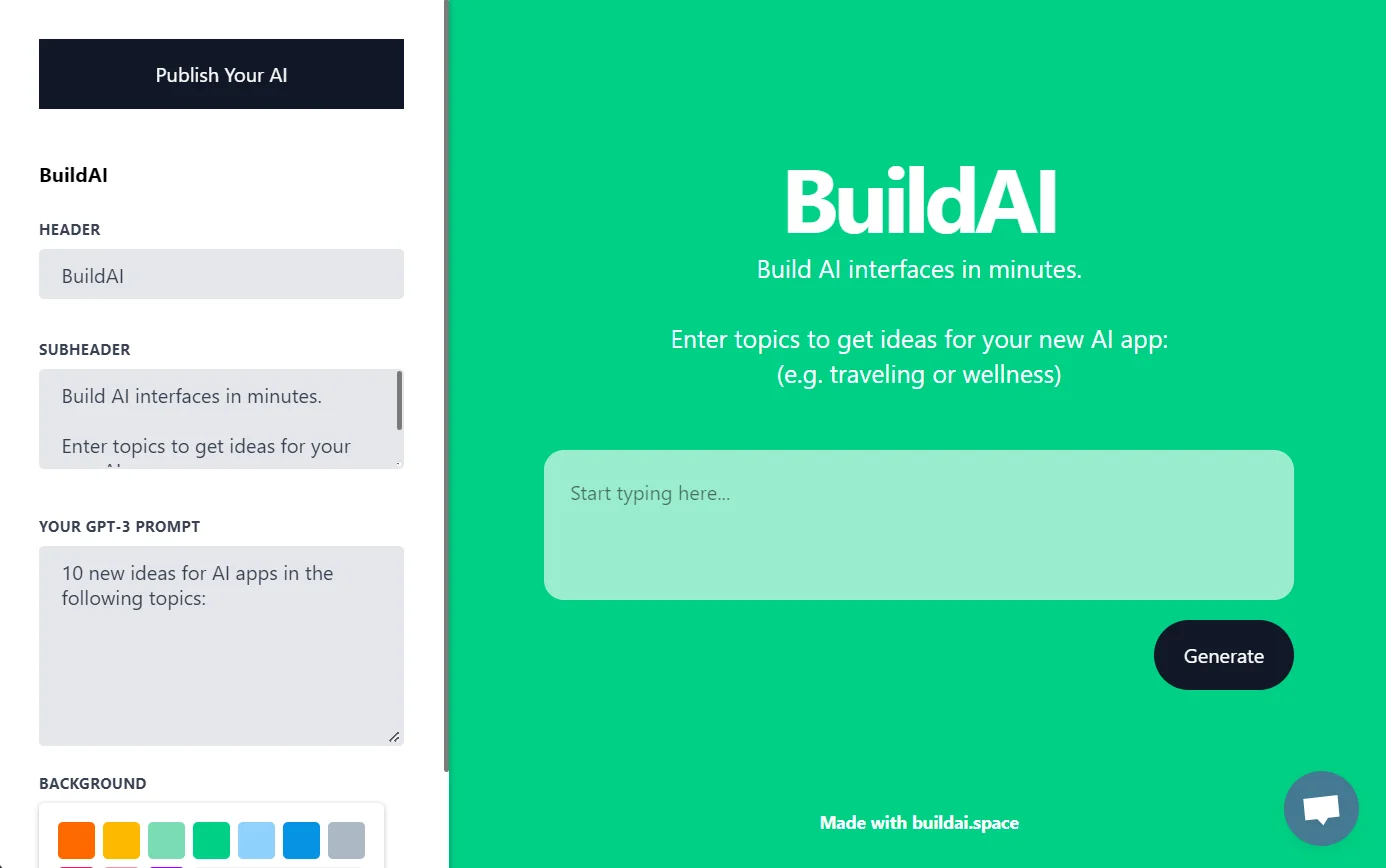
Build AI helps you quickly create and publish AI apps, with the ability to update and refine.
Watch Build AI in Action
Key Takeaways
- What it is
- Build AI helps you quickly create and publish AI apps, with the ability to update and refine.
- Pricing
- Freemium · $20 per month. Build unlimited apps with 1,000 monthly AI credits and 100 magic builder messages · $49 per month. Adds 5,000 AI credits and 250 builder messages monthly · $99 per month
- Best for
- No-Code AI App Generation
- Customizable User Experience
- Embedding Capabilities
- Rating
- 4.4/5
What is Build AI?
Build AI is a cutting-edge platform that empowers individuals and businesses to create AI-powered web applications with ease. Its primary function lies in transforming ideas into functional AI apps without the need for extensive technical skills. By leveraging natural language processing and user-friendly interfaces, Build AI provides a streamlined process for enhancing customer experience, generating leads, and boosting internal productivity.
Build AI distinguishes itself with its intuitive no-code AI app generation, which democratises the power of artificial intelligence. Its unique approach to app creation through natural language instructions is particularly beneficial for users lacking programming expertise.
Build AI excels in enabling users to quickly and effortlessly create AI applications that can significantly enhance business processes and customer interactions. Its standout feature of transforming natural language instructions into functional apps offers an unparalleled advantage to those without coding skills. Despite its limitations in app variety and code exportability, Build AI remains a potent tool for a wide range of users looking to harness the capabilities of artificial intelligence in their operations.
Who is Using Build AI?
Entrepreneurs
Wanting to turn their knowledge into a thriving online business without any technical skills.
Creators
Building an app where members can access their expertise in a personalized way.
Startup Founders
Leveraging the tool to quickly validate and implement AI-driven solutions for their businesses.
Marketing Professionals
Employing AI apps to engage with customers and personalize marketing campaigns.
Non-Profit Organizations
Using the tool to automate and enhance interactions with donors and beneficiaries.
Uncommon Use Cases
Academic researchers analyzing text-based data; Event organizers creating interactive AI features for virtual conferences.
Key Features
Rating Breakdown
Pricing Plans
Discover
Free
- Includes 1 Space App, 20 monthly AI credits, and 20 magic builder messages per month (5 per day)—a simple way to explore and test the basics before upgrading
Rocket
$20 per month. Build unlimited apps with 1,000 monthly AI credits and 100 magic builder messages
- Includes a shareable AI app link to showcase your project or product
Moon
$49 per month. Adds 5,000 AI credits and 250 builder messages monthly
- Support for custom domains
- Watermark removal
- Priority support
- A payment system for monetization
Spaceship
$99 per month
- Includes 15,000 AI credits, 500 builder messages, premium support, and everything from Moon, built for scaling online businesses with full customization and monetization
Which Build AI plan should you pick?
Start with Discover to validate an idea for free; upgrade to Rocket for broader usage, or Moon and above when you need custom domains, payments, and custom integrations.
Discover
Good for trying the platform with one app, 20 builder messages, 20 AI credits, and one Digital Employee.
Rocket
Good for small online businesses that need unlimited apps, more builder messages, and three Digital Employees.
Moon
Good for businesses needing custom domains, payment systems, priority support, and custom integrations.
Spaceship
Good for scaling businesses needing higher message and AI-credit limits plus more Digital Employees.
Galaxy
Good for maximizing growth with the highest documented usage limits and up to 20 Digital Employees.
Build AI Use Cases
Ecommerce app
Build an online store with product catalogs, recommendations, inventory management, and Stripe payments.
Outcome: Provide a smoother shopping and checkout experience.
Productivity tool
Create personal apps for hobbies, routines, reminders, shopping lists, practice sessions, and planning.
Outcome: Keep recurring personal projects organized in one place.
SaaS product
Launch a paid membership app with free and premium access tiers and recurring revenue.
Outcome: Monetize expertise through subscription-based AI tools.
Operational app
Build internal tools and dashboards for business operations, data management, and team workflows.
Outcome: Replace disconnected spreadsheets and generic tools with custom software.
AI image analysis tool
Let users upload photos and receive assessments, reports, recommendations, or professional insights.
Outcome: Speed up image-based reviews and deliver consistent evaluations.
Workflow Ideas with Build AI
Launch a service website
- 1Describe your business, services, and brand preferences
- 2Let BuildAI generate the website and lead-capture or booking features
- 3Customize the design and publish the app
Create an ecommerce app
- 1Define the product catalog and shopping experience
- 2Add search, recommendations, inventory, and Stripe payments
- 3Publish the store and share its custom link
Automate recurring app operations
- 1Open Scheduled Tasks or describe the task in AI Chat
- 2Choose a recurring or one-time schedule
- 3Monitor execution logs and update the task as needed
How Build AI fits into your stack
Browser
BuildAI is primarily a browser-based builder and workspace for creating, publishing, and operating AI apps and digital employees.
Automation and APIs
Digital employees run scheduled tasks, chain multi-step actions, and connect to external HTTP APIs through custom integrations.
Knowledge and files
The platform supports file uploads, document and image extraction, private employee workspaces, and connectors for Drive, Docs, Sheets, Dropbox, OneDrive, Excel, and Notion.
Team chat and tickets
Digital employees can work through Gmail, Slack, Microsoft Teams, WhatsApp Business, and Zendesk, including messages, tickets, and team updates.
Docs and writing
Employees can draft emails and content, summarize information, and work with Google Docs, Notion, Google Slides, and connected marketing tools.
Pros
- +Ease of Creation: Simplifies the process of developing AI apps, making it accessible to users without technical expertise.
- +Rapid Deployment: Accelerates the time from concept to launch, enabling businesses to quickly capitalize on AI technologies.
- +Versatility: Suits a wide range of applications, from customer service to lead generation and internal tools.
- +Customization: Offers a high degree of customization, allowing businesses to maintain brand consistency across AI-powered services.
Cons
- −No Code Export: Users cannot export the AI app's code for independent hosting or further development.
- −App Run Limitations: The number of app runs is dependent on the user's chosen plan, which could limit widespread use.
Limitations & when to consider alternatives
Known limitations
- Usage limits vary by plan. Plans limit builder messages and monthly AI credits; the free Discover plan includes 20 messages and 20 credits.
- Direct content generation through the chat builder is unsupported. The data-management documentation says content cannot currently be generated directly through the chat builder.
- Custom domains require eligible plans. Custom domains are available only on certain paid plans.
- Scheduled tasks consume AI credits. Automated task execution uses credits according to the subscription plan.
- Apps must be published before users can join. Users can only join published apps, not apps that remain in the builder.
Look elsewhere when
- You need a native iOS or Android application.
- You need a downloadable desktop application.
- You need a documented BuildAI developer API.
How to Use Build AI
- 1
Describe the app
Explain the app, audience, data, and desired behavior in plain language so BuildAI can generate the initial version.
- 2
Review and refine
Use builder messages or the visual editor to adjust content, colors, layouts, fields, and app behavior.
- 3
Add data and integrations
Create data entities, upload files, connect built-in services, or configure an external API integration.
- 4
Configure access
Enable email, Google, or Microsoft login and assign user or admin roles as needed.
- 5
Set automation
Create scheduled tasks for reports, reminders, synchronization, cleanup, or other recurring operations.
- 6
Publish and share
Publish the app, configure its link or custom domain, invite users, and monitor usage through analytics.
Who is Build AI For?
Founders
Build and launch products without a technical co-founder, engineering team, or lengthy development cycle.
Businesses
Create custom operational software, client portals, workflows, dashboards, and intake forms.
Service providers
Build booking websites, lead-capture sites, and quote-request tools for customer-facing operations.
Creators and educators
Turn expertise into AI-powered tools, paid memberships, and digital products.
Agencies and freelancers
Use portfolio, quote, lead-capture, and client-management applications to streamline business development.
Frequently Asked Questions
Do I need technical skills to build my app?
No. Describe what you want in plain language and BuildAI builds it without coding.
How quickly can I get started?
You can start building immediately after signing up; the documentation says many entrepreneurs launch within days.
How quickly can I launch my app?
BuildAI creates the app instantly, and the documentation says launch is typically possible within hours after refinement.
Is it possible to use my own data?
Yes. You can add your own data and make it accessible to app users in a structured way.
What kind of services can my app offer?
Examples include personalized recommendations, automated analysis, intelligent assistants, and content generation.
Can I customize the look and feel?
Yes. Customize colors, logos, and layouts; premium plans also support custom domains without BuildAI branding.
Community reviews
Be the first to share your experience.
Sign in to leave a review for Build AI.
Build AI Alternatives
Looking for alternatives to Build AI? Here are similar tools in the same category:
Learn to Master Build AI
With Skill Leap courses
Get in-depth training on Build AI and 50+ other AI tools with our expert-led video courses.
Start 7-Day Free Trial