
Bytemine
Supplies AI agents verified emails, phones.
Key Takeaways
- What it is
- Supplies AI agents verified emails, phones.
- Pricing
- Freemium · $250 per month
- Best for
- AI Search & ICP Builder
- LinkedIn Agent Chrome Extension
- Contact, Company, and Consumer APIs
- Rating
- 4.3/5
What is Bytemine?
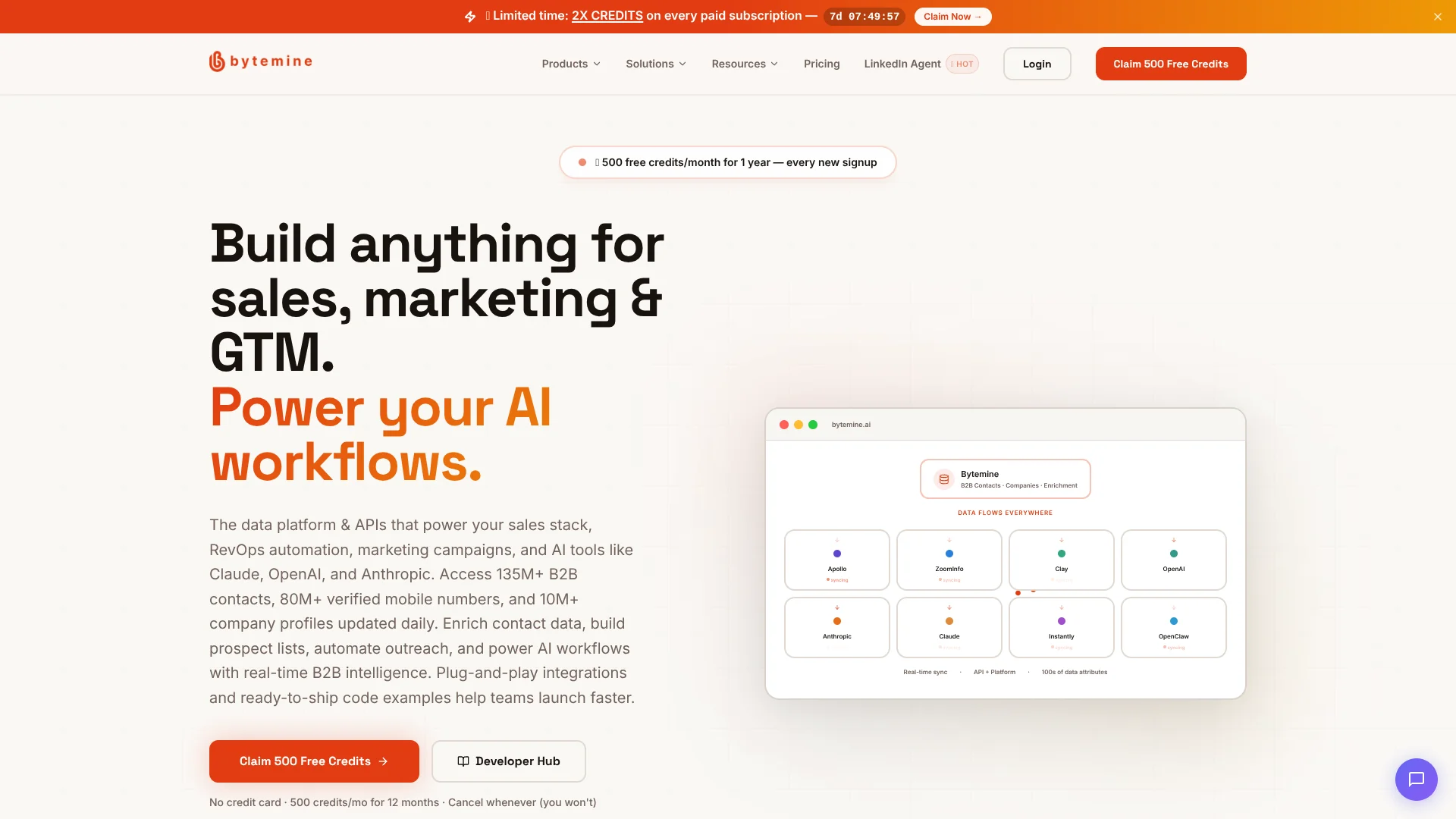
Bytemine is a B2B data platform and API for sales, marketing, RevOps, and AI teams that need real-time contact, company, and consumer data without heavyweight contracts. It provides searchable access to more than 130 million B2B contacts, tens of millions of mobile numbers, and over 150 million consumer records. Teams use it to build prospect lists, enrich CRMs, and feed AI agents like Claude or custom workflows with verified emails and phone numbers.
Bytemine combines low per-record pricing and unlimited seats with an AI-native delivery stack that includes an MCP server for Claude and Cursor plus developer-friendly REST APIs and code examples. Instead of centering on per-seat contracts, it positions itself as an API-first contact layer that plugs into CRMs, GTM automation, and LLM agents. That emphasis on programmatic access and AI workflows is less common among traditional contact data providers.
Bytemine gives sales, marketing, and product teams a programmable contact data layer built for AI-era workflows rather than legacy seat-based contracts. It is best suited to groups that value APIs, MCP tools, and low per-record costs more than having a full engagement suite in one product. Teams that require audited security certifications or independent accuracy studies will need to do extra diligence, but builders and revenue teams comfortable testing data will find it a strong engine for modern GTM.
Who is Using Bytemine?
Sales development leaders
Build targeted prospect lists, unlock mobiles and emails, and push prioritized leads to SDRs and AEs.
RevOps and sales operations teams
Enrich CRM records, standardize firmographic fields, and power routing rules through APIs and CSV enrichment.
Growth and demand-generation marketers
Use ICP builder and email validation to create clean outbound lists and upload enriched audiences into campaigns.
Recruiters and talent sourcers
Search by title, company, and location to find candidates and enrich profiles with direct contact details.
Product and AI engineers
Wire REST and MCP APIs into apps and agents that need live contact search and enrichment.
Uncommon Use Cases
Investors mapping markets with company lookalike searches; boutique agencies building white-label AI prospecting assistants on top of Bytemine APIs.
Key Features
Rating Breakdown
Pricing Plans
Starter
Free
- Includes 500 credits per month for 12 months (1 credit = 1 contact with 50+ data points), full B2B & company API access, AI search & ICP builder, bulk CSV enrichment & contact lookup, 80M+ mobile numbers, 79M+ work emails, real-time search & enrichment endpoints, CRM with lists & accounts, unlimited exports and seats, and sub-200ms response times
Pro
$250 per month
- Includes 15,000 credits per month (limited-time 2× credits
- Normally 7,500), plus all Starter features including full API access, AI search & ICP builder, bulk CSV enrichment, CRM, unlimited exports and seats, and sub-200ms response times
Enterprise
- Includes unlimited credits, all Pro features, plus a dedicated account manager, custom API integrations and webhooks, SSO and advanced security, and priority support
Which Bytemine plan should you pick?
Start with Starter to test prospecting and enrichment; upgrade to Pro when your credit volume exceeds the included allowance or you need larger-scale production usage.
Starter
Good for teams evaluating Bytemine with 500 credits per month for 12 months and access to the platform and developer features.
Pro
Good for teams needing higher-volume enrichment, production API usage, unlimited seats, and premium support.
Bytemine Use Cases
Outbound prospecting
Search for decision-makers using natural-language queries and firmographic filters, then reveal verified contact details.
Outcome: Build targeted prospect lists faster.
CRM enrichment
Upload a CRM export and fill missing emails, phone numbers, titles, and company information.
Outcome: Improve CRM completeness and data quality.
LinkedIn lead scoring
Use the Chrome extension to score warm LinkedIn leads, generate replies, and enrich profiles.
Outcome: Prioritize warmer prospects and reduce manual research.
Recruiting and candidate sourcing
Search candidate profiles and reveal verified mobile numbers and personal or work emails.
Outcome: Reach qualified candidates through additional channels.
API-powered GTM automation
Use REST APIs, webhooks, CLI, or MCP to feed enriched data into agents, CRMs, and workflows.
Outcome: Automate enrichment and lead-routing processes.
Workflow Ideas with Bytemine
Build and enrich a prospect list
- 1Describe the ideal customer or filter by title, company, location, and firmographics
- 2Save matching contacts to a list and unlock verified emails, mobiles, and company data
- 3Export the enriched list or send it to a CRM or outreach workflow
Enrich a CRM export
- 1Upload a CSV export from the CRM
- 2Let Bytemine auto-detect and map the columns
- 3Download the enriched file with completed contact and company attributes
Score and activate LinkedIn leads
- 1Install the Bytemine LinkedIn Agent from the Chrome Web Store
- 2Browse LinkedIn while the extension scores posts and profiles against the ICP
- 3Save hot leads, generate replies, enrich contacts, and route them to outreach or CRM systems
How Bytemine fits into your stack
Browser
Bytemine is primarily a browser-based B2B prospecting and enrichment workspace. Its LinkedIn Chrome extension adds contact capture, lead scoring, and AI replies directly to LinkedIn pages.
Knowledge and files
Teams upload CRM or prospect CSV files for bulk enrichment, automatic column mapping, data hygiene, and export of enriched records.
Automation and APIs
REST APIs, batch processing, webhooks, SDKs, CLI, and MCP let engineering teams connect Bytemine to data pipelines and AI-agent workflows.
Desktop / IDE
Bytemine's MCP server connects with clients such as Claude Desktop and Cursor, allowing those environments to search and enrich B2B data.
Pros
- +AI-native delivery: Native MCP server, Claude and OpenAI integrations, and prompt enrichment patterns fit modern LLM and agent workflows.
- +Generous free tier: Starter plan grants 500 credits per month for 12 months with the same feature set as Pro, which is strong for trials and small teams.
- +Low effective cost per record: Published pricing comes out to roughly $0.03 per fully enriched contact while still including unlimited seats and exports.
- +Fast responses: Sub-200 millisecond enrichment endpoints support interactive tools and in-product personalization.
Cons
- −Limited independent validation: There are few public third-party reviews or accuracy benchmarks, so teams must run their own quality tests.
- −Sparse enterprise security signals: Beyond a privacy policy, the site does not foreground compliance badges such as SOC 2, which may slow approval with strict security teams.
- −Region coverage clarity: Marketing copy emphasizes large US mobile and email volumes, while coverage in other regions is less clearly documented.
Limitations & when to consider alternatives
Known limitations
- Free credits are time-limited. The advertised free allowance is 500 credits per month for 12 months rather than an unlimited free data plan.
- Credit-based usage. Enrichment consumes credits, generally one credit per complete contact record, and paid plans are based on usage volume.
- Credit card requirement. The primary free offer states that a credit card is required, although the site also presents other free-credit messaging.
- Browser extension scope. The dedicated extension is designed for LinkedIn and supported websites; it is not documented as a native mobile application.
Look elsewhere when
- You need a native mobile app.
- You need image analysis or vision input.
- You need model fine-tuning or custom weight training.
How to Use Bytemine
- 1
Create an account and workspace
Start with the free Starter allowance, then use the workspace as the isolated home for contacts, lists, campaigns, team members, and API keys.
- 2
Define your ICP
Use natural-language prospecting or the ICP Builder to describe target companies, roles, industries, locations, and firmographics.
- 3
Find and enrich contacts
Search the contact database or provide an email, phone number, LinkedIn URL, or CSV to retrieve verified contact and company data.
- 4
Use the Chrome extension
Install the Bytemine LinkedIn Agent to score warm leads, reveal contact information, and generate contextual replies while browsing LinkedIn.
- 5
Activate the data
Export CSVs, sync with supported CRMs and connectors, or send data into outreach campaigns and other GTM workflows.
- 6
Build integrations when needed
Use the Developer Hub for REST endpoints, authentication, SDK examples, webhooks, CLI commands, OpenAPI, or MCP connectivity.
Who is Bytemine For?
SDRs and BDRs
Use AI prospecting, verified contact data, LinkedIn lead scoring, and outreach workflows to build pipeline.
Revenue Operations teams
Clean and enrich CRM exports, manage data quality, route leads, and connect enrichment workflows.
GTM engineers
Build on documented REST APIs, SDKs, webhooks, CLI tooling, and MCP integrations.
Recruiters and staffing agencies
Find candidates, reveal verified mobiles and emails, and export or sync enriched profiles.
Sales and marketing teams
Build targeted lists, enrich contacts, identify buying signals, and activate multichannel campaigns.
Frequently Asked Questions
How many free credits does Bytemine provide?
The Starter offering provides 500 credits per month for 12 months, with cancellation available anytime.
What does one credit provide?
One credit returns a full contact record with verified work email, personal email when available, direct dial, mobile number, and firmographics.
Does Bytemine charge per seat?
Bytemine advertises unlimited seats and no per-seat pricing across its plans.
Can Bytemine enrich CSV files?
Yes. Users can upload CSV files, map columns automatically, enrich records, and export the completed file.
Does Bytemine provide an API?
Yes. The Developer Suite includes documented REST APIs, SDKs, webhooks, an OpenAPI specification, CLI, and MCP server.
Can workspaces isolate client data?
Yes. Separate workspaces maintain separate contacts, lists, campaigns, API keys, team members, and permissions.
Community reviews
Be the first to share your experience.
Sign in to leave a review for Bytemine.
Bytemine Alternatives
Looking for alternatives to Bytemine? Here are similar tools in the same category:
Learn to Master Bytemine
With Skill Leap courses
Get in-depth training on Bytemine and 50+ other AI tools with our expert-led video courses.
Start 7-Day Free Trial