
Cabina AI
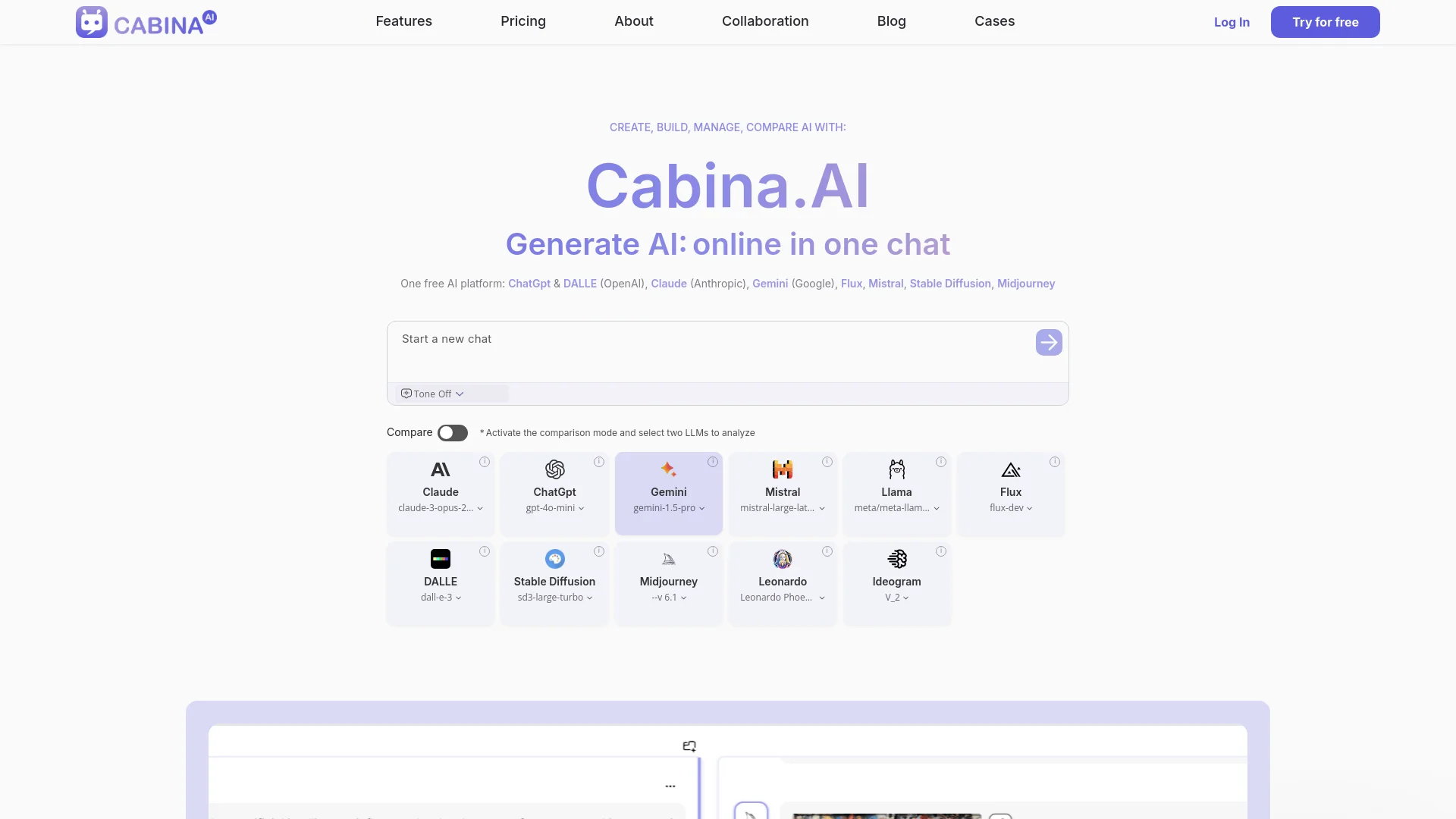
Streamline content creation and image generation with multi-LLM integration.
Watch Cabina AI in Action
Key Takeaways
- What it is
- Streamline content creation and image generation with multi-LLM integration.
- Pricing
- Freemium · $4.99 per month · $9.99 per month · $18.99 per month · $99.99 per month
- Best for
- Multi-LLM Integration
- Real-Time Task Solving
- Custom Actions
- Rating
- 4.6/5
What is Cabina AI?
Cabina AI is a versatile, all-in-one AI platform designed to streamline content creation, image generation, and more. It integrates multiple large language models (LLMs) such as ChatGPT, DALL-E, Claude, Gemini, Flux, Mistral, Stable Diffusion, and Midjourney into a single, user-friendly interface. This tool is ideal for professionals and individuals seeking to enhance productivity, reduce costs, and achieve efficient, high-quality results across various AI-driven tasks.
Cabina AI stands out with its ability to integrate multiple LLMs into a single platform, providing a comprehensive solution for various AI-driven tasks. This unique feature allows users to compare responses from different models, ensuring the best possible outcome for any query or project.
Cabina AI excels in providing a unified platform for interacting with multiple AI models, making it an essential tool for professionals and individuals looking to enhance productivity and efficiency. Its unique integration capabilities and comprehensive features set it apart, offering unmatched versatility and convenience.
Who is Using Cabina AI?
E-commerce Businesses
Enhancing product descriptions and imagery for better online presence.
Digital Marketing Agencies
Creating engaging campaign content and managing social media posts.
Content Creators
Streamlining the creation of blogs, articles, and multimedia content.
Freelancers
Utilizing the platform for varied projects, from writing to graphic design.
Uncommon Use Cases
Adopted by educational institutions for teaching AI-related courses; used by non-profits for generating impactful campaign materials.
Key Features
Rating Breakdown
Pricing Plans
Free Plan
Free
- Includes 100 free Cabina tokens after registration and 10+ daily tokens
Starter Plan
$4.99 per month
- Includes 450 Cabina tokens and access to all LLM functionalities
Basic Plan
$9.99 per month
- Includes 1000 Cabina tokens and priority email support
Growth Plan
$18.99 per month
- Includes 2000 Cabina tokens and additional features
Enterprise Plan
$99.99 per month
- Includes 12000 Cabina tokens and premium support
Which Cabina AI plan should you pick?
Start with FREE to test the workspace, move to Starter or Basic for regular personal use, and upgrade to Growth, Premium, or Enterprise for higher usage and organizational features.
FREE
Good for exploring Cabina with 50 tokens, basic LLM access, limited daily access, and 100 MB file uploads.
Starter
Good for light personal use requiring all LLM functionality, file and media workflows, and 450 monthly tokens.
Basic
Good for regular personal use with 1,000 monthly tokens and the full feature set.
Growth
Good for everyday tasks requiring 2,100 monthly tokens and priority email support.
Premium
Good for professionals with high-volume usage requiring 14,000 monthly tokens.
Enterprise
Good for organizations needing private cloud, isolated LLMs, customizable setup, team collaboration, and employee training.
Cabina AI Use Cases
Chat with company documents
Upload documents or connect cloud files, create a knowledge base, and ask questions across the sources.
Outcome: Answers grounded in the user’s own documents.
Compare AI model responses
Ask multiple AI models or model versions the same question in comparison mode.
Outcome: Side-by-side answers for faster evaluation.
Generate and edit images
Create images from prompts or upload existing images for inpainting, object removal, expansion, and variations.
Outcome: Edited or newly generated visual assets.
Generate and refactor code
Choose a programming language, generate code, or submit existing code for refactoring.
Outcome: New code snippets or cleaner, optimized code.
Connect AI tools through MCP
Connect Cabina to Claude Code, Cursor, Copilot, Codex, or other MCP clients.
Outcome: Cabina models, knowledge bases, and tools available inside another AI application.
Workflow Ideas with Cabina AI
Document research workflow
- 1Upload PDF, DOCX, XLSX, CSV, TXT, or MD files
- 2Create a Cabina knowledge base
- 3Ask questions and compare answers across AI models
Image editing workflow
- 1Upload an image or open an image from a chat
- 2Select an area or describe the desired edit
- 3Use inpainting, object removal, background removal, expansion, or variations
Developer MCP workflow
- 1Create or obtain a Cabina bearer token
- 2Connect Cabina MCP to Claude Code, Cursor, Copilot, Codex, or another client
- 3Call generation, attachment, datastore, conversation, and skill tools
How Cabina AI fits into your stack
API Access
Developers can leverage Cabina AI's API for custom integrations, enhancing its flexibility.
Third-Party Integration
Supports integration with various third-party tools, expanding its functionality.
Plugin Ecosystem
Offers a thriving plugin ecosystem for additional features and capabilities.
Pros
- +Time Efficiency: Significantly reduces the time required to find the best solution by providing multiple results for a single prompt.
- +Cost-Effective: Consolidates subscriptions into one platform, saving on individual AI tool costs.
- +User-Friendly Interface: Simplifies navigation and task management with an intuitive design.
- +Versatile Applications: Suitable for various content types, including text, images, and videos, making it a comprehensive tool for diverse needs.
Cons
- −Initial Learning Curve: Users may need time to familiarize themselves with the advanced features and multiple integrations.
- −Limited Free Access: The free plan provides limited daily access, which may not suffice for heavy users.
Limitations & when to consider alternatives
Known limitations
- Free-plan token and usage limits. The FREE plan provides 50 Cabina Tokens, basic LLM access, and limited daily access.
- Free-plan file-size limit. The FREE plan lists a 100 MB file-upload limit.
- Pay-as-you-go validity period. Pay-as-you-go access removes limits for 100 days from the last payment.
- MCP attachment limit. MCP attachment uploads are capped at 100 MB.
- Model-dependent costs. Cabina charges different token amounts depending on the selected AI technology, with video models generally costing more.
Look elsewhere when
- You need a native mobile application.
- You need a desktop installer instead of a browser workspace.
- You require SSO or SAML administration.
How to Use Cabina AI
- 1
Explore the comprehensive tutorial series on YouTube, covering everything from basic setup to advanced features of Cabina AI.
Who is Cabina AI For?
E-commerce teams
Enterprise Cabina plans identify e-commerce as an intended organization type and provide customizable AI solutions.
Legal teams
Cabina positions enterprise offerings for legal support and provides document knowledge-base workflows.
Sales teams
Enterprise plans name sales teams as a target audience and support company knowledge workflows.
Software development teams
Cabina provides code generation, code refactoring, test-case generation, and MCP access for developer tools.
Content creators
Cabina offers text, image, video, audio, rewriting, summarization, translation, and social-content tools.
Frequently Asked Questions
What is Cabina.AI?
Cabina.AI is an all-in-one workspace for using and comparing many AI models in one interface.
What AI models does Cabina support?
Cabina supports models from providers including OpenAI, Anthropic, Google, Midjourney, Flux, Mistral, Llama, Runway, Luma, ElevenLabs, and others.
Can I use Cabina for free?
Yes. The FREE plan includes 50 Cabina Tokens, basic LLM access, limited daily access, and 100 MB file upload.
Can I upload my own documents?
Yes. Cabina supports popular document formats and lets users chat with files or add them to a knowledge base.
Does Cabina provide API access?
Yes. Cabina provides MCP access with bearer-token authentication, documented tools, endpoints, and attachment handling.
Can I cancel a subscription?
Yes. Cabina says subscriptions can be canceled at any time, with access continuing through the paid period.
Community reviews
2 reviews from people who use Cabina AI.
Sign in to leave a review for Cabina AI.
Dima Dehtiarov
Олена Полосьмак
Cabina AI Alternatives
Looking for alternatives to Cabina AI? Here are similar tools in the same category:
Learn to Master Cabina AI
With Skill Leap courses
Get in-depth training on Cabina AI and 50+ other AI tools with our expert-led video courses.
Start 7-Day Free Trial