
Caffeine
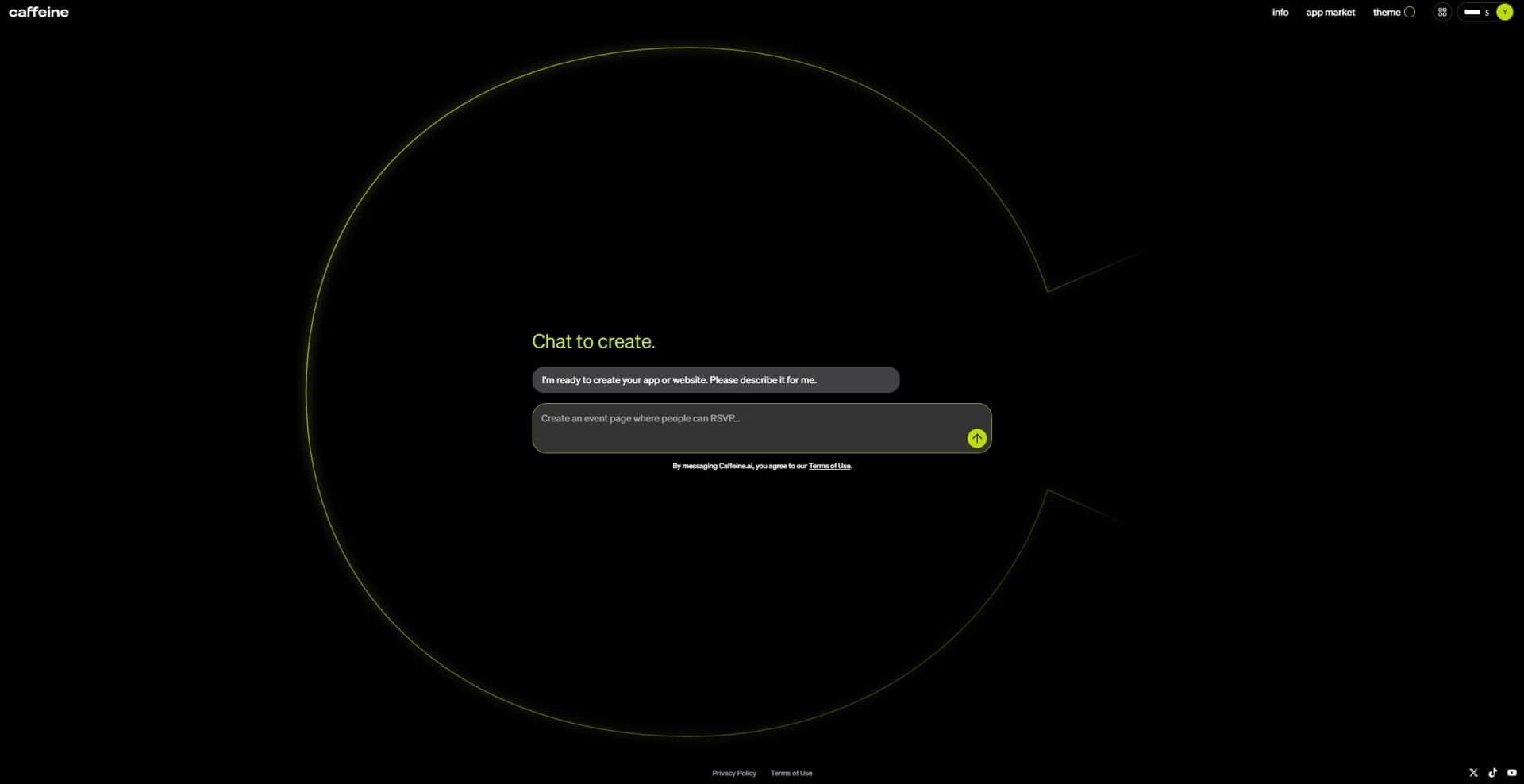
Build, launch, and update decentralized apps using chat.
Watch Caffeine in Action
Key Takeaways
- What it is
- Build, launch, and update decentralized apps using chat.
- Pricing
- $15.99 per month* · $29.99 per month* · $99.99 per month*
- Best for
- Natural Language App Creation
- Decentralized Deployment
- Real-Time Iteration
- Rating
- 4.2/5
What is Caffeine?
Caffeine is a self-writing apps platform, designed to let users create and manage web applications using only conversation. The platform is built on the Internet Computer blockchain, ensuring that every app is decentralized, secure, and scalable. Instead of traditional coding, users describe their desired app in plain language, and Caffeine’s AI generates the entire stack—front-end, back-end, and smart contracts, automatically. This makes it possible to launch and update apps rapidly, without needing a technical team or deep programming knowledge.
Caffeine stands out as the first true “self-writing” AI engine for decentralized apps, combining natural language interfaces, blockchain deployment, and autonomous software refinement. The ability to launch and evolve production-grade apps just by talking to an AI—without writing code—sets it apart from traditional low-code or code-assist platforms, offering an unprecedented gateway to the Web3 future.
Caffeine delivers the future of app development: describe your idea, get your app, and keep improving it with nothing more than a conversation. Its combination of on-chain deployment, full-stack automation, and AI-powered iteration creates possibilities never before available—whether for solo founders, tech leads, or ideators who want to skip the code and see results instantly.
Who is Using Caffeine?
Entrepreneurs
Launching startups and community platforms with minimal resources.
Enterprise Tech Leads
Rapidly prototyping CRMs, ERP systems, or internal tools for validation.
Government & Nonprofits
Creating secure engagement or administration platforms without vendor lock-in.
Hobbyists and Creatives
Building personal blogs, portfolios, and social mini-apps for experimentation.
Uncommon Use Cases
Used by researchers for citizen science dapps; adopted by grassroots political organizers for secure, permissionless voting systems.
Key Features
Rating Breakdown
Pricing Plans
Starter Plan
$15.99 per month*
- Includes 40 credits per month, +5 daily bonus credits, and support for unlimited app building in parallel. Designed for creating around 3 simple apps and 1 advanced app
Plus Plan
$29.99 per month*
- Includes 110 credits per month and all Starter features. Supports about 7 simple apps and 3 advanced apps, with additional access to custom domains, email capabilities, and app insights
Pro Plan
$99.99 per month*
- Includes 400 credits per month and all Plus features. Suitable for heavier users, allowing for roughly 30 simple apps and 10 advanced apps, along with custom domains, user email features, and advanced analytics
*Annual billing saves 20%
Which Caffeine plan should you pick?
Start with Free to remix App Market apps; upgrade to Host for regular building and live apps, Studio for publishing, or Business for shared team workspaces.
Free
Good for exploring Caffeine, remixing App Market apps, and using the included welcome credits.
Host
Good for individual builders who need to create apps from scratch, take them live, use a custom domain, send email, and view analytics.
Studio
Good for creators who need more credits, custom domain purchases through Caffeine, and App Market publishing.
Business
Good for teams who need shared workspaces, shared credits, seats, roles, permissions, admin controls, and priority support.
Caffeine Use Cases
Build a business dashboard
Describe an internal dashboard, CRM, ERP, or workflow-management app in chat.
Outcome: Caffeine generates and deploys a working full-stack application.
Create an e-commerce app
Describe product listings, shopping carts, checkout, and order management.
Outcome: The result is a deployable online store application.
Build a community app
Create social networks, esports leagues, or team tools with user accounts and access controls.
Outcome: Users receive a multi-user application with roles and permissions.
Use uploaded assets in an app
Upload images, videos, or PDFs and tell the AI how to use them.
Outcome: The assets are incorporated into the app or used as source material for the build.
Export and continue development
Connect GitHub and export the generated Motoko and React/TypeScript source code.
Outcome: You retain a repository containing the app's source and export history.
Workflow Ideas with Caffeine
Build and refine an app
- 1Describe the app in the chat panel
- 2Answer clarifying questions in Guided mode
- 3Review the generated draft and request changes
Add reference files to a build
- 1Attach images or PDF files to a chat message
- 2Explain where the files should be used
- 3Review the generated app using the uploaded assets
Export a project to GitHub
- 1Open project settings and select Export to GitHub
- 2Authorize the Caffeine GitHub App
- 3Push subsequent project versions as commits
How Caffeine fits into your stack
Browser
Caffeine is a browser-based conversational app builder. Users describe requirements, review draft web apps, and publish them to live URLs.
Automation and APIs
Caffeine-generated apps can call HTTPS endpoints, use named integrations such as Stripe and Google Calendar, schedule backend calls, and send event-triggered emails. Its hosted MCP server also lets compatible AI clients operate Caffeine projects programmatically.
Knowledge and files
Users can attach images and PDFs in the chat. Caffeine reads PDFs and uses uploaded images as visual references or app assets.
Pros
- +No Coding Required: Opens app development to non-programmers, allowing anyone to build and deploy apps with minimal technical expertise.
- +Fully Decentralized: Apps run on the Internet Computer blockchain, ensuring they are secure, tamper-resistant, and not reliant on big cloud providers.
- +Rapid Prototyping: Enables the creation, launch, and refinement of apps in minutes, significantly reducing development time.
- +Web3 Native: Built-in support for crypto payments, NFTs, and decentralized user management makes it easy to create Web3 applications.
Cons
- −Learning Curve for Complex Workflows: While simple apps are easy to create, specifying complex business logic or unique workflows may require more experimentation.
Limitations & when to consider alternatives
Known limitations
- Free plan is limited. Free users can remix existing App Market apps, receive 15 welcome credits, and use up to three projects; creating an app from scratch requires a paid plan.
- Native mobile apps are unsupported. Caffeine produces web apps for mobile browsers, not native iOS or Android applications.
- Technology stack is fixed. Caffeine does not support technologies such as Python, Rust, PostgreSQL, MySQL, MongoDB, React Native, Flutter, or external cloud providers.
- File URLs are not individually authenticated. Uploaded file URLs are not publicly listed, but anyone who obtains a direct URL can access the file unless the app code enforces additional controls.
- Complex projects may need external development. Very large or highly interconnected projects may require breaking work into smaller changes or exporting the project to GitHub and continuing with external tools or a developer.
Look elsewhere when
- You need a native iOS or Android app.
- You need PostgreSQL, MySQL, MongoDB, or another external database.
- You need Python, Rust, Go, or another backend language outside Caffeine's stack.
- You need a native desktop application installer.
How to Use Caffeine
- 1
Choose a starting point
Sign up for Free to remix an App Market app, or choose Host or Studio if you want to build from scratch.
- 2
Describe the app
Use natural language to explain the app, data, users, and functionality you want Caffeine to create.
- 3
Select a build mode
Use Guided mode for clarifying questions or Instant mode when the request is already clear.
- 4
Add files or images
Attach images, videos, or PDFs when the build needs reference material, assets, or document content.
- 5
Review and iterate
Preview the generated draft, then describe changes in the same conversation so Caffeine updates the app.
- 6
Publish or export
Use Host or Studio to take the app live, and connect GitHub when you want to export and manage the generated source code.
Who is Caffeine For?
Non-technical builders
They can create and update full-stack apps by describing requirements in natural language.
Businesses
Caffeine names CRM systems, ERP tools, workflow managers, booking systems, internal dashboards, and client portals as business use cases.
Personal-project creators
It supports personal tools such as wedding portals, expense trackers, RSVP pages, photo albums, and family projects.
Community builders
Caffeine lists social networks, esports leagues, and team tools among the apps it can build.
E-commerce builders
It supports stores with product catalogues, shopping carts, checkout, and order management.
Frequently Asked Questions
Do I need to know how to code?
No. You describe what you need in plain language, and Caffeine builds the app.
Can I build an e-commerce site?
Yes. Caffeine can build product listings, shopping carts, checkout, and order-management apps.
Can I use Caffeine for work or business?
Yes. Documented business use cases include CRM systems, ERP tools, workflow-management apps, e-commerce platforms, internal dashboards, and client portals.
Can I use Caffeine for personal projects?
Yes. Examples include wedding portals, expense trackers, family photo albums, RSVP pages, hyperlocal social networks, and esports leagues.
Can Caffeine build a mobile app?
Caffeine builds web apps that work on mobile browsers. Native iOS and Android apps are not supported.
Can I add OpenAI or chatbot features?
Yes. Caffeine supports Caffeine Inference for managed AI usage and an OpenAI integration that requires an OpenAI API key.
Community reviews
Be the first to share your experience.
Sign in to leave a review for Caffeine.
Caffeine Alternatives
Looking for alternatives to Caffeine? Here are similar tools in the same category:
Learn to Master Caffeine
With Skill Leap courses
Get in-depth training on Caffeine and 50+ other AI tools with our expert-led video courses.
Start 7-Day Free Trial